
podofo 2106d86b-2c5b-470a-a3d3-238e1d466d10
podofo Car Stereo Radio User Manual
For Nissan Altima 2008-2012 (Manual A/C)
1. Produktua amaitu daview
This manual provides detailed instructions for the installation, operation, and maintenance of your podofo 9-inch HD IPS Touch Screen Car Stereo Radio. Designed specifically for Nissan Altima models from 2008 to 2012 with manual air conditioning, this unit enhances your driving experience with advanced features such as wireless CarPlay, Android Auto, MirrorLink, GPS navigation, DSP audio processing, Bluetooth connectivity, and Wi-Fi capabilities.
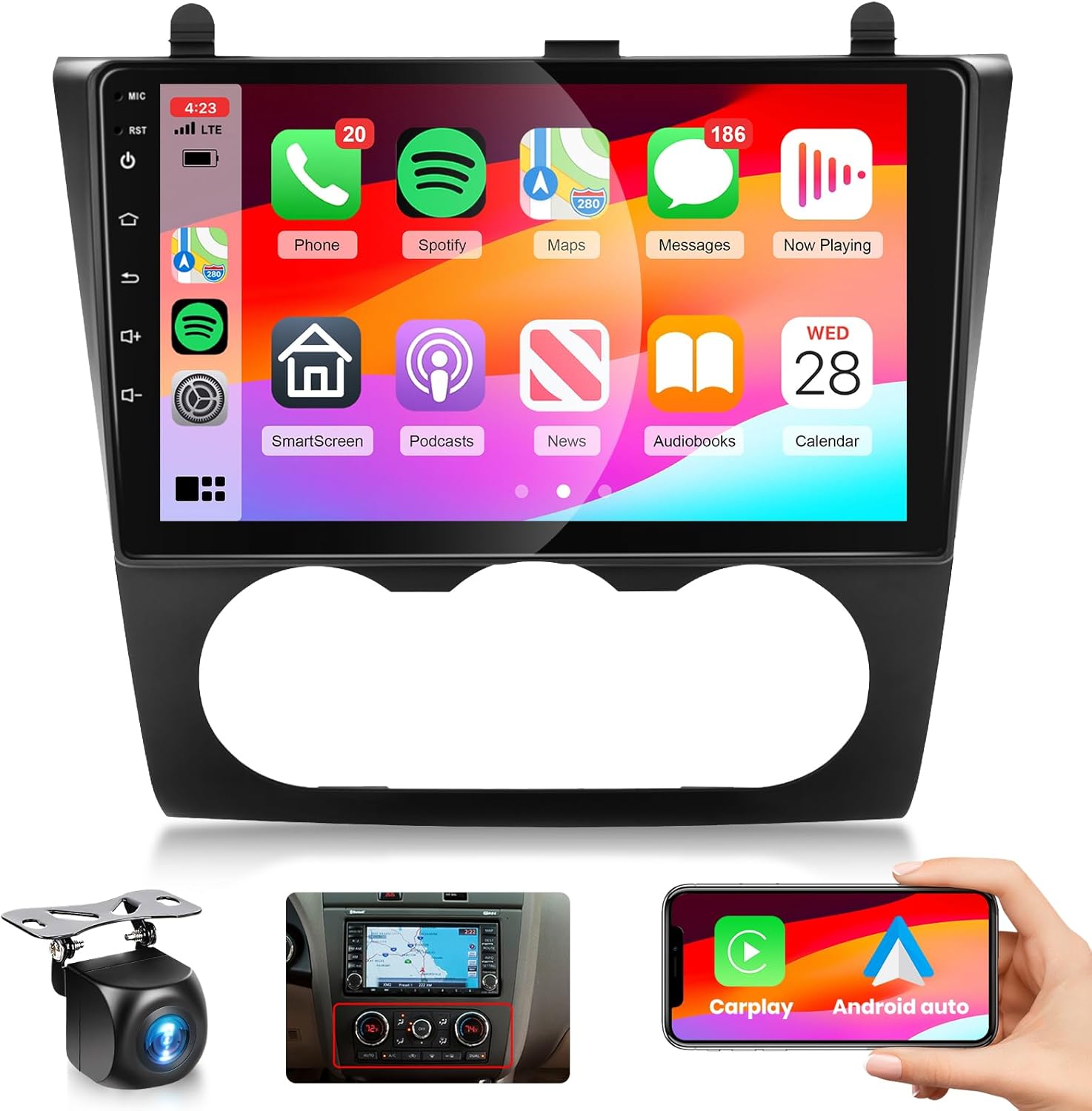
Figure 1.1: podofo Car Stereo Radio with included accessories and smartphone integration.
2. Konfigurazioa eta instalazioa
2.1 Bateragarritasun-egiaztapena
This car stereo is designed for Nissan Altima models from 2008 to 2012 that are equipped with manual A/C controls. It is crucial to verify your vehicle's A/C type before installation to ensure proper fit and function. The unit comes with a plug-and-play cable for simplified integration.

Figure 2.1: Ensure your vehicle has manual A/C controls for compatibility.
2.2 Zer dago kutxan
Instalazioa hasi aurretik, egiaztatu osagai guztiak daudela:
- Wireless CarPlay Car Stereo for Nissan Altima
- Atzekoa View Kamera
- Kanpoko Mikrofonoa
- Elikatze-kablea
- Instalazio tresna
- GPS antena
- Atzeko kameraren sarrera-kablea
- RCA Kablea
- Erabiltzailearen eskuliburua (dokumentu hau)
- USB kablea

2.2. irudia: Produktuaren paketearen edukia.
2.3 Kableatua eta konexioak
Follow these guidelines for connecting the stereo and its accessories. Professional installation is recommended if you are unsure about any steps.
Unitate nagusiaren konexioak:
- Connect the main power harness to the vehicle's wiring.
- Attach the GPS antenna to the designated port for navigation functionality.
- Connect the external microphone for clear hands-free calling.
- Utilize the USB ports for data transfer or charging.
- Connect RCA cables for external audio/video output (e.g., headrest monitors) and subwoofer output.
Atzekoa View Kameraren instalazioa:
The included AHD rear camera provides essential assistance for backing up. Connect it as follows:
- Connect the red wire of the camera's power cable to the car's reversing light positive (+12V).
- Connect the black wire of the camera's power cable to the car's reversing light negative (GND).
- Connect the video output cable from the camera to the "CAM IN" or "REVERSE IN" port on the car stereo.
- The reverse trigger wire (often labeled "Reverse", "Back", or "Trigger") from the stereo's harness should be connected to the vehicle's reverse light positive. This signals the stereo to automatically switch to the camera view atzerako martxa sartzen denean.

Figure 2.3: Camera Wiring Diagram.

Figure 2.4: Rear Camera View and Guidelines.
3. Funtzionamendu-argibideak
3.1 Wireless Smartphone Connectivity (CarPlay, Android Auto, MirrorLink)
The stereo supports wireless CarPlay and Android Auto, allowing seamless integration with your smartphone for navigation, music, and communication. MirrorLink functionality is also available for screen mirroring.
- Haririk gabeko CarPlay/Android Auto: Connect your iPhone or Android phone via Bluetooth for initial setup, then the system will automatically connect wirelessly. Access mobile map navigation, music apps (YouTube Music, Pandora, Spotify), and other compatible applications directly from the stereo's display.
- Ispilu-esteka: Compatible with Android 11.0 and iOS 13.4 and below. This feature allows you to mirror your phone's screen onto the radio's display, providing access to your phone's apps, music, and videos.

Figure 3.1: CarPlay, Android Auto, and MirrorLink features.

Figure 3.2: Wired and Wireless CarPlay/Android Auto Connectivity.
3.2 GPS Navigation and Wi-Fi
The stereo features a built-in GPS chip that supports offline maps. You can update offline map data or use online maps when connected to Wi-Fi. The Wi-Fi connection also allows you to download various apps from the app store, such as YouTube, Waze, and more.

Figure 3.3: GPS Navigation and Wi-Fi Connectivity.
3.3 Audio Features (Bluetooth, FM/RDS Radio, DSP)
- Bluetootha: Enjoy hands-free calling and wireless music streaming. The built-in clear microphone and external mic jack ensure clear communication.
- FM/RDS irratia: Tune into your favorite radio stations with FM radio and 18 preset stations. RDS (Radio Data System) provides additional information like station name and song title.
- DSP Audio: The Digital Sound Processor (DSP) allows for precise frequency and EQ adjustments, offering various music effects and enhancing your audio experience.
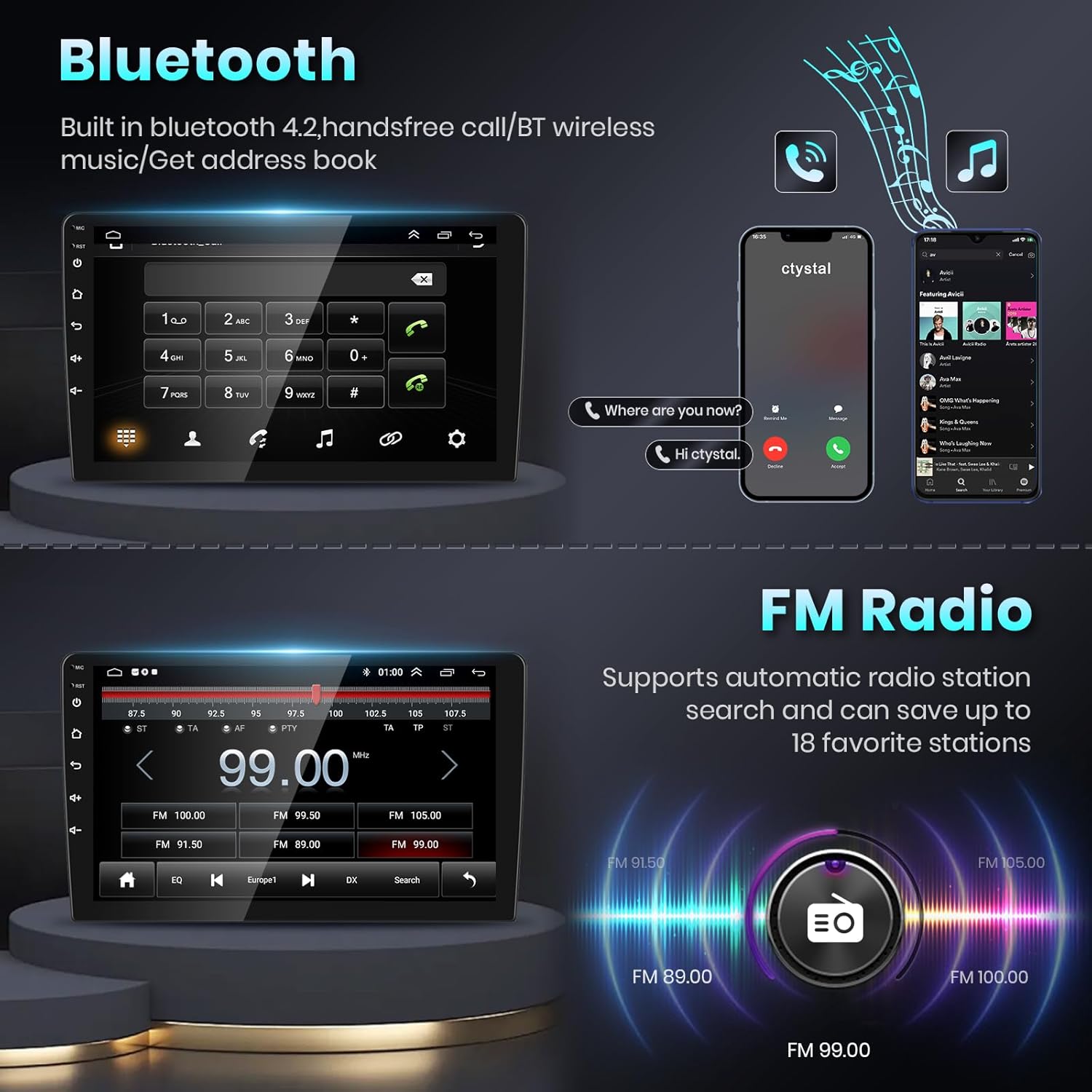
Figure 3.4: Bluetooth and FM Radio Interfaces.

Figure 3.5: Full RCA Output and DSP EQ Settings.
3.4 Pantaila eta erabiltzaile interfazea
The 9-inch high-definition IPS touch screen provides a clear and vibrant visual experience. The unit supports a split-screen function, allowing you to view two different applications simultaneously, such as navigation and music playback.

Figure 3.6: HD IPS Touch Screen Clarity.
3.5 Bolantearen kontrola (SWC)
The unit supports steering wheel controls, enabling you to manage calls, adjust volume, and change music tracks without taking your hands off the wheel, promoting a safer driving experience.
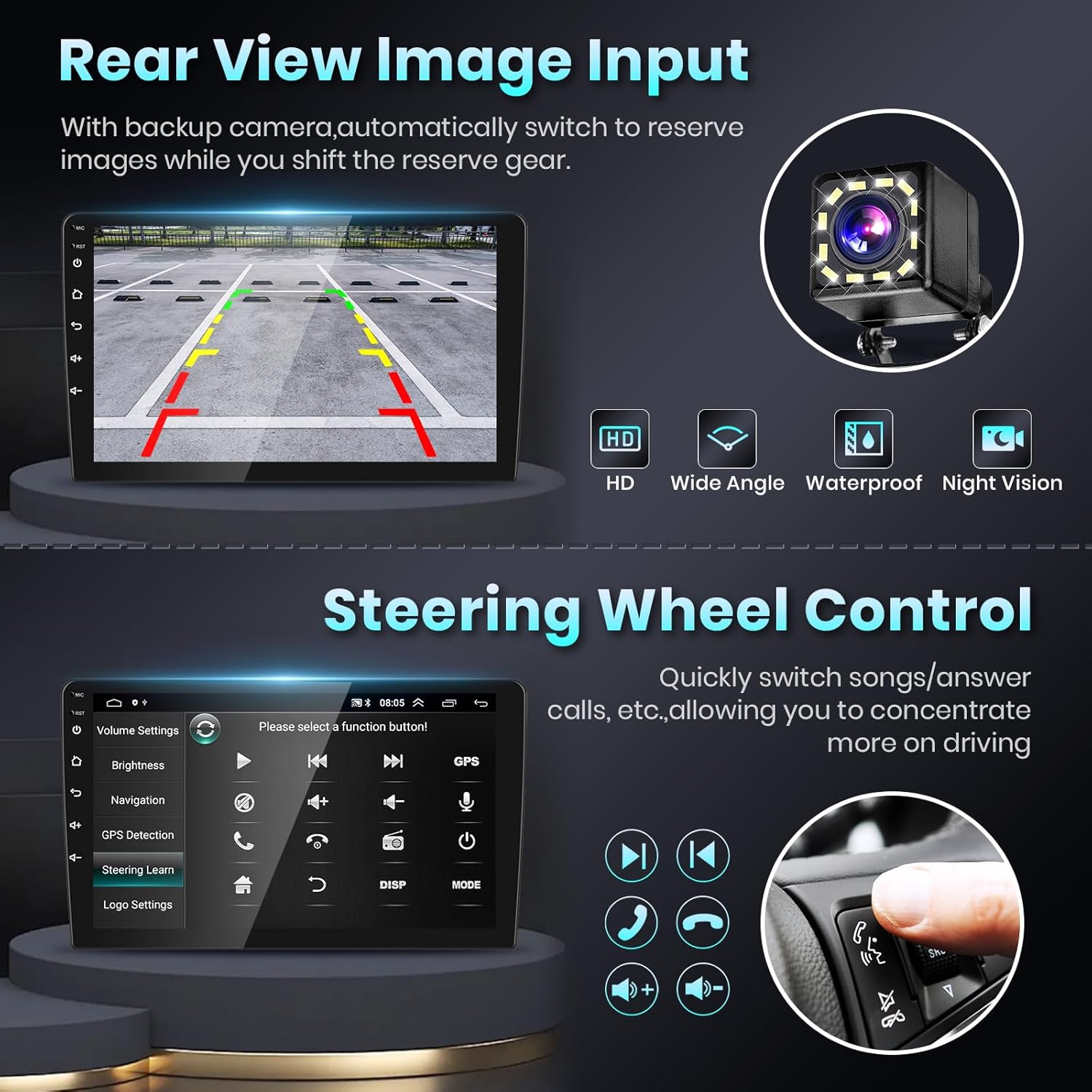
Figure 3.7: Steering Wheel Control Setup.
4. Mantentzea
To ensure the longevity and optimal performance of your car stereo, follow these simple maintenance tips:
- Pantaila garbitzea: Use a soft, lint-free cloth specifically designed for electronics to clean the touch screen. Avoid abrasive cleaners or harsh chemicals that can damage the display.
- Tenperatura kontrola: Saihestu unitatea denbora luzez tenperatura altuetan, bai beroetan bai hotzetan, jartzea.
- Software eguneraketak: Periodically check for software updates via Wi-Fi to ensure you have the latest features and bug fixes.
- Kable konexioak: Ensure all cables are securely connected and free from kinks or damage.
5. Arazoak
Atal honek aurki ditzakezun arazo ohikoenak jorratzen ditu. Arazoak jarraitzen badu, jarri harremanetan bezeroarentzako arreta-zerbitzuarekin.
| Arazoa | Kausa posiblea | Irtenbidea |
|---|---|---|
| Unitatea ez da pizten. | Incorrect wiring; blown fuse; incompatible vehicle A/C type. |
|
| Bozgorailuetatik ez dago soinurik. | Speaker wires disconnected; volume too low; incompatible audio system (e.g., Bose). |
|
| Mikrofonoa ez dabil deietan zehar. | Microphone not connected; faulty microphone. |
|
| GPS seinalea ahula edo zehaztugabea. | GPS antenna improperly placed or damaged. | |
| CarPlay/Android Auto ez da haririk gabe konektatzen. | Bluetooth not enabled; incorrect pairing; software issue. |
|
6. Zehaztapenak
| Ezaugarri | Xehetasuna |
|---|---|
| Marka | podofo |
| Modelo zenbakia | 2106d86b-2c5b-470a-a3d3-238e1d466d10 |
| Sistema eragilea | Android |
| Bistaratzeko tamaina | 9 hazbetekoa |
| Bistaratzeko mota | HD IPS ukipen-pantaila |
| RAM | 1 GB (Note: Product variant is 2G+32G, but specifications list 1GB RAM.) |
| Konektibitate Teknologiak | Bluetooth, Wi-Fi, USB |
| Ezaugarri bereziak | Touchscreen, RDS, Built-In Bluetooth, GPS Navigation, FM Tuner, Built-In Wi-Fi, DSP Audio, Wireless CarPlay, Android Auto, MirrorLink, Split Screen, Rear View Kameraren euskarria |
| Audio irteera modua | MP3 AAC FLAC APE WMA WAV |
| Elementuaren pisua | 3.65 kilo |
| Kolorea | Beltza |
7. Bermea eta Laguntza
podofo is committed to providing excellent customer service and support for your product.
- Erantzun azkarra: Zure kontsultei 18 orduko epean erantzungo dizutela espero dezakezu.
- Itzultzeko politika: Gozatu 60 eguneko itzulketa-epeaz kezkatu gabe.
- Bermea: A 24-month replacement warranty is available for eligible issues.
- Laguntza teknikoa: Salmenta osteko aholkularitza eta laguntza teknikoa bizitza osorako eskaintzen dira.
For any questions or assistance, please contact Podofo Tech directly through the seller's page on Amazon. You can also find helpful troubleshooting videos and tutorials by searching for 'Binize Official' on YouTube, as mentioned by other users.

Figure 7.1: podofo Customer Support and Warranty Information.
Ask a question about this manual
Ask about setup, troubleshooting, compatibility, parts, safety, or missing instructions. Manuals+ will review the question and use this page’s manual context to help answer it.