
Link Dream KH22B
Link Dream Kids Bluetooth Headphones User Manual
Eredua: KH22B
Sarrera
Thank you for choosing Link Dream Kids Bluetooth Headphones. This manual provides detailed instructions for setting up, operating, and maintaining your headphones to ensure optimal performance and longevity. Please read this manual thoroughly before use.
Produktua amaituview

Image: Link Dream Kids Bluetooth Headphones in Pink, showcasing the overall design and LED light feature.
Ezaugarri nagusiak:
- HD Clear Sound: Equipped with a built-in noise reduction card for clearer audio.
- Bateriaren iraupen ultra-luzea: Up to 32 hours of playtime (without lights) with a 500mAh lithium battery, 2 hours charging time.
- 3 Modes RGB Lights: Choose between Blue Light, Green Light, and Alternately Flashing modes.
- Eroso janztea: Earpads made of Protein leather and soft foam for extended comfort.
- Bateragarritasun zabala: Supports both Bluetooth and wired modes, compatible with cellphones, computers, tablets, and iPads.
Osagaiak eta kontrolak:

Irudia: Xehetasun handikoa view of the headphone's right earcup, highlighting the Volume +/-, Multifunctional Button, Bluetooth LED Indicator, Type-C Charging Port, 3.5mm Audio Jack, and Microphone.
The headphones feature an adjustable headband and a foldable design for portability. The earpads are crafted from protein leather and soft foam for maximum comfort during prolonged use.

Image: Visual representation of the adjustable headband, foldable design, and soft protein leather earpads, emphasizing comfort and durability.
Konfigurazioa
1. Entzungailuak kargatzea:
Before first use, fully charge the headphones. Connect the supplied USB-C charging cable to the Type-C Charging Port on the headphone and the other end to a USB power source (e.g., computer, wall adapter). A full charge takes approximately 2 hours. The LED indicator will show charging status.
Video: An official product video demonstrating the features and usage of the KH22B Kids Headphones, including charging and LED light functions. This video is provided by the seller, yaanl.
2. Bluetooth parekatzea:
- Ziurtatu entzungailuak kargatuta eta itzalita daudela.
- Press and hold the Multifunctional Button (Power button) for 3 seconds until the red and blue lights flash alternately. This indicates pairing mode.
- On your device (cellphone, computer, tablet, iPad), enable Bluetooth and search for "KH22B" or "Link Dream Headphones" in the list of available devices.
- Select the headphones to connect. Once successfully paired, the blue LED indicator will flash slowly or remain solid blue.
- The headphones will automatically reconnect to the last paired device when turned on, if Bluetooth is enabled on the device.

Image: Illustration of the headphones establishing a stable Bluetooth 5.0 connection with a mobile device, highlighting the 15-meter connection distance.
3. Kable bidezko modua:
To use the headphones in wired mode, simply connect a 3.5mm audio cable (not included) to the 3.5mm Audio Jack on the headphone and the other end to your audio source. This mode does not require battery power.

Image: Demonstrates the "Super Long Working Time" of the headphones, showing infinite playtime in wired mode and 32 hours (light off) / 22 hours (light on) in Bluetooth mode.
Funtzionamendu-argibideak
Piztu/Itzali:
- To turn on the headphone: Press the Multifunctional Button for 3 seconds.
- To turn off the headphone: Press the Multifunctional Button for 3 seconds.
Bolumen kontrola:
- Volume +: Press the '+' button.
- Volume -: Press the '-' button.
Pista kontrola:
- Next Track: Long press the '+' button.
- Previous Track: Long press the '-' button.
Deien kudeaketa:
- Answer/End Call: Press the Multifunctional Button once.
- Reject Call: Long press the Multifunctional Button.
LED argiaren kontrola:
- To turn on/off the LED lights: Press the dedicated LED Light Control Button for 1 second.
- To change light mode: Press the dedicated LED Light Control Button for 1 second repeatedly to cycle through Blue Light, Green Light, and Alternately Flashing modes.
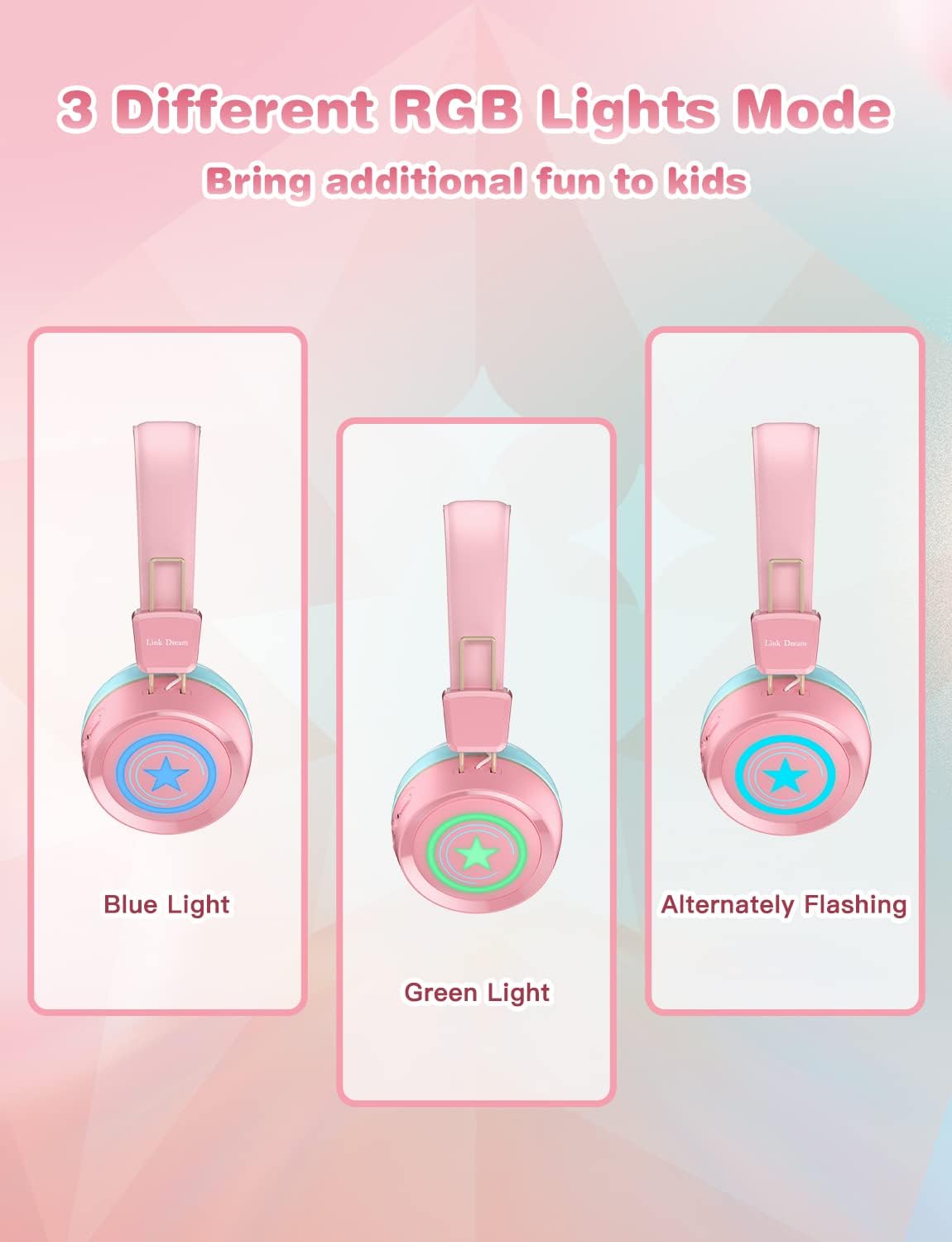
Image: Visual demonstration of the three distinct RGB light modes available on the headphones: Blue Light, Green Light, and Alternately Flashing, adding a fun element for kids.
Mantentzea
- Garbitu entzungailuak aldizka zapi leun eta lehor batekin. Ez erabili produktu kimiko gogorrik edo material urratzailerik.
- Saihestu entzungailuak muturreko tenperaturen, hezetasunaren edo eguzki-argiaren eraginpean jartzea.
- Gorde entzungailuak leku fresko eta lehor batean erabiltzen ez dituzunean, hobe jatorrizko ontzian edo babes-zorro batean.
- Ez saiatu entzungailuak zeuk desmuntatzen edo konpontzen, bermea baliogabetuko baitu horrek.
- Mantendu kargatzeko ataka hautsik eta hondakinik gabe.
Arazoak konpontzea
| Arazoa | Irtenbide posiblea |
|---|---|
| Entzungailuak ez dira pizten. | Ziurtatu entzungailuak guztiz kargatuta daudela. Konektatu energia-iturri batera eta saiatu berriro. |
| Ezin da gailuarekin parekatu. |
|
| Soinurik ez edo bolumen baxua. |
|
| LED argiak ez dute funtzionatzen. | Press the LED Light Control Button to cycle through modes or turn them on/off. Ensure battery is not critically low. |
| Soinu kalitate txarra. |
|
Zehaztapenak
| Ezaugarri | Xehetasuna |
|---|---|
| Ereduaren izena | KH22B |
| Konektibitate Teknologia | Haririk gabekoa (Bluetooth), Kable bidezkoa (3.5 mm-ko jacka) |
| Haririk gabeko Komunikazio Teknologia | Bluetooth 5.0 |
| Bluetooth barrutia | 10 metro (gutxi gorabehera 33 oin) |
| Bateriaren iraupena | Up to 32 Hours (lights off) |
| Kargatzeko Denbora | 2 ordu |
| Entzungailuaren forma | Belarrian |
| Materiala | Protein Leather (earpads) |
| Ezaugarri Berezia | Microphone Included, LED Lights |
| Adin tartea (Deskribapena) | 3-15 urte bitartekoak |
| Elementuaren pisua | 10.2 ontza |
| Fabrikatzailea | Lotura Ametsa |
Bermea eta Laguntza
Link Dream products typically come with a manufacturer's warranty. For specific warranty details, returns, or technical support, please refer to the warranty card included with your product or contact Link Dream customer service directly through their official webproduktua erosi duzun webgunean edo dendarian. Gorde erosketa-agiria erosketaren frogagiri gisa.
Laguntza gehiago lortzeko, bisita dezakezu Link Dream Store on Amazon.
Ask a question about this manual
Ask about setup, troubleshooting, compatibility, parts, safety, or missing instructions. Manuals+ will review the question and use this page’s manual context to help answer it.