
1. Sarrera
Thank you for choosing the ILIFE V3s Max Robot Vacuum and Mop Combo. This device is designed to provide efficient and convenient cleaning for your home, combining powerful vacuuming with intelligent mopping capabilities. This manual provides essential information for the safe operation, maintenance, and troubleshooting of your robot vacuum. Please read it thoroughly before use and retain it for future reference.
2. Segurtasun-argibideak
To reduce the risk of injury or damage, read and follow all safety precautions. This appliance is for household use only.
- Do not operate the robot near open flames or fragile objects.
- Mantendu ilea, arropa solteak, atzamarrak eta gorputz atal guztiak irekiguneetatik eta atal mugikorretatik urrun.
- Ez utzi haurrei robota erabiltzen. Zaindu haurrak eta maskotak robota funtzionatzen ari den bitartean.
- Use only the original power adapter and charging dock provided by the manufacturer.
- Ziurtatu robota guztiz kargatuta dagoela lehen aldiz erabili aurretik.
- Ez erabili robota hondakin handiak, likidoak edo erretzen ari diren objektuak jasotzeko.
- Remove power cords, small objects, and curtains from the cleaning path to prevent entanglement.
- Do not use the mopping function on carpets or rugs.
3. Paketearen edukia
Egiaztatu osagai guztiak daudela eta egoera onean daudela:
- 1x ILIFE V3s Max Robot Vacuum
- 1x Urruneko Kontrola
- 1x Filter (pre-installed)
- 1x AC egokitzaile
- 1x kargatzeko kaia
- 1x Garbiketa eskuila
- 2x Side Brushes (spare)
- 1x Fregona-oihal
- 1x Ur-tanga
- 1x Erabiltzailearen eskuliburua
- 3x hauts-poltsak
4. Produktua amaitu daview
Familiarize yourself with the main components of your ILIFE V3s Max.

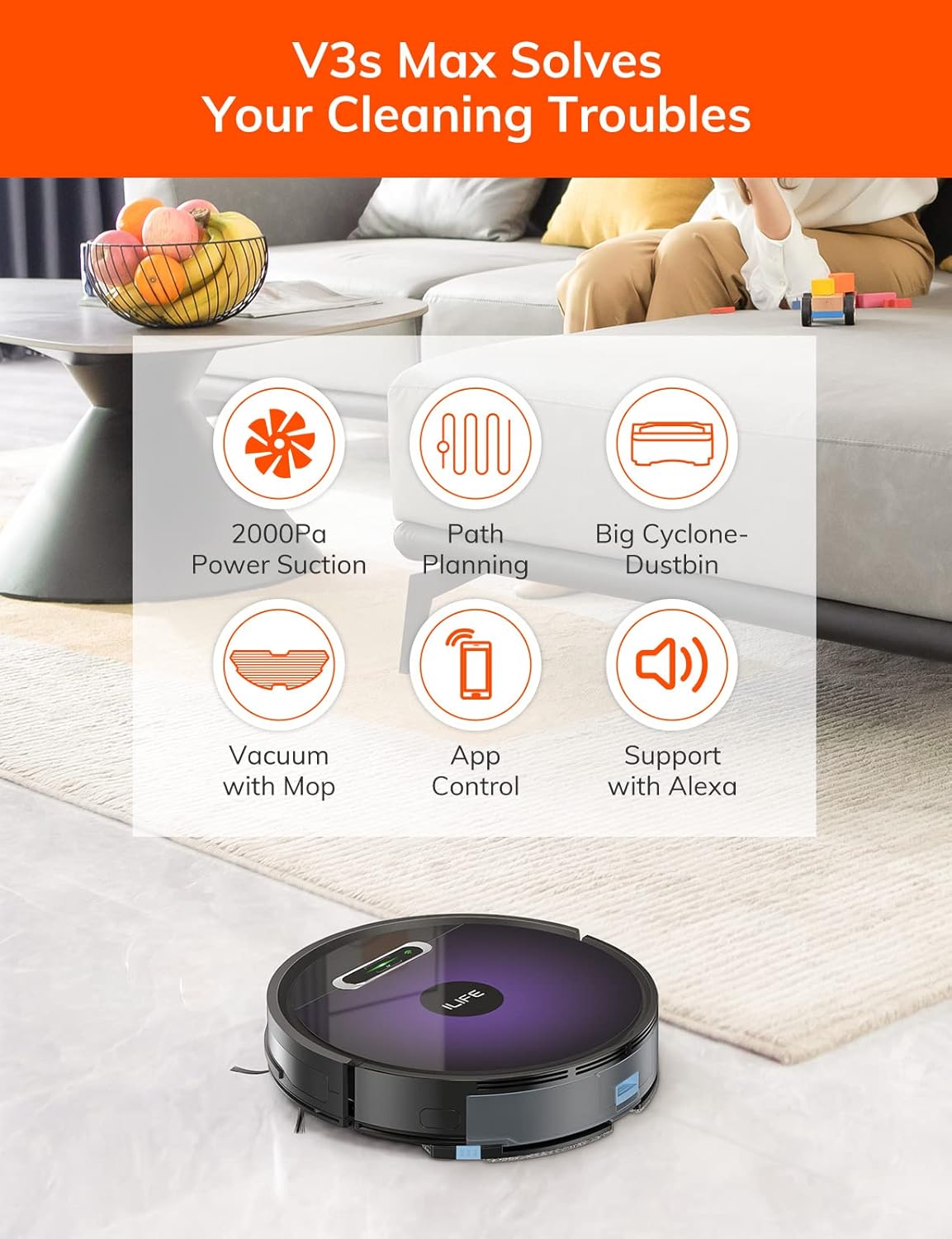
4.1. irudia: Goiena view of the ILIFE V3s Max robot vacuum, illustrating its 2000Pa suction, path planning, large dustbin, vacuum with mop function, app control, and Alexa support.

4.2. irudia: Azpialdea view of the robot vacuum, highlighting the deep edge cleaning brush, powerful suction inlet, and the mop attachment for combined cleaning.
Osagai nagusiak:
- Gorputz nagusia: Contains the motor, dustbin, water tank, and navigation sensors.
- Alboko eskuilak: Sweep debris into the suction path.
- Gurpil eragileak: Allow the robot to move across various surfaces.
- Gurpil Unibertsala: Provides directional movement.
- Kontaktuak kargatzeko: Kargatzeko kaiarekin konektatzen da.
- zakarrontzi: Hondakin lehorrak biltzen ditu.
- Ur depositua: Fregonagailurako ura gordetzen du.
- Fregona-oihal: Attaches to the water tank for wet cleaning.
- Pizteko botoia: Turns the robot on/off and starts/pauses cleaning.
- Sentsoreak: Anti-drop, anti-collision, and wall-following sensors.
5. Konfigurazioa
5.1 Hasierako karga
- Jarri kargatzeko oinarria horma baten kontra gune ireki batean, ziurtatu alboetan metro 1eko erradioan eta aurrean 2 metroko erradioan oztoporik ez dagoela.
- Connect the AC adapter to the charging dock and plug it into a power outlet.
- Place the robot onto the charging dock, ensuring the charging contacts align. The indicator light will show charging status.
- Allow the robot to charge completely before first use (approximately 5-6 hours).
5.1. irudia: The robot vacuum returning to its charging dock. Ensure the dock is placed in an accessible area.
5.2 Aplikazioa eta Wi-Fi konexioa
The ILIFE V3s Max supports app control via 2.4G Wi-Fi (5G Wi-Fi is not supported).
- Download the "ILIFEHOME" app from your smartphone's app store (iOS or Android).
- Erregistratu kontu bat eta hasi saioa.
- Ensure your phone is connected to a 2.4G Wi-Fi network.
- Follow the in-app instructions to add your device. This typically involves pressing and holding the robot's power button until it enters pairing mode, then entering your Wi-Fi password in the app.

5.2. irudia: The ILIFEHOME app interface, demonstrating features like scheduling, cleaning history, suction settings, and cleaning modes. The robot also supports Amazon Alexa integration.
6. Funtzionamendu-argibideak
6.1 Garbiketa abiaraztea/pausatzea
- Robotetik: Press the power button once to start or pause cleaning.
- From Remote Control: Press the "Clean" button.
- Aplikaziotik: Tap "Start" or "Pause" in the ILIFEHOME app.
6.2 Garbiketa moduak
The V3s Max offers multiple cleaning modes for different needs:

6.1. irudia: Illustration of the robot's multiple cleaning modes: Random, Spot, Edge, and Path (zigzag) cleaning.
- Path Cleaning (Zigzag): The robot cleans in an efficient zigzag pattern, covering the entire area systematically. This is the default mode for general cleaning.
- Leku garbiketa: The robot focuses on a specific dirty area, cleaning in a spiral pattern. Activate this mode for concentrated cleaning of spills or heavily soiled spots.
- Ertz garbiketa: The robot cleans along walls and furniture edges. Useful for thorough cleaning of room perimeters.
- Ausazko garbiketa: The robot cleans randomly, suitable for small, uncluttered spaces.
6.3 Xurgagailua eta fregona garbitzea
The V3s Max can vacuum and mop simultaneously or separately.

6.2. irudia: The robot vacuum demonstrating its 2000Pa suction power, effectively picking up food crumbs and pet hair from hard floors.

6.3. irudia: The robot vacuum illustrating three types of water adjustment for mopping, catering to various floor cleaning needs.
- Aspiragailua: Ensure the dustbin is installed. The robot will use its 2000Pa suction to clean dry debris.
- Mopping: Fill the 200ml water tank with clean water and attach the mop cloth. Insert the water tank into the robot. The robot will then perform wet mopping. Do not use cleaning solutions other than water in the tank.
- Combined Cleaning: With both the dustbin and water tank installed, the robot will vacuum and mop simultaneously.
6.4 Programazioa
Use the ILIFEHOME app to set cleaning schedules for automated cleaning sessions.
- Open the ILIFEHOME app.
- Navigate to the scheduling section.
- Set desired cleaning times and days.
- Confirm the schedule. The robot will automatically start cleaning at the programmed times.
7. Mantentzea
Mantentze-lan erregularrak zure robot-xurgagailuaren errendimendu optimoa bermatzen du eta bizitza luzatzen du.
7.1 Zaborrontzia eta iragazkia garbitzea
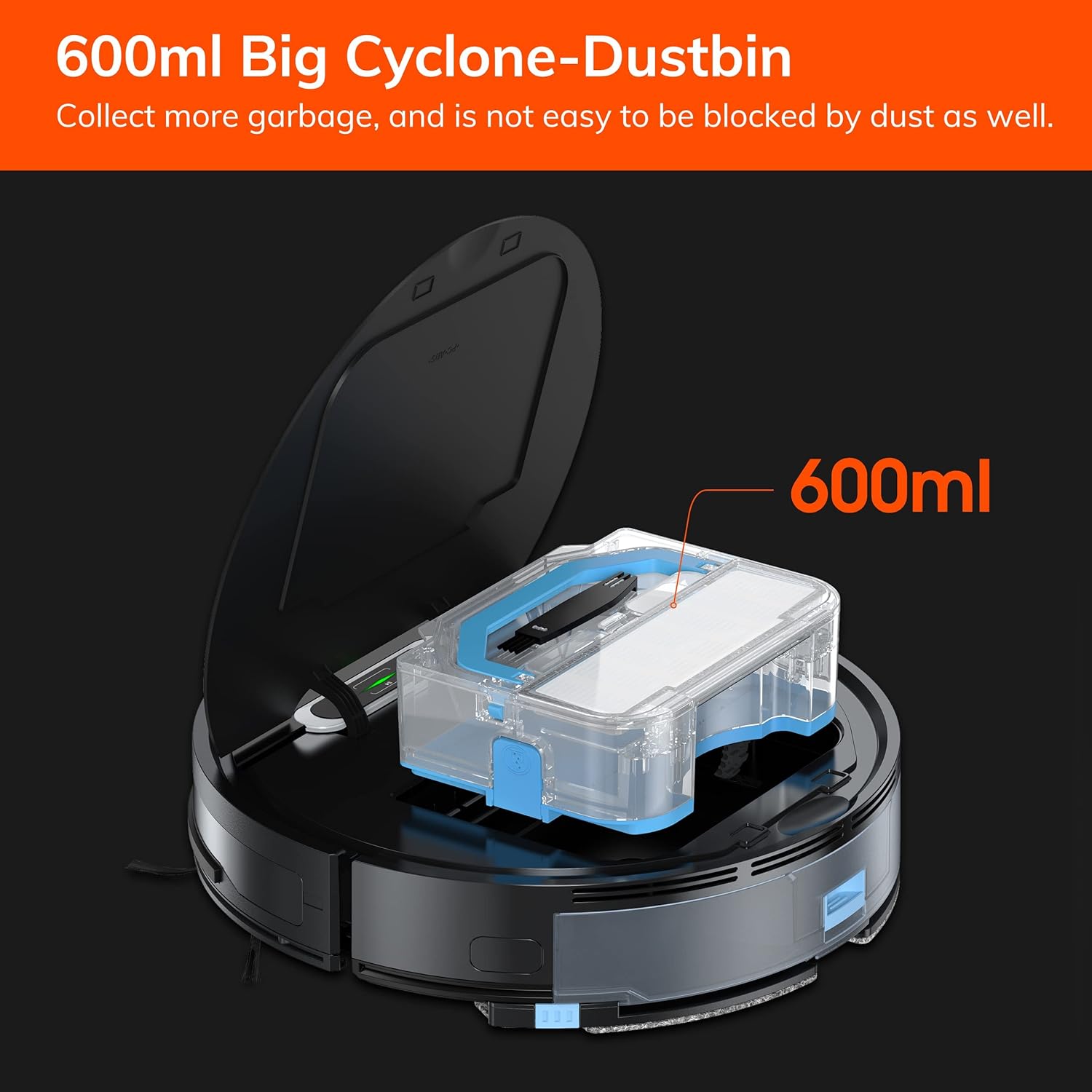
7.1. irudia: The 600ml cyclone dustbin, designed to collect more debris and resist clogging.
- Press the "PUSH" button on the robot's top cover to open it.
- Kendu hauts-ontzia gorantz tiratuz.
- Ireki zaborrontziaren estalkia eta hustu edukia zaborrontzi batera.
- Remove the filter assembly (pre-filter, sponge filter, high-performance filter).
- Clean the filters with the provided cleaning brush. Do not wash the high-performance filter with water.
- Rinse the dustbin with water if necessary, ensuring it is completely dry before reinstallation.
- Reassemble the filters and dustbin, then reinsert into the robot.
7.2 Alboko eskuilaren garbiketa
- Regularly check side brushes for tangled hair or debris.
- Alboko eskuilak astiro-astiro gora tiratu kentzeko.
- Use the cleaning brush or scissors to remove any tangled hair or debris.
- Alboko eskuilak berriro jarri, klik egiten dutela ziurtatuz.
7.3 Water Tank and Mop Cloth Maintenance
- After each mopping session, remove the water tank.
- Hustu depositutik geratzen den ura.
- Detach the mop cloth and wash it by hand or machine. Allow it to air dry completely.
- Rinse the water tank with clean water and allow it to air dry.
7.4 Sentsoreen garbiketa
- Use a clean, dry cloth to wipe the anti-drop sensors (located on the bottom of the robot) and the anti-collision sensors (located on the front bumper).
- Clean the charging contacts on both the robot and the charging dock.
8. Arazoak
If you encounter issues with your ILIFE V3s Max, refer to the following common problems and solutions:
| Arazoa | Kausa posiblea | Irtenbidea |
|---|---|---|
| Robotak ez du abiarazten edo erantzuten. | Bateria baxua; Etengailua itzalita; Robota trabatuta. | Kargatu robota; Piztu etengailua; Garbitu oztopoak. |
| Robota ezin da kargatzeko euskarrira itzuli. | Charging dock obstructed; Robot too far from dock; Dock not powered. | Ensure clear path to dock; Manually place robot near dock; Check power connection. |
| Garbiketa-errendimendu eskasa. | Dustbin full; Filters clogged; Side brushes worn or tangled. | Hustu hautsontzia; garbitu/ordezkatu iragazkiak; garbitu/ordezkatu alboko eskuilak. |
| Robota maiz trabatuta geratzen da. | Obstacles (cables, rugs); Cliff sensors dirty. | Clear cleaning area; Clean cliff sensors. |
| Aplikazioaren konexio arazoak. | Incorrect Wi-Fi (5G); Incorrect password; Router issues. | Ensure 2.4G Wi-Fi; Re-enter password; Restart router and robot. |
If the problem persists, please contact ILIFE customer support.
9. Zehaztapenak
| Ezaugarri | Xehetasuna |
|---|---|
| Marka | ILIFE |
| Ereduaren izena | V3s Max |
| Xurgatze Potentzia | Up to 2000Pa (Spot Mode) |
| Zaborrontzien edukiera | 600 ml |
| Ur deposituaren edukiera | 200 ml |
| Bateriaren iraupena | Gehienez 100 minutu |
| Bateria mota | Lithium Ion (14.4 Volts) |
| Nabigazioa | Gyroscopic Path Planning |
| Kontrol-metodoak | App Control, Remote Control, Amazon Alexa |
| Wi-Fi euskarria | 2.4G Wi-Fi only |
| Produktuaren neurriak | 12.4"L x 11.81"Z x 2.99"A |
| Elementuaren pisua | 5.4 kilo |
| Zarata Maila | 65 dezibelio |
| Azalera gomendioa | Hard Floor, Low-Pile Carpet |
10. Bermea eta Laguntza
ILIFE provides a limited warranty for this product. For detailed warranty information, please refer to the warranty card included in your package or visit the official ILIFE website. For technical support, troubleshooting assistance, or replacement parts, please contact ILIFE customer service through the contact information provided on their website or within the ILIFEHOME app.
Lineako laguntza: www.iliferobot.com/support


