
Opticis LHM2-NT80
Opticis LHM2-NT80 Active Optical HDMI 2.0 Cable User Manual
Model: LHM2-NT80
1. Sarrera
This user manual provides comprehensive instructions for the installation, operation, and maintenance of your Opticis LHM2-NT80 Active Optical HDMI 2.0 Cable. This high-performance cable is designed to transmit HDMI 2.0 signals over long distances, up to 80 meters (262 feet) or 100 meters (328 feet) depending on the specific model variant, utilizing hybrid fiber optic and copper technology. Please read this manual thoroughly before using the product to ensure proper functionality and safety.
2. Segurtasun informazioa
Always observe the following safety precautions to prevent damage to the product or injury to yourself:
- Do not expose the cable to excessive force, bending, or crushing, as this can damage the internal optical fibers.
- Avoid exposing the cable to extreme temperatures or high humidity.
- Ez saiatu kablea desmuntatzen edo aldatzen. Honek bermea baliogabetuko du eta kalteak eragin ditzake.
- Ensure proper grounding for all connected devices.
- Mantendu konektoreak garbi eta hautsik edo hondakinik gabe.
3. Paketearen edukia
Egiaztatu elementu guztiak zure paketean daudela:
- Opticis LHM2-NT80 Active Optical HDMI 2.0 Cable (1 unit)
- This User Manual (1 unit)
4. Produktua amaitu daview
The Opticis LHM2-NT80 is an active optical HDMI 2.0 cable designed for reliable long-distance transmission of high-bandwidth video and audio signals. It supports HDMI 2.0 standards, including 4K@60Hz (4:4:4) and 18Gbps data rates. The cable features a durable TPU jacket, making it suitable for various installation environments.
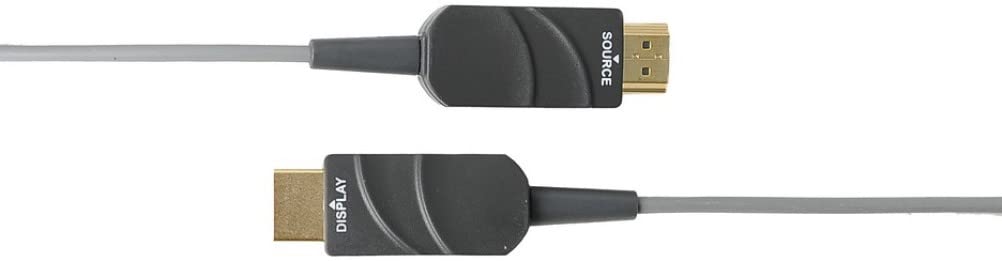
Figure 4.1: The Opticis LHM2-NT80 Active Optical HDMI Cable, showing the distinct 'SOURCE' and 'DISPLAY' labeled connectors. The 'SOURCE' end connects to the video source (e.g., PC, Blu-ray player), and the 'DISPLAY' end connects to the display device (e.g., TV, projector).
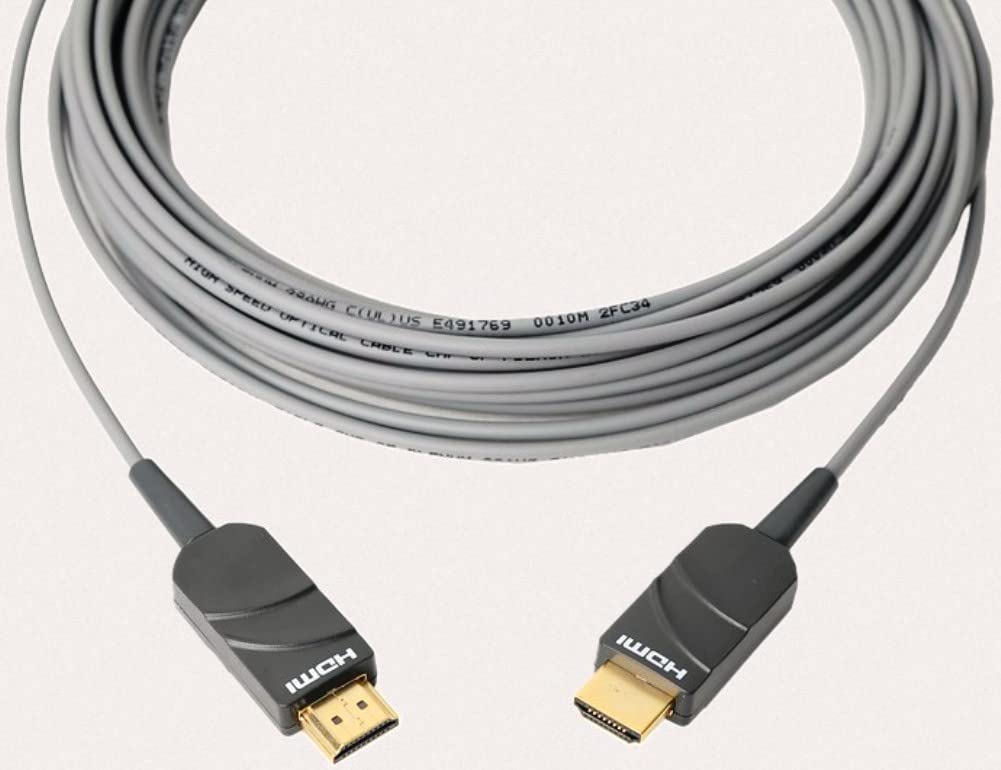
Figure 4.2: The Opticis LHM2-NT80 HDMI cable shown coiled, highlighting its flexible yet durable TPU jacket. The cable is designed for long-distance signal transmission.
Ezaugarri nagusiak:
- Supports HDMI 2.0 standards (18Gbps bandwidth).
- Transmits 4K UHD (3840x2160) at 60Hz (4:4:4) up to 80m/100m.
- Hybrid fiber optic and copper construction for reliable long-distance transmission.
- Durable TPU jacket for enhanced flexibility and protection.
- Plug & Play operation, no external power required for most applications.
- Supports HDR, HDCP 2.2, EDID, and CEC.
Neurriak:
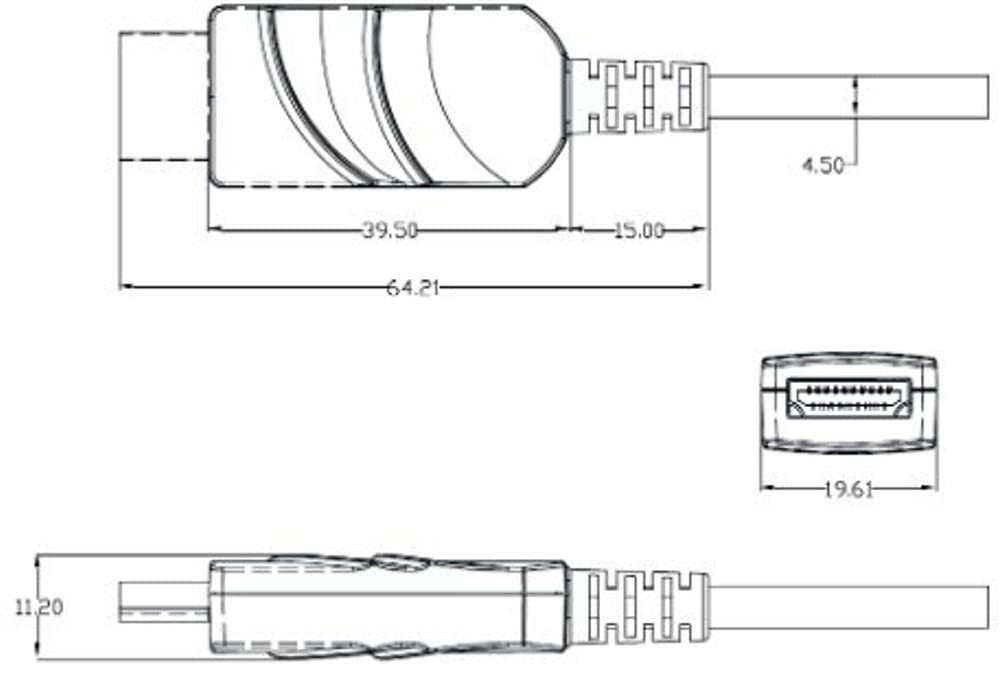
Figure 4.3: Technical drawing illustrating the dimensions of the HDMI connector housing. All measurements are in millimeters (mm).
5. Konfigurazioa eta instalazioa
The Opticis LHM2-NT80 cable is designed for simple plug-and-play installation. It is crucial to connect the cable in the correct orientation.
- Identify Cable Ends: The cable connectors are clearly labeled. One end is marked "SOURCE" and the other is marked "DISPLAY".
- Konektatu iturrira: Plug the HDMI connector labeled "SOURCE" into the HDMI output port of your source device (e.g., computer, Blu-ray player, game console).
- Konektatu pantailara: Plug the HDMI connector labeled "DISPLAY" into the HDMI input port of your display device (e.g., TV, monitor, projector).
- Piztu gailuak: Ensure both the source and display devices are powered on. The cable will draw power from the HDMI ports.

Figure 5.1: Connection diagram illustrating the proper setup of the LHM2-N series cable. The 'Tx' (Transmitter/Source) end connects to the HDMI source, and the 'Rx' (Receiver/Display) end connects to the HDMI display. This ensures correct signal flow.
Ohar garrantzitsua: The cable is directional. Connecting the "SOURCE" end to the display or the "DISPLAY" end to the source will result in no signal. Always ensure correct orientation.
6. Funtzionamendu-argibideak
Once the Opticis LHM2-NT80 cable is correctly connected between your source and display devices, operation is automatic. The cable functions as a transparent extension of your HDMI connection.
- Ensure your source device is outputting a compatible HDMI signal.
- Hautatu HDMI sarrera zuzena zure pantaila-gailuan.
- The cable will automatically transmit the video and audio signals. No additional software or drivers are required.
7. Mantentzea
The Opticis LHM2-NT80 Active Optical HDMI Cable requires minimal maintenance. Follow these guidelines to ensure its longevity:
- Garbiketa: Use a soft, dry cloth to gently wipe the cable and connectors. Do not use liquid cleaners or abrasive materials.
- Biltegiratzea: When not in use, store the cable in a cool, dry place, away from direct sunlight and extreme temperatures. Avoid sharp bends or kinks.
- Manipulazioa: Kablea konektatzean edo deskonektatzean, eutsi beti konektorearen karkasari. Ez tiratu kabletik bera.
8. Arazoak
If you encounter issues with your Opticis LHM2-NT80 cable, refer to the following troubleshooting steps:
| Arazoa | Kausa posiblea | Irtenbidea |
|---|---|---|
| No video/audio signal | Incorrect cable orientation (SOURCE/DISPLAY ends reversed). Source/display devices not powered on. Incorrect input selected on display. Kablearen kaltea. | Ensure "SOURCE" end is connected to source and "DISPLAY" end to display. Verify both devices are powered on. Hautatu HDMI sarrera zuzena zure pantailan. Inspect cable for visible damage. Try a different HDMI cable if available to isolate the issue. |
| Intermittent signal or flickering | Konexio soltea. Signal compatibility issue. Cable length exceeding limits for specific resolution. | Ensure connectors are firmly seated. Check if source and display support the same HDMI version and features. Reduce resolution or refresh rate to see if signal stabilizes. |
| Poor picture quality (e.g., static, color distortion) | Kablearen kaltea. Interferentzia. Source/display settings. | Inspect cable for damage. Ensure it's not near strong electromagnetic interference sources. Check video output settings on your source device and input settings on your display. |
9. Zehaztapenak
| Ezaugarri | Deskribapena |
|---|---|
| Eredua | LHM2-NT80 (LHM2-N Series) |
| Marka | Opticis |
| Kable mota | Active Optical HDMI Cable |
| HDMI estandarra | HDMI 2.0 |
| Datuen transferentzia-tasa | 18 Gigabit segundoko (Gbps) |
| Onartutako Ebazpena | Up to 4K UHD (3840x2160) @ 60Hz (4:4:4) |
| Kablearen luzera | 80 Meters (LHM2-NT80) / Up to 100m (328 feet) for LHM2-N series |
| Jaka Materiala | TPU (poliuretano termoplastikoa) |
| Konektorea Generoa | Gizon-gizon |
| Kolorea | Transparent (Cable Jacket) |
| Boterea | No external power required (draws power from HDMI port) |
| Betetzea | HDCP 2.2, EDID, CEC, HDR |
10. Bermea eta Laguntza
For information regarding product warranty, please refer to the official Opticis website or contact your authorized Opticis dealer. Standard manufacturer's warranty terms and conditions apply.
For technical support or further inquiries, please visit the Opticis support page or contact their customer service department. Contact details can typically be found on the manufacturer's official webgunea: www.opticis.com
Ask a question about this manual
Ask about setup, troubleshooting, compatibility, parts, safety, or missing instructions. Manuals+ will review the question and use this page’s manual context to help answer it.