
1. Sarrera
Thank you for choosing the Xiaomi MI A2 L50M7 50-inch 4K UHD LED Smart TV. This manual provides essential information for the safe and efficient use of your television. Please read it thoroughly before operating the device and retain it for future reference.
2. Segurtasun informazioa
- Elikatze-iturria: Ziurtatu telebista bolumen egokia duen entxufe batera konektatuta dagoela.tage produktuaren etiketan adierazten den moduan.
- Aireztapena: Ez blokeatu aireztapen-irekidurak. Utzi nahikoa leku telebistaren inguruan aire-fluxu egokia izan dadin eta gehiegi berotzea saihesteko.
- Ura eta hezetasuna: Ez jarri telebista euripean, hezetasunean, eta ez jarri likidoz betetako objekturik telebistaren gainean edo inguruan.
- Garbiketa: Deskonektatu telebista garbitu aurretik. Erabili zapi leun eta lehor bat. Saihestu garbitzaile likidoak edo aerosolak.
- Lekua: Place the TV on a stable, level surface to prevent it from falling. Keep it away from direct sunlight, heat sources, and strong magnetic fields.
- Zerbitzua: Ez saiatu telebista zeuk konpontzen. Konponketa guztiak zerbitzu-langile kualifikatuei eskatu.
3. Paketearen edukia
Egiaztatu elementu guztiak paketean daudela:
- Xiaomi MI A2 L50M7 50-inch 4K UHD LED Smart TV
- Urrutiko agintea (2 AAA bateria barne)
- Elikatze-kablea
- Telebista-euskarria (2 pieza)
- Telebista-euskarrirako torlojuak
- Erabiltzailearen eskuliburua (dokumentu hau)
4. Konfigurazioa
4.1 Paketatzea
Carefully remove the TV from its packaging. It is recommended to have two people for this process due to the size and weight of the television. Retain the packaging materials for future transport or servicing.
4.2 Telebistaren euskarria muntatzea
Place the TV face down on a soft, clean surface to prevent screen damage. Align the stand pieces with the corresponding slots on the bottom of the TV and secure them with the provided screws.

Image: The Xiaomi MI A2 L50M7 TV shown with its two-piece stand securely attached, ready for placement on a flat surface.
4.3 Potentzia konektatzea
Plug the power cable into the TV's power input, then plug the other end into a wall outlet. Do not power on the TV yet.
4.4 Kanpoko gailuak konektatzea
Connect your external devices such as set-top boxes, gaming consoles, or Blu-ray players to the HDMI ports. Use the USB ports for external storage devices. For antenna or cable TV, connect the coaxial cable to the ANTENNA IN port.
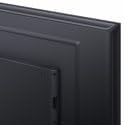
Irudia: Gertutik view of the back panel of the Xiaomi MI A2 L50M7 TV, highlighting the various input and output ports for connecting external devices.
4.5 Hasierako konfigurazio-morroia
After connecting all devices and power, press the power button on the remote control or TV. The TV will guide you through the initial setup process, including:
- Hizkuntza hautaketa: Aukeratu zure hizkuntza hobetsia.
- Sare-konexioa: Konektatu zure etxeko Wi-Fi sarera.
- Kanalen miaketa: Scan for available digital and analog channels.
- Google kontuaren konfigurazioa: Sign in with your Google account to access Smart TV features and apps.
5. Funtzionamendua
5.1 Urruneko kontrola baino gehiagoview
The remote control allows you to navigate the TV's functions. Insert the two AAA batteries into the remote control, ensuring correct polarity.

Image: The sleek black remote control for the Xiaomi MI A2 L50M7 TV, featuring various buttons for power, volume, channel, navigation, and smart TV functions.
5.2 Oinarrizko funtzioak
- Potentzia: Sakatu pizteko botoia telebista pizteko edo itzaltzeko.
- Bolumena: Erabili bolumena igotzeko/jaisteko botoiak soinu-maila doitzeko.
- Kanala: Use the Channel Up/Down buttons to change TV channels.
- Sarrera: Press the Input button to select different input sources (HDMI 1, HDMI 2, AV, etc.).
5.3 Telebista adimendunaren ezaugarriak
Your Xiaomi MI A2 L50M7 is a Smart TV with built-in Wi-Fi, allowing access to a variety of online content and applications. Navigate the Smart TV interface using the remote control's directional pad and OK button.
- Aplikazioak: Sartu aurrez instalatutako aplikazioetara edo deskargatu berriak aplikazio dendatik.
- Erreprodukzioa: Enjoy content from popular streaming services.
- Interneten arakatzea: Erabili integratua web arakatzailea interneten nabigatzeko.
5.4 Irudi eta soinu ezarpenak
Access the TV's settings menu to customize picture and sound preferences. You can adjust brightness, contrast, color, sound mode, equalizer settings, and more to suit your viewingurunea.
6. Mantentzea
6.1 Pantaila garbitzea
Garbitu pantaila astiro-astiro zapi leun eta pelusik gabeko batekin. Orba egoskorrak izanez gero, garbitu apur batampen the cloth with water or a specialized screen cleaner (ensure it's safe for LED screens) and wipe gently. Do not apply pressure.
6.2 Telebistaren gorputza garbitzea
Use a soft, dry cloth to wipe the TV's casing. Avoid abrasive materials or chemical cleaners that could damage the finish.
6.3 Software eguneraketak
Periodically check for software updates through the TV's settings menu. Keeping your TV's software up-to-date ensures optimal performance and access to the latest features and security patches.
7. Arazoak
| Arazoa | Irtenbide posiblea |
|---|---|
| Botererik ez | Egiaztatu kablea telebistara eta hormako entxufera ondo konektatuta dagoen. Ziurtatu entxufea funtzionatzen duela. |
| Ez dago irudirik, baina soinua badago | Egiaztatu sarrera-iturri zuzena hautatuta dagoela. Egiaztatu kanpoko gailuetarako kable-konexioak. |
| Soinurik ez, baina irudia badago | Egiaztatu bolumen maila eta ziurtatu telebista ez dagoela isilarazita. Egiaztatu kanpoko gailuen audio kableen konexioak. |
| Urruneko kontrola ez dabil | Ordeztu bateriak. Ziurtatu ez dagoela oztoporik urrutiko agintearen eta telebistaren IR sentsorearen artean. |
| Ezin da wifira konektatu | Ziurtatu zure Wi-Fi bideratzailea piztuta dagoela eta irismen-eremuan dagoela. Idatzi berriro Wi-Fi pasahitza. Saiatu telebista eta bideratzailea berrabiarazten. |
8. Zehaztapenak

Image: The Xiaomi MI A2 L50M7 50-inch 4K UHD LED Smart TV displaying a vibrant image, showcasing its slim bezels and modern design.
- Eredua: L50M7
- Pantailaren tamaina: 50 hazbetekoa
- Ebazpena: 4K Ultra HD (3840 x 2160)
- Bistaratzeko teknologia: LED
- Smart TV Ezaugarriak: Yes, with Wi-Fi connectivity
- Neurriak (Produktua): Approximately 8 x 14.4 x 76 cm (This dimension appears to be for a component or packaging, please refer to product packaging for full TV dimensions)
- Pisua (Produktua): 12.1 kg
- Urruneko kontroleko bateriak: 2 x AAA (barne)
- ASIN: B0B3254FHN
- Elementu zenbakia: L50M7-EAEU
9. Bermea eta Laguntza
Bermeari buruzko informazioa lortzeko, kontsultatu zure produktuarekin batera datorren berme-txartela edo bisitatu Xiaomi-ren webgune ofiziala. website. For technical support or service inquiries, please contact Xiaomi customer service through their official channels.