
Sarrera
This manual provides comprehensive instructions for the setup, operation, maintenance, and troubleshooting of your T-WOLF X9 Bluetooth Mouse. Please read this manual carefully before using the product to ensure optimal performance and longevity.
Paketearen edukia
- 1 x T-WOLF X9 Bluetooth Mouse
- 1 x AA bateria
- 1 x Erabiltzailearen eskuliburua (dokumentu hau)
Produktua amaituview

1. irudia: Goiena view of the T-WOLF X9 Bluetooth Mouse, showing the left and right click buttons, scroll wheel, and DPI switch button. The T-WOLF logo and Bluetooth icon are visible.
The T-WOLF X9 is a portable Bluetooth mouse designed for convenience and performance. It features a sleek design, Bluetooth 5.2 connectivity, and a 10-meter operating range. The mouse includes four buttons: left-click, right-click, scroll wheel (which also functions as a button), and a dedicated DPI switch button for adjusting cursor sensitivity.
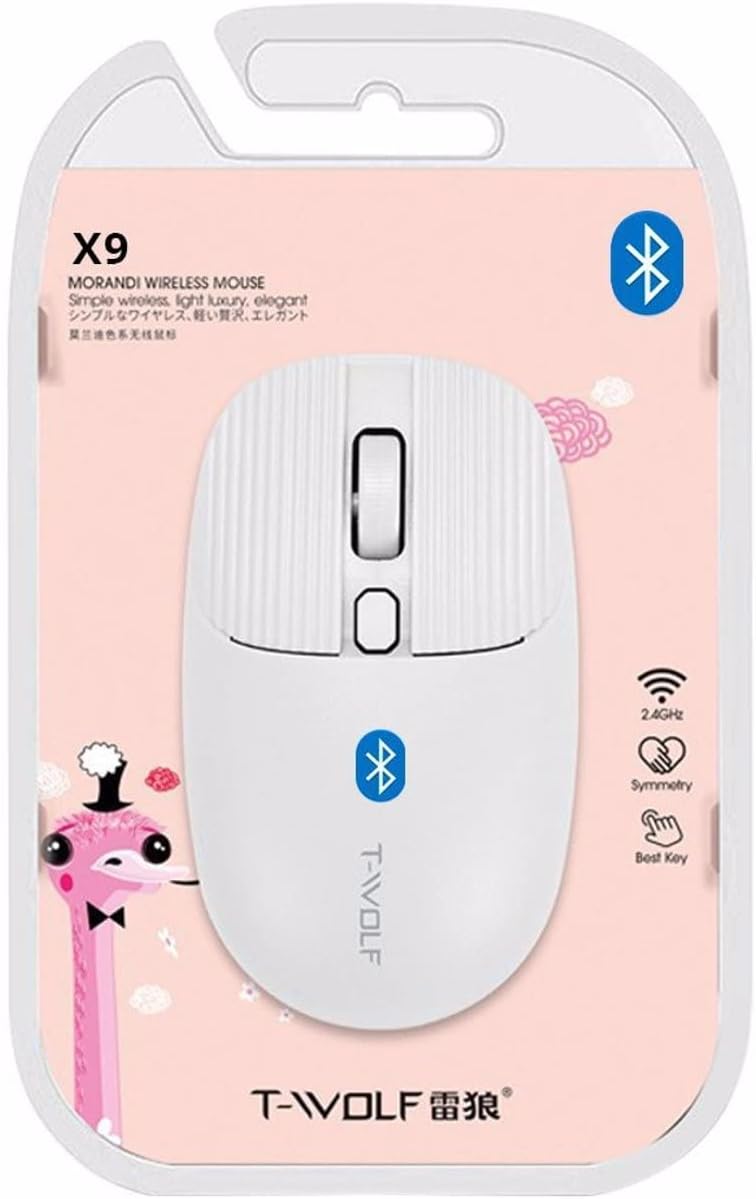
2. irudia: Packaging of the T-WOLF X9 Bluetooth Mouse, highlighting key features such as 2.4GHz (though product is Bluetooth, this might be a generic packaging element), symmetry, and "Best Key".

3. irudia: Aldea view of the T-WOLF X9 Bluetooth Mouse, illustrating its ergonomic profile and non-slip roller design.
Konfigurazioa
1. Bateriaren instalazioa
- Kokatu bateriaren konpartimendua saguaren azpialdean.
- Ireki bateriaren konpartimenduaren estalkia.
- Sartu emandako AA pila, polaritate zuzena (+/-) ziurtatuz.
- Itxi bateriaren konpartimenduaren estalkia ondo.
2. Bluetooth parekatzea
- Ensure the mouse is powered on. There may be a power switch on the underside.
- Zure ordenagailuan edo gailuan, joan Bluetooth ezarpenetara.
- Gaitu Bluetooth-a eta bilatu gailu berriak.
- The mouse should appear as "T-WOLF X9" or similar. Select it to initiate pairing.
- Behin parekatuta, sagua erabiltzeko prest dago.
Funtzionamendu-argibideak
1. DPI Switching
The T-WOLF X9 mouse features 3-gear DPI switching. Press the dedicated DPI button (located behind the scroll wheel) to cycle through the available DPI settings. Each press will change the cursor sensitivity, allowing you to adjust it to your preference for different tasks.
2. Botoiaren funtzioak
- Ezkerreko botoia klikatzeko: Primary selection and interaction.
- Eskuineko botoiarekin klik egitea: Testuinguru-menuak irekitzen ditu.
- Korritzeko gurpila: Edukia bertikalki mugitzen du. Erdiko botoiarekin klik egiteko funtzioa erabiltzeko ere sakatu daiteke.
- DPI aldatzeko botoia: Kurtsorearen sentikortasuna (DPI) doitzen du.
Mantentzea
- Garbiketa: Erabili zapi leun eta lehor bat sagua garbitzeko. Zikinkeria egoskorra bada, garbitu pixka bat.ampGarbitu oihalak urarekin. Saihestu produktu kimiko gogorrak edo material urratzaileak erabiltzea.
- Bateria ordezkatzea: Replace the AA battery when the mouse performance degrades or it stops responding.
- Biltegiratzea: Gorde sagua leku fresko eta lehor batean denbora luzez erabiltzen ez duzunean.
Arazoak konpontzea
| Arazoa | Irtenbidea |
|---|---|
| Sagua ez du erantzuten |
|
| Kurtsorearen mugimendua irregularra edo motela da |
|
| Cannot pair the mouse |
|
Zehaztapenak
| Ezaugarri | Xehetasuna |
|---|---|
| Eredua | X9 |
| Konektibitatea | Bluetooth 5.2 |
| Eragiketa-eremua | Gehienez 10 metro |
| Botoiak | 4 (Left, Right, Scroll Wheel/Middle, DPI Switch) |
| DPI ezarpenak | 3-Gear Switching |
| Energia iturria | 1 x AA bateria |
| Eskuen Orientazioa | Anbidistroa |
| Gailu bateragarriak | Ordenagailu eramangarria, Ordenagailu pertsonala |
| Sistema Eragileak | Linux, Windows 7, Windows XP (and newer OS with Bluetooth support) |
| Neurriak | 20 x 13 x 7.5 cm (Paketea) |
| Pisua | 150 g (Paketea) |
Bermea eta Laguntza
This product is covered by a standard manufacturer's warranty. For specific warranty details, please refer to the documentation provided at the time of purchase or contact your retailer. For technical support or further assistance, please reach out to the seller or manufacturer's customer service.