
Sarrera
The Keychron C2 is a full-size (104-key) wired mechanical keyboard designed for both Mac and Windows operating systems. It features durable Red mechanical switches and retro-colored ABS keycaps, providing a comfortable and responsive typing experience. This manual provides essential information for setting up, operating, maintaining, and troubleshooting your Keychron C2 keyboard.

Image: The Keychron C2 Full Size Wired Mechanical Keyboard connected to a computer setup.
Paketearen edukia
Ziurtatu elementu guztiak paketean daudela:
- Keychron C2 Full Size Wired Mechanical Keyboard
- USB-C USB-A kablea
- Keycap tiratzailea
- Mac eta Windows sistema eragileetarako tekla gehigarriak
Konfigurazioa
- Konektatu teklatua: Plug the USB-C end of the provided cable into the keyboard's USB-C port and the USB-A end into an available USB port on your computer. The keyboard is a wired-only device and does not require batteries.
- Select Operating System Mode: Locate the operating system switch on the back or side of the keyboard. Slide the switch to the appropriate position for your computer (Mac or Windows). This ensures correct function key mapping.
- Teklatuaren angelua doitu: The keyboard features 2-level adjustable feet. Flip out the feet on the underside of the keyboard to achieve your preferred typing angle for ergonomic comfort.
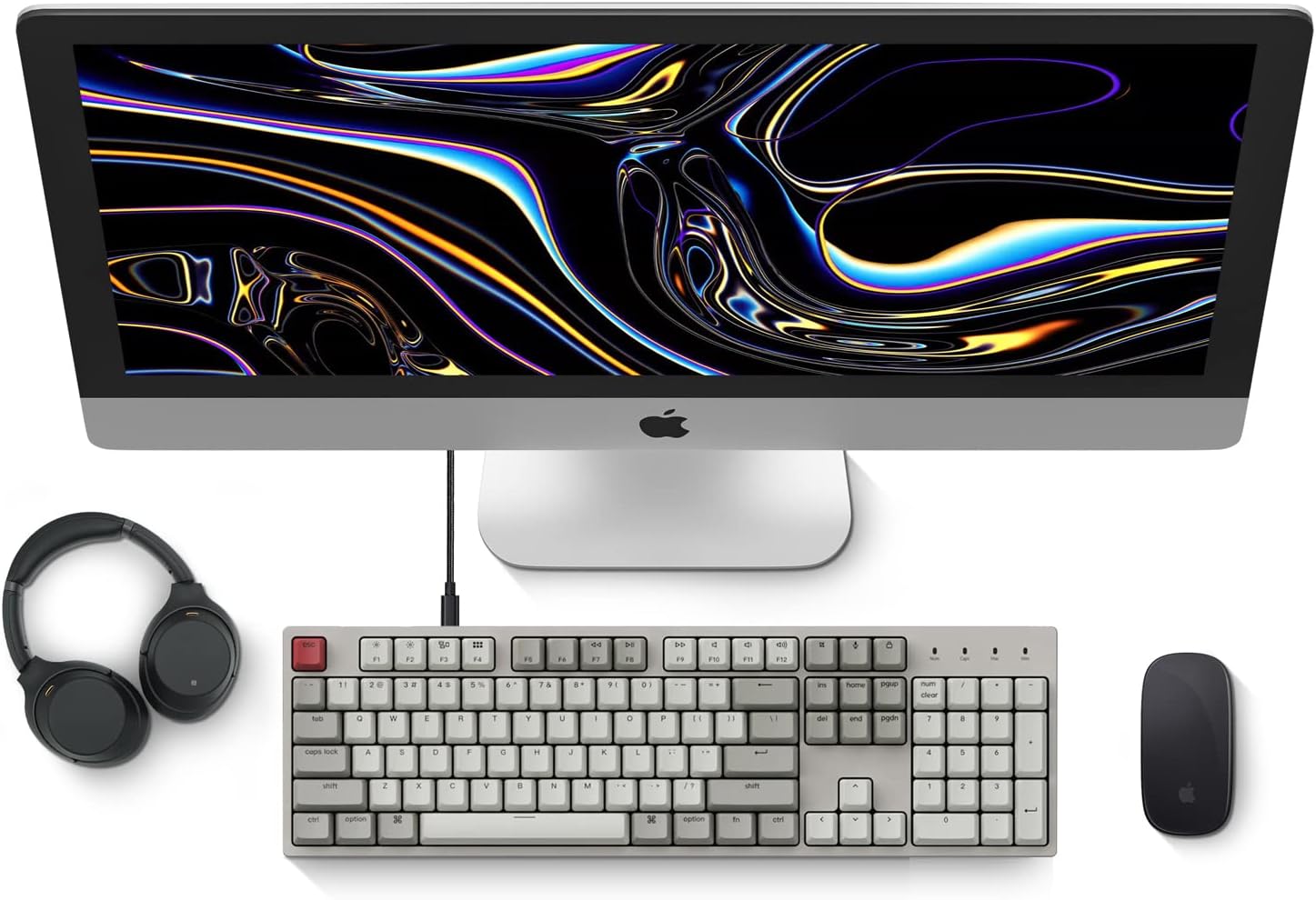
Image: Diagram showing compatibility with Mac and Windows operating systems.

Irudia: Albokoa view of the Keychron C2 keyboard illustrating the adjustable feet for angle customization.
Funtzionamendu-argibideak
Oinarrizko Funtzioak
- Idazketa: The keyboard features a standard 104-key full-size layout.
- Multimedia teklak: The top row of function keys (F1-F12) includes multimedia controls. These functions are optimized for Mac but are also compatible with Windows.
- Siri/Cortana Key: A dedicated key is provided for activating Siri (on Mac) or Cortana (on Windows).
Tekla-tapoien ordezkapena
The Keychron C2 comes with extra keycaps for both Mac and Windows layouts. To replace keycaps:
- Use the provided keycap puller to gently remove the desired keycap by hooking it onto the keycap and pulling upwards.
- Lerrokatu tekla-tapoi berria etengailuaren zurtoinarekin eta sakatu ondo klik egin arte.

Irudia: Gertuko planoa view of the Keychron Red mechanical switches beneath removed keycaps.
Mantentzea
- Garbiketa: Garbitu teklatua aldizka hautsa eta hondakinak pilatzea saihesteko. Erabili eskuila leun bat edo aire konprimatua tekla-tapoien arteko partikulak kentzeko. Gainazala garbitzeko, erabili eskuila apur bat lehorra.amp, oihal lihorik gabekoa. Saihestu produktu kimiko gogorrak.
- Tekla-tapoien zaintza: While durable, avoid excessive force when removing or installing keycaps to prevent damage to the keycap stems or switches.
- Kableen kudeaketa: Ensure the USB-C cable is not bent sharply or placed under heavy objects to prolong its lifespan.

Image: Close-up of the ABS keycaps on the Keychron C2 keyboard.
Arazoak konpontzea
- Teklatuak ez du erantzuten:
- Check the USB-C cable connection at both the keyboard and the computer. Ensure it is securely plugged in.
- Saiatu teklatua ordenagailuko beste USB ataka batera konektatzen.
- Verify that the operating system switch on the keyboard is set correctly (Mac/Windows).
- Berrabiarazi ordenagailua.
- Giltza espezifikoak ez dira funtzionatzen:
- Carefully remove the non-functional keycap using the keycap puller. Inspect the mechanical switch for any visible damage or debris.
- Clean around the switch with compressed air.
- Re-seat the keycap firmly.
- Gako-irteera okerra:
- Ensure the operating system switch is set to the correct mode for your computer.
- Check your computer's keyboard settings to ensure the correct layout is selected.
Zehaztapenak
| Ezaugarri | Xehetasuna |
|---|---|
| Marka | Keychron |
| Ereduaren izena | Keychron C2 |
| Modelo zenbakia | HS-C2K1Z |
| Konektibitate Teknologia | USB-C (kable bidezkoa) |
| Gailu bateragarriak | Ordenagailu eramangarria, ordenagailua |
| Sistema Eragile Familia Bateragarria | MacOS, Windows |
| Gako kopurua | 104 |
| Aldatu mota | Linear (Red Switch) |
| Keycap materiala | ABS (akrilonitrilo butadieno estirenoa) |
| Teklatuaren diseinua | QWERTY |
| Ezaugarri Berezia | Atzeko argiztapena (kolore bakarrekoa) |
| Elementuaren pisua | 5390 gramo |
| Energia iturria | Kable elektrikoa |
Bermea eta Laguntza
For warranty information, technical support, or further assistance, please visit the official Keychron website or contact Keychron customer service. Details regarding product registration and specific warranty terms can be found through official Keychron channels.