
WHDPETS B0B93MK7WC
WHDPETS A4300 Pro Projector User Manual
Model: B0B93MK7WC
Marka: WHDPETS
1. Sarrera
This user manual provides comprehensive instructions for setting up, operating, and maintaining your WHDPETS A4300 Pro Projector. This projector features 5G WiFi and Bluetooth connectivity, native 1080P resolution with 12000 Lumens brightness, and supports 4K content and zoom functions. It is designed for portable use, suitable for home movie theaters and outdoor entertainment, and is compatible with various devices including HDMI, USB, PC, TV Box, iOS, and Android phones.
2. Zer dago kutxan
Paketea irekitzean, egiaztatu honako elementu guztiak daudela:
- WHDPETS A4300 Pro Projector
- Urruneko Kontrola
- AC egokigailua
- AV Kable
- HDMI kablea
- Tripodea
- Lentearen estalkia
- Projector Dust Cloth
- Protable Bag (Carry Bag)
- Erabiltzailearen eskuliburua (dokumentu hau)
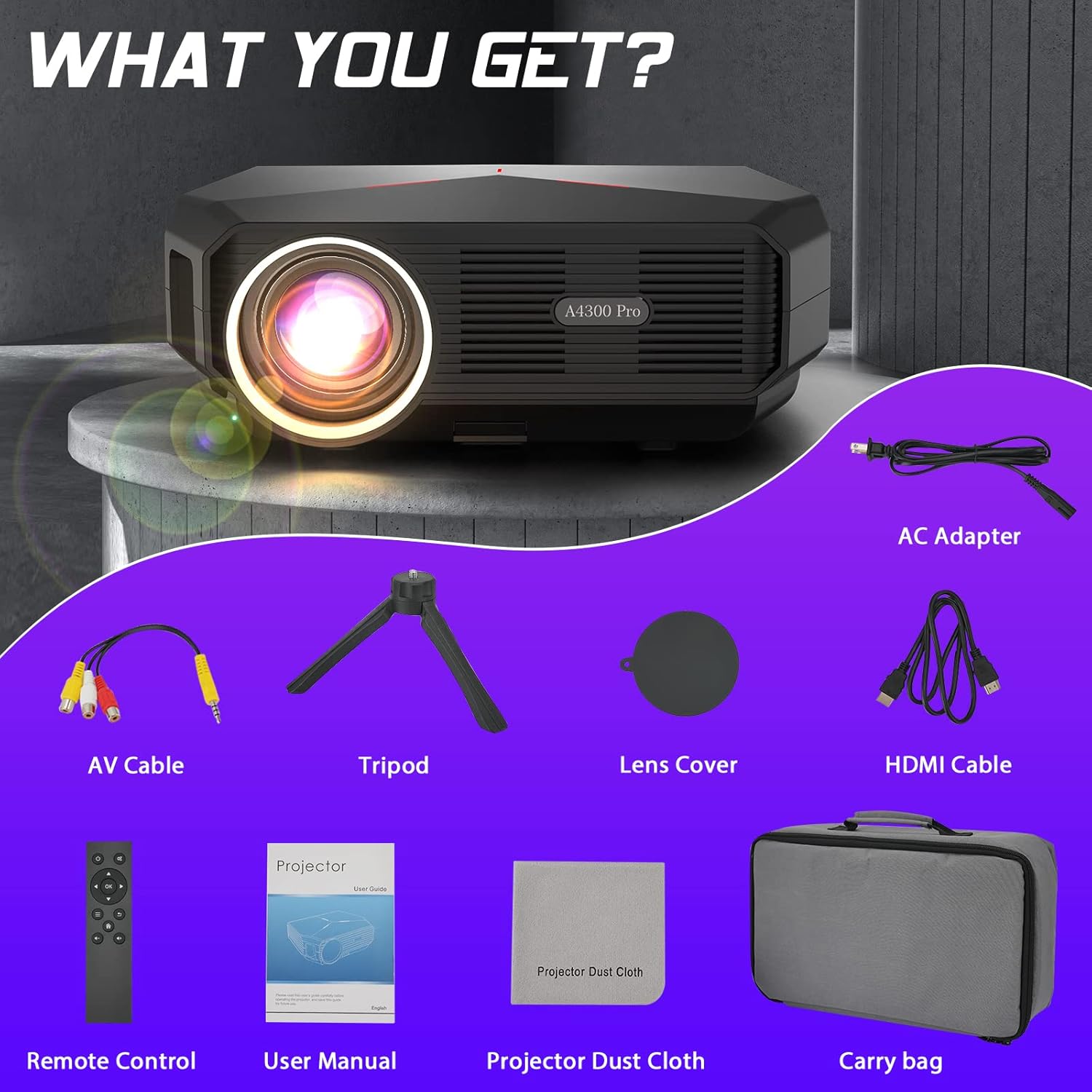
Figure 2.1: All items included in the WHDPETS A4300 Pro Projector package.
3. Ezaugarri nagusiak
- 5G WiFi & Bluetooth Connectivity: Supports both wired and wireless projection for iOS and Android devices, enabling seamless screen mirroring.
- High Brightness & Native 1080P: Equipped with a high light transmission glass lens, offering 12000 Lumens brightness and 10000:1 contrast ratio for sharp, clear images. Supports 4K content.
- Excellent Sound & Advanced Cooling: Integrated speaker provides clear and adjustable audio. An innovative dual-fan cooling system enhances heat dissipation by 20%, ensuring consistent performance and lamp iraupena.
- Versatile Multimedia Ports: Features USB, HDMI, VGA, and AV ports for connecting to TV sticks, TV boxes, PCs, smartphones, DVD players, USB sticks, laptops, PS4, X-Box, and more.
- Large Projection Size & Zoom: Projects a display from 45 to 200 inches with a projection distance of 4.6ft to 18.7ft. Includes a 25% zoom function for easy image size adjustment without moving the projector.
- Diseinu eramangarria: Lightweight and convenient, suitable for various settings including home, parties, schools, and outdoor camping.
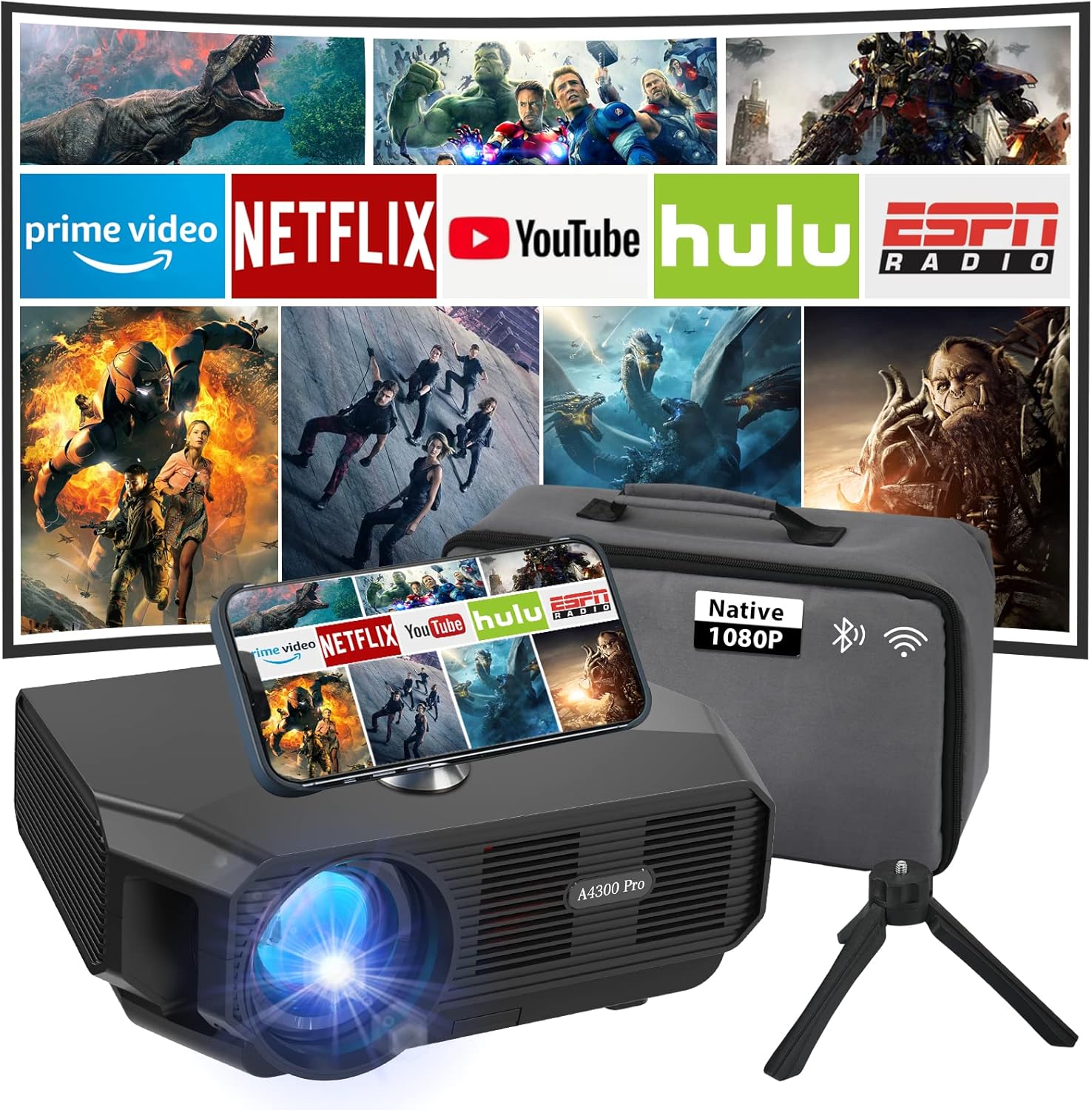
Figure 3.1: The WHDPETS A4300 Pro Projector in a home theater setup, showcasing its multimedia capabilities.

Figure 3.2: Illustration of the projector's 2.4G and 5G WiFi connection capabilities with various devices.

Figure 3.3: The projector's Bluetooth function, allowing connection to external audio devices.

Figure 3.4: The projector's ability to produce a large screen display up to 200 inches.

3.5. irudia: Adibamples of multiple scenarios where the projector can be effectively utilized.
4. Konfigurazio gida
4.1 Hasierako piztea
- Connect the AC adapter to the projector's power input and then to a power outlet.
- Sakatu proiektagailuko pizteko botoia edo urrutiko agintea gailua pizteko.
- Allow a few moments for the projector to boot up and display the main interface.
4.2 Fokua eta Keystone zuzenketa
- Adjust the focus ring on the projector lens until the projected image appears clear and sharp.
- If the image is trapezoidal, use the keystone correction feature (usually a dial or digital setting) to adjust the image shape until it is rectangular.
4.3 Sarearen eta Bluetooth-aren konfigurazioa
To connect your projector to a wireless network or Bluetooth device:
- Navigate to the 'Settings' menu on the projector's interface using the remote control.
- Select 'Network' for WiFi setup or 'Bluetooth' for Bluetooth device pairing.
- Follow the on-screen prompts to connect to your desired network or pair a Bluetooth audio device.
Video 4.1: A demonstration on how to connect the projector to WiFi and perform screen mirroring for iOS devices. This video shows the steps to navigate the settings, select the network, enter the password, and then initiate screen mirroring from an iPhone's control center.
5. Funtzionamendu-argibideak
5.1 Screen Mirroring (iOS & Android)
The projector supports both wired and wireless screen mirroring. For wireless mirroring:
- Ziurtatu zure telefonoa eta proiektorea WiFi sare berera konektatuta daudela.
- For iOS devices, open the Control Center and tap 'Screen Mirroring'. Select the projector (e.g., "AS-A4300Pro") from the list.
- For Android devices, enable the 'Wireless Projection' or 'Screen Cast' feature in your phone's settings and select the projector.
- For wired mirroring, use an MHL/Lightning-HDMI cable or an Anycast WiFi dongle (not included) to connect your device.
5.2 Kanpoko gailuak konektatzea
Proiektoreak sarrera aukera ugari eskaintzen ditu:
- HDMI: Connect gaming consoles (PS4, X-Box), laptops, or TV boxes using an HDMI cable. Select the corresponding HDMI input source.
- USBa: Insert a USB stick to play media files directly. Navigate to the 'Media' or 'File Manager' section on the projector.
- VGA: Konektatu ordenagailu edo ordenagailu eramangarri zaharrak VGA kable bat erabiliz.
- OF: Use the provided AV cable to connect DVD players or other devices with AV output.
5.3 Zoom Funtzioa
To adjust the image size without moving the projector:
- Access the 'Picture' or 'Projection' settings in the projector's menu.
- Locate the 'Zoom' or 'Image Scale' option.
- Egokitu ehunekoatage to reduce the image size (up to 25% reduction is supported).
6. Mantentzea
- Lentea garbitzea: Use the provided projector dust cloth or a soft, lint-free cloth to gently wipe the lens. Avoid abrasive materials or harsh chemicals.
- Hauts-iragazkiaren garbiketa: Regularly check and clean the dust filter to ensure optimal airflow and prevent overheating. Refer to the specific location of the filter in the product diagram (if available).
- Biltegiratzea: When not in use, store the projector in its portable bag in a cool, dry place to protect it from dust and damage.
- Aireztapena: Ziurtatu proiektorearen aireztapen-irekidurak ez daudela blokeatuta funtzionatzen ari den bitartean, gehiegi berotzea saihesteko.
7. Arazoak
| Arazoa | Kausa posiblea | Irtenbidea |
|---|---|---|
| Ez da irudirik bistaratzen | Power cable loose, incorrect input source, device not connected properly. | Check power connection. Select correct input source (HDMI, USB, etc.). Ensure external device is properly connected and powered on. |
| Irudi lausoa | Out of focus, incorrect projection distance, keystone not adjusted. | Adjust the focus ring. Ensure projector is within optimal projection distance (4.6ft-18.7ft). Adjust keystone correction. |
| Soinurik ez | Volume too low, external audio device not connected, incorrect audio output setting. | Increase projector volume. Check if external speakers are connected and powered. Verify audio output settings on both projector and source device. |
| Pantaila islatzearen arazoak | Not on same WiFi network, WiFi signal weak, device compatibility. | Ensure both devices are on the same 2.4G or 5G WiFi network. Move closer to the router. Try wired connection if wireless fails. |
8. Zehaztapenak
| Ezaugarri | Xehetasuna |
|---|---|
| Marka | WHDPETS |
| Eredua | A4300 Pro (ASIN: B0B93MK7WC) |
| Bistaratzeko ebazpena | 1920 x 1080P natibo (4K onartzen du) |
| Distira | 12000 lumen |
| Kontraste-erlazioa | 10000:1 |
| Konektibitate Teknologia | HDMI, USB, VGA, AV, 5G WiFi, Bluetooth |
| Proiekzioaren Tamaina | 45-200 zentimetro |
| Proiekzio Distantzia | 4.6 m - 18.7 m |
| Zoom funtzioa | %25eko doikuntza |
| Elementuaren pisua | 5.08 kilo |
| Produktuaren neurriak | 10 x 7 x 4 hazbete |
| Kolorea | Beltza |
| Ezaugarri bereziak | Internet Built-In |
9. Bermea eta Laguntza
For detailed warranty information and customer support, please refer to the official WHDPETS website or contact their customer service. You can also find additional support and a downloadable PDF version of the user guide at the following link:
Deskargatu Erabiltzailearen Gida Ofiziala (PDF)
Laguntza gehiago behar baduzu, bisitatu WHDPETS Store on Amazon.