
TECURS MK204
TECURS MK204 Mechanical Gaming Keyboard User Manual
Eredua: MK204
Sarrera
Thank you for choosing the TECURS MK204 Mechanical Gaming Keyboard. This manual provides essential information for setting up, operating, and maintaining your keyboard. Please read it carefully to ensure optimal performance and longevity of your device.
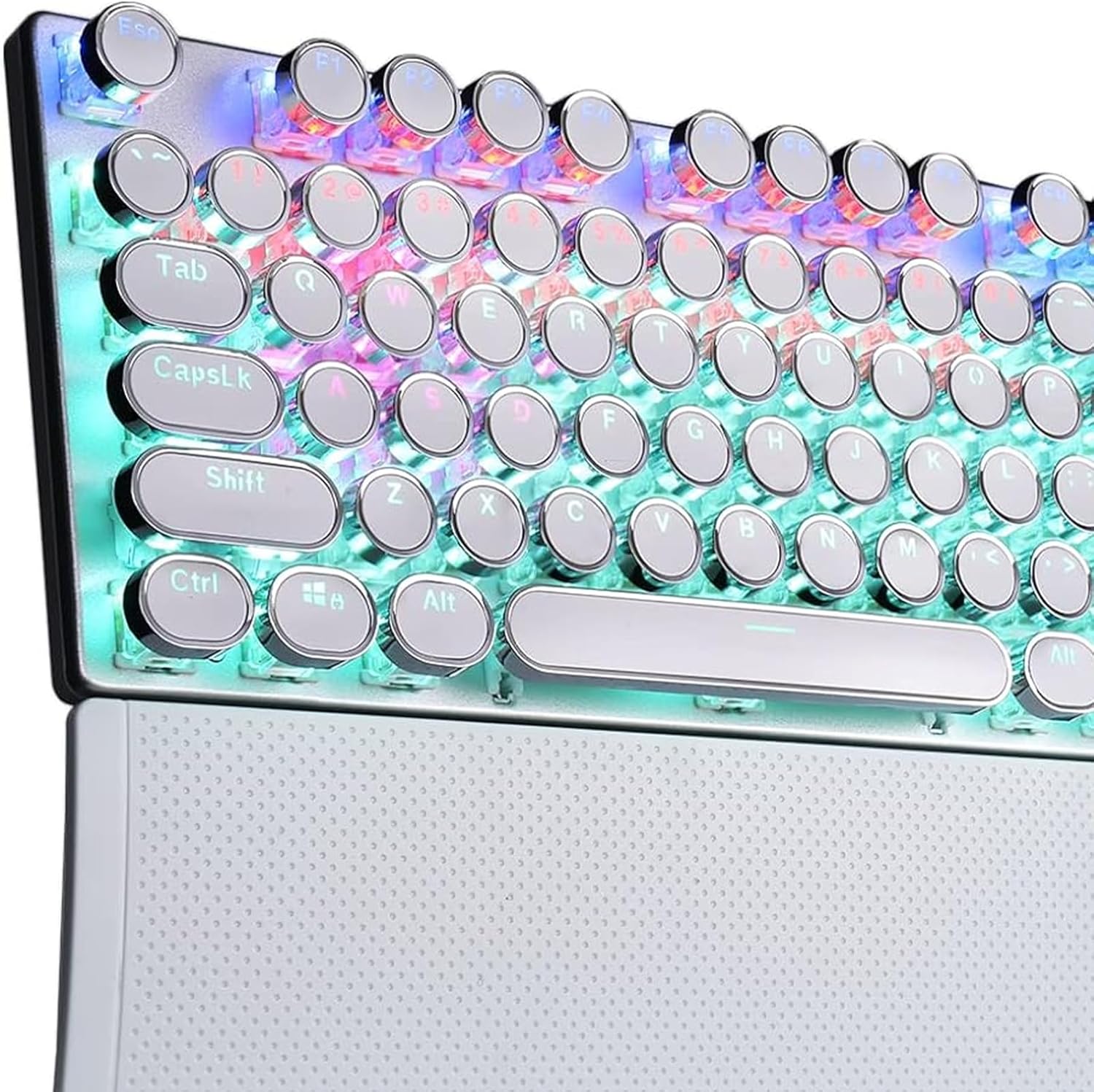
Image 1: The TECURS MK204 Mechanical Gaming Keyboard, showcasing its QWERTZ layout and vibrant RGB backlighting.
Konfigurazio Argibideak
- Despaketatzea: Carefully remove the keyboard from its packaging. Ensure all components are present: the TECURS MK204 keyboard and the USB cable.
- USB kablea konektatzea:
The keyboard features a Micro USB port. Connect one end of the provided USB cable to the keyboard's Micro USB port. The cable can be routed in three directions (left, center, or right) from the keyboard's underside for cable management.

Image 2: The TECURS MK204 keyboard integrated into a typical computer setup, illustrating its wired connection.
- Zure gailura konektatzen: Connect the other end of the USB cable to an available USB port on your computer (PC, Mac, Laptop) or gaming console (PS4, PS5, Xbox).
- Gidariaren instalazioa (Plug & Play): The TECURS MK204 keyboard is a Plug & Play device. Your operating system should automatically detect and install the necessary drivers. No additional software installation is typically required.
- Hasierako proba: Once connected, the keyboard's RGB lighting should illuminate. Test basic key functions by typing in a text editor.
Funtzionamendu-argibideak
RGB argiztapen moduak
The keyboard features eight programmable RGB lighting modes. These modes can be adjusted to suit your preferences, enhancing your gaming or typing experience, especially in low-light environments.
- Aldaketa moduak: Refer to the keyboard's function keys (Fn combinations) for specific commands to cycle through the available RGB modes.
- Distira/Abiadura doitzea: Certain key combinations may also allow you to adjust the brightness level or the speed of dynamic lighting effects.
Makro Definizioa
The TECURS MK204 supports macro definition, allowing you to customize key functions for complex commands or sequences.
- Programming Macros: Macro programming typically involves using a dedicated software (if available) or specific key combinations on the keyboard itself. Consult the manufacturer's website for any available software or detailed instructions on macro setup.
- Abantailak: Macros can streamline repetitive tasks or execute complex in-game actions with a single key press.
Ghosting-aren aurkako teknologia
The keyboard incorporates anti-ghosting technology, ensuring that multiple simultaneous key presses are registered accurately. This is particularly beneficial for fast-paced gaming where many keys might be pressed at once.

Image 3: A user engaged in gaming, demonstrating the keyboard's application in a high-performance environment.
Mantentzea
Regular maintenance helps preserve the keyboard's functionality and appearance.
- Tekla-tapoiak garbitzea: The interchangeable ABS keycaps are designed for easy cleaning.
- Deskonektatu teklatua zure gailutik.
- Gently remove keycaps using a keycap puller (if provided, or a suitable tool).
- Garbitu teklak zapi leun batekin,amp cloth and mild soap solution. Ensure they are completely dry before reattaching.
- Erabili aire konprimatua teklak estalkien azpiko hautsa eta hondakinak kentzeko.
- Markoa garbitzea: Wipe the aluminum frame with a soft, dry, or slightly damp oihal. Saihestu garbitzaile urratzaileak.
- Biltegiratzea: Denbora luzez erabiltzen ez baduzu, gorde teklatua leku lehor eta hautsik gabeko batean.
Arazoak konpontzea
| Arazoa | Irtenbide posiblea |
|---|---|
| Teklatuak ez du erantzuten |
|
| RGB argiak ez du funtzionatzen |
|
| Teklak itsaskorrak dira edo ez dute erantzuten |
|
Zehaztapenak
| Ezaugarri | Xehetasuna |
|---|---|
| Marka | TECURS |
| Modelo zenbakia | MK204 |
| Diseinua | QWERTZ (German) |
| Gako zenbaketa | 88 keys (80% TKL) |
| Aldatu mota | Mechanical (Classic Blue Switches) |
| Konektibitatea | Wired (Micro USB) |
| Atzeko argiztapena | RGB (8 programmable modes) |
| Materiala | Aluminum frame, ABS keycaps |
| Ezaugarri bereziak | Ergonomic design, Macro definition support, Anti-ghosting technology, 3-way cable routing |
| Gailu bateragarriak | PC, Laptop, Mac, Game Consoles (PS4, PS5, Xbox) |
Bermea eta Laguntza
For warranty information and technical support, please refer to the documentation included with your purchase or visit the official TECURS webgunea.
Fabrikatzailea: TECURS
ASIN: B0BC8KSNVT
Ask a question about this manual
Ask about setup, troubleshooting, compatibility, parts, safety, or missing instructions. Manuals+ will review the question and use this page’s manual context to help answer it.