
MCGOR GLS-C010
MCGOR 10-inch Rechargeable Motion Sensor Under Cabinet Lights Instruction Manual
Model: GLS-C010
Produktua amaituview
The MCGOR 10-inch Under Cabinet Lighting system provides versatile and convenient illumination for various indoor spaces. Featuring advanced motion sensing capabilities, dimmable brightness levels, and a rechargeable battery, these wireless lights offer an efficient and flexible lighting solution. Their magnetic design ensures easy installation and removal for charging.

Figure 1: MCGOR 10-inch Under Cabinet Lights product view.
Kutxan dagoena
- 2 x Cabinet Lights
- 2 x USB-C Charging Cords
- 6 x Burdinazko plaka itsasgarriak
- 1 x Argibide eskuliburua
Konfigurazioa eta Instalazioa
The MCGOR under cabinet lights are designed for easy, tool-free installation thanks to their built-in magnets. Follow these steps for optimal placement:
- Azalera prestatu: Ensure the installation surface (e.g., under cabinet, closet wall) is clean, dry, and smooth.
- Eranskin magnetikoa: If installing on a metal surface (like a refrigerator), the light can be directly adsorbed due to its built-in strong magnets.
- Adhesive Plate Installation (for non-metal surfaces):
- Peel off the protective film from one side of an adhesive iron plate.
- Attach the adhesive side of the plate to the desired clean surface. Apply firm pressure for a few seconds to ensure strong adhesion.
- Align the magnetic back of the light with the installed iron plate. The light will snap securely into place.
- For optimal placement, attach the magnetic strips to the light first, peel off the adhesive backing, then press the light firmly onto the desired surface. This ensures the adhesive plates are perfectly aligned with the light's magnets.
- Charging Before First Use: It is recommended to fully charge the lights before their initial use to ensure maximum battery life.
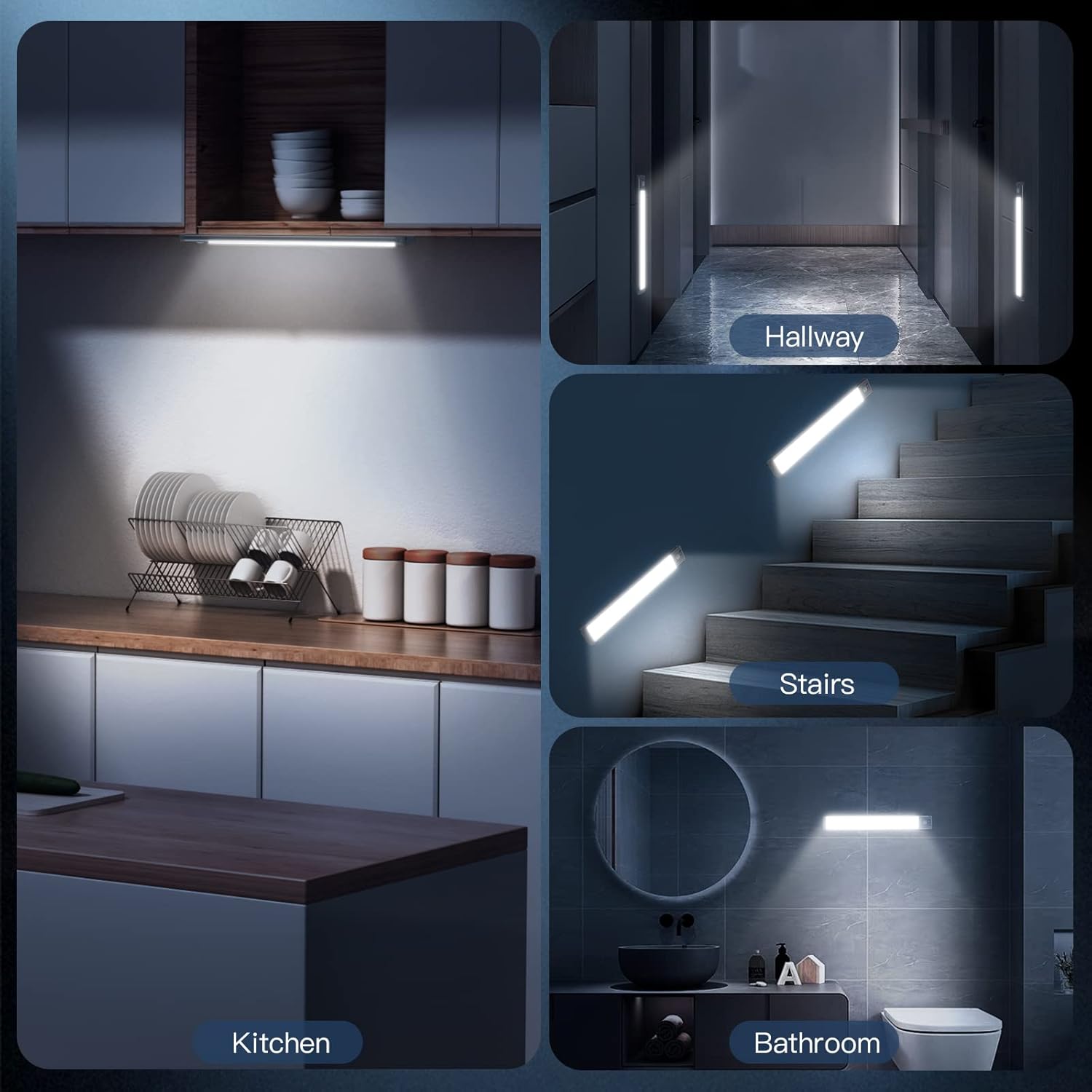
Figure 2: Two installation methods for the under cabinet lights.
Video 1: Demonstration of light installation and magnetic attachment.
Funtzionamendu moduak eta ezaugarriak
The MCGOR lights offer multiple operating modes to suit your needs:
- Motion Sensor Mode (AUTO):
In this mode, the lights automatically turn on when human motion is detected within a 120° angle and up to 10 feet distance in a dark or low-light environment. They will automatically turn off after approximately 20 seconds of no motion detected. This mode is ideal for areas like closets, stairs, or hallways where light is only needed when someone is present.

Figure 3: Motion Sensor Mode in action.
- Always-On Mode (ON):
The lights can be set to remain continuously on, providing constant illumination. This feature is useful for tasks requiring prolonged lighting, such as reading, cooking, or as a general flashlight.
- Off Mode (OFF):
Completely turns off the light, conserving battery power when not needed.
- Dimmable Brightness (5 Levels):
Unlike many fixed-brightness lights, these motion sensor lights offer 5 levels of brightness. This allows you to adjust the light intensity to your preference, from bright task lighting for meal preparation to a soft night light that won't disturb others.

Figure 4: Adjustable brightness levels.

Figure 5: Control panel with mode switch and dimming button.
Kargatzea eta bateriaren iraupena
These lights are equipped with a built-in 1800mAh rechargeable battery, eliminating the need for constant battery replacement or complex wiring.
- Kargatzen: Use the provided USB-C cable to recharge the lights. Simply detach the light from its magnetic mount and connect the cable to the USB-C port. A red indicator light typically signifies charging, turning green when fully charged.
- Bateriaren iraupena:
- Mugimendu-sentsore modua: A full charge can last approximately 7-30 days, depending on usage frequency.
- Beti aktibatuta modua: At 100% brightness, a full charge provides about 8 hours of continuous light.

Figure 6: USB-C charging and battery capacity.
Mantentzea
To ensure the longevity and optimal performance of your MCGOR lights, follow these simple maintenance guidelines:
- Garbiketa: Wipe the light's surface with a soft, dry cloth. Avoid using abrasive cleaners or solvents that could damage the finish.
- Kargatzen: Recharge the battery when the light's brightness noticeably diminishes or the indicator light signals low power.
- Biltegiratzea: If storing the lights for an extended period, ensure they are fully charged and store them in a cool, dry place.
- Uraren erresistentzia: These lights are designed for indoor use only and are not water-resistant. Avoid exposure to water or high humidity.
Arazoak konpontzea
| Arazoa | Kausa posiblea | Irtenbidea |
|---|---|---|
| Argia ez da pizten AUTO moduan. | Insufficient darkness; battery is low; motion not detected. | Ensure the environment is dark enough for the sensor to activate. Charge the light. Check if motion is within the 10ft/120° range. |
| Argia azkarregi itzaltzen da. | Ez da mugimendu jarraiturik detektatu. | Ensure continuous motion within sensor range or switch to ON mode for constant light. |
| Argia ez da nahikoa distiratsua. | Brightness setting is low; battery is low. | Adjust to a higher brightness level using the dimming button. Recharge the light. |
| Argia ez da gainazalera itsasten. | Surface is not clean/smooth; adhesive plate not properly applied. | Clean the surface thoroughly. Ensure firm pressure is applied when attaching adhesive plates. |
Zehaztapenak
| Ezaugarri | Xehetasuna |
|---|---|
| Marka | MCGOR |
| Ereduaren izena | GLS-C010 |
| Produktuaren neurriak | 10"L x 1.57"Z x 0.37"A |
| Elementuaren pisua | 0.33 kilogramo (11.6 ontza) |
| Kolorea | White Light (Cool White, 7000 Kelvin) |
| Materiala | Aluminioa, Plastikoa |
| Argi iturri mota | LED (40pcs) |
| Distira | 180 lumen |
| Energia iturria | Bateriaz elikatua (1800 mAh litio polimeroa) |
| Kargatzeko ataka | USB-C |
| Instalazio mota | Muntaia magnetikoa |
| Ezaugarri bereziak | Dimmable (5 levels), Rechargeable, Motion Sensor |
| Mugimendu-sentsorearen barrutia | 120° angle, 10ft distance |
| Automatikoki itzaltzeko ordua | Approx. 20 seconds (in AUTO mode) |
| Barruko/Kanpoko erabilera | Barruan |
| Uraren Erresistentzia Maila | Ez Urarekiko Erresistentea |
Bermea eta Laguntza
MCGOR products typically come with a standard manufacturer's warranty covering defects in materials and workmanship. For specific warranty details, product support, or technical assistance, please refer to the contact information provided in the original product packaging or visit the official MCGOR webgunea.
Laguntza gehiago behar baduzu, saltzailearekin zuzenean harremanetan jar zaitezke erosketa egin zen plataformaren bidez.
Ask a question about this manual
Ask about setup, troubleshooting, compatibility, parts, safety, or missing instructions. Manuals+ will review the question and use this page’s manual context to help answer it.