
1. Produktua amaitu daview
The Superer 12V 2A Laptop Charger (Model: PSD1202000UW) is designed to provide reliable power to compatible Gateway laptop models. This compact and durable power adapter ensures your device remains charged and ready for use.
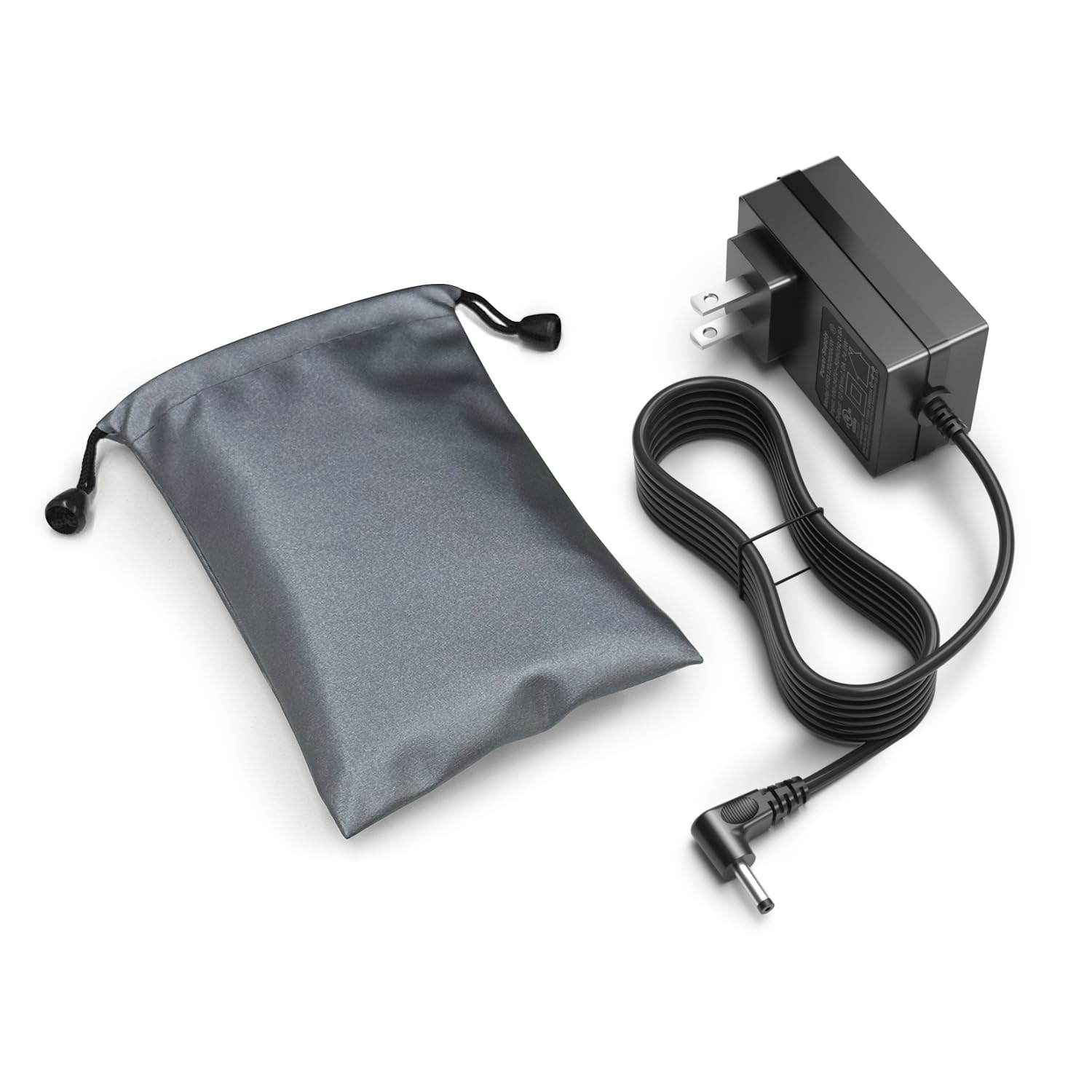
Image 1.1: Superer 12V 2A Laptop Charger with its power cord.
1.1. bideoa: Kutxa ireki eta amaituview of the Superer 12V 2A Laptop Charger, demonstrating its components and initial appearance.
2. Segurtasun informazioa
This charger is certified by CE and FCC, meeting rigorous safety standards to protect your computer from overheating, overcharging, and short circuits. Always follow these guidelines for safe operation:
- Ez jarri kargagailua likidoen edo muturreko tenperaturen eraginpean.
- Saihestu kargagailua erortzea edo kolpe gogorren eraginpean jartzea.
- Ensure the power outlet matches the charger's voltage eskakizunak.
- Deskonektatu kargagailua energia iturritik erabiltzen ez duzunean.

Image 2.1: Illustration of the charger's six safety enhancements, including overheating, overvoltage, electrostatic, short circuit, overcurrent, and overcharge protection.

Image 2.2: Certifications for the charger, including UL Listed, FCC approved, and CE marking, indicating compliance with safety and environmental standards.
3. Konfiguratzeko argibideak
Follow these steps to set up your Superer laptop charger:
- Ikuskatu Kargagailua: Unpack the charger and inspect it for any visible damage.
- Konektatu korronte-hartunera: Plug the charger's AC adapter into a standard wall outlet or power strip.
- Konektatu ordenagailu eramangarrira: Insert the DC barrel connector into your Gateway laptop's charging port. Ensure the connection is firm.
- Egiaztatu konexioa: Confirm that the charging indicator on your laptop illuminates, signifying a successful connection and charging process.

Image 3.1: A visual representation of the charger connected to a laptop and a power strip, illustrating a typical setup.

3.2. irudia: Plano hurbila view of the charger's round tip connector, highlighting the correct port type for compatible Gateway laptops. It also shows an incompatible USB-C port for comparison.

3.3 irudia: Xehetasun zehatza view of the DC barrel connector, emphasizing its shape and size for proper connection.
4. Funtzionamendu-argibideak
Once connected, the charger will automatically begin supplying power to your laptop. The charging status is typically indicated by an LED light on your laptop or within its operating system's battery icon.
Bateragarritasuna
This charger is specifically designed for Gateway laptops requiring a 12V 2A (24W) power supply. It is not compatible with laptops requiring higher voltage edo amperage, such as 19V 2.1A (40W) or 19V 3.42A (65W).

Image 4.1: The charger connected to a laptop, with an overlay indicating correct compatibility for 12V 2A (24W) and incompatibility with 19V 2.1A (40W) and 19V 3.42A (65W).
5. Mantentzea
Mantentze egokiak kargagailuaren iraupena eta errendimendua bermatzen ditu:
- Garbiketa: Use a soft, dry cloth to clean the charger. Do not use liquid cleaners.
- Kableen zainketa: Avoid sharp bends or kinks in the cable. Do not wrap the cable too tightly around the adapter.
- Biltegiratzea: Store the charger in a cool, dry place when not in use. The included protective pouch can help prevent scratches and keep accessories clean during travel.

Image 5.1: A visual guide to the travel-ready protective pouch, highlighting its anti-scratch, anti-loss, dustproof, and water-resistant features for charger storage.
6. Arazoak
Kargagailuarekin arazoak badituzu, jo ezazu honako arazo eta irtenbide ohikoenei:
- Kargagailua ez dabil:
- Ensure the charger is securely plugged into both the wall outlet and the laptop.
- Try a different wall outlet to rule out a faulty power source.
- Check for any visible damage to the cable or connector.
- Ordenagailu eramangarria ez da kargatzen:
- Verify that your laptop's charging port is clean and free of debris.
- Confirm that the charger's specifications (12V 2A) match your laptop's power requirements. Incorrect voltage edo amperage can prevent charging.
- Berrabiarazi ordenagailu eramangarria.
- Karga motela:
- Ensure no other high-power devices are connected to the same power strip.
- Close unnecessary applications on your laptop to reduce power consumption during charging.
If problems persist, contact Superer customer support for assistance.
7. Zehaztapenak
| Ezaugarri | Xehetasuna |
|---|---|
| Marka | Superer |
| Modelo zenbakia | PSD1202000UW |
| Sarrera boltage | 100-240V (AC), 50/60 Hz |
| Irteera boltage | 12 V (DC) |
| Irteera Korrontea | 2A |
| Wattage | 24W |
| Konektore mota | Round Tip (DC Barrel) |
| Kablearen luzera | 7.5 oin (gutxi gorabehera 2.28 metro) |
| Neurriak (L x W x H) | 2.29in x 2.04in x 1.15in (approx. 5.8cm x 5.2cm x 2.9cm) |
| Kolorea | Beltza |
| Materiala | Plastikoa |
| Segurtasun Ziurtagiriak | CE, FCC, UL Listed |
| Dakarten osagaiak | Elikatze-moldagailua |
Compatible Gateway Laptop Models:
- Gateway 11.6" 2-in-1 Convertible Notebook: GWTC116-1 (GWTC116-1BK, GWTC116-1BL, GWTC116-1GR, GWTC116-1PR), GWTC116-2 (GWTC116-2BK, GWTC116-2BL, GWTC116-2GR, GWTC116-2PR)
- Gateway 11.6" Ultra Slim Notebook: GWTN116-1 (GWTN116-1BK, GWTN116-1BL, GWTN116-1GR, GWTN116-1PR), GWTN116-3 (GWTN116-3BK, GWTN116-3BL, GWTN116-3GR, GWTN116-3RD, GWTN116-3CA)
- Gateway 13.3" Ultra Slim Notebook: GWTN133-1 (GWTN133-1BK, GWTN133-1BL, GWTN133-1CA)
- Gateway 14.1" Ultra Slim Notebook: GWTN141-1 (GWTN141-1BK, GWTN141-1BL, GWTN141-1GR, GWTN141-1PR), GWTN141-5 (GWTN141-5BK, GWTN141-5BL, GWTN141-5GR, GWTN141-5PR)
- Gateway 15.6" Ultra Slim Notebook: GWTN156-11 (GWTN156-11BK, GWTN156-11BL, GWTN156-11GR, GWTN156-11RD, GWTN156-11CA, GWTN156-11MC, GWTN156-11GN), GWNC21524 (GWNC21524-BK, GWNC21524-BL, GWNC21524-GR, GWNC21524-RD)
- Gateway Charger Model: SAW30A-120-2000U, SAW30-120-2000U
- Gateway N11SP3 Notebook
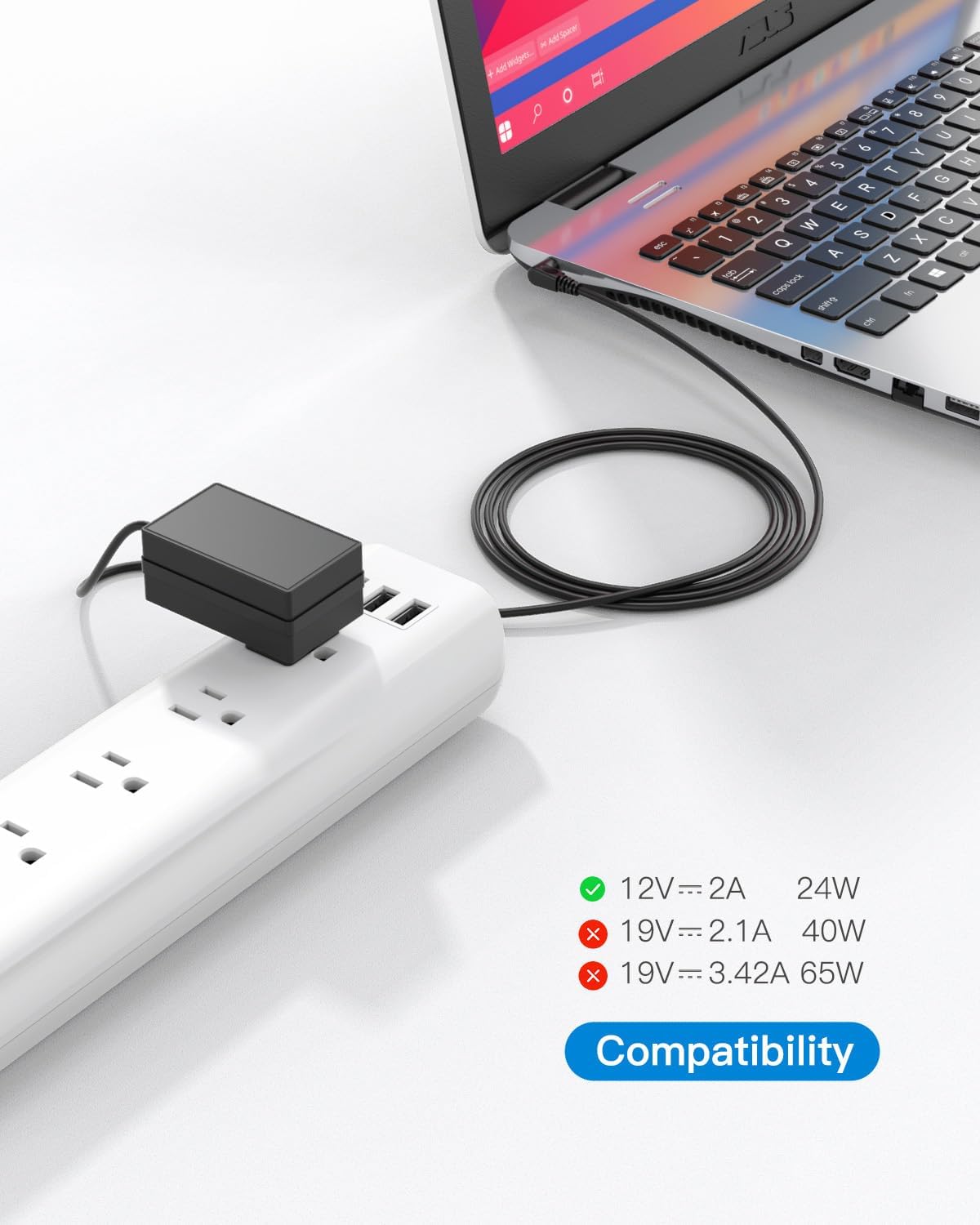
Image 7.1: Visual representation of the charger's dimensions (2.29in x 2.04in x 1.15in).

Image 7.2: An image illustrating the total cable length of 7.5 feet for the charger.
8. Bermea eta Laguntza
Superer provides comprehensive support for your product:
- Fabrikatzailearen bermea: Enjoy a 24-month manufacturer warranty from the date of purchase.
- Itzulketa-politika: Eligible for a refund within 30 days of purchase.
- Ordezko Zerbitzua: Replacement service is available within 24 months of purchase.
- Bezeroarentzako laguntza: For any issues or inquiries, please contact Superer customer support.

Image 8.1: Details on Superer's positive customer support, including 24-month replacement service, 30-day refund policy, and quick feedback for any problems.