
1. Sarrera
This manual provides detailed instructions for the setup, operation, and maintenance of your CUPEISI Android 14 Tablet, Model Q2S. Please read this manual thoroughly before using your device to ensure proper functionality and to maximize its lifespan.
The CUPEISI Q2S is a 7-inch tablet featuring the Android 14 operating system, a 1.6GHz Quad-core processor, 8GB RAM (4GB fixed, 4GB virtual), 32GB internal storage expandable up to 1TB, a 1024x600 IPS touch screen, and dual cameras.
2. Paketearen edukia
Egiaztatu behean zerrendatutako elementu guztiak zure produktuaren ontzian daudela:
- CUPEISI Android 14 Tablet (Model Q2S)
- C motako USB kablea
- Erabiltzailearen eskuliburua (dokumentu hau)
Elementuren bat falta bada edo hondatuta badago, jarri harremanetan bezeroarentzako arreta-zerbitzuarekin.
3. Gailua amaitu daview
Ohitu zaitez zure tabletaren osagai fisikoekin.
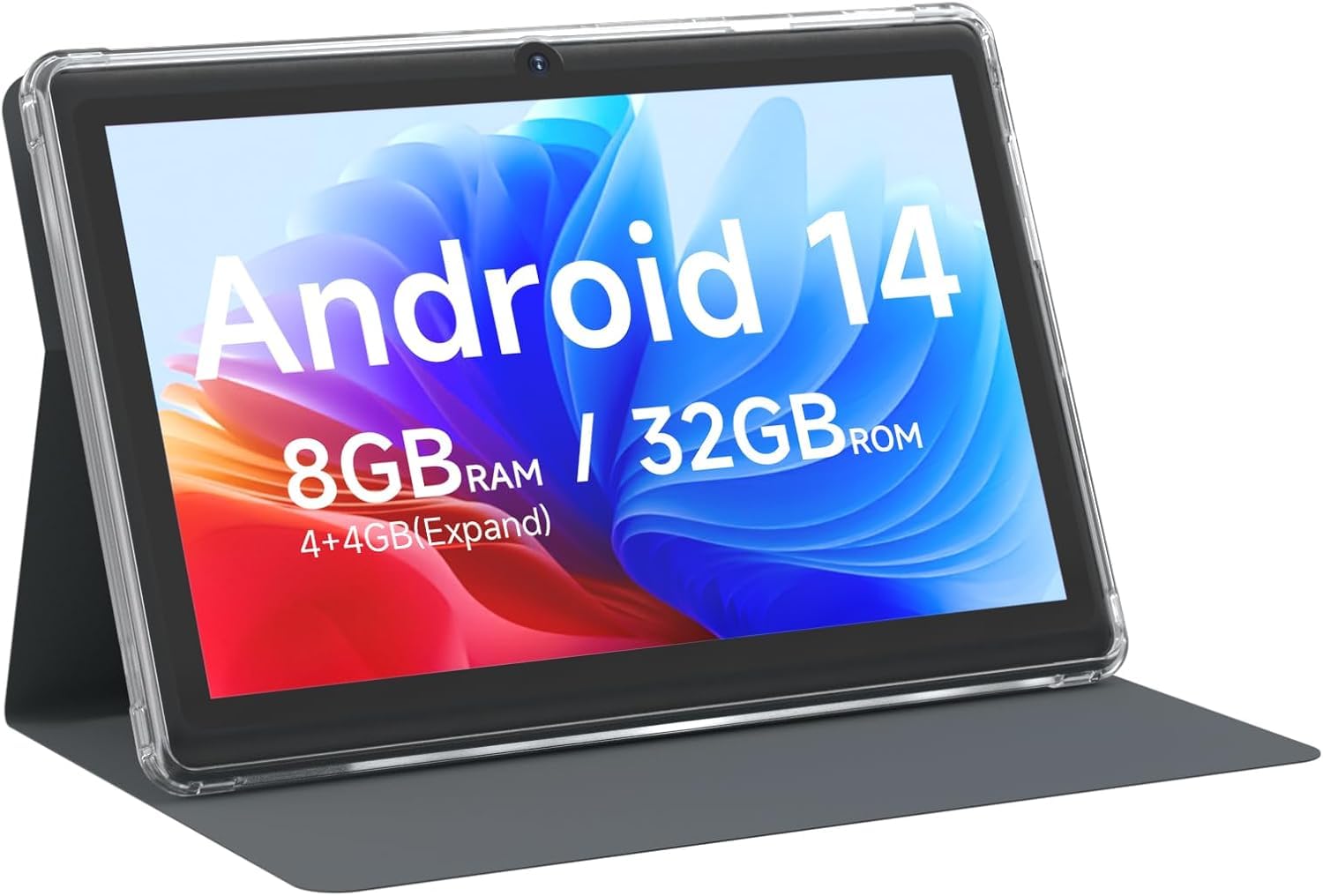
3.1. irudia: Aurrealdea view of the CUPEISI Q2S Tablet, showing the display with various application icons.

3.2. irudia: Aurretik eta atzetik views of the CUPEISI Q2S Tablet, highlighting its compact design and textured rear panel.

3.3. irudia: The 7-inch IPS screen of the CUPEISI Q2S Tablet, showcasing its display quality.
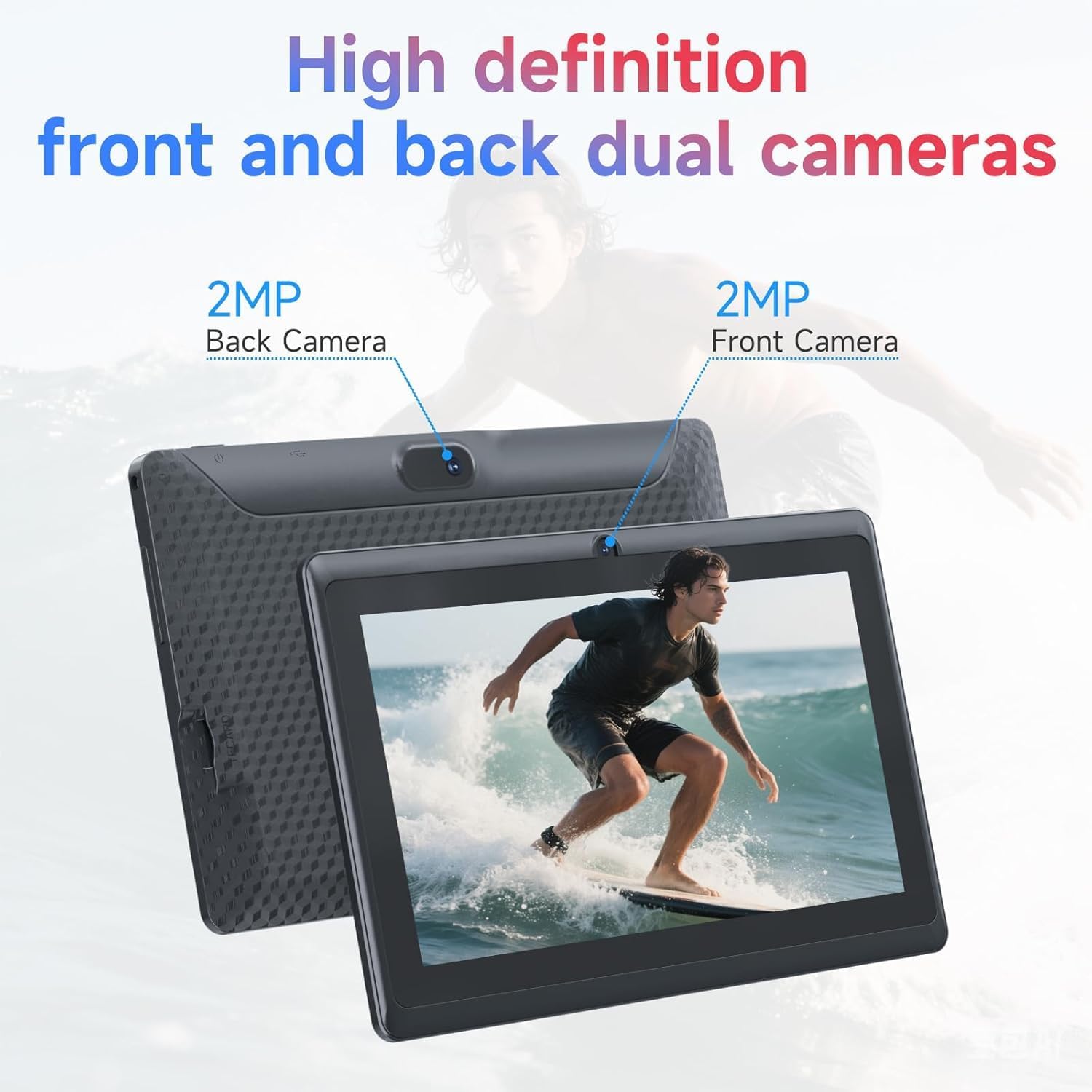
3.4. irudia: Illustration of the CUPEISI Q2S Tablet's front and rear camera locations.
3.1 Botoiak eta atakak
- Pizteko botoia: Press and hold to turn the tablet on or off. Press briefly to sleep or wake the screen.
- Bolumen-botoiak: Doitu audioaren bolumena.
- USB C motako ataka: For charging the tablet and connecting to a computer for data transfer.
- MicroSD txartelaren zirrikitua: Insert a microSD card for expanded storage.
- Aurrealdeko kamera: Located on the front bezel, used for video calls and selfies.
- Atzeko kamera: Atzeko panelean kokatuta, argazkiak eta bideoak ateratzeko erabiltzen da.
- Hizlaria: Audio irteera.
4. Konfigurazioa
4.1 Tableta kargatzea
Before first use, fully charge the tablet. Connect the provided Type-C USB cable to the tablet's charging port and the other end to a compatible USB power adapter (not included) or a computer's USB port. The battery indicator on the screen will show charging status.
4.2 Piztu/Itzaltzea
- Pizteko: Press and hold the Power button until the CUPEISI logo appears.
- Itzaltzeko: Sakatu eta eutsi pizteko botoia energia aukeren menua agertu arte. Hautatu "Itzali" eta baieztatu.
- Berrabiarazteko: Energia aukeren menuan, hautatu "Berrabiarazi" eta baieztatu.
4.3 Hasierako konfigurazio-morroia
Upon first power-on, the tablet will guide you through an initial setup process:
- Hizkuntza hautaketa: Aukeratu zure hizkuntza hobetsia.
- Wi-Fi konexioa: Connect to an available Wi-Fi network. This is essential for downloading apps and accessing online services.
- Google kontua: Sign in with your Google account or create a new one. This allows access to Google Play Store, Gmail, and other Google services.
- Data eta ordua: Ezarri data eta ordu zuzena, edo utzi sareari automatikoki ezartzen.
- Pantailaren blokeoa: Set up a PIN, pattern, or password for screen security.
5. Funtzionamendu-argibideak
5.1 Oinarrizko nabigazioa
- Ukipen-keinuak: Sakatu hautatzeko, irristatu korritzeko, apurtu handitzeko.
- Hasierako pantaila: The central hub for your apps and widgets.
- Jakinarazpen panela: Irristatu hatza pantailaren goialdetik behera jakinarazpenak eta ezarpen azkarrak atzitzeko.
- Aplikazioen tiradera: Pasatu hatza gora pantailaren behealdera arte view instalatutako aplikazio guztiak.
5.2 Aplikazioak instalatzea eta kudeatzea
You can download and install applications from the Google Play Store. The tablet is GMS certified, ensuring compatibility with Google services.
- Instalatu aplikazioak: Ireki Play Store app, search for your desired app, and tap "Install".
- Desinstalatu aplikazioak: Press and hold an app icon on the home screen or app drawer, then drag it to "Uninstall" or select the uninstall option. Alternatively, go to Ezarpenak > Aplikazioak > Ikusi aplikazio guztiak, hautatu aplikazioa eta sakatu "Desinstalatu".
6. Konektibitatea
6.1 Wi-Fi konexioa
Wi-Fi sare batera konektatzeko:
- Joan zaitez Ezarpenak > Sarea eta internet > Wi-Fi.
- Wi-Fia aktibatu/desaktibatu On.
- Hautatu nahi duzun sarea eskuragarri dauden sareen zerrendatik.
- Eskatzen bazaizu, idatzi pasahitza eta sakatu Konektatu.
The tablet supports 2.4G/5G WiFi 6 for faster and more stable connections.
6.2 Bluetooth parekatzea
To pair with a Bluetooth device (e.g., headphones, speakers):
- Joan zaitez Ezarpenak> Konektatutako gailuak> Konexio hobespenak> Bluetooth.
- Aktibatu Bluetooth-a On.
- Ziurtatu zure Bluetooth gailua parekatze moduan dagoela.
- Sakatu Parekatu gailu berria and select your device from the list.
- Jarraitu pantailako edozein gomendio parekatzea osatzeko.
7. Kameraren erabilera
Your tablet is equipped with a 2MP front camera and a 5MP rear camera.
- Ireki Kamera aplikazioa.
- Sakatu kameraren ikonoa aurreko eta atzeko kameren artean aldatzeko.
- Sakatu obturadorearen botoia argazkia ateratzeko.
- Hautatu bideo modua bideoak grabatzeko.
8. Biltegiratze kudeaketa
The tablet comes with 32GB of internal storage. You can expand this storage up to 1TB using a microSD card.

8.1. irudia: Tablet screen illustrating available storage space (8GB RAM, 32GB ROM).
8.1 MicroSD txartel bat sartzea
- Bilatu microSD txartelaren zirrikitua tabletaren alboan.
- Kontu handiz sartu microSD txartela zirrikituan klik egin arte.
- The tablet will detect the new storage. You may be prompted to format the card for optimal use with the tablet.
8.2 Biltegiratzea kudeatzea
To view and manage your storage, go to Ezarpenak > Biltegiratzea. Here you can see how much space is used by apps, photos, videos, and other files, and manage your microSD card.
9. Mantentzea
9.1 Tableta garbitzea
- Erabili zapi leun eta lihorik gabeko bat tabletaren pantaila eta gorputza garbitzeko.
- Orban egoskorretarako, apur bat dampGarbitu oihal bat urarekin edo elektronikarako diseinatutako pantaila-garbitzaile batekin.
- Saihestu produktu kimiko gogorrak, garbitzaile urratzaileak edo aerosolak erabiltzea.
9.2 Bateria zaintzea
- Saihestu tableta tenperatura altuetan (beroan edo hotzean) jartzea.
- Ez utzi bateria maiz erabat deskargatzen. Kargatu %20tik behera jaitsi baino lehen.
- Erabili emandako C motako kablea soilik kargatzeko.
9.3 Software eguneraketak
Aldian-aldian egiaztatu softwarearen eguneraketak errendimendu eta segurtasun optimoa bermatzeko. Joan honera Ezarpenak > Sistema > Sistemaren eguneraketa.
10. Arazoak
Atal honek zure tabletarekin izan ditzakezun arazo ohikoenei buruzko informazioa ematen du.
10.1 tableta ez da pizten
- Ensure the tablet is sufficiently charged. Connect it to a power source and wait a few minutes before attempting to power it on again.
- Berrabiarazte behartua egiteko, sakatu eta eutsi pizteko botoia gutxienez 10-15 segundoz.
10.2 Slow Performance or Apps Crashing
- Itxi behar ez diren atzeko planoko aplikazioak.
- Clear the cache of frequently used apps (Ezarpenak > Aplikazioak > Ikusi aplikazio guztiak > [Aplikazioaren izena] > Biltegiratzea eta cachea > Garbitu cachea).
- Ensure you have sufficient free storage space. Uninstall unused apps or move large files microSD txartel batera.
- Berrabiarazi tableta.
10.3 Wi-Fi konexio arazoak
- Ensure Wi-Fi is enabled on the tablet (Ezarpenak > Sarea eta internet > Wi-Fi).
- Berrabiarazi zure Wi-Fi bideratzailea.
- Forget the network and reconnect (Ezarpenak > Sarea eta internet > Wi-Fi, tap the network, then Ahaztu).
10.4 Bateria azkar agortzen da
- Murriztu pantailaren distira.
- Desgaitu Wi-Fi, Bluetooth eta GPSa erabiltzen ez dituzunean.
- Itxi energia asko kontsumitzen duten atzeko planoan dauden aplikazioak.
- Egiaztatu bateriaren erabilera hemen: Ezarpenak > Bateria energia-gosea duten aplikazioak identifikatzeko.
11. Zehaztapenak
Detailed technical specifications for the CUPEISI Android 14 Tablet Q2S.
| Ereduaren izena | Q8MPRO |
| Elementuaren eredu-zenbakia | Q2S |
| Sistema eragilea | Android 14 |
| Prozesadorea | 1.6 GHz Quad-core (ARM) |
| RAM | 8GB (4GB fixed, 4GB virtual) |
| Barne Biltegiratzea | 32 GB Flash Memoria |
| Biltegiratze zabalgarria | Gehienez 1 TB MicroSD txartelaren bidez |
| Pantailaren tamaina | 7 hazbete |
| Pantailaren bereizmena | 1024 x 600 pixels IPS HD Touch Screen |
| Atzeko kamera | 5 MP |
| Aurrealdeko kamera | 2 MP |
| Haririk gabeko mota | 802.11g (2.4G/5G WiFi 6) |
| Bluetootha | BT 5.0 |
| Bateriaren batez besteko iraupena | 6 ordu |
| Elementuaren pisua | 13.4 ontza |
| Produktuaren neurriak | 7.5 x 0.3 x 4.3 hazbete |
12. Segurtasun informazioa
- Do not expose the tablet to water or excessive moisture.
- Avoid dropping or subjecting the tablet to severe impacts.
- Ez saiatu tableta desmuntatzen edo konpontzen zeuk. Honek bermea baliogabetu eta kalteak eragin ditzake.
- Use the tablet in well-ventilated areas.
- Mantendu tableta eremu magnetiko indartsuetatik urrun.
- Tokiko araudien arabera bota tableta eta bateria arduraz.
13. Bermea eta Laguntza
For warranty information and customer support, please refer to the documentation provided with your purchase or visit the official CUPEISI website. If you encounter any issues not covered in this manual, please contact CUPEISI customer service for assistance.