
Sarrera
Welcome to your new AZATOM Classic V1 DAB/DAB+ FM Digital Radio. This manual provides detailed instructions for setting up, operating, and maintaining your device. Please read it thoroughly to ensure optimal performance and longevity of your radio.
Segurtasun informazio garrantzitsua
Mesedez, gorde eskuliburu hau etorkizuneko erreferentzia izateko.
- Ez jarri unitatea euri edo hezetasunera.
- Ez desmuntatu unitatea. Mantendu konponketa guztiak langile kualifikatuen esku.
- Saihestu muturreko tenperaturak.
- Ziurtatu aireztapen egokia.
- Erabili zehaztutako korronte-egokitzailea edo bateriak soilik.
For detailed safety guidelines, refer to the full safety leaflet included with your product.
Ezaugarri nagusiak
- DAB/DAB+ and FM Radio: Access a wide range of digital and analog radio stations.
- Bluetooth 5.0 konexioa: Erreproduzitu audioa haririk gabe gailu bateragarrietatik.
- Alarma bikoitza funtzioa: Set two independent alarms with customizable sources.
- Colour LCD Display: Clear and intuitive display for station information, time, and settings.
- Battery and Mains Power: Flexible power options for portable or home use.
- AUX sarrera: Connect external audio sources via a 3.5mm jack.
- Aurikularretarako irteera: Private listening experience.
- 60 aurrezarpenak: Store up to 60 favorite stations (40 DAB, 20 FM).
- Lo egiteko tenporizadorea: Automatically turn off the radio after a set period.

Irudia: Aurrealdea view of the AZATOM Classic V1 radio, showcasing its black and silver design with a leather-look handle and front speaker grille.
Konfigurazioa
Piztea
The AZATOM Classic V1 can be powered using the included mains adapter or four Type C batteries (not included).
Sare elektrikoa
- Connect the mains adapter to the DCV input port on the back of the radio.
- Entxufatu egokitzailea hormako entxufe batean.
- Eduki sakatuta BOTEREA button on the top panel to turn on the radio.
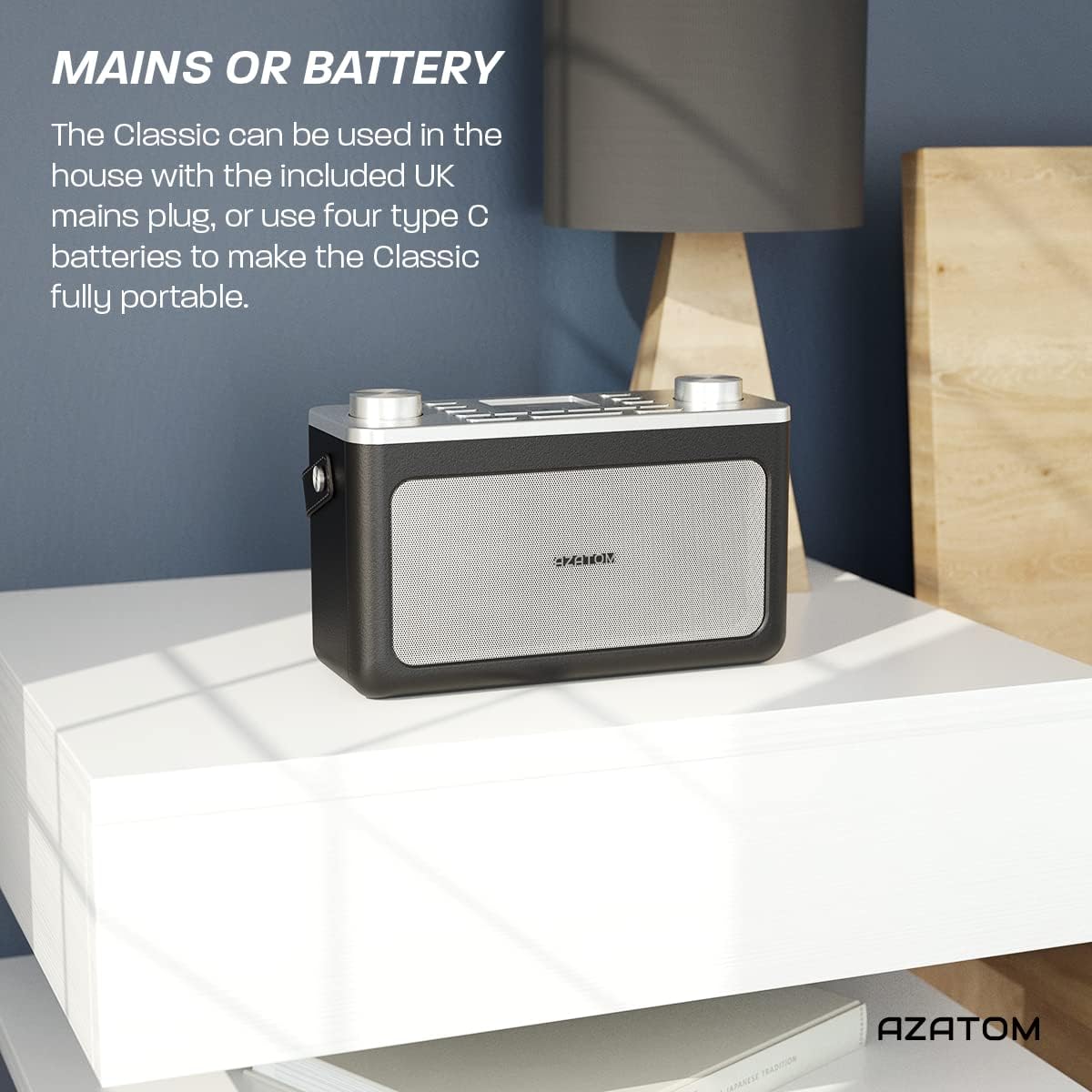
Image: The AZATOM Classic V1 radio on a white surface, illustrating its portability and dual power options (mains or battery).
Bateria Potentzia
- Ireki irratiaren atzealdean dagoen bateriaren konpartimentuaren estalkia.
- Insert four Type C batteries, ensuring correct polarity (+/-).
- Itxi bateriaren konpartimenduaren estalkia ondo.
- Eduki sakatuta BOTEREA button on the top panel to turn on the radio.

Irudia: Atzealdea view of the AZATOM Classic V1 radio, highlighting the DCV input, AUX IN, USB CHARGE ports, and the two battery compartment covers.
Initial Scan (DAB/DAB+)
Upon first power-on, the radio will automatically perform a full scan for DAB/DAB+ stations. This may take a few minutes.
Eskaneatzea amaitutakoan, irratiak eskuragarri dagoen lehenengo irrati-katea sintonizatuko du.
If no stations are found, ensure the telescopic antenna is fully extended and reposition the radio, then perform a manual scan (see "Operating DAB/DAB+ Radio").
Funtzionamendu-argibideak

Irudia: Goitik behera view of the AZATOM Classic V1 radio, showing the control panel with buttons for power, mode, presets, volume, and tuning/enter knobs, along with the color LCD display.
Oinarrizko Kontrolak
- POWER botoia: Press and hold to turn on/off. Press briefly to switch between standby and active mode.
- MODE botoia: Press to cycle through DAB, FM, Bluetooth, and AUX modes.
- BOLUMENaren botoia: Rotate left to decrease volume, right to increase volume.
- ENTER/TUNE Knob: Rotate to navigate menus or tune stations. Press to confirm selections.
- PRESET Buttons (1-4): Quickly access stored favorite stations.
- PRESET Button (Long Press): Access the full list of stored presets.
- MENU botoia: Access system settings and mode-specific options.
- ATZERATU/ILUNDU botoia: Snooze active alarm or adjust display brightness.
- LO botoia: Activate/deactivate sleep timer.
- SKIP Buttons (<< / >>): Navigate tracks in Bluetooth mode or stations in radio mode.

Image: The AZATOM Classic V1 radio displaying the time and alarm settings on its color LCD, emphasizing its alarm and sleep timer functionalities.
DAB/DAB+ Irrati modua
- Sakatu MODUA button until "DAB Radio" appears on the display.
- If a full scan hasn't been performed, the radio may initiate one.
- Biratu ENTER/TUNE knob to browse available stations.
- Sakatu ENTER/TUNE botoia estazio bat hautatzeko.
- Aurrezarpenak gordetzea:
- Sintonizatu nahi duzun geltokia.
- Eduki sakatuta botoietako bat PRESET buttons (1-4) until "Preset Stored" appears.
- To store beyond preset 4, press and hold the PRESET button (not 1-4) and rotate the ENTER/TUNE knob to select a preset number (5-40), then press ENTER/TUNE baieztatzeko.
- Aurrezarpenak gogoratzen:
- Sakatu laburren bat PRESET buttons (1-4) to recall.
- To recall presets 5-40, briefly press the PRESET button (not 1-4), rotate the ENTER/TUNE knob to select the preset, then press ENTER/TUNE.
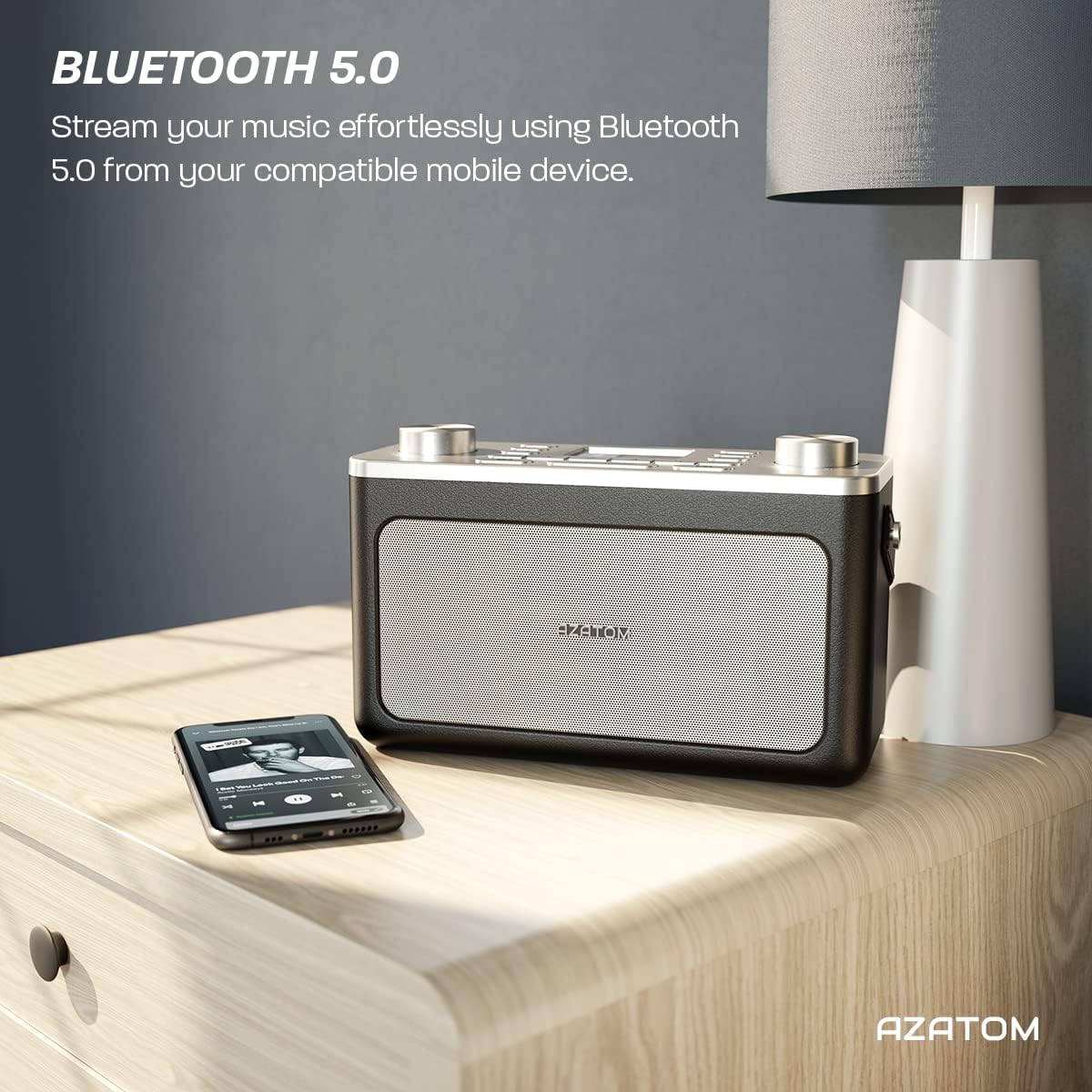
Image: The AZATOM Classic V1 radio on a kitchen counter, highlighting its ability to store and recall pre-set stations for quick access.
FM irrati modua
- Sakatu MODUA button until "FM Radio" appears on the display.
- Bilaketa automatikoa: Eduki sakatuta ENTER/TUNE knob to automatically scan for the next available station.
- Eskuzko doinua: Biratu ENTER/TUNE botoia maiztasuna eskuz doitzeko.
- Aurrezarpenak gordetzea: (Same as DAB/DAB+ but for FM stations, up to 20 presets).
- Aurrezarpenak gogoratzen: (Same as DAB/DAB+).
Bluetooth modua
- Sakatu MODUA button until "Bluetooth" appears on the display. The radio will enter pairing mode, indicated by a flashing Bluetooth icon.
- On your mobile device, enable Bluetooth and search for "AZATOM Classic V1".
- Select "AZATOM Classic V1" to pair. Once connected, the Bluetooth icon will stop flashing.
- Play audio from your device. Use the radio's SALTATU buttons (<< / >>) to control tracks and the BOLUMENA bolumena doitzeko botoia.

Image: The AZATOM Classic V1 radio on a bedside table next to a smartphone, demonstrating its Bluetooth 5.0 capability for wireless music streaming.
AUX sarrera modua
- Konektatu kanpoko audio gailu bat (adibidez, MP3 erreproduzitzailea) AUX port on the back of the radio using a 3.5mm audio cable (not included).
- Sakatu MODUA button until "AUX Input" appears on the display.
- Play audio from your external device. Adjust volume using the radio's BOLUMENA knob and the external device's volume control.
Irudia: Atzealdea view of the AZATOM Classic V1 radio, highlighting the DCV input, AUX IN, USB CHARGE ports, and the two battery compartment covers.
Iratzargailua
- Sakatu MENUA botoia.
- Biratu ENTER/TUNE knob to select "Alarm" and press ENTER/TUNE.
- Hautatu "1. alarma" edo "2. alarma".
- Configure alarm time, duration, source (Buzzer, DAB, FM), and frequency (Daily, Once, Weekdays, Weekends).
- Ziurtatu alarma "Aktibatuta" dagoela.
Alarma jotzen duenean, sakatu SNOOZE / DIMMER to snooze for 9 minutes, or press BOTEREA alarma itzaltzeko.
Lo egiteko tenporizadorea
- Sakatu LO botoia behin eta berriz sakatu lo egiteko tenporizadorearen aukerak aldatzeko (adibidez, 15, 30, 45, 60, 90 minutu, Itzalita).
- Irratia automatikoki itzaliko da hautatutako iraupena igaro ondoren.
Mantentzea
Garbiketa
Garbitu irratia zapi leun eta lehor batekin. Ez erabili garbitzaile edo disolbatzaile urratzailerik.
Bateria ordezkatzea
If using battery power, replace all four Type C batteries when the low battery indicator appears on the display or when performance degrades.
Biltegiratzea
Irratia denbora luzez gordetzen baduzu, kendu bateriak isuriak saihesteko. Gorde leku fresko eta lehor batean.
Arazoak konpontzea
- Potentziarik gabe:
- Check if the mains adapter is securely connected and the wall socket is active.
- Pilak erabiltzen badituzu, ziurtatu behar bezala sartuta daudela eta ez direla agortuta.
- Eduki sakatuta BOTEREA botoia segundo batzuetan.
- Poor DAB/FM Reception:
- Antena teleskopikoa guztiz luzatu.
- Reposition the radio to a location with better signal strength, away from other electronic devices that may cause interference.
- Perform a full scan for stations.
- Bluetooth parekatzearen arazoak:
- Ensure the radio is in Bluetooth mode and "AZATOM Classic V1" is visible on your device.
- Make sure no other device is currently connected to the radio.
- Try restarting both the radio and your Bluetooth device.
- Soinurik ez:
- Check the volume level on both the radio and any connected external devices (in AUX/Bluetooth mode).
- Ensure headphones are not connected if you expect sound from the speaker.
- Alarma ez da jotzen:
- Verify that the alarm is set to "On" and the time is correct.
- Egiaztatu alarma bolumenaren ezarpena.
- Ensure the radio is not completely powered off (it should be in standby mode for alarms to function).
Zehaztapenak
- Eredua: Classic V1
- Marka: AZATOM
- Irrati-maiztasunak: DAB/DAB+, FM
- Bluetooth bertsioa: 5.0
- Aurrezarpenak: 60 (40 DAB, 20 FM)
- Potentzia sarrera: Mains adapter (included), 4 x Type C batteries (not included)
- Konektibitatea: AUX In (3.5mm), Headphone Out (3.5mm), USB Charge Port
- Pantaila: Koloretako LCDa
- UPC: 632793245407
- Gomendatutako erabilerak: Music, News, Sports Broadcasts

Irudia: Goiko angelua view of the AZATOM Classic V1 radio, featuring its control panel and display, with a "3 Year Warranty" badge overlaid, indicating product reliability.
Bermea eta Laguntza
The AZATOM Classic V1 comes with a 3-year warranty from the date of purchase. Please retain your proof of purchase for warranty claims.
For technical support, warranty inquiries, or further assistance, please visit the official AZATOM website or contact their customer service department. Contact details can typically be found on the product packaging or the AZATOM webgunea.


