
Rii K18S IT
Rii Mini i18S Wireless + Bluetooth Keyboard
Erabiltzailearen eskuliburua
1. Sarrera
The Rii Mini i18S is a compact, versatile keyboard featuring both 2.4G wireless and Bluetooth connectivity. It integrates a large touchpad and LED backlighting, making it suitable for a wide range of devices including Smart TVs, TV Boxes, Tablets, Smartphones, Consoles, and PCs. This manual provides detailed instructions for setup, operation, maintenance, and troubleshooting to ensure optimal use of your device.

Figure 1: Rii Mini i18S keyboard demonstrating its dual wireless and Bluetooth connectivity.
2. Paketearen edukia
Mesedez, egiaztatu paketea elementu hauek dituen:
- Rii Mini i18S Wireless + Bluetooth Keyboard
- USB RF 2.4 GHz Receiver
- USB kargatzeko kablea
- USB luzapena kablea
- Erabiltzailearen eskuliburua (dokumentu hau)
3. Produktua amaitu daview
The Rii Mini i18S features a QWERTY layout keyboard. It has a large multi-touch touchpad, and dedicated multimedia keys. It is designed for comfortable and efficient input across various platforms.
3.1 Ezaugarri nagusiak
- Konektibitate bikoitza: 2.4G Wireless and Bluetooth 4.0.
- Large Touchpad: High sensitivity with multi-touch gestures.
- LED atzeko argia: Two selectable colors (blue, green) for use in low-light conditions.
- Bateria kargagarria: Built-in lithium polymer battery.
- Multimedia kontrolak: Dedicated keys for media playback.
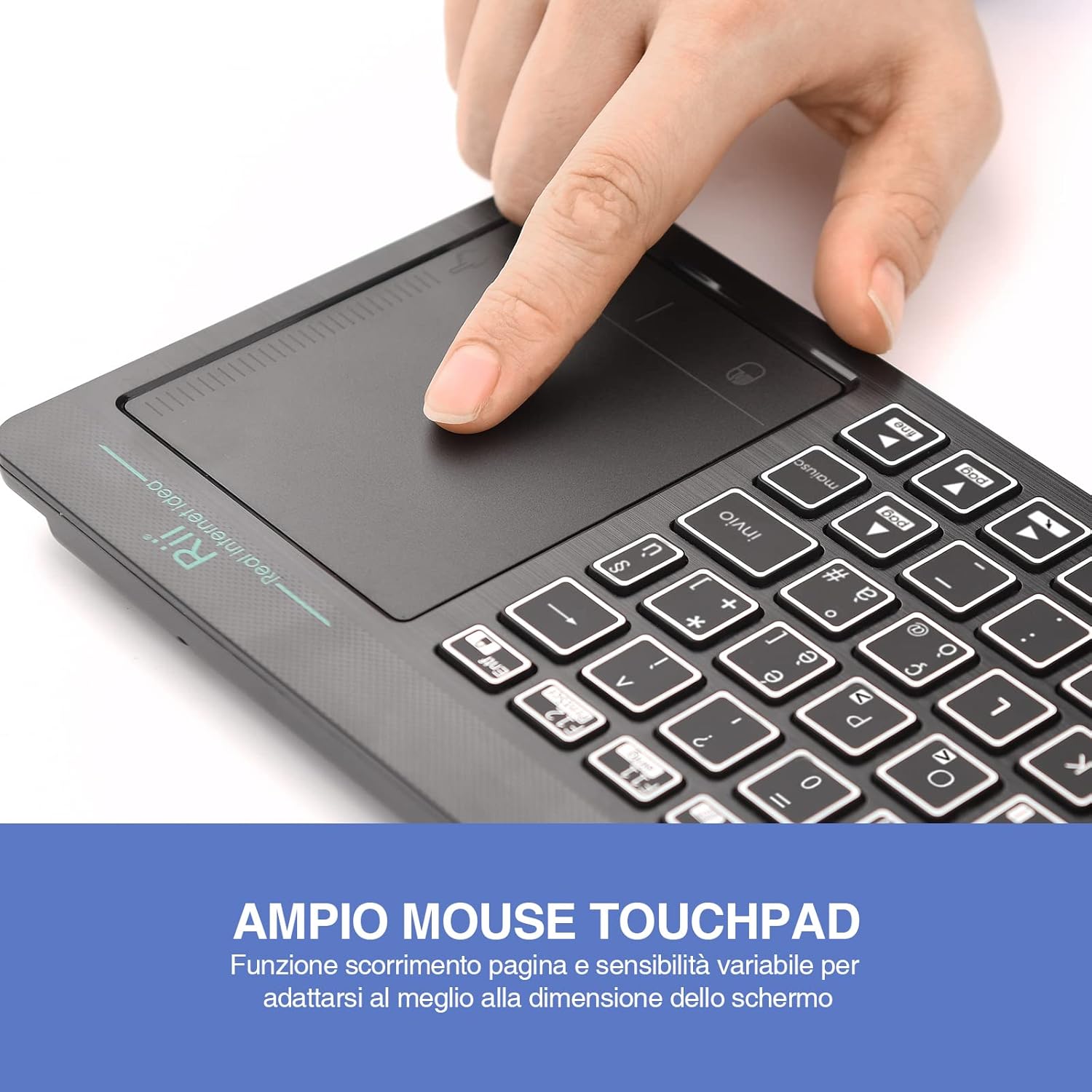
Figure 2: The large, sensitive touchpad of the Rii Mini i18S, supporting multi-touch gestures.

Figure 3: The Rii Mini i18S keyboard showcasing its two-color LED backlighting (blue and green).
4. Konfigurazioa
4.1 Teklatua kargatzea
Before initial use, fully charge the keyboard. Connect the provided USB charging cable to the keyboard's microUSB port and the other end to a USB power source (e.g., computer USB port, USB wall adapter).
- The charging indicator LED will illuminate during charging.
- The LED will turn off or change color when fully charged.
- Bateria edukiera: 400mAh.
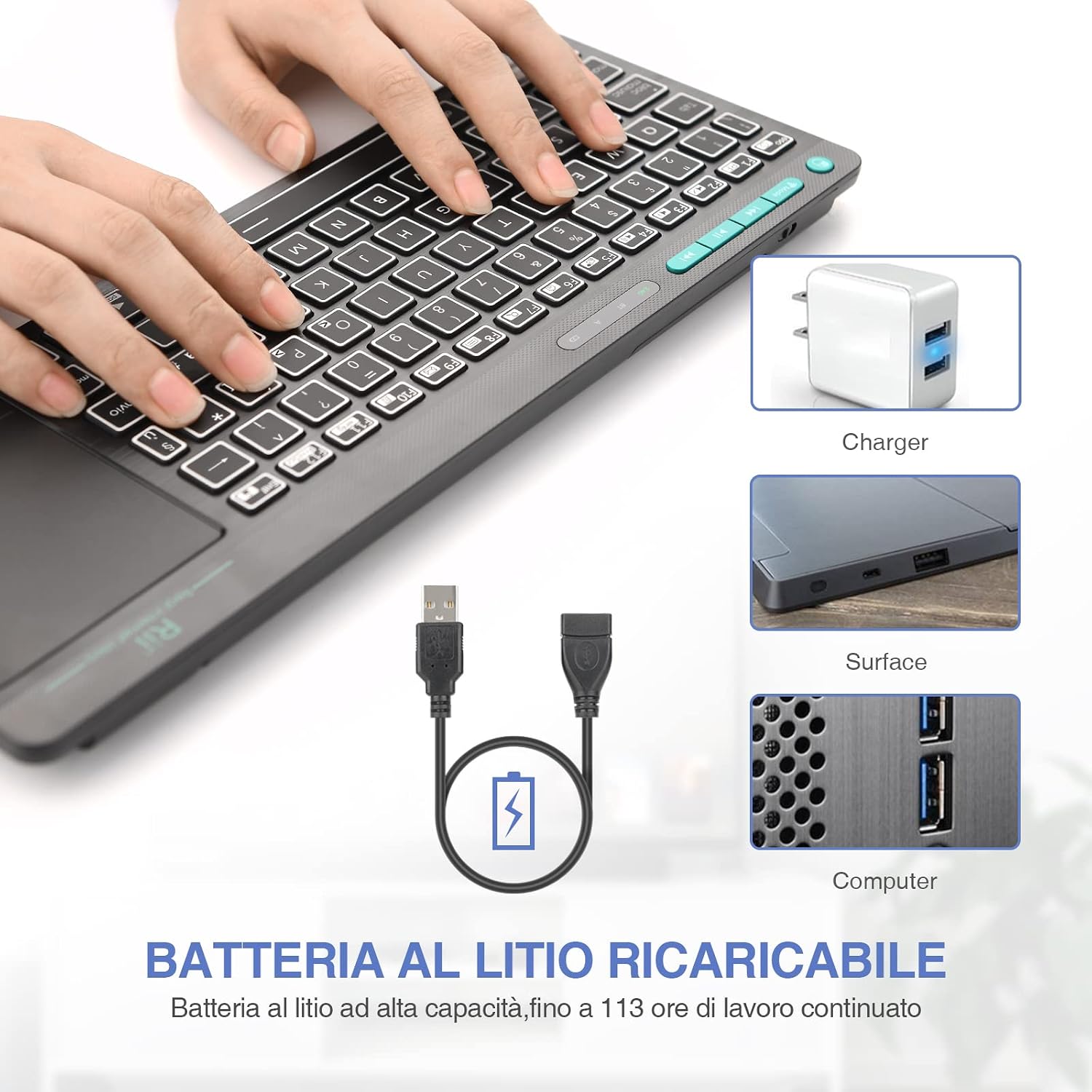
Figure 4: The Rii Mini i18S keyboard being charged using the included USB cable, connected to a power source.
4.2 2.4G Haririk gabeko Konexioa
For 2.4G wireless connection, use the included USB receiver.
- Locate the USB receiver in the back compartment of the keyboard.
- Insert the USB receiver into an available USB port on your device (Smart TV, PC, TV Box, etc.).
- Sakatu MODUA button on the keyboard until the 2.4G indicator LED is active.
- The keyboard should automatically connect to your device. If not, try pressing Fn + RF berriro parekatzeko.

Figure 5: The USB wireless receiver stored securely in the back compartment of the Rii Mini i18S keyboard.
4.3 Bluetooth konexioa
For Bluetooth connection, ensure your device has Bluetooth enabled.
- Sakatu MODUA button on the keyboard until the BT indicator LED is active.
- Zure gailuan, joan Bluetooth ezarpenetara eta bilatu gailu berriak.
- Select "Rii Mini i18S" from the list of available devices to pair.
- Jarraitu pantailako edozein gomendio parekatzeko prozesua amaitzeko.
The dual connection technology allows you to manage up to two devices simultaneously: one via Bluetooth and one via 2.4G wireless.

Figure 6: The Rii Mini i18S keyboard demonstrating its dual mode connectivity, shown here connected to a tablet.
5. Funtzionamendu-argibideak
5.1 Oinarrizko teklatuaren funtzioak
The keyboard features a standard QWERTY layout. All keys function as labeled. Use the Fn key in combination with other keys for special functions (e.g., multimedia controls).
- BLOKE MAIUSC: Press to toggle uppercase/lowercase. An indicator LED will show its status.
5.2 Ukipen-paneleko funtzioak
The integrated touchpad supports various gestures:
- Hatz bakarreko ukitu: Egin klik ezkerreko botoiarekin.
- Bi hatzekin ukitzea: Egin klik eskuineko botoiarekin.
- Bi hatzekin korritzea: Drag two fingers up or down to scroll pages.
- Hatz bakarreko arrastatzea: Mugitu kurtsorea.
- Saguaren ezkerreko botoia: A physical left mouse button is also available on the top-left side of the keyboard for convenience.
5.3 Atzeko argiaren kontrola
The keyboard features LED backlighting with two selectable colors.
- Sakatu bonbilla ikonoaren tekla to cycle through backlight colors (blue, green) or turn it off.
5.4 Multimedia teklak
Erabili Fn key in conjunction with the F1-F12 keys (or other labeled keys) to access multimedia functions such as volume control, play/pause, and track skipping.
6. Mantentzea
6.1 Garbiketa
Teklatua garbitzeko, erabili zapi leun eta lehor bat. Zikinkeria egoskorra bada, garbitu apur bat.ampGarbitu zapi bat urarekin edo garbiketa-soluzio leun batekin. Saihestu produktu kimiko gogorrak edo material urratzaileak erabiltzea.
6.2 Bateria zaintzea
- Saihestu teklatua muturreko tenperaturen eraginpean jartzea.
- Kargatu teklatua aldizka, maiz erabiltzen ez bada ere, bateriaren egoera mantentzeko.
- The keyboard features a programmable standby mode (3 minutes or 2 hours) to conserve battery life.
7. Arazoak
7.1 Teklatuak ez du erantzuten
- Egiaztatu bateria: Ensure the keyboard is charged. Connect it to a power source.
- Egiaztatu konexioa:
- For 2.4G Wireless: Ensure the USB receiver is properly inserted and the keyboard is in 2.4G mode. Try a different USB port.
- For Bluetooth: Ensure Bluetooth is enabled on your device and the keyboard is in Bluetooth mode. Re-pair the device if necessary.
- Berrabiarazi: Turn the keyboard off and on again. Restart your connected device.
7.2 Touchpad Not Working Correctly
- Clean Touchpad: Ziurtatu ukipen-panelaren gainazala garbi eta hondakinik gabe dagoela.
- Sentikortasuna: Adjust touchpad sensitivity if available in your device's settings.
7.3 Atzeko argia ez dabil
- Egiaztatu bateria: Low battery might disable backlighting. Charge the keyboard.
- toggle: Press the light bulb icon key to ensure it's not turned off.
8. Zehaztapenak
| Eredua | K18S IT |
| Konektibitatea | 2.4 GHz RF Wireless, Bluetooth 4.0 |
| Eragiketa-eremua | Up to 10 meters (2.4 GHz RF), Up to 8 meters (Bluetooth) |
| Teklatuaren diseinua | QWERTY (Italian layout) |
| Touchpad Resolution | 1000 DPI arte |
| Atzeko argiaren koloreak | Blue, Green (selectable) |
| Bateria mota | Litio polimero kargagarria |
| Bateria Edukiera | 400mAh |
| Kargatzeko ataka | MicroUSB (5V 350mA) |
| Neurriak (L x W x H) | 31.7 x 12.3 x 1.8 cm |
| Pisua | 340 g |
| OS bateragarria | Windows (XP/Vista/7/8/10/11), Mac OS, Linux (Ubuntu 11.04+), Android (2.3+), iOS, Raspbian, PlayStation (PS3/PS4/PS5), Xbox (360/One/S/X), Fire TV |
| Ziurtagiriak | CE, RoHS, FCC |
9. Bermea eta Laguntza
Rii products are designed for reliability and performance. For warranty information and technical support, please refer to the official Rii webwebgunera edo jarri harremanetan zure tokiko banatzailearekin. Gorde erosketa-agiria berme-erreklamazioetarako.
Ofiziala webgunea: www.riitek.com
Ask a question about this manual
Ask about setup, troubleshooting, compatibility, parts, safety, or missing instructions. Manuals+ will review the question and use this page’s manual context to help answer it.