
1. Sarrera
Welcome to the user manual for your new TAOPON Smartwatch IP67 Round. This guide provides essential information on setting up, operating, maintaining, and troubleshooting your device. Please read this manual thoroughly to ensure proper use and to maximize your smartwatch's features.
2. Produktua amaitu daview
The TAOPON Smartwatch is a versatile wearable device designed for both men and women, offering a range of features to support your health and daily activities. It features a round, high-definition display and is built with IP67 water resistance.

2.1. irudia: Gertuko planoa view of the TAOPON Smartwatch, showcasinbere pantaila biribila eta diseinu dotorea.
Ezaugarri nagusiak:
- Physical Health Monitoring: Equipped with a heart rate sensor, the smartwatch helps monitor your heart rate and blood pressure. Sleep data analysis assists in improving sleep quality.
- High-Definition Round Screen: Features a 1.28-inch IPS 240x240 color touchscreen for easy operation. Offers 5 main interfaces and a soft, humanized silicone strap for comfort.
- Jardueren jarraipena: Tracks steps, calories burned, distance, and other important fitness information. Includes functions like 'find phone', stopwatch, alarm, music control, and sedentary reminders.
- Jakinarazpenak: Connects via Bluetooth to your smartphone using the 'Da Fit' app to display caller ID/number, SMS, and SNS notifications (Facebook, WhatsApp, Twitter, Instagram, Messenger, email, Skype). Vibrates to alert you to important calls and messages.
- Compatibility & Battery: Compatible with iOS 9.0+ and Android 5.0+ smartphones. Features a 200mA battery providing 7-10 days of normal use and charges fully in 2 hours.
Paketearen edukia:
Ziurtatu elementu guztiak paketean daudela:
- TAOPON Smartwatch
- Kargatzeko kablea
- Erabiltzailearen eskuliburua
- Silikonazko uhala

Figure 2.2: The smartwatch package contents, including the watch, charging cable, and user manual.
3. Konfigurazioa
3.1 Erloju adimenduna kargatzea
Before first use, fully charge your smartwatch. Connect the magnetic charging cable to the charging contacts on the back of the watch and plug the USB end into a power adapter (not included) or a computer's USB port. A full charge typically takes about 2 hours.

Figure 3.1: The smartwatch charging, highlighting its ultra-thin dial and battery life.
3.2 Aplikazioaren instalazioa
Ezaugarri guztiak desblokeatzeko eta datuak sinkronizatzeko, deskargatu 'Da Fit' app on your smartphone. You can find it on the App Store (for iOS devices) or Google Play Store (for Android devices).
- Scan the QR code in the manual or on the watch packaging, or search for 'Da Fit' in your phone's app store.
- Deskargatu eta instalatu aplikazioa.
- Grant necessary permissions when prompted by the app.
3.3 Gailuen parekatzea
After installing the app, pair your smartwatch with your smartphone:
- Ziurtatu Bluetootha gaituta dagoela zure telefonoan.
- Ireki 'Da Fit' aplikazioa.
- Navigate to the 'Device' or 'Add Device' section within the app.
- The app will search for available devices. Select your TAOPON Smartwatch from the list (it may appear as 'Smartwatch' or a similar identifier).
- Confirm the pairing request on both your phone and the smartwatch if prompted.
4. Funtzionamendu-argibideak
4.1 Oinarrizko nabigazioa
The smartwatch features a full touchscreen for intuitive control:
- Irristatu gora/behera: Joan menuetan eta jakinarazpenetan zehar.
- Irristatu ezkerrera/eskuinera: Sartu funtzio azkarretara edo erloju-esfera desberdinetara.
- Sakatu: Hautatu elementu bat edo berretsi ekintza bat.
- Sakatu alboko botoia: Return to the home screen or power on/off (long press).
4.2 Osasunaren Zaintza
Your smartwatch continuously monitors various health metrics:
- Bihotz-taupadak: Access the heart rate interface to view your current heart rate. The watch can track your heart rate throughout the day.
- Odol-presioa: Measure your blood pressure directly from the watch. For accurate readings, remain still during measurement.
- Loaren jarraipena: Wear the watch to bed to track your sleep patterns, including total sleep, light sleep, and deep sleep. View detailed analysis in the 'Da Fit' app.

Figure 4.1: Health monitoring features including heart rate, calories, blood oxygen, and detailed sleep tracking.
4.3 Jardueren jarraipena
The smartwatch is equipped with multiple sports modes to track your workouts:
- Urratsen kontagailua: Automatically records your daily steps.
- Distantzia eta kaloriak: Calculates distance traveled and calories burned based on your activity.
- Kirol moduak: Select from various sports modes (e.g., walking, running, cycling) to get specific data for your activity.

Figure 4.2: The smartwatch tracking steps, distance, and calories during a run.
4.4 Jakinarazpenak
Receive real-time alerts directly on your wrist:
- Deien alertak: The watch will vibrate and display the caller's name or number. You can accept or reject calls from the watch.
- Mezu-alertak: View incoming SMS and social media notifications (e.g., Facebook, WhatsApp, Twitter) directly on the watch screen.

Figure 4.3: The smartwatch displaying an incoming call and icons for various messaging apps.
4.5 Funtzio osagarriak
The smartwatch offers several convenient features:
- Musika kontrola: Kontrolatu musika erreprodukzioa zure telefonoan (erreproduzitu, pausatu, abestiak saltatu) zuzenean zure erlojutik.
- Urruneko kamera: Use your watch as a remote shutter button for your smartphone camera.
- Aurkitu telefonoa: If your phone is misplaced, use this feature to make it ring.
- Kronometroa eta alarma: Utilize the built-in stopwatch and set alarms.
- Sedentarioaren abisua: Jaso mugitzeko alertak denbora luzez inaktibo egon bazara.
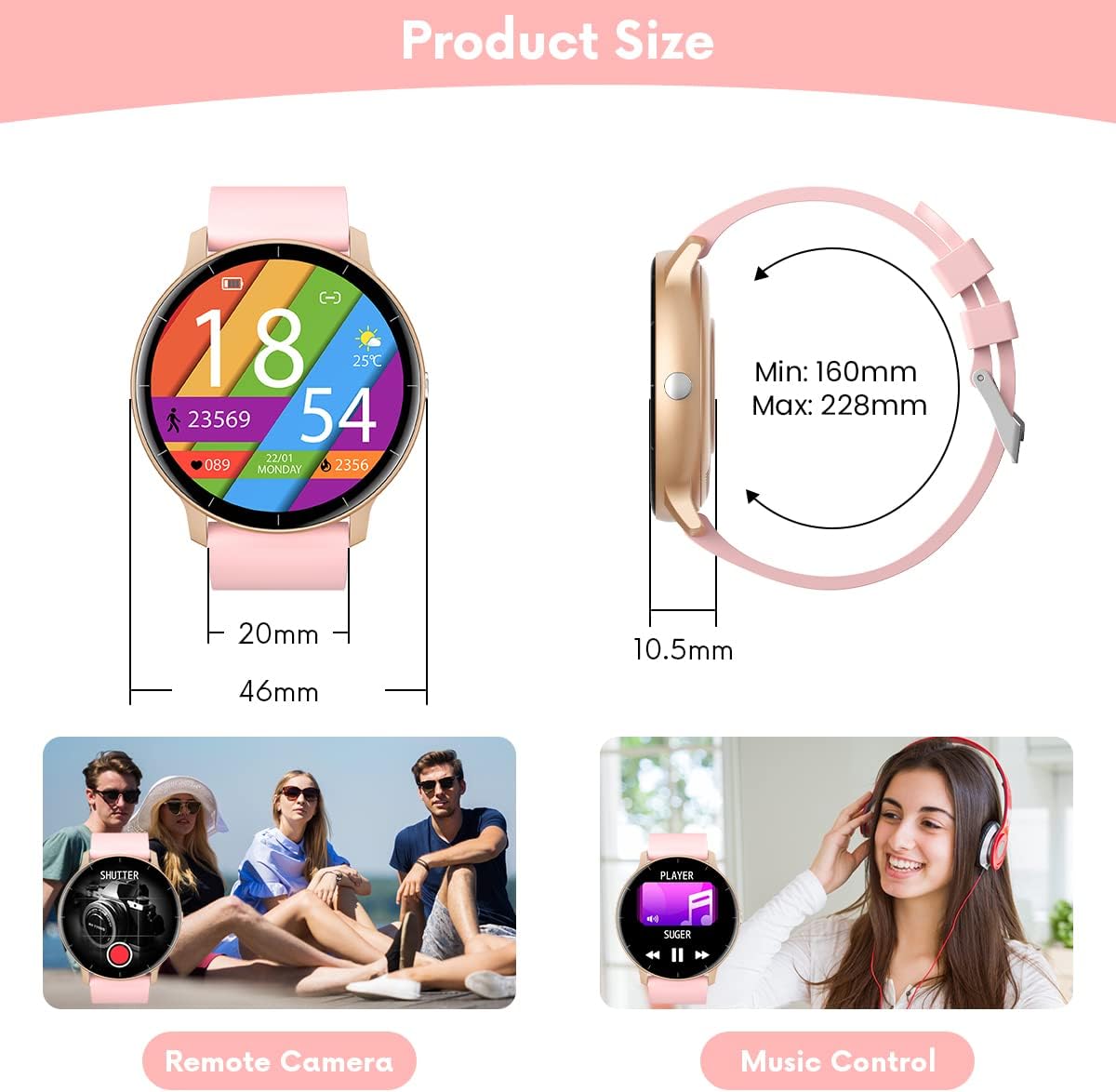
Figure 4.4: Illustrations of remote camera control and music playback features.
4.6 Erlojuaren aurpegiak pertsonalizatzea
Personalize your smartwatch with various watch faces:
- The watch comes with several pre-installed main interfaces.
- Through the 'Da Fit' app, you can access a wider selection of watch faces or even upload your own photos to create custom designs.
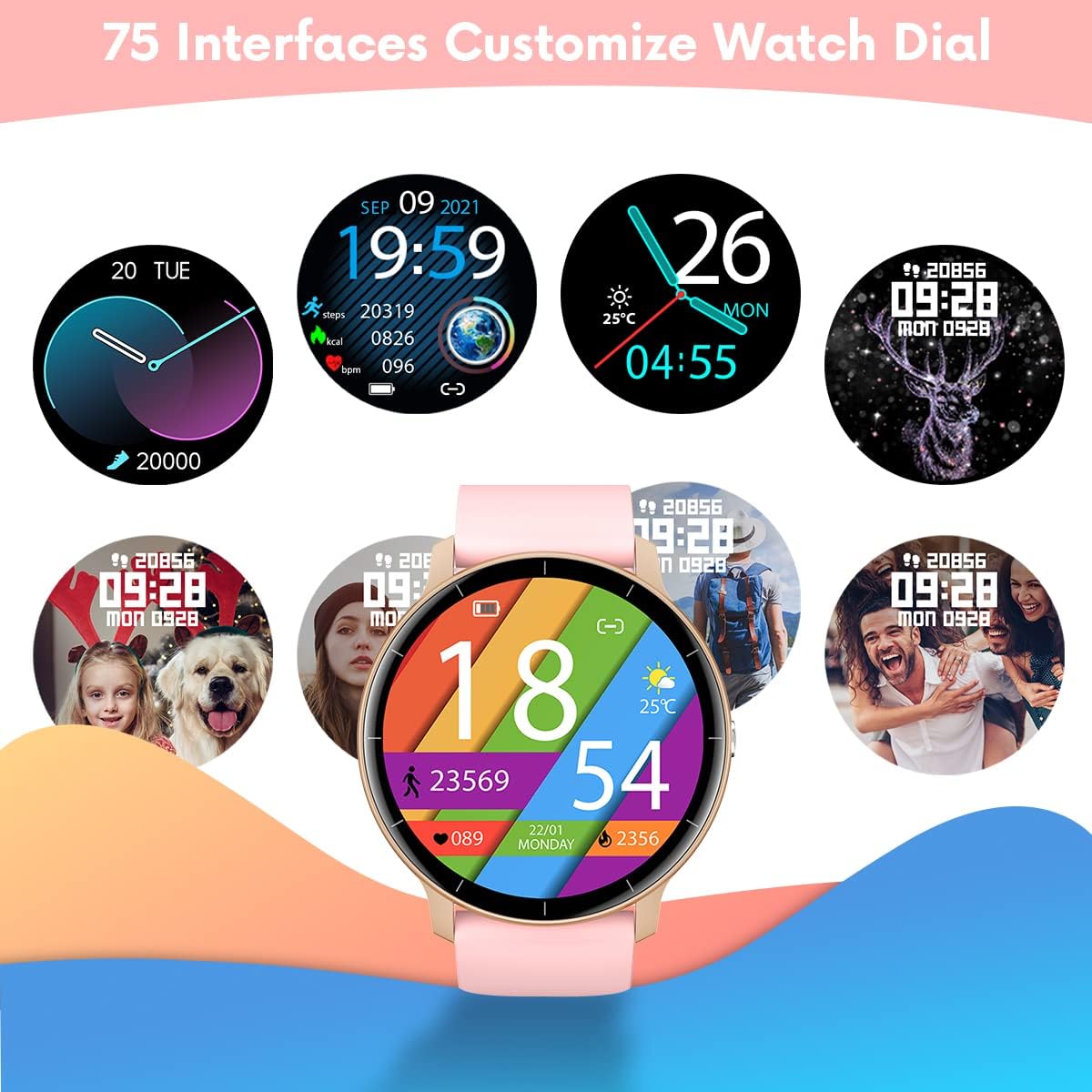
Figure 4.5: A variety of customizable watch face designs available for the smartwatch.
5. Mantentzea
5.1 Zure erloju adimenduna garbitzea
Zure erloju adimendunaren itxura eta funtzionaltasuna mantentzeko:
- Garbitu pantaila eta uhala aldizka zapi leun etaamp oihal.
- Saihestu produktu kimiko gogorrak edo material urratzaileak erabiltzea, hauek gailua kaltetu baitezakete.
- Kargatu aurretik, ziurtatu kargatzeko kontaktuak garbi eta lehor daudela.
5.2 Urarekiko erresistentzia (IP67)
Your TAOPON Smartwatch is rated IP67, meaning it is resistant to dust and can withstand immersion in water up to 1 meter for up to 30 minutes. This makes it suitable for daily use, such as washing hands or light rain exposure.
- Ez use the watch for swimming, diving, or showering with hot water.
- Avoid exposing the watch to high-pressure water or steam.
- Erlojua bustitzen bada, ondo lehortu kargatu edo ukipen-pantaila erabili aurretik.

Figure 5.1: A person washing hands with the smartwatch on, illustrating its water-resistant design.
6. Arazoak
Zure erloju adimendunarekin arazoak badituzu, jo ezazu honako ohiko irtenbide hauetara:
| Arazoa | Irtenbidea |
|---|---|
| Erlojua ez da pizten | Ziurtatu erlojua guztiz kargatuta dagoela. Konektatu kargagailura gutxienez 30 minutuz. |
| Ezin da telefonoarekin parekatu | 1. Ziurtatu Bluetooth gaituta dagoela telefonoan. 2. Make sure the watch is within 10 meters of your phone. 3. Berrabiarazi erlojua eta telefonoa. 4. Check if the 'Da Fit' app has necessary permissions. |
| Jakinarazpenak ez dira jaso | 1. Check Bluetooth connection. 2. Ensure notification permissions are granted in the 'Da Fit' app and your phone's settings. 3. Verify that the app is running in the background. |
| Osasun-datu zehaztugabeak | 1. Ziurtatu erlojua eskumuturrean ondo eramaten duzula, ez solteegi ez estuegi. 2. Mantendu besoa geldirik neurketak egiten ari zaren bitartean. 3. Environmental factors and individual physiology can affect readings. |
| Bateriaren iraupen laburra | 1. Murriztu pantailaren distira. 2. Turn off continuous heart rate monitoring if not needed. 3. Limit frequent notifications. 4. Ensure the watch is fully charged (2 hours). |
If the problem persists, please refer to the 'Da Fit' app's help section or contact customer support.
7. Zehaztapenak
| Ezaugarri | Xehetasuna |
|---|---|
| Marka | TAOPON |
| Eredua | Smartwatch IP67 Round (B0BKSFDWWL) |
| Pantailaren tamaina | 1.28 hazbete |
| Bistaratzeko mota | IPS Color Touchscreen (LED) |
| Ebazpena | 240 x 240 pixel |
| Konektibitatea | Bluetootha |
| Bateragarritasuna | Android 5.0+ / iOS 9.0+ |
| Bateria Edukiera | 200mA Lithium-polymer |
| Bateriaren iraupena | 7-10 egun (ohiko erabilera) |
| Kargatzeko Denbora | Gutxi gorabehera. 2 ordu |
| Uraren Erresistentzia | IP67 (Hautsa eta urarekiko erresistentea metro 1eko sakoneran 30 minutuz) |
| Onartutako aplikazioa | Da Fit |
| Osasun Ezaugarriak | Heart Rate Monitor, Blood Pressure Monitor, Sleep Tracker |
| Activity Features | Pedometer, Calorie Counter, Distance Tracker, Multiple Sports Modes |
| Beste Ezaugarri batzuk | Notifications (Calls, SMS, SNS), Music Control, Remote Camera, Alarm, Stopwatch, Sedentary Reminder, Find Phone |
8. Bermea eta Laguntza
8.1 Bermearen informazioa
Your TAOPON Smartwatch is covered by a standard manufacturer's warranty. Please refer to the warranty card included in your product packaging for specific terms and conditions, including the warranty period and coverage details. Keep your proof of purchase for warranty claims.
8.2 Bezeroarentzako laguntza
For any questions, technical assistance, or issues not covered in this manual, please contact TAOPON customer support. Contact details can typically be found on the product packaging, the official TAOPON webgunea, edo zure dendariaren bidez.
When contacting support, please have your product model (B0BKSFDWWL) and purchase information ready.