
keenetic KN-3710-01-EU
Keenetic Sprinter AX1800 Mesh Wi-Fi 6 Router/Extender User Manual
Model: KN-3710-01-EU | Brand: Keenetic
1. Sarrera
The Keenetic Sprinter AX1800 is a high-performance Mesh Wi-Fi 6 Router/Extender designed to provide fast, reliable, and secure internet connectivity for your home or office. This device supports Wi-Fi 6 (802.11ax) technology, offering dual-band operation (2.4 GHz and 5 GHz) with speeds up to 1800 Mbps. It features four Gigabit Ethernet ports for stable wired connections and can seamlessly switch between router and extender modes. This manual provides essential information for setting up, operating, maintaining, and troubleshooting your Keenetic Sprinter AX1800.
2. Segurtasun informazioa
- Erabili gailuarekin hornitutako korronte-egokigailua soilik.
- Do not expose the device to water, fire, high humidity, or extreme temperatures.
- Saihestu gailua bero-iturrietatik gertu edo eguzki-argia zuzenean jartzen.
- Ziurtatu gailuaren inguruan aireztapen egokia gehiegi berotzea saihesteko.
- Ez saiatu gailua zeuk desmuntatzen edo konpontzen. Mantendu mantentze-lan guztiak langile kualifikatuen esku.
3. Paketearen edukia
Egiaztatu elementu guztiak zure paketean daudela:
- Keenetic Sprinter AX1800 Device
- Elikatze-moldagailua
- Ethernet kablea
- Telephone Cable (if applicable)
- DSL Splitter (if applicable)
- Multi-language Quick Start Guide
4. Produktua amaitu daview
Familiarize yourself with the physical components of your Keenetic Sprinter AX1800.

4.1. irudia: Aurrealdea view of the Keenetic Sprinter AX1800 router, showing the LED indicators for power, internet, Wi-Fi, and network activity.
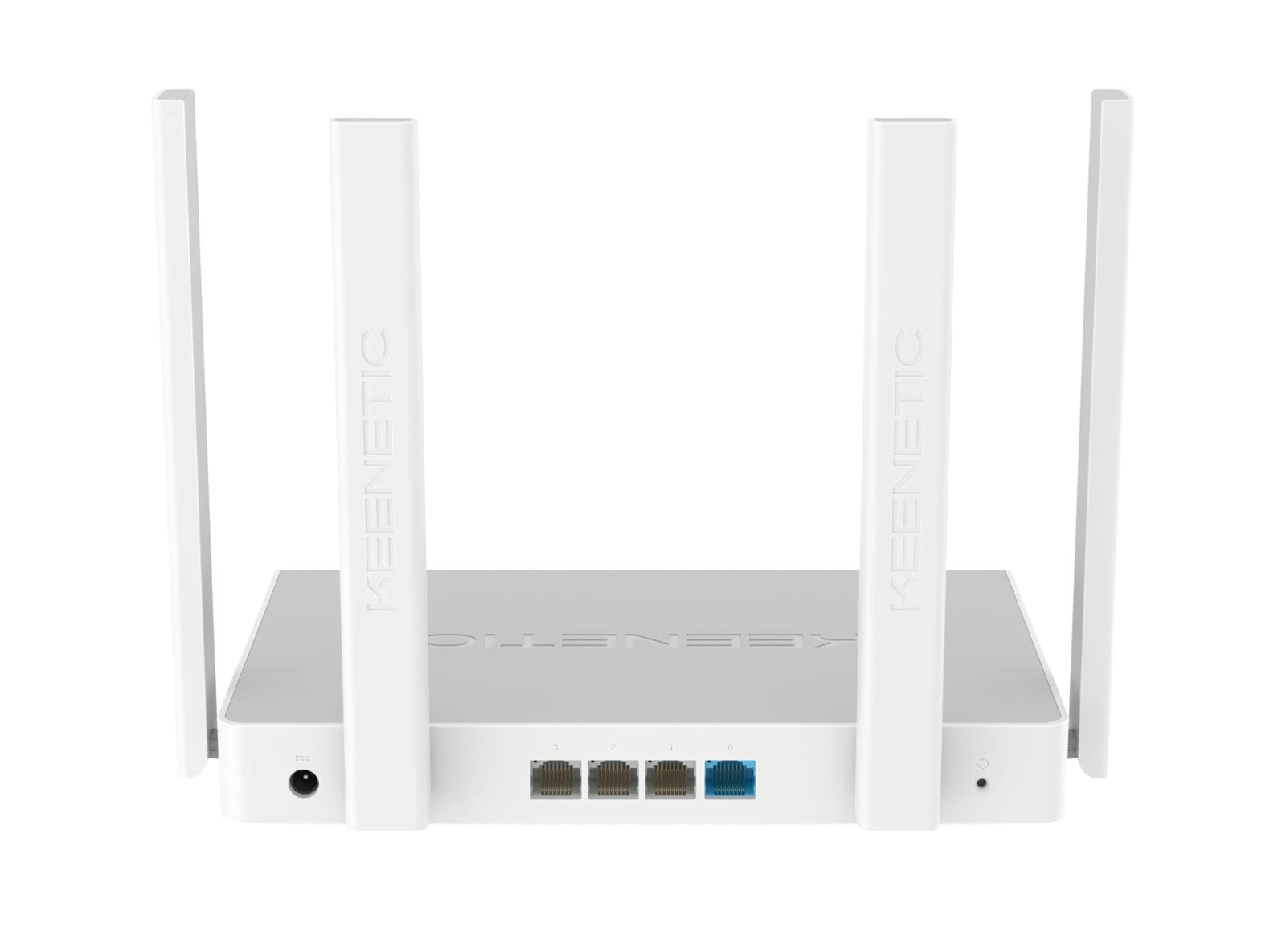
4.2. Irudia: Atzealdea view of the Keenetic Sprinter AX1800 router, highlighting the power input, four Gigabit Ethernet ports (one blue for WAN/LAN, three yellow for LAN), and the reset button.
LED adierazleak:
- Power LED: Potentzia-egoera adierazten du.
- Interneteko LEDa: Interneteko konexioaren egoera adierazten du.
- Wi-Fi LED: Wi-Fi jarduera adierazten du.
- LAN LEDak: Adierazi dagokion Ethernet ataken jarduera.
Portuak eta botoiak:
- Potentzia sarrera: Korronte-egokigailura konektatzen da.
- Gigabit Ethernet atakak (4): One port can function as WAN or LAN, others are LAN.
- Berrezarri botoia: Fabrika ezarpenak berrezartzeko erabiltzen da.
- Modu aldaketa: Physical switch to toggle between Router and Extender modes.
5. Konfigurazioa
5.1 Hasierako konexioa
- Piztu: Connect the power adapter to the router's power input and plug it into a power outlet. Wait for the Power LED to stabilize.
- Interneteko konexioa: Connect your modem's Ethernet cable to the blue WAN/LAN port on the router.
- Wired Devices (Optional): Connect your computer or other wired devices to any of the yellow LAN ports using an Ethernet cable.
- Haririk gabeko gailuak: Locate the default Wi-Fi network name (SSID) and password printed on the label at the bottom of the router. Connect your wireless devices to this network.
5.2 Configuration (Web Interface / Mobile App)
You can configure your router using either the web interface or the Keenetic mobile app.
Web Interfazea:
- Ireki a web konektatutako gailu batean arakatzailea.
- Sartu
my.keenetic.netor192.168.1.1helbide-barran eta sakatu Sartu. - Follow the on-screen instructions to complete the initial setup, including setting up your administrator password and Wi-Fi network details.
Mugikorretarako aplikazioa:
- Download the free Keenetic app from your device's app store (Android/iOS).
- Open the app and follow the instructions to discover and set up your Keenetic device.
5.3 Router/Extender Mode Switching
The Keenetic Sprinter AX1800 features a physical switch to easily change its operating mode:
- Router modua: The device acts as the primary internet gateway for your network.
- Luzatzaile modua: The device extends an existing Wi-Fi network, providing broader coverage.
To switch modes, locate the physical switch on the device and move it to the desired position. The device will reboot and apply the new settings.
6. Funtzionamendua
6.1 Wi-Fi 6 AX1800 Dual-Band Connectivity
The router supports the latest Wi-Fi 6 standard, providing enhanced speeds and efficiency for multiple devices simultaneously. It operates on two frequency bands:
- 2.4 GHz: Up to 574 Mbps, ideal for wider coverage and older devices.
- 5 GHz: Up to 1201 Mbps, ideal for high-bandwidth activities like 4K streaming and online gaming.
6.2 Gigabit Ethernet portuak
The four Gigabit Ethernet ports provide stable and high-speed wired connections for devices such as PCs, smart TVs, gaming consoles, and network-attached storage (NAS) devices. These ports ensure minimal latency and maximum throughput for critical connections.
6.3 Ezaugarri aurreratuak
- VPN and Multi-WAN: Supports OpenVPN, WireGuard, L2TP/IPsec, and Multi-WAN for load balancing and automatic failover, enhancing network flexibility and reliability.
- IntelliQoS Bandwidth Control: Automatically prioritizes network traffic for applications like streaming, gaming, and video conferencing to prevent interruptions.
- Integrated Security Features: Includes SPI Firewall, SafeDNS parental controls, and AdGuard ad blocker for comprehensive network protection.
- Guest Network with Captive Portal: Provides a separate, secure network for guests with customizable access options.
- Urruneko kudeaketa: Manage your router remotely via the Keenetic mobile app or a secure web interface (HTTPS), including KeenDNS support.
7. Mantentzea
7.1 Firmware eguneraketak
Regularly update your router's firmware to ensure optimal performance, security, and access to new features. Firmware updates can be performed via the web interface or the Keenetic mobile app.
7.2 Garbiketa
To clean the device, use a soft, dry cloth. Do not use liquid cleaners or aerosol sprays. Ensure the device is powered off and unplugged before cleaning.
7.3 Jartzea
Optimal placement of your router is crucial for Wi-Fi performance. Place the router in a central location, away from obstructions and sources of interference (e.g., microwaves, cordless phones).
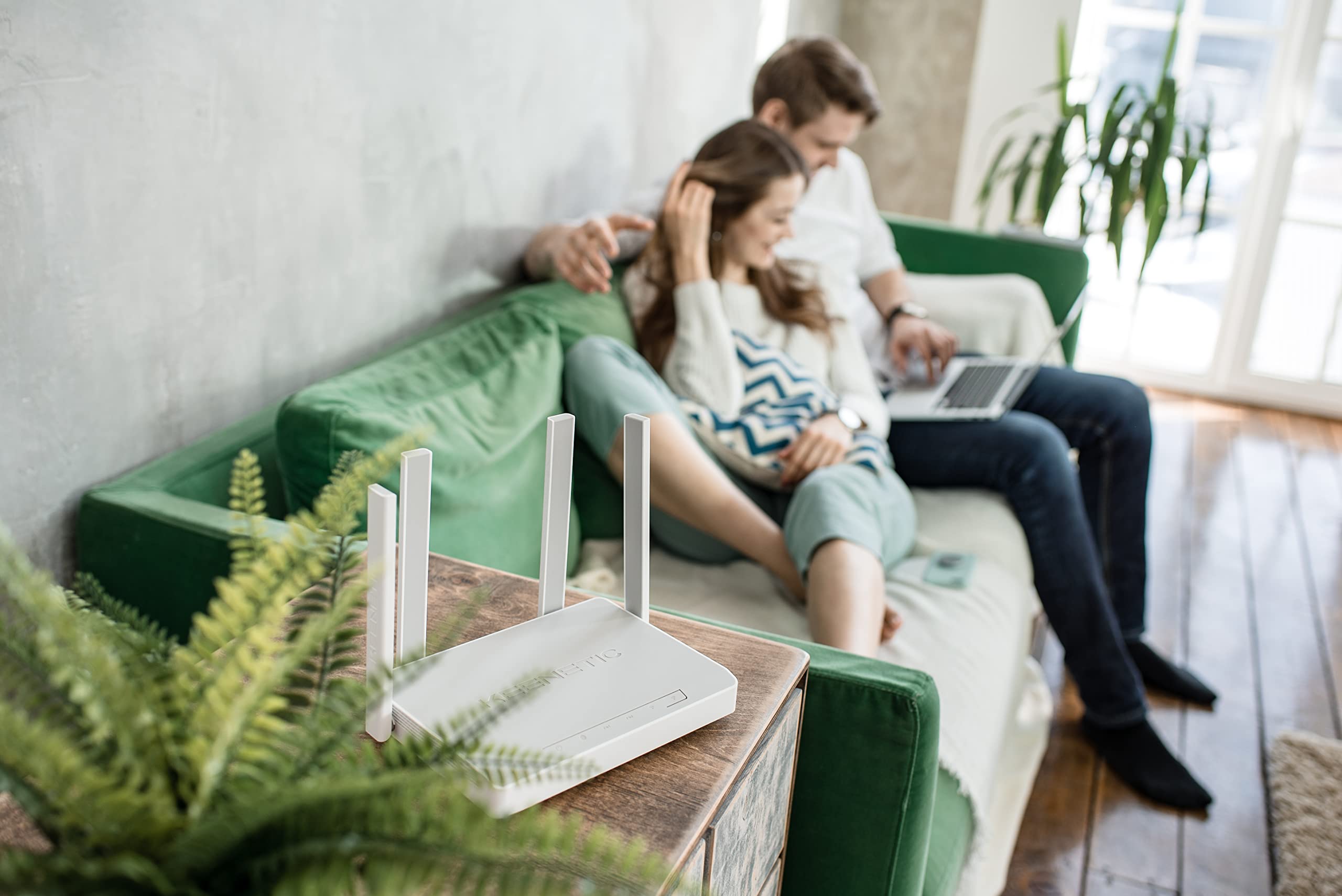
7.1. irudia: Adibample of the Keenetic Sprinter AX1800 router mounted vertically on a wall, demonstrating flexible placement options.

7.2. irudia: Adibample of the Keenetic Sprinter AX1800 router placed horizontally on a table, illustrating typical desktop placement.
8. Arazoak
Ohiko arazoak eta irtenbideak:
- Ez dago Interneteko konexiorik:
- Check if the Internet LED is lit.
- Ensure the Ethernet cable from your modem is securely connected to the blue WAN/LAN port.
- Berrabiarazi modema eta bideratzailea.
- Egiaztatu zure Interneteko zerbitzu hornitzailearen (ISP) ezarpenak bideratzailearen web interfazea.
- Wi-Fi seinale ahula:
- Mugitu routerra posizio zentralizatuago batera.
- Avoid placing the router near large metal objects or electronic devices that may cause interference.
- Consider using the device in Extender mode or adding another Keenetic device for a Mesh Wi-Fi system.
- Ezin da sartu Web Interfazea:
- Ziurtatu zure gailua bideratzailearen sarera konektatuta dagoela (kable bidez edo haririk gabe).
- Saiatu zure arakatzailearen cachea garbitzen edo beste arakatzaile bat erabiltzen.
- Verify the router's IP address (default is 192.168.1.1).
- Administratzailearen pasahitza ahaztu dut:
- Perform a factory reset by pressing and holding the Reset button for 10 seconds while the device is powered on. Note that this will erase all custom settings.
9. Zehaztapenak
| Ezaugarri | Deskribapena |
|---|---|
| Ereduaren izena | KN-3710 |
| Haririk gabeko estandarra | 802.11ax (Wi-Fi 6) |
| Maiztasun Banda Klasea | Banda bikoitza (2.4 GHz eta 5 GHz) |
| Max. Wireless Speed | AX1800 (574 Mbps 2.4 GHz-tan, 1201 Mbps 5 GHz-tan) |
| Ethernet Portuak | 4 x 10/100/1000M Gigabit Ethernet (1 WAN/LAN, 3 LAN) |
| Antenak | 4 Kanpo Antenak |
| Ezaugarri bereziak | QoS, VPN, Multi-WAN, Mesh Support, Guest Network, Parental Control |
| Produktuaren neurriak | 24 x 69 x 2.5 cm |
| Elementuaren pisua | 400 gramo |
| Fabrikatzailea | Keenetic Limited |
10. Bermea eta Laguntza
For warranty information and technical support, please refer to the official Keenetic webwebgunera edo jarri harremanetan bezeroarentzako arreta-zerbitzura. Gorde erosketa-agiria erosketaren frogagiri gisa berme-erreklamazioetarako.
Sareko baliabideak: Visit the Keenetic support page for FAQs, firmware downloads, and additional documentation.
Jarri harremanetan laguntzarekin: Refer to the contact information provided in your Quick Start Guide or on the Keenetic official webgunea.
Ask a question about this manual
Ask about setup, troubleshooting, compatibility, parts, safety, or missing instructions. Manuals+ will review the question and use this page’s manual context to help answer it.