
Sarrera
This manual provides instructions for the installation, operation, and maintenance of your ANNKE 32-Channel Home Security Camera System. This system includes a 12MP 32-channel Network Video Recorder (NVR) with a pre-installed 6TB Hard Disk Drive (HDD) and 20 wired 5MP Power over Ethernet (PoE) IP cameras. The system is designed for comprehensive surveillance with features such as color night vision, AI motion detection, and facial detection capabilities.
For optimal performance and safety, please read this manual thoroughly before using the product and retain it for future reference.
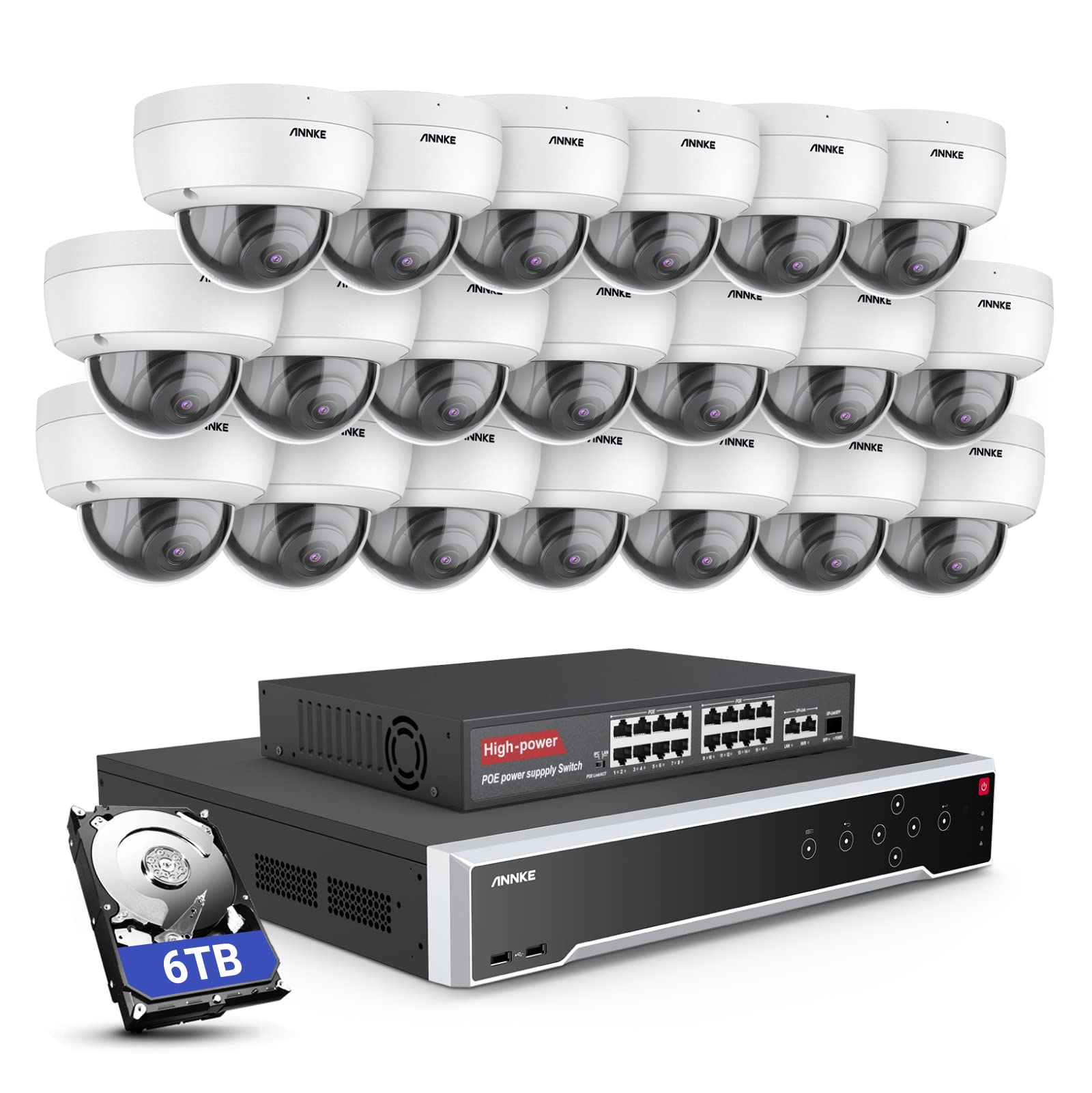
Irudia: Gainetikview of the ANNKE 32-Channel Home Security Camera System components, including the NVR and multiple cameras.
Kutxan dagoena
Egiaztatu behean zerrendatutako elementu guztiak zure paketean sartuta daudela:
- 1x 32CH 12MP PoE NVR with 6TB Hard Drive
- 1x 16-Port PoE Switch
- 20x 5MP IP PoE kamera
- 10x 30m/100ft sareko kable
- 10x 18m/60ft sareko kable
- 1x Power Adapter & USB Mouse & Quick Instruction Guide
- 1x 5.9 oin/1.8 m HDMI kable
- 1x 3.2 oin/1 m Ethernet kablea
Konfigurazioa
Follow these steps to set up your ANNKE security camera system.
1. NVR and Camera Connection
- Konektatu NVR elikatze-iturri batera hornitutako korronte-egokigailua erabiliz.
- Connect the NVR to a monitor using the HDMI cable.
- Konektatu USB sagua NVRra nabigatzeko.
- Connect up to 16 PoE IP cameras directly to the PoE ports on the NVR using the provided Ethernet cables.
- To expand the system beyond 16 cameras (up to 32 channels), connect the additional cameras to the 16-port PoE switch. Then, connect the PoE switch to the NVR's network port using an Ethernet cable.

Image: Diagram illustrating how to connect PoE cameras to the NVR and how to use a PoE switch to expand the system to 32 channels.
2. Sare-konexioa
Connect the NVR to your router using an Ethernet cable to enable remote access and network features.
3. Remote Access Setup (ANNKE VISION App)
Download the ANNKE VISION app on your smartphone or tablet for remote viewtzea eta kontrolatzea.
- Download the ANNKE VISION app from the Google Play Store or Apple App Store.
- Erregistratu kontu bat eta hasi saioa.
- Add your NVR device by scanning the QR code on the NVR or manually entering its details.
- Behin gehituta, egin dezakezu view live feeds, playback recordings, and manage settings remotely.

Image: Screenshot of the ANNKE VISION mobile application showing live camera feeds, demonstrating remote access capabilities.
Funtzionamendu-argibideak
Understand the key operational features of your security system.
1. Bideoaren kalitatea eta gaueko ikusmena
The 5MP IP cameras provide clear video resolution. The system supports color night vision in low-light conditions and detailed black and white night vision in complete darkness, with a range of up to 100 feet.

Image: A split image demonstrating the clarity of 5MP video during the day and the effectiveness of night vision at night.
2. AI Motion and Face Detection
The PoE IP cameras are equipped with AI features for advanced detection:
- Line Intrusion Detection: Triggers an alert when an object crosses a predefined virtual line.
- Region Detection: Triggers an alert when an object enters or exits a specified area.
- Giza/Ibilgailuen Detekzioa: Differentiates between human and vehicle movement to reduce false alarms.
- Facial Detection: The NVR supports 1-channel facial recognition for video streams or 4-channel facial recognition for face pictures.

Image: An illustration showing the system detecting a person and a vehicle, with a highlight indicating 1-channel facial detection.
3. Audio Grabaketa
Each PoE camera includes a built-in microphone capable of recording audio up to 20 feet away, providing additional surveillance detail.
4. Recording Modes and Playback
The NVR supports continuous 24/7 recording and motion detection recording. Recordings can be easily searched and played back through the NVR interface or the ANNKE VISION app.
5. Erabiltzaile anitzeko sarbidea
The system supports up to 20 users simultaneously, allowing multiple individuals to view live video feeds and access recordings from various devices such as PCs, laptops, tablets, and smartphones.
6. Alexa integrazioa
Sistema Amazon Alexarekin bateragarria da. Ahots-komandoak erabil ditzakezu view live streams from your security cameras on compatible Alexa-enabled devices.
Mantentzea
Proper maintenance ensures the longevity and optimal performance of your security system.
1. Ingurumena babestea
The IP cameras are rated IP67 weatherproof, ensuring reliable operation in various outdoor conditions, including heavy snow, rain, and wind. Regularly clean camera lenses to prevent obstruction from dirt or debris.
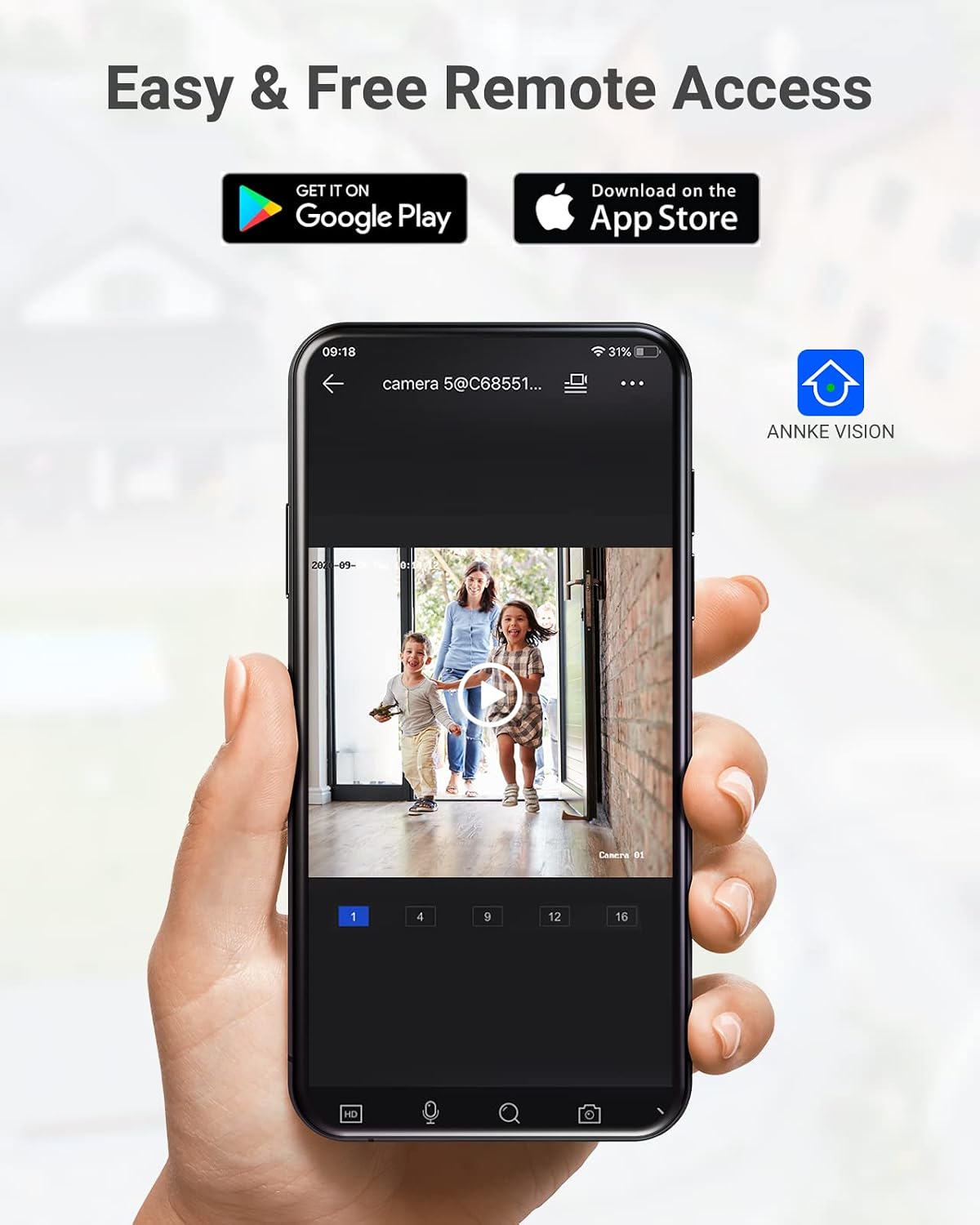
Image: A camera partially submerged in water, illustrating its IP67 weatherproof rating.
2. Biltegiratze kudeaketa
The NVR utilizes H.265+ video compression for efficient storage and longer recording times. The system comes with a 6TB HDD and supports up to 4 SATA HDD interfaces, allowing for a total storage capacity of up to 40TB (10TB per HDD). The NVR features automatic overwrite functionality, ensuring continuous recording by overwriting the oldest footage diskoa beteta dagoenean.

Image: An NVR unit with its top cover removed, showing four internal bays for hard disk drives, indicating expandable storage up to 40TB.
3. Firmware eguneraketak
Aldian-aldian egiaztatu ANNKE ofiziala website or the ANNKE VISION app for firmware updates to ensure your system has the latest features and security enhancements.
Arazoak konpontzea
If you encounter issues with your system, refer to the following general troubleshooting tips:
- Bideo-pantailarik ez: Check all cable connections (power, HDMI, Ethernet). Ensure the monitor is on and set to the correct input.
- Kamera lineaz kanpo: Verify the Ethernet cable connection to the camera and NVR/PoE switch. Ensure the camera is receiving power.
- Urruneko sarbidearen arazoak: Confirm the NVR is connected to the internet. Check your network settings and ensure the ANNKE VISION app is updated.
- Grabaketa arazoak: Check the HDD status in the NVR settings. Ensure there is sufficient storage space or that automatic overwrite is enabled.
- Mugimendu faltsuen alertak: Adjust the sensitivity settings for motion detection in the NVR or app. Utilize AI human/vehicle detection to filter out irrelevant movements.
For more detailed troubleshooting or persistent issues, please contact ANNKE customer support.
Zehaztapenak
| Ezaugarri | Zehaztapena |
|---|---|
| Marka | ANNKE |
| Modelo zenbakia | AU-N931BB6-V2-5KDN-V5+JHJ014-U |
| Konektibitate Teknologia | Kable bidezkoa (PoE) |
| Bideo Harrapaketa Ebazpena | 5 MP (1920p) |
| Kanal kopurua | 32 |
| NVR Hard Drive | 6 TB (aurrez instalatuta) |
| HDDaren Gehienezko Edukiera | 40 TB (4 x 10 TB SATA HDDs) |
| Bideo-konpresioa | H.265 + |
| Gaueko Ikusmenaren barrutia | 100 Oin |
| Kameraren eguraldiarekiko erresistentzia-balorazioa | IP67 |
| Lente mota | 2.8MM Wide Angle |
| Ezaugarri bereziak | App Control, Audio Recording, Automatic Overwrite, Motion Sensor, Privacy Masking, AI Motion Detection, Face Detection |
| Gailu bateragarriak | Kamerak, ordenagailu eramangarriak, ordenagailu pertsonalak, tabletak |
| Sistema eragilea (aplikazioa) | Android, iOS |
Bermea eta Laguntza
ANNKE produktuek normalean berme mugatua dute. Mesedez, kontsultatu paketean sartutako berme txartela edo bisitatu ANNKEren webgune ofiziala. webwebgunean bermearen baldintza eta zehaztapen zehatzak ikusteko.
Laguntza teknikoa, produktuen inguruko kontsultak edo bermearen erreklamazioak egiteko, jarri harremanetan ANNKEren bezeroarentzako arreta-zerbitzu ofizialaren bidez. webgunea edo zure produktuaren dokumentazioan emandako harremanetarako informazioa.
ANNKE Ofiziala Webgunea: www.annke.com


