
1. Sarrera
Thank you for choosing the TMEZON 4G LTE Solar Wireless Outdoor Security Camera. This manual provides detailed instructions for the installation, operation, and maintenance of your camera. Please read this manual thoroughly before use to ensure proper functionality and to maximize the camera's performance.
This camera is designed for outdoor surveillance in areas without Wi-Fi access, utilizing 4G LTE connectivity. It features a built-in rechargeable battery and a solar panel for continuous power, 2K resolution, 355° pan and 90° tilt capabilities, color night vision, PIR motion detection, and two-way audio communication.
2. Paketearen edukia
Mesedez, egiaztatu paketearen edukia jasotzean. Elementuren bat falta bada edo hondatuta badago, jarri harremanetan bezeroarentzako arreta-zerbitzuarekin.
- TMEZON 4G LTE Solar Wireless Outdoor Security Camera
- Eguzki-panela
- Euskarria muntatzea
- Muntatzeko Torlojuak eta Aingurak
- USB kargatzeko kablea
- Erabiltzailearen eskuliburua
- Pre-installed 100MB SIM Card
3. Produktua amaitu daview
Familiarize yourself with the camera's components.

Irudia: Aurrealdea view of the TMEZON 4G LTE Solar Wireless Outdoor Security Camera, showing the main camera unit, solar panel, and antennas. This camera operates using 4G LTE signal, eliminating the need for Wi-Fi.
- Kameraren lentea: Bideoa grabatzen dutage.
- LED infragorriak: Gaueko zuri-beltzeko ikusmenerako.
- Fokuak: For color night vision and alarm illumination.
- PIR sentsorea: Detects motion based on heat signatures.
- Mikrofonoa: Bi norabideko komunikaziorako eta grabazioetarako audioa hartzen du.
- Hizlaria: Outputs audio for two-way communication and alarms.
- antenak: For 4G LTE signal reception.
- Eguzki-panela: Charges the internal battery using sunlight.
- SIM txartelaren zirrikitua: For the 4G LTE SIM card.
- Mikro SD txartelaren zirrikitua: For local video storage (up to 128GB, not included).
- Berrezarri botoia: Kamera fabrika ezarpenetara berrezartzeko erabiltzen da.
- USB kargatzeko ataka: For initial charging or manual charging.
4. Konfigurazioa
4.1 Hasierako karga
Before first use, fully charge the camera's built-in battery using the provided USB cable and a 5V/2A power adapter (not included). The charging indicator light will turn solid blue when fully charged.
4.2 SIM Card & Micro SD Card Installation
The camera comes with a pre-installed 100MB SIM card. If you wish to use your own SIM card or install a Micro SD card for local storage, follow these steps:
- Locate the SIM card and Micro SD card slots on the camera body. These are typically protected by a rubber cover.
- Carefully open the rubber cover.
- Insert the Nano SIM card into the SIM card slot with the gold contacts facing down and the notched corner oriented correctly. Push until it clicks into place.
- Insert a Micro SD card (Class 10 or higher, up to 128GB, not included) into the Micro SD card slot with the gold contacts facing down. Push until it clicks into place.
- Ensure both cards are securely seated.
- Close the rubber cover firmly to maintain the camera's IP65 waterproof rating.

Irudia: Gertuko planoa view of the camera's card slots, showing how to insert a Nano SIM card (included) and a Micro SD card (not included).
4.3 App Installation & Account Creation
The camera operates with the UBox app. Download it from your smartphone's app store (iOS App Store or Google Play Store).
- Bilatu "UBox" in your app store and download the application.
- Open the UBox app and register a new account using your email address.
- Jarraitu pantailako argibideak erregistratzeko eta saioa hasteko prozesua osatzeko.
4.4 Kameraren parekatzea
- Ensure your camera is powered on and fully charged.
- Open the UBox app and tap the "+" icon to add a new device.
- Select "4G Camera" or "Add 4G Device" from the options.
- Eskaneatu kameran edo bere ontzian dagoen QR kodea.
- Follow the app's prompts to connect the camera. The camera will emit a voice prompt when successfully connected.
- Eman izena zure kamerari erraz identifikatzeko.
4.5 Kamera muntatzea
Choose a suitable location for mounting the camera. Consider areas with good 4G signal reception and sufficient sunlight exposure for the solar panel.
- Aukeratu kokapena: Identify a mounting spot that provides the desired viewing angle and receives direct sunlight for several hours daily.
- Markatu zulatzeko zuloak: Use the mounting bracket as a template to mark the positions for drilling holes on the wall or surface.
- Zulatzeko zuloak: Drill holes at the marked positions. Insert wall anchors if mounting on masonry or concrete.
- Lotu euskarria: Lotu muntatzeko euskarria horman emandako torlojuak erabiliz.
- Erantsi kamera: Mount the camera onto the bracket. Adjust the angle of the solar panel to maximize sun exposure.
- Konexio seguruak: Ensure all cables (solar panel to camera) are securely connected and protected from weather.

Image: The TMEZON camera mounted outdoors with its solar panel, illustrating its wire-free, solar-powered operation.

Image: The camera being sprayed with water, highlighting its IP65 waterproof rating, suitable for outdoor use in various weather conditions.
5. Funtzionamendu-argibideak
5.1 Bizi View & Pan/Tilt Control
Access the live video feed and control the camera's movement through the UBox app.
- Open the UBox app and select your camera from the device list.
- The live video feed will appear.
- Use the directional controls (pan/tilt) on the app interface to rotate the camera horizontally (355°) and vertically (90°).

Image: A smartphone displaying the live view from the camera, with on-screen controls for 355° horizontal and 90° vertical rotation.
5.2 Mugimendu Detekzioa eta Alertak
The camera uses PIR (Passive Infrared) detection to identify human movement and send alerts.
- Enable motion detection in the camera settings within the UBox app.
- Alarma faltsuak gutxitzeko, egokitu sentsibilitate mailak behar den moduan.
- When motion is detected, the camera will send an alert notification to your smartphone.
- The camera can also activate its spotlights and siren as an alarm.

Image: A smartphone screen showing a "Motion Detection" alarm message from the UBox app, indicating a person detected by the camera.

Image: The camera's alarm siren and flashes activating in response to an intruder, with a smartphone notification showing "Person is detected from Device 01."
5.3 Bi norabideko audioa
Komunikatu bisitariekin edo uxatu intrusoak kameraren mikrofono eta bozgorailu integratuak erabiliz.
- Zuzenean dagoen bitartean view, tap the microphone icon in the UBox app to speak.
- Your voice will be transmitted through the camera's speaker.
- Release the microphone icon to listen to the audio from the camera's location.
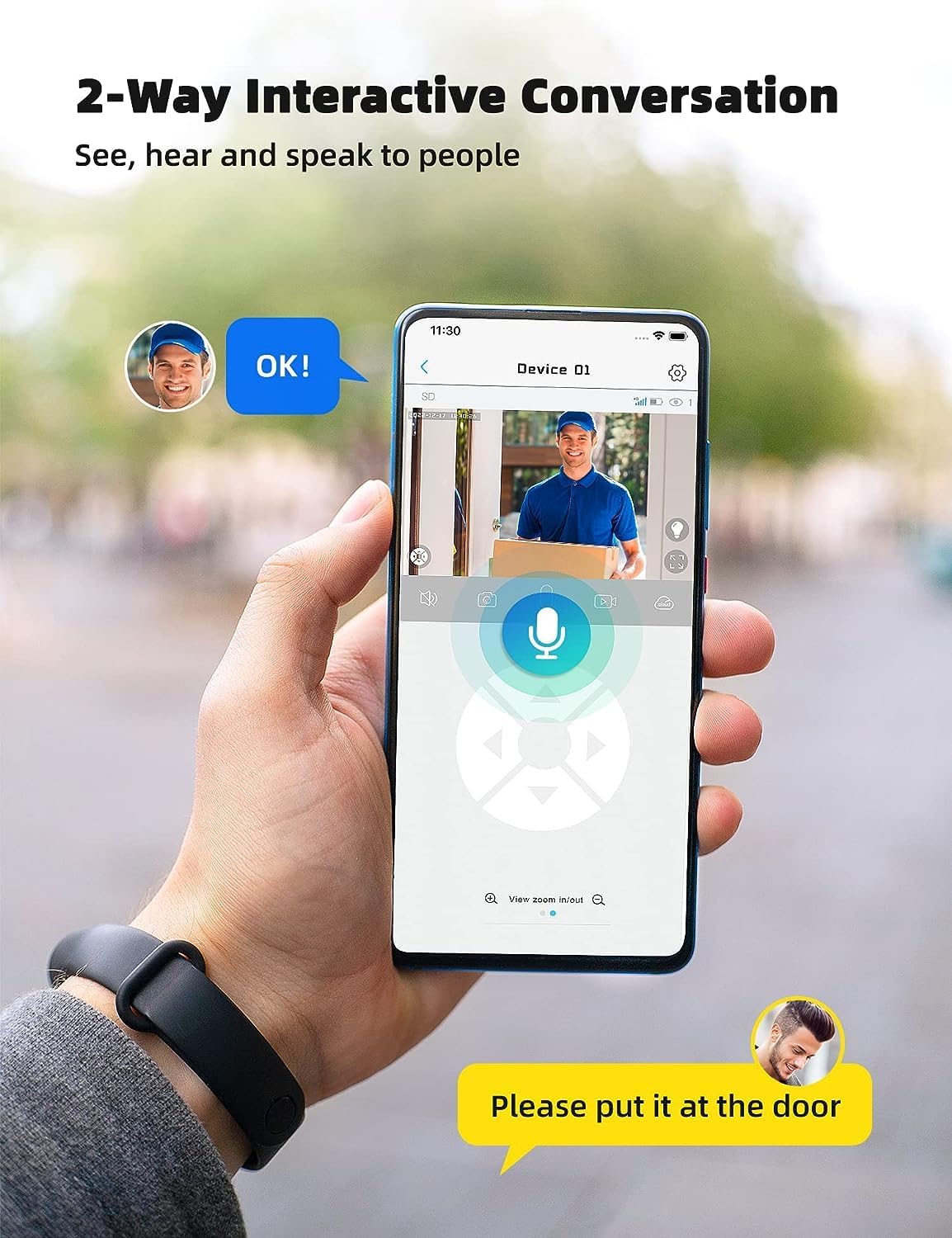
Image: A smartphone displaying the UBox app interface for two-way communication, showing a person speaking through the camera to a delivery person.

Image: A user communicating in real-time with a delivery person via the camera's two-way audio feature, instructing them to place a package by the door.
5.4 Grabaketa eta erreprodukzioa
The camera supports both Micro SD card storage and cloud storage (subscription may be required).
- Motion-triggered events are automatically recorded.
- To view recordings, navigate to the "Playback" section in the UBox app.
- Select the date and time to review foo grabatuatage.
- If the Micro SD card is full, older recordings will be overwritten by new ones.
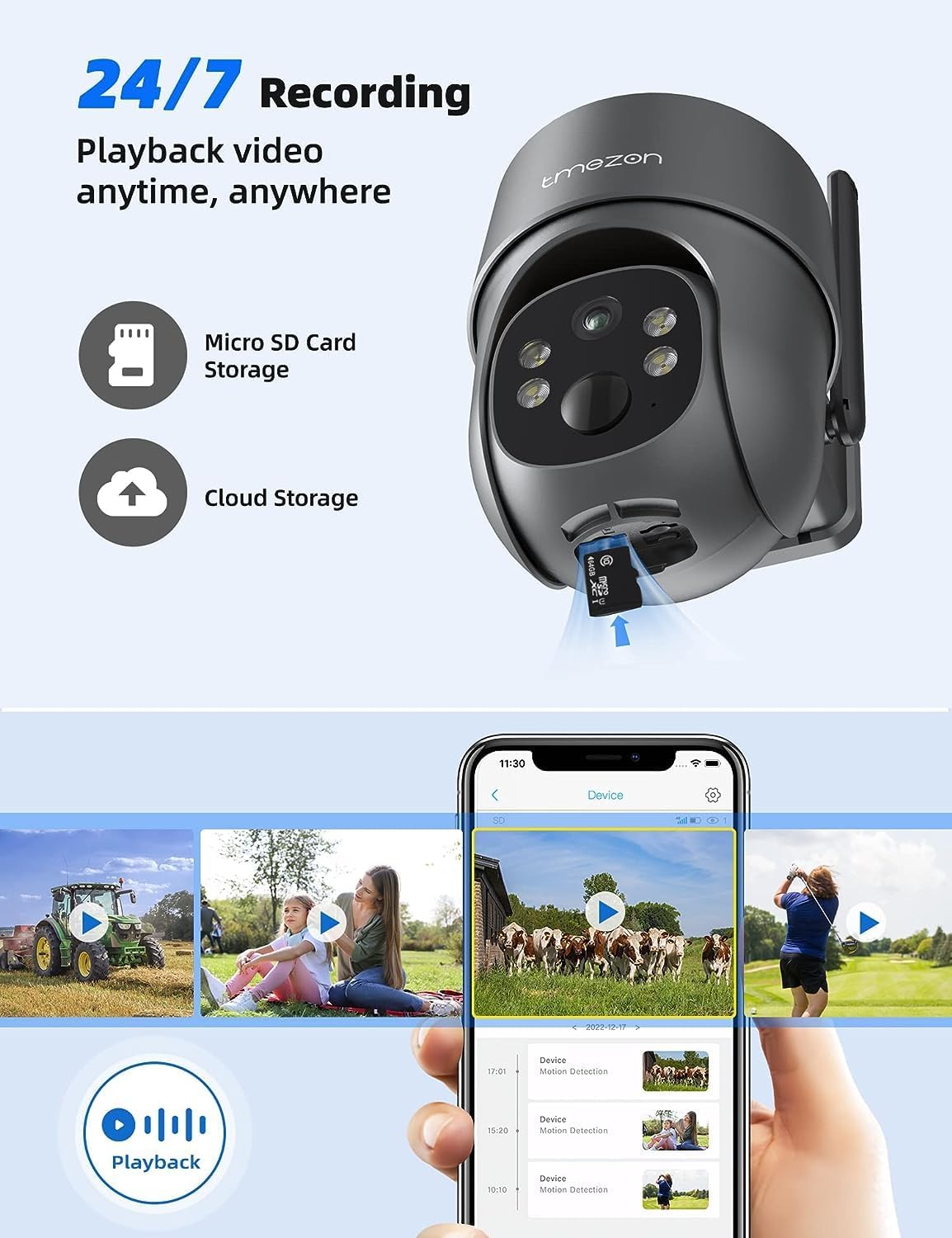
Image: A smartphone displaying the UBox app's playback interface, showing a timeline of recorded events and various video clips.
5.5 Gaueko ikusmen moduak
Kamerak bi gaueko ikusmen modu eskaintzen ditu:
- Gaueko ikusmen infragorria (IR): Provides clear black and white video in low-light conditions.
- Kolore Gaueko Ikusmena: Activates the camera's spotlights to provide full-color video even in darkness. This mode can be enabled in the app settings.
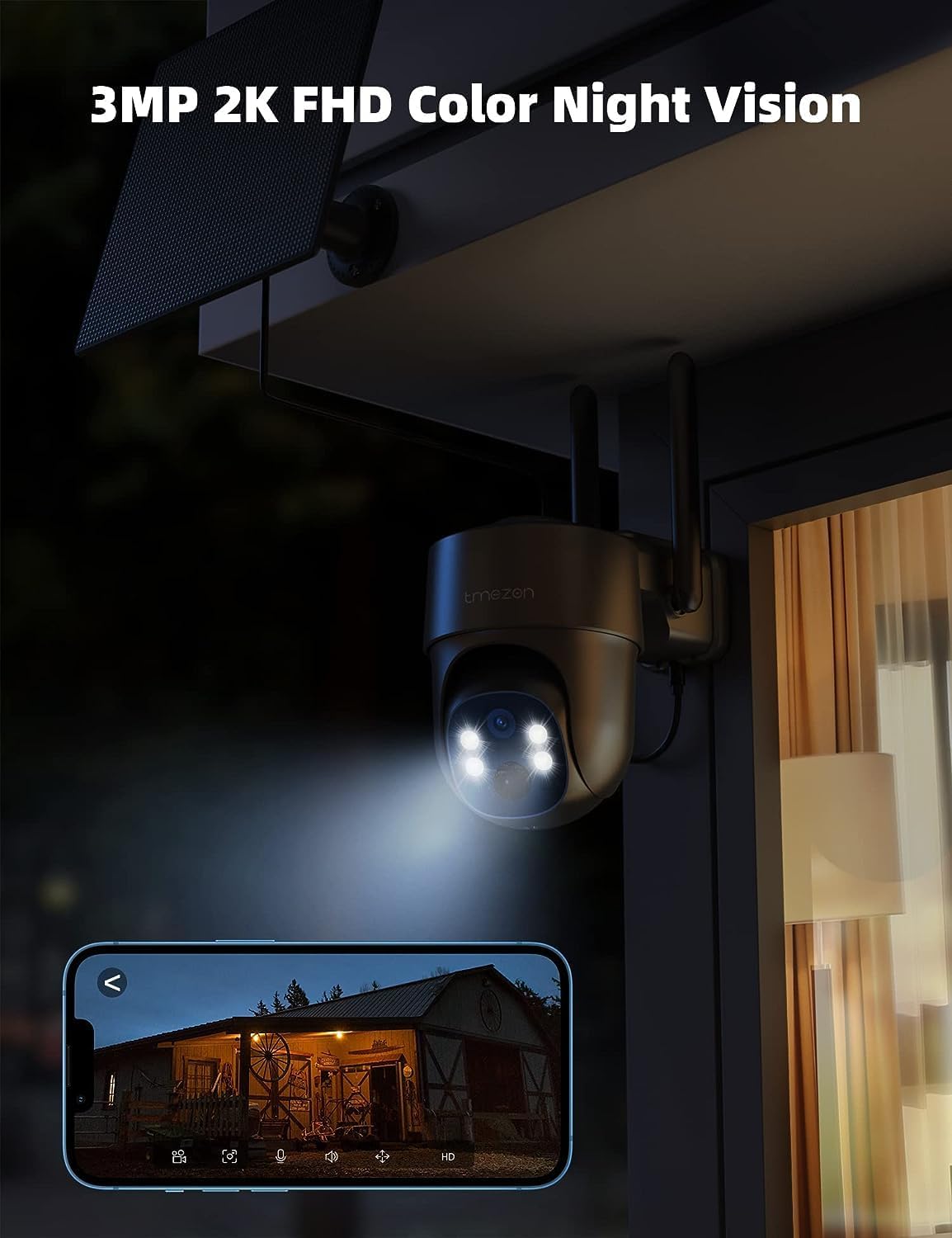
Image: The TMEZON camera operating at night with its spotlights on, providing clear 2K color night vision of the surrounding area.

Image: A split image demonstrating the difference between night vision with spotlights off (monochrome) and spotlights on (color), showcasing the camera's 2K color night vision capability.
6. Mantentzea
6.1 Battery & Solar Panel Care
- Regularly check the battery level in the UBox app.
- Ensure the solar panel is clean and free from dust, dirt, or obstructions (e.g., leaves, snow) to ensure efficient charging.
- Position the solar panel to receive maximum direct sunlight throughout the day.
- If the camera's battery level is consistently low due to insufficient sunlight, consider manually charging it via the USB port.
6.2 Garbiketa
- Erabili biguna, damp cloth to clean the camera lens and body.
- Do not use harsh chemicals or abrasive cleaners, as these can damage the camera's finish or lens.
- Ensure the rubber covers for the card slots and charging port are securely closed after any maintenance to maintain waterproofing.
7. Arazoak
7.1 Camera Not Connecting to 4G Network
- Ziurtatu SIM txartela behar bezala sartuta eta aktibatuta dagoela.
- Check if the SIM card has an active data plan.
- Verify 4G signal strength at the camera's location. Move the camera to an area with better signal if necessary.
- Restart the camera by pressing the reset button or power cycling it.
7.2 Frequent Disconnections
- Poor 4G signal strength can cause disconnections. Relocate the camera or consider a 4G signal booster.
- Ensure the camera's battery is sufficiently charged.
7.3 Mugimendu detekzioak ez du funtzionatzen edo alarma faltsu gehiegi daude
- Check motion detection settings in the UBox app. Ensure it is enabled.
- Adjust PIR sensitivity levels. Lower sensitivity for fewer false alarms, higher for more sensitive detection.
- Ensure there are no objects (e.g., tree branches, reflective surfaces) that might trigger false alarms in the detection zone.
7.4 Cannot View Grabaketak
- Ensure a Micro SD card is inserted correctly and formatted (if applicable) in the app.
- Check if cloud storage is active and your subscription is valid.
- Verify that motion detection recording is enabled in the app settings.
7.5 Camera Not Charging via Solar Panel
- Ziurtatu eguzki-panela garbi eta oztoporik gabe dagoela.
- Egiaztatu eguzki-panelaren kablea kamerara ondo konektatuta dagoela.
- Check if the solar panel is receiving direct sunlight for several hours daily.
- In prolonged cloudy weather, manual charging via USB may be required.
8. Zehaztapenak
| Ezaugarri | Xehetasuna |
|---|---|
| Modelo zenbakia | MZ-C8-4G-EU |
| Konektibitate Teknologia | Wireless (4G LTE) |
| Ebazpena | 2K (2000 Pixels effective capture) |
| Pan Angelua | 355 gradu |
| Inklinazio angelua | 90 gradu |
| Gaueko Ikusmena | Kolore Gaueko Ikusmena |
| Ezaugarri bereziak | Motion Detector, Two-Way Audio |
| Energia iturria | Solar Powered (with 9,600 mAh rechargeable battery) |
| Bateria mota | Litio-ioizko 2 (barne) |
| liburukiatage | 5 Volt |
| Wattage | 5 watt-ordu |
| IP balorazioa | IP65 (iragazgaitza) |
| Biltegiratzea | Micro SD Card (up to 128GB, not included), Cloud Storage (subscription optional) |
| Kontrolagailu mota | Android (UBox App) |
| Muntatze Mota | Hormako Muntaia |
9. Bermea eta Laguntza
9.1 Bermearen informazioa
TMEZON produktuek normalean fabrikatzailearen berme estandarra dute. Mesedez, kontsultatu paketean sartutako berme txartela edo bisitatu TMEZON webgune ofiziala. webwebgunean bermearen baldintza zehatzak ikusteko. Gorde erosketa-agiria erosketaren frogagiri gisa bermearen erreklamazioetarako.
9.2 Bezeroarentzako laguntza
If you encounter any issues or have questions regarding your TMEZON 4G LTE Solar Wireless Outdoor Security Camera, please contact TMEZON customer support. Contact information can usually be found on the official webgunean edo produktuaren ontzian.
- Lineako laguntza: Visit the TMEZON official webMaiz egiten diren galderen, arazoak konpontzeko giden eta harremanetarako formularioen gunea.
- Posta elektronikoko laguntza: Kontsultatu zure produktuaren dokumentazioa bezeroarentzako arreta-zerbitzuko helbide elektronikoa lortzeko.