
Sarrera
The XIEBro HR101 Robot Vacuum and Mop Combo is designed to provide comprehensive floor cleaning with its 3-in-1 functionality: vacuuming, mopping, and sweeping. This device is equipped with advanced features to efficiently clean various floor types, including hard floors and carpets, and is ideal for managing pet hair and general debris. This manual provides essential information for the proper setup, operation, and maintenance of your HR101 robot vacuum.

Figure 1: XIEBro HR101 Robot Vacuum and Mop Combo with remote control and smartphone app interface.
Konfigurazioa
1. Unboxing eta Hasierako Ikuskapena
- Kontu handiz kendu osagai guztiak ontzitik.
- Verify that all items listed in the 'What You Get' section are present: HR101 Vacuum Robot, Remote Control (2 AAA batteries included), Charging Base, Power Adapter, Water Tank, Dustbin, 4 Side Brushes, and User Manual.
- Inspect the robot and accessories for any signs of damage.
2. Robota kargatzen
- Place the charging base against a wall in an open, uncluttered area. Ensure there is sufficient space around the base (e.g., 0.5 meters on either side and 1.5 meters in front).
- Konektatu korronte-egokigailua kargatzeko oinarrira eta konektatu korronte-hartune batera.
- Place the HR101 robot onto the charging base. The indicator light on the robot will show its charging status. Ensure the charging contacts on the robot align with those on the base.
- Allow the robot to fully charge before its first use. A full charge typically takes several hours.
3. App Connection (Tuya Smart APP)
- Download the 'Tuya Smart' app from your smartphone's app store.
- Erregistratu edo hasi saioa zure Tuya Smart kontuan.
- Follow the in-app instructions to add your HR101 robot vacuum.
- Garrantzitsua: The app only supports 2.4GHz Wi-Fi networks. It is not compatible with 5G Wi-Fi.
- Once connected, you can control the robot, switch modes, adjust suction, set schedules, and monitor its status via the app.
- The robot vacuum is also compatible with Alexa and Google Assistant for voice control after connecting Alexa within the Tuya Smart APP.
Robot-xurgagailua erabiltzea
1. Garbiketa moduak
The HR101 offers three primary cleaning modes:
- Garbiketa automatikoa: Robotak modu adimentsuan nabigatzen eta garbitzen du irisgarri den eremu osoa.
- Leku garbiketa: Eremu zikin zehatz batean zentratzen da, espiral-eredu batean garbituz.
- Ertz garbiketa: Hormak eta altzarien ertzak garbitzen ditu.
You can switch between these modes using the Tuya Smart App or the included remote control.
2. Suction Adjustment
The robot vacuum features a strong digital motor with a maximum suction power of 1600Pa. It offers 3 levels of adjustable suction power:
- Low (Quiet Mode)
- Medium (Standard Mode)
- High (Maximum Mode)
A carpet booster function automatically increases suction on carpets. Adjust suction levels via the Tuya Smart App or remote control.

Figure 2: HR101 Robot Vacuum demonstrating 1600Pa Super Suction.
3. Garbiketa funtzioa
The HR101 includes an electronically controlled water tank with 2-speed water outlet modes for uniform penetration, suitable for all hard floors. The water output can be precisely controlled via the App or remote control.
4. Programazioa
Set cleaning schedules through the Tuya Smart App to automate cleaning tasks at desired times.
5. Intelligent Navigation and Obstacle Avoidance
The robot features advanced 3D precise obstacle avoidance and a full set of infrared sensors to intelligently identify and avoid white walls, stairs, and other obstacles. It can climb up to 15° and easily cross door thresholds or carpets. Its 2.89-inch slim design allows it to reach narrow spaces.
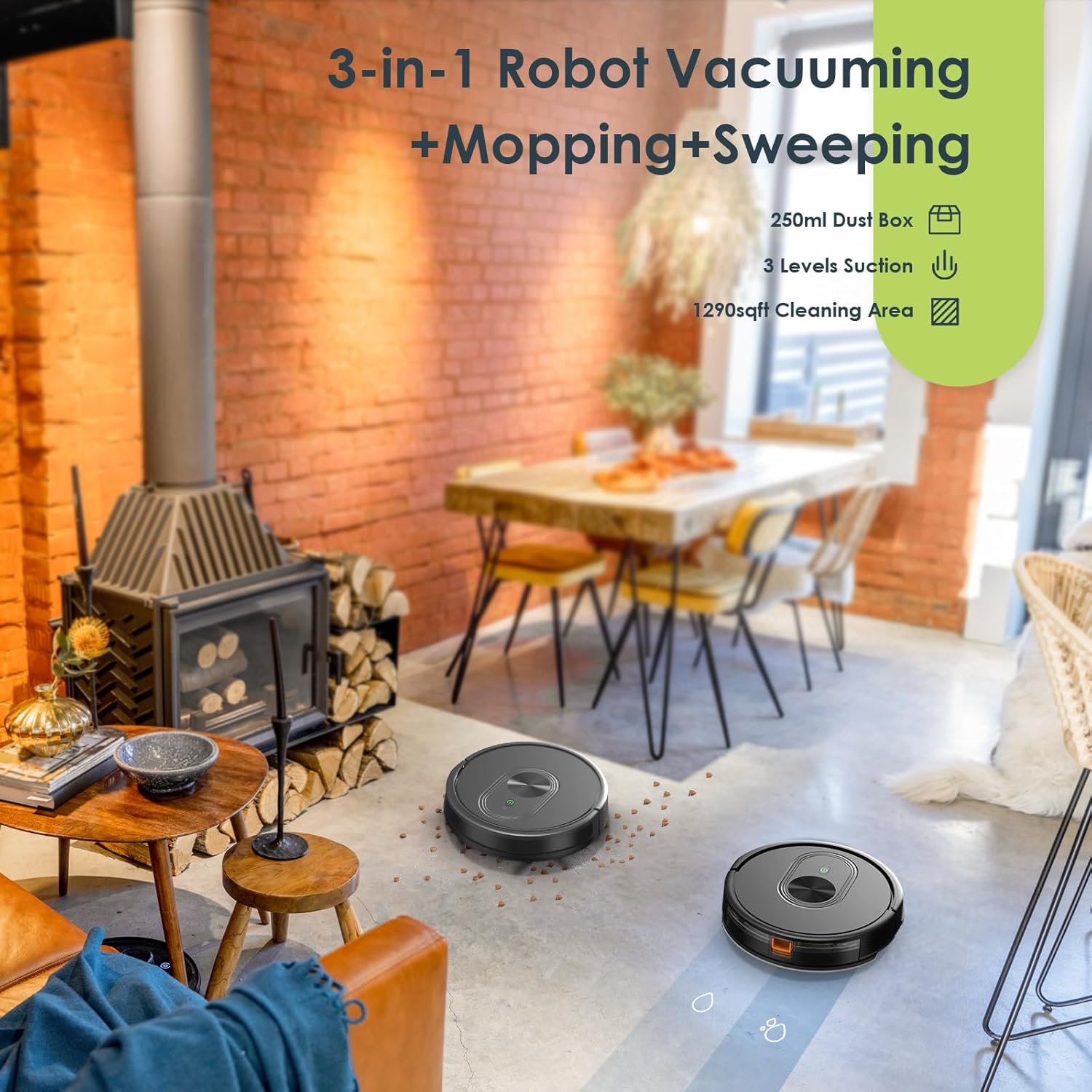
Figure 3: HR101 Robot Vacuums demonstrating 3-in-1 cleaning in a living room.
Mantentzea
Mantentze-lan erregularrak zure robot-xurgagailuaren errendimendu optimoa bermatzen du eta bizitza luzatzen du.
1. Hauts Kutxa eta Iragazkia
- The 250ml dust box should be emptied after each cleaning cycle, especially if cleaning large areas or areas with significant debris.
- The dust box is equipped with a 3-layer filter system. Clean the high-performance filter regularly to effectively filter dust and fine particles and remove allergens.
- Tap the filter gently to remove loose dirt. Do not wash the HEPA filter with water.
2. Water Tank and Mopping Pad
- The 200ml water tank should be emptied and rinsed after each mopping session.
- Remove and clean the mopping pad regularly. It can be hand-washed or machine-washed.

Figure 4: Integrated Mopping System components.
3. Eskuilak
- Regularly inspect and clean the main roller brush and the bilateral side brushes.
- Remove any tangled hair or debris from the brushes using the cleaning tool provided.
4. Sentsoreak eta kargatzeko kontaktuak
- Wipe the sensors and charging contacts on both the robot and the charging base with a dry cloth to ensure proper function.
Arazoak konpontzea
If your XIEBro HR101 robot vacuum encounters an issue, refer to the following common solutions:
- Robota ez da pizten: Ensure the robot is fully charged. Place it on the charging base and check if the indicator light shows charging status.
- Robota ez da kargatzen: Verify that the charging base is plugged in and the power outlet is active. Clean the charging contacts on both the robot and the base with a dry cloth.
- Robota maiz trabatzen da: Clear obstacles such as cables, loose rugs, or small objects from the cleaning path. Ensure the robot's sensors are clean.
- Garbiketa-errendimendu eskasa: Empty the dust box and clean the filter. Remove any tangled hair or debris from the main brush and side brushes.
- Fregona garbitzea ez da eraginkorra: Ensure the water tank is filled and properly installed. Check if the mopping pad is clean and wet. Adjust water flow settings in the app if necessary.
- Aplikazioen konexio arazoak: Confirm your Wi-Fi network is 2.4GHz. Restart your router and the robot. Try re-pairing the robot with the app.
- Ezohiko zaratak: Check the main brush and side brushes for any foreign objects or tangled hair. Ensure the dust box and filter are correctly installed.
For persistent issues not covered here, please refer to the warranty and support section.
Zehaztapenak
| Ezaugarri | Zehaztapena |
|---|---|
| Marka | XIEBro |
| Ereduaren izena | HR101 Robot Vacuum and Mop Combo |
| Ezaugarri Berezia | Poltsarik gabe |
| Kolorea | Gorria |
| Produktuaren neurriak | 12.04"L x 12.04"Z x 2.89"A |
| Iragazki mota | Kartutxoa |
| Bateriaren iraupena | 120 minutu |
| Energia iturria | Bateriaren bidez |
| Pilak barne | Bai |
| Kontrol-metodoa | Aplikazioa |
| Litiozko Bateria Voltage | 12 Volt |
| Gailu bateragarriak | Smartphoneak |
| Forma-faktorea | Robotikoa |
| UPC | 643708797249 |
| Elementuaren pisua | 0.176 ontza |
| ASIN | B0BM3HS8DL |
| Elementuaren eredu-zenbakia | HR101 Robot Vacuum and Mop Combo |
| Eskuragarri dagoen lehen data | 19ko apirilaren 2023a |
Bermea eta Laguntza
The XIEBro HR101 Robot Vacuum and Mop Combo comes with a 12-month service period. For professional customer service and support regarding your product, please refer to the contact information provided in your product packaging or visit the official XIEBro webgunea.