
1. Sarrera
This manual provides comprehensive instructions for the setup, operation, maintenance, and troubleshooting of your KLIM Discman Portable CD Player. This device is designed for playing audio CDs, CD-R, CD-RW, and MP3 discs, offering a versatile listening experience. Please read this manual thoroughly before using the product to ensure proper function and longevity.

Image 1.1: KLIM Discman with headphones and accessories.
2. Paketearen edukia
Egiaztatu elementu guztiak paketean daudela:
- KLIM Discman CD Player
- KLIM Headset (Foldable Headphones)
- Entzungailuen osagarriak
- USB-C kargatzeko kablea
- Eraman zorroa
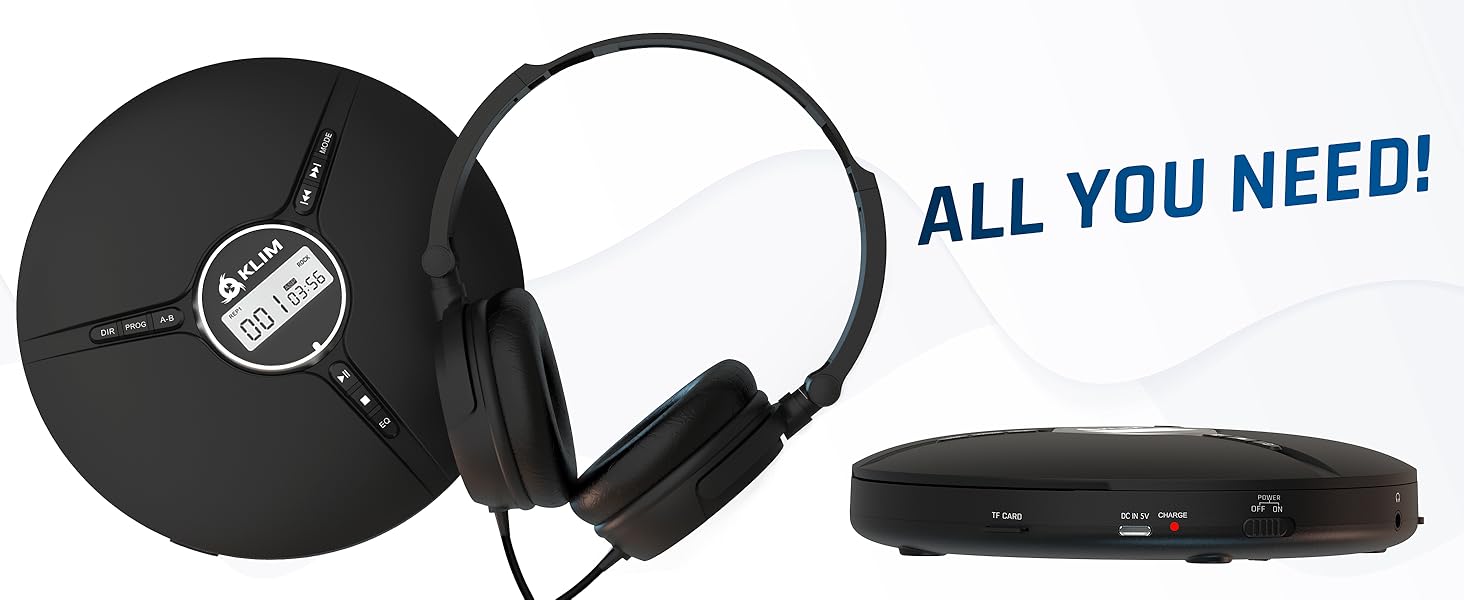
Image 2.1: All included components.
3. Produktua amaitu daview
Familiarize yourself with the various parts and controls of your KLIM Discman.

Image 3.1: Labeled diagram of the KLIM Discman controls and ports.
Kontrolak eta Portuak:
- Bistaratze digitala: Shows track number, time, and playback status.
- DIR botoia: Directory navigation for MP3 discs.
- PROG botoia: Program playback order.
- AB botoia: Errepikatu audioaren atal zehatz bat.
- MODE botoia: Selects playback modes (e.g., repeat one, repeat all).
- Previous/Rewind Button (◀◀): Skips to the previous track or rewinds current track.
- Next/Fast Forward Button (▶▶): Skips to the next track or fast forwards current track.
- Erreproduzitu/Pausatu botoia (▶/‖‖): Erreprodukzioa hasten edo eten egiten du.
- Gelditu botoia (■): Erreprodukzioa geldiarazten du.
- EQ botoia: Cycles through various equalizer presets.
- Bolumen kontrola: Audio irteerako maila doitzen du.
- AUX / Jack 3.5 mm Input: Kanpoko audio gailuak edo entzungailuak konektatzeko.
- TF txartelaren zirrikitua: For inserting a MicroSD card (up to 32 GB) for MP3 playback.
- USB-C kargatzeko ataka: Barneko bateria kargatzeko.
- ON/OFF and HOLD Button: Powers the device on/off and locks buttons to prevent accidental presses.
4. Konfigurazioa
4.1. Bateria kargatzea
The KLIM Discman features a built-in rechargeable battery. Before first use, fully charge the device.
- Connect the provided USB-C charging cable to the USB-C port on the Discman.
- Konektatu USB-C kablearen beste muturra USB elikatze-egokitzaile batera (ez dago barne) edo ordenagailuaren USB ataka batera.
- Kargatzeko adierazlearen argia piztuko da. Guztiz kargatuta dagoenean, argiaren kolorea alda daiteke edo itzali egin daiteke, modeloaren arabera.
- Karga oso batek 14 ordu arteko erreprodukzioa eskaintzen du.
4.2. CD bat sartzea
- Gently slide the OPEN switch to open the CD compartment lid.
- Jarri CDa etiketa gora begira erdiko ardatzean. Ziurtatu CDa ondo sartuta dagoela.
- Close the CD compartment lid firmly until it clicks into place.
4.3. Entzungailuak konektatzea
Connect the included KLIM headset or your preferred 3.5mm headphones to the AUX / Jack 3.5 mm input port on the Discman.
4.4. Inserting a TF Card (MicroSD)
If playing MP3 files from a TF card:
- Locate the TF Card slot on the side of the Discman.
- Insert the TF card (up to 32 GB) into the slot until it clicks. Ensure the card is inserted in the correct orientation.
- Txartela astiro-astiro ateratzeko, atera arte bultzatu.
5. Funtzionamendu-argibideak
5.1. Power On/Off and Hold Function
- Piztu: Irristatu ON/OFF etengailua 'ON' posiziora.
- Itzali: Slide the ON/OFF switch to the 'OFF' position.
- Eutsi funtzioa: Slide the ON/OFF switch to the 'HOLD' position to lock all buttons and prevent accidental operation during transport. The display will show 'HOLD'.
5.2. Oinarrizko erreprodukzioa
- After powering on and inserting a CD, the player will typically begin playback automatically.
- Sakatu ▶/‖‖ erreprodukzioa eteteko botoia. Sakatu berriro berriro hasteko.
- Sakatu ▶▶ button to skip to the next track. Press and hold to fast forward.
- Sakatu ◀◀ button to skip to the beginning of the current track. Press twice to skip to the previous track. Press and hold to rewind.
- Sakatu ■ erreprodukzioa gelditzeko botoia.
5.3. Bolumenaren doikuntza
Adjust the volume using the dedicated volume control buttons or dial on the device (if present, otherwise volume is controlled by connected headphones/speakers).
5.4. Equalizer (EQ) Settings
Sakatu EQ button repeatedly to cycle through available sound equalizer presets (e.g., Bass, Pop, Jazz, Rock, Classic, etc.) to customize your audio experience.
5.5. Repeat and Program Functions
- MODE botoia: Press to select different repeat modes (e.g., repeat one track, repeat all tracks, random play).
- PROG botoia: Allows you to program a specific order of tracks to play. Refer to the on-screen display for programming steps.
- AB botoia: Press once at the start point (A) and again at the end point (B) of a section you wish to repeat. The player will continuously loop this section. Press a third time to cancel.
- DIR Button (for MP3 discs): If your MP3 disc contains multiple folders, press DIR to navigate between directories.
5.6. TF txartelaren erreprodukzioa
If a TF card is inserted, the player may automatically switch to TF card mode or require you to press a MODE button to select it. Playback controls are similar to CD playback.
5.7. Connecting to External Audio Devices
The Discman can connect to external speakers or car audio systems via the 3.5mm AUX output. Use a 3.5mm audio cable (not included) to connect the Discman to the AUX input of your external device.

Image 5.1: Connectivity options for the KLIM Discman.
6. Mantentzea
6.1. Cleaning the Discman
- Garbitu erreproduzitzailearen kanpoaldea zapi leun eta lehor batekin.
- Ez erabili garbitzaile urratzailerik, disolbatzailerik edo detergente indartsurik.
- To clean the optical lens, use a specialized CD lens cleaning kit. Avoid touching the lens directly.
6.2. Bateria zaintzea
- Bateriaren iraupena luzatzeko, saihestu bateria maiz erabat deskargatzea.
- Kargatu gailua aldizka, erabiltzen ez bada ere, bateriaren osasuna mantentzeko.
- Gorde gailua leku fresko eta lehor batean denbora luzez erabiltzen ez duzunean.
6.3. CD and TF Card Handling
- Handle CDs by their edges to avoid fingerprints and scratches on the playing surface.
- Erabiltzen ez dituzunean, gorde CDak beren zorroetan.
- Ensure TF cards are inserted and removed correctly to prevent damage to the card or slot.
7. Arazoak
If you encounter issues with your KLIM Discman, refer to the following common problems and solutions:
| Arazoa | Kausa posiblea | Irtenbidea |
|---|---|---|
| Gailua ez da pizten. | Battery is depleted. Device is in HOLD mode. | Charge the battery. Slide the ON/OFF switch out of 'HOLD' position. |
| CD does not play / 'DISC' error. | CD is dirty, scratched, or inserted incorrectly. Disc format is not supported. | Clean the CD. Reinsert the CD correctly. Ensure the disc is CD Audio, CD-R, CD-RW, or MP3 format. |
| Ez dago soinurik entzungailuetatik. | Headphones not connected properly. Volume is too low. Headphones are faulty. | Ziurtatu entzungailuak ondo konektatuta daudela. Igo bolumena. Probatu beste entzungailu pare batekin. |
| Music skips or stutters. | CD is scratched or dirty. Excessive movement. | Clean the CD. The anti-shock protection buffers 100 seconds of audio, but extreme movement can still cause skips. |
| TF txartela ez da ezagutzen. | TF card inserted incorrectly. Card is corrupted or unsupported format. | Reinsert the TF card. Ensure it is formatted correctly (FAT32) and contains supported MP3 files. Max capacity 32GB. |
8. Zehaztapenak
Technical details for the KLIM Discman Portable CD Player.
| Ezaugarri | Xehetasuna |
|---|---|
| Ereduaren izena | KLIM Nomad |
| Produktuaren neurriak | 5.51 x 5.51 x 1.1 hazbete |
| Elementuaren pisua | 8.1 ontza |
| Bateria | 1 litio ioizko bateria (barne) |
| Erreprodukzio-denbora | Gehienez 14 ordu (gutxi gorabehera) |
| Bateragarritasuna | CD audioa, CD-R, CD-RW, MP3 |
| TF txartelaren euskarria | Gehienez 32 GB |
| Konektibitatea | 3.5mm Auxiliary Jack, USB-C (charging) |
| Ezaugarri bereziak | Anti-skip/Anti-shock protection (100s), Digital Equalization, HOLD function |

8.1 irudia: Produktuaren neurriak.
9. Bermea eta Laguntza
The KLIM Discman comes with a Urtebeteko bermea. This warranty covers manufacturing defects and ensures the product meets quality standards for an extended period.
For technical support, warranty claims, or any questions regarding your KLIM Discman, please visit the official KLIM webwebgunean edo jarri harremanetan bezeroarentzako arreta-zerbitzuan. Informazio gehiago aurki dezakezu hemen: www.klimtechs.com.
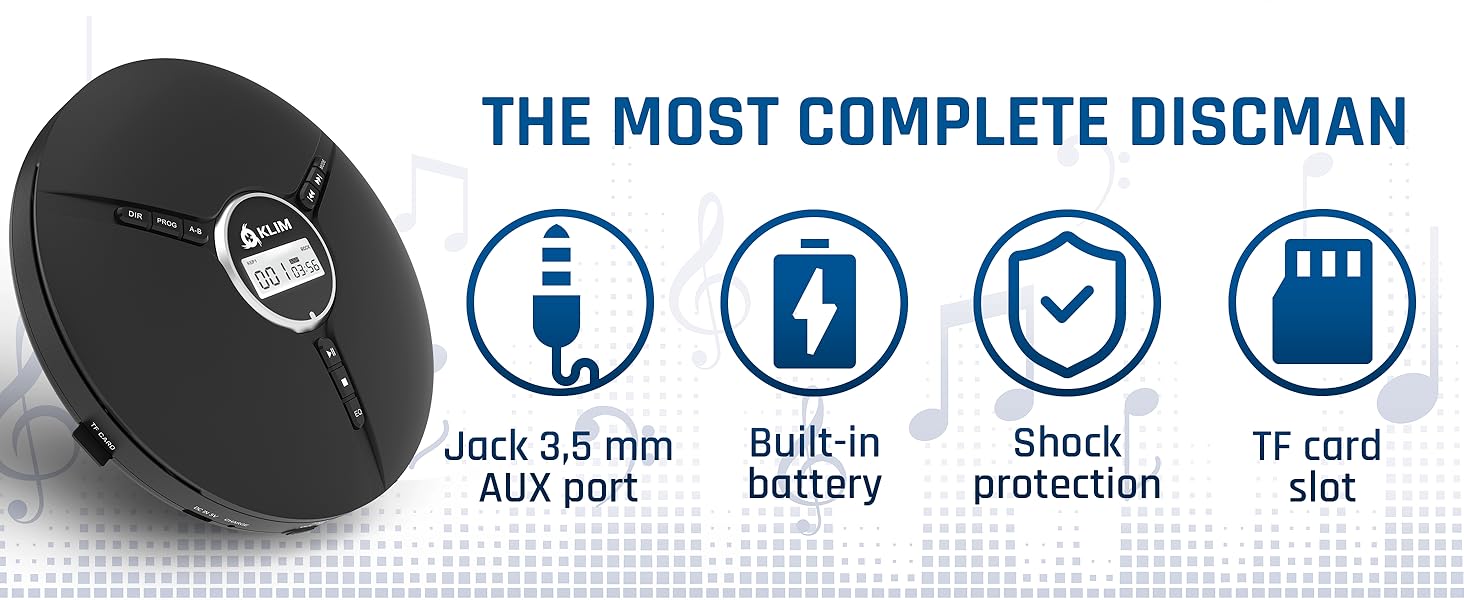
Image 9.1: Key features including shock protection and built-in battery.