
1. Sarrera
The SIIG Thunderbolt 4 Docking Station (Model: JU-DK0U11-S1) is designed to expand the connectivity of your laptop, providing a comprehensive workstation solution. This docking station offers 15 ports, enabling connections for multiple displays, peripherals, network, and power through a single Thunderbolt 4 cable. It supports high-speed data transfer and versatile display configurations for both Mac and Windows systems.

Image 1.1: SIIG Thunderbolt 4 Docking Station (JU-DK0U11-S1) overview.
2. Paketearen edukia
Egiaztatu elementu guztiak zure paketean daudela:
- SIIG Thunderbolt 4 Docking Station (JU-DK0U11-S1)
- 150W potentzia egokitzailea
- Thunderbolt 4 kablea
- Erabiltzailearen eskuliburua

Image 2.1: Contents included in the SIIG Thunderbolt 4 Docking Station package.
3. Produktua amaitu daview
3.1 Aurreko paneleko atakak
- 3.5mm Stereo Out: Entzungailuetarako edo kanpoko bozgorailuetarako.
- SD 3.0 txartelaren zirrikitua: Supports SD 3.0 UHS-1 memory cards up to 2TB.
- USB-A 3.2 Gen 1 (5Gbps) Ports (x2): For connecting USB-A peripherals, supporting 5V/0.9A charging.
- Thunderbolt 4 ataka: For connecting Thunderbolt 4 devices or displays.
- Pizteko botoia: Ainguratze-estazioa pizteko edo itzaltzeko.

3.1 irudia: Xehetasun zehatza view of the front panel ports.
3.2 Atzeko paneleko atakak
- DC Power Jack (20V/7.5A): 150W-ko korronte-egokitzailera konektatzen da.
- Thunderbolt 4 Port (Host PD 60W): Connects to your laptop via the Thunderbolt 4 cable, providing up to 60W power delivery.
- 3.5mm Mic In: Kanpoko mikrofono bat konektatzeko.
- Micro SD (TF) 3.0 Card Slot: Supports Micro SD (TF) 3.0 UHS-1 memory cards up to 2TB.
- USB-A 2.0 (480Mbps) Ports (x2): For connecting USB-A peripherals, supporting 5V/1.5A charging.
- Gigabit Ethernet ataka: Kable bidezko sarearen konexiorako.
- DisplayPort irteera: Kanpoko pantaila bat konektatzeko.
- HDMI irteera: Kanpoko pantaila bat konektatzeko.
- Thunderbolt 4 Ports (x2): For connecting additional Thunderbolt 4 devices or displays, providing 45W power delivery.

3.2 irudia: Xehetasun zehatza view of the rear panel ports.
4. Konfiguratzeko argibideak
- Konektatu energia: Plug the included 150W power adapter into the DC Power Jack on the rear of the docking station, then connect it to a power outlet.
- Konektatu ordenagailu eramangarri nagusira: Use the provided Thunderbolt 4 cable to connect the Thunderbolt 4 Host port (60W PD) on the rear of the docking station to your laptop's Thunderbolt 4 or USB-C port.
- Piztu: Press the power button on the front panel of the docking station. The power indicator LED should illuminate.
- Konektatu pantailak: Connect your monitors to the available DisplayPort, HDMI, and Thunderbolt 4 output ports on the docking station. Refer to the 'Display Configuration' section for supported setups.
- Konektatu periferikoak: Connect your USB devices, Ethernet cable, and audio devices to the corresponding ports on the docking station.
5. Funtzionamendu-argibideak
5.1 Bistaratzeko konfigurazioa
The docking station supports various display setups, including single 8K or quad 4K displays, utilizing Thunderbolt 4 and DisplayLink technology. Ensure DisplayLink drivers are installed for optimal performance, especially for additional displays beyond native Thunderbolt outputs.
- Pantaila bakarreko irteera: Supports up to 8K resolution.
- Pantaila bikoitzeko irteera: Supports up to 2x 4K resolution via two Thunderbolt 4 ports.
- Quad Display Output: Achieved by combining two Thunderbolt 4 ports with the DisplayPort and HDMI ports, enabling four 4K displays.

5.1 irudia: Adibideaample of a quad display setup using the docking station.

Image 5.2: Display compatibility and resolution matrix for Windows and Mac M1/M2 systems.
5.2 Energia-banaketa
The docking station provides power to your connected devices:
- Ordenagailu eramangarria kargatzea: Up to 60W Power Delivery (PD) to the host laptop via the Thunderbolt 4 host port.
- Thunderbolt 4 atakak: Each of the three downstream Thunderbolt 4 ports provides up to 45W of power.
- USB-A Fast Charging: Two USB-A 5Gbps ports support 5V/0.9A charging, and two USB-A 2.0 ports support 5V/1.5A charging.

Image 5.3: Power delivery capabilities of the docking station.
5.3 Datuen transferentzia
Experience high-speed data transfer for efficient workflow:
- Thunderbolt 4: Up to 40Gbps data transfer speed, 8 times faster than USB 3.0.
- USB-A 3.2 1. belaunaldia: Up to 5Gbps data transfer speed.
- Memoria txartelen irakurgailua: Supports SD 3.0 UHS-1 and Micro SD (TF) 3.0 UHS-1 with data transfer rates up to 104MB/s.
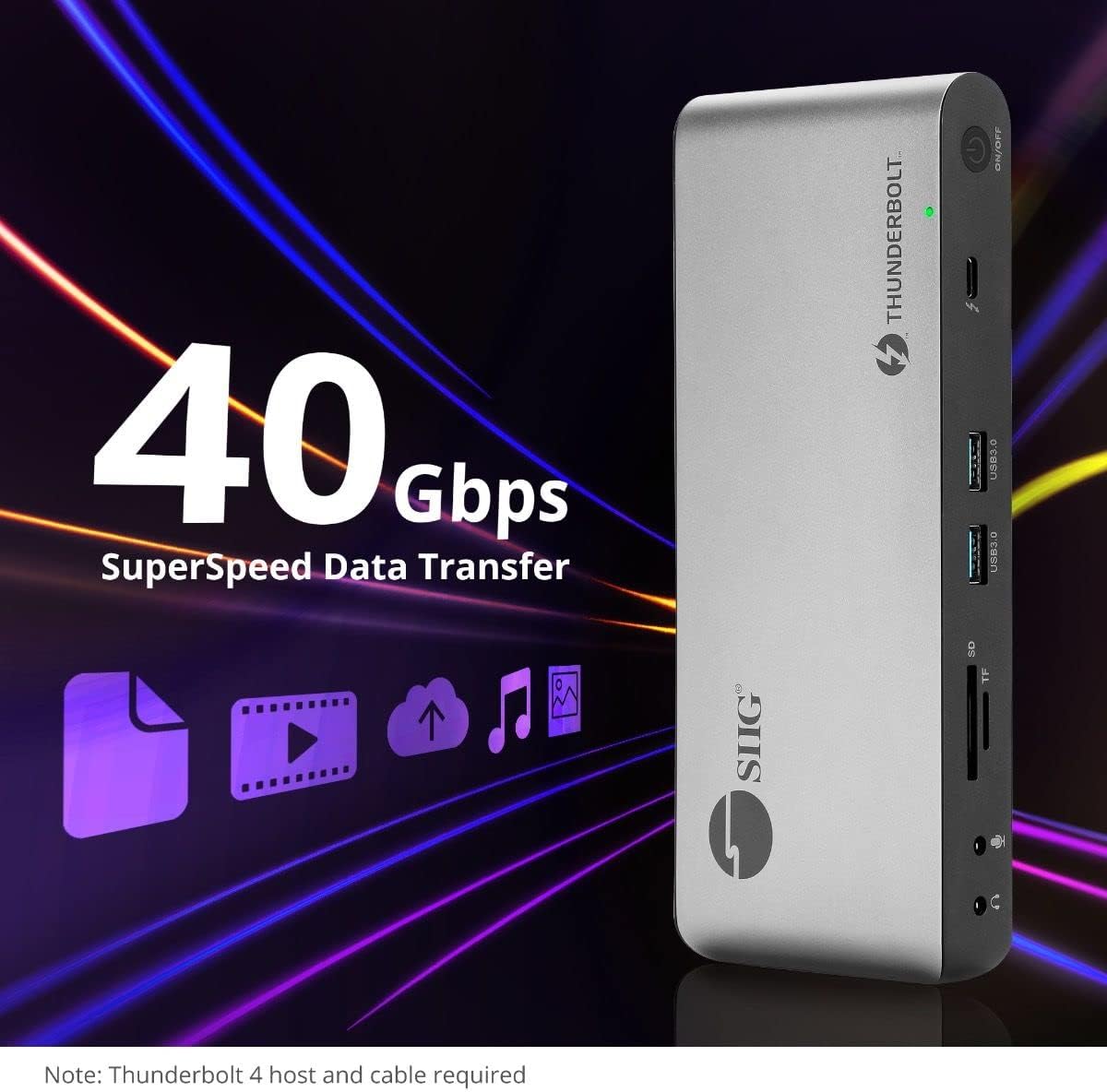
Image 5.4: High-speed data transfer capabilities.
6. Bateragarritasuna
The SIIG Thunderbolt 4 Docking Station is broadly compatible with various systems:
- Sistema eragileak: Mac M1/M2/M3 Pro & Max, Intel chip Macs, Windows PCs (Intel/AMD/Snapdragon), and Chromebooks.
- Atzerako bateragarritasuna: Fully compatible with Thunderbolt 3, USB4, and USB-C equipped computers.
7. Mantentzea
Zure kargatzeko estazioaren iraupena eta errendimendu optimoa bermatzeko, jarraitu mantentze-jarraibide hauek:
- Garbiketa: Erabili zapi leun eta lehor bat gailuaren kanpoaldea garbitzeko. Saihestu garbitzaile likidoak edo disolbatzaileak.
- Aireztapena: Ziurtatu kargatzeko estazioa ondo aireztatutako leku batean dagoela gehiegi berotzea saihesteko. Ez blokeatu aireztapen-irekidurak.
- Biltegiratzea: Gorde gailua leku fresko eta lehor batean, eguzki-argitik eta muturreko tenperaturetatik babestuta.
- Manipulazioa: Saihestu gailua kolpe gogorrak erortzea edo jasaten.
8. Arazoak
If you encounter issues with your SIIG Thunderbolt 4 Docking Station, refer to the following common problems and solutions:
- Potentziarik gabe:
- Ensure the power adapter is securely connected to both the docking station and a working power outlet.
- Verify the power button on the docking station is pressed and the power indicator LED is on.
- Display Issues (No Signal/Incorrect Resolution):
- Check all display cables (HDMI, DisplayPort, Thunderbolt) are securely connected to both the docking station and the monitors.
- Ensure your laptop's display settings are configured correctly to detect and extend/mirror displays.
- For multi-display setups, especially beyond two monitors, ensure DisplayLink drivers are installed and up to date on your operating system.
- Verify your monitors support the selected resolution and refresh rate.
- Periferikoak ez dira detektatu:
- Ensure USB devices are properly connected to the docking station's USB ports.
- Try connecting the peripheral directly to your laptop to confirm it is functional.
- Berrabiarazi kargatzeko estazioa eta ordenagailu eramangarria.
- Gehiegizko berotzea:
- Ensure the docking station is placed in an area with adequate airflow and not covered.
- Reduce the number of high-power devices connected if possible, or consider using a cooling pad if persistent.
- Datuen transferentzia motela:
- Ensure you are using Thunderbolt 4 certified cables for Thunderbolt connections.
- Verify the connected device supports the expected transfer speeds.
9. Zehaztapenak
| Ezaugarri | Xehetasuna |
|---|---|
| Modelo zenbakia | JU-DK0U11-S1 |
| Produktuaren neurriak | 3.27 x 7.8 x 1.14 hazbete |
| Elementuaren pisua | 15.4 ontza (0.96 libra) |
| Portu guztira | 15 (including 7 USB ports) |
| Ostalariaren konexioa | Thunderbolt 4 (USB-C) |
| Bideo Irteerak | 1x HDMI, 1x DisplayPort, 3x Thunderbolt 4 (USB-C) |
| Gehienezko pantailaren bereizmena | Single 8K@30Hz, Quad 4K@60Hz |
| Energia-banaketa (ostalaria) | Gehienez 60W |
| Power Delivery (Downstream TB4) | Gehienez 45W ataka bakoitzeko |
| Datuak transferitzeko abiadura | Thunderbolt 4: 40Gbps, USB-A 5Gbps: 5Gbps |
| Ethernet | Gigabit Ethernet |
| Txartel irakurgailua | SD 3.0 UHS-1, Micro SD (TF) 3.0 UHS-1 (up to 2TB) |
| Audio Portuak | 3.5mm Stereo Out, 3.5mm Mic In |
| OS bateragarria | Mac M1/M2/M3 Pro & Max, Intel Macs, Windows, Chromebooks |
| Kolorea | Beltza |
| UPC | 662774045689 |
10. Bermea eta Laguntza
SIIG products are designed for reliability and performance. For warranty information and technical support, please refer to the documentation included with your product or visit the official SIIG webgunea. Gorde erosketa-agiria berme-erreklamazioetarako.