
Apple Pages Software Guide
Pages for Beginners: A Simple Step-by-Step User Guide
Mastering Pages on macOS, iOS, and iCloud
Introduction to Pages
Whether for academic, business, or other purposes, word processing tasks like analysis and manipulation are frequently required. This guide provides a straightforward yet professional approach to learning the Pages software. It will take you step-by-step through the most recent Pages tools and demonstrate how to use them using real-world examples.
This manual offers crucial knowledge and strategies to help you learn Apple Pages and begin using it like an expert. It is packed with thorough explanations and sensible suggestions, designed to help you progress from a total beginner to a professional in a short period by utilizing the tips, methods, and straightforward guidance provided.
Regardless of whether you've worked with earlier versions of Apple Pages or are new to word processing, this practical instruction will get you up and running with the latest edition of Pages. You'll soon be editing, formatting, checking your work for errors, and decorating your Pages documents with confidence.
Getting Started with Apple Pages
Before diving into the functionalities of Apple Pages, it's important to understand the initial steps to ensure a smooth start. This section covers the fundamental actions you should take.
Top Steps Before Beginning
- Ensure your macOS or iOS device is updated to the latest compatible version.
- Download and install the Pages application from the App Store if you haven't already.
- Familiarize yourself with basic file management on your device, such as creating folders and saving documents.
- Consider setting up iCloud for seamless document synchronization across your Apple devices.

Figure 1: Front Cover of the User Guide. This image displays the front cover of the "Pages for Beginners" user guide, featuring the title prominently with an orange background and a white pen icon, indicating its focus on the Apple Pages application.
Navigating the Pages User Interface
Understanding the layout and various components of the Pages user interface is crucial for efficient operation. This section provides an overview and instructions for expert navigation.
Interfazea amaitu daview and Expert Navigation
- Tresna-barra: Learn about the customizable toolbar at the top, which provides quick access to frequently used functions like adding text, shapes, media, and tables.
- Format Panel: Explore the sidebar on the right, where you can adjust text styles, paragraph formatting, layout options, and object properties.
- Dokumentuen konfigurazioa: Understand how to access document settings for page size, margins, and headers/footers.
- Pages Browser: Utilize the left sidebar to view and manage document pages, sections, and master pages.
- Teklatuko lasterbideak: Discover essential keyboard shortcuts to speed up your workflow.
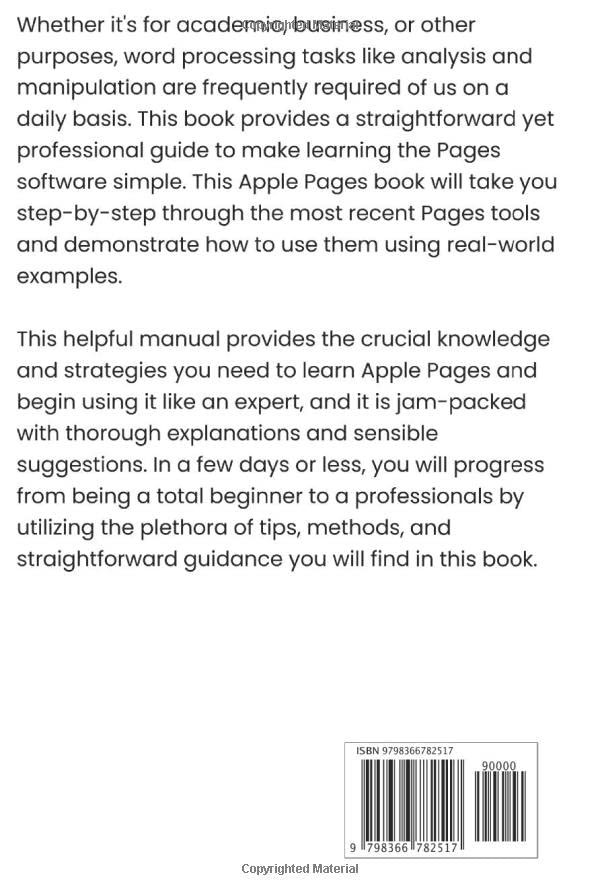
Figure 2: Back Cover of the User Guide. This image shows the back cover of the "Pages for Beginners" user guide, which includes a brief description of the book's content and the ISBN barcode at the bottom.
Editing and Formatting Documents
Pages offers robust tools for editing and formatting your documents to achieve a professional look. This section provides tips and tricks for effective document manipulation.
Formatting and Editing Tips and Tricks
- Text Styles: Apply predefined paragraph and character styles for consistent formatting.
- Font and Paragraph Adjustments: Customize fonts, sizes, colors, line spacing, and alignment.
- Images and Media: Insert and position images, videos, and audio files, and apply various effects.
- Shapes and Lines: Add vector shapes and lines to enhance visual appeal and organize content.
- Comments and Track Changes: Utilize collaboration features for reviewing and editing documents with others.
Working with Tables
Tables are essential for organizing data in a structured format. Pages provides intuitive tools for creating and modifying tables efficiently.
Creating and Modifying Tables in Pages
- Inserting Tables: Learn how to add new tables to your document from the toolbar.
- Table Styles: Apply pre-designed table styles for quick formatting.
- Adding/Deleting Rows and Columns: Easily manage table dimensions.
- Cell Formatting: Customize cell borders, backgrounds, and text alignment.
- Formulak: Utilize basic spreadsheet functions within table cells for calculations.
Ohiko arazoak konpontzea
This section addresses common issues users might encounter while using Apple Pages and provides solutions to resolve them.
- Document Not Saving: Ensure you have sufficient storage space and proper permissions. Try saving to a different location.
- Application Crashing: Check for Pages updates, restart the application, or restart your device.
- Formatting Problems: Verify that you are using appropriate styles and check for conflicting formatting. Use the "Clear All Formatting" option if necessary.
- iCloud Sync Issues: Confirm you are signed into iCloud with the correct Apple ID and that iCloud Drive is enabled for Pages.
- Errendimenduaren moteltzea: Close other applications, reduce the complexity of your document (e.g., large images), or restart Pages.
Zehaztapenak
This section provides technical specifications related to the user guide itself.
| Atributua | Xehetasuna |
|---|---|
| ASIN | B0BNV2FNKD |
| Argitaletxea | Independenteki argitaratua |
| Argitalpen data | 3ko abenduaren 2022a |
| Hizkuntza | ingelesa |
| Inprimatu luzera | 91 orrialde |
| ISBN-13 | 979-8366782517 |
| Elementuaren pisua | 6.7 ontza |
| Neurriak | 6 x 0.4 x 9 hazbete |
Ask a question about this manual
Ask about setup, troubleshooting, compatibility, parts, safety, or missing instructions. Manuals+ will review the question and use this page’s manual context to help answer it.