
Sarrera
This user manual provides essential information for setting up, operating, maintaining, and troubleshooting your MI Xiaomi Notebook Ultra. Please read this manual thoroughly before using your device to ensure proper function and longevity. Keep this manual for future reference.
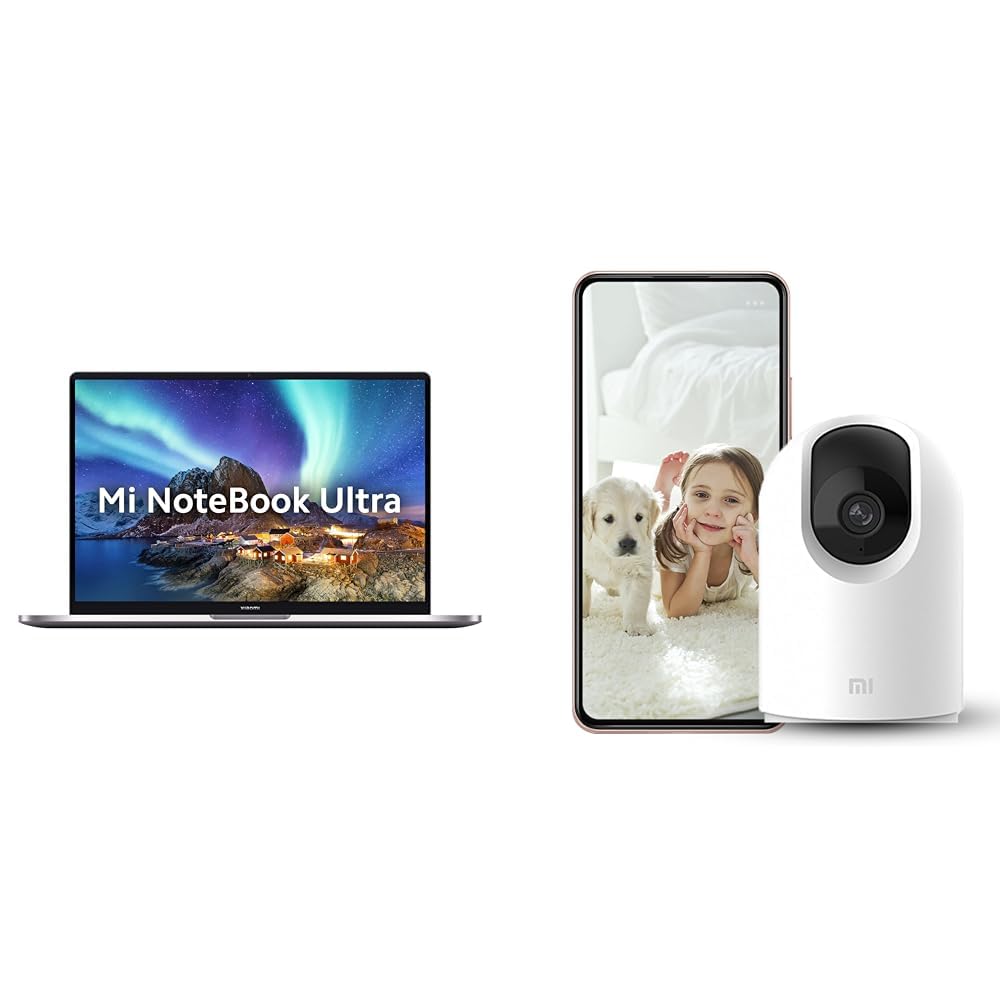
Image: The MI Xiaomi Notebook Ultra laptop, showcasing its display with a scenic wallpaper.
Produktua amaituview
The MI Xiaomi Notebook Ultra is a thin and light laptop designed for performance and portability. It features an 11th Gen Intel Core i5-11320H processor, a high-resolution 3.2K IPS display, and integrated Intel Iris Xe Graphics. This section details the main components and features of your new laptop.
Ezaugarri nagusiak:
- Prozesadorea: 11th Gen Intel Tiger Lake Core i5-11300H processor with speeds up to 4.4 GHz, 4 cores, 8 threads, and 8 MB Cache.
- Pantaila: 39.62 cm (15.6-inch) IPS 3.2K resolution (3200x2000) with 16:10 aspect ratio, 100% sRGB, 90Hz refresh rate, 241 PPI, 1500:1 contrast ratio, anti-glare, and TUV Low blue light certification.
- Memoria eta biltegiratzea: 8GB DDR4 3200 MHz RAM and 512GB PCIe NVMe M.2 SSD.
- Operating System & Software: Pre-installed Windows 11 Home and Microsoft Office Home and Student 2021.
- Grafikoak: Integrated Intel Iris Xe graphics.
- Konektibitatea: Dual Band Wi-Fi and Bluetooth.
- Segurtasuna: Fingerprint Recognition.
- Portuak: Includes Thunderbolt 4 and USB Type-C ports.

Irudia: Gehiagoview of the MI Xiaomi Notebook Ultra's key features, including its 3.2K display, all-metal design, 90Hz refresh rate, 12-hour battery, thin and light profile, Thunderbolt 4, USB Type-C, Intel Core i5/i7 H35 processor, 8/16GB RAM, 512GB SSD, Wi-Fi 6, and fingerprint reader.

Irudia: Alboko profesionalafile of the MI Xiaomi Notebook Ultra, highlighting the various ports including Thunderbolt 4 and USB Type-C.
Konfigurazio Gida
1. Kutxa irekitzea eta hasierako ikuskapena:
Carefully remove the laptop and all accessories from the packaging. Check for any visible damage. Ensure all components listed in the packaging are present.
2. Konektatzeko potentzia:
- Connect the power adapter to the laptop's USB Type-C charging port.
- Entxufatu korronte kablea hormako entxufe batera.
- Utzi ordenagailu eramangarria gutxienez 30 minutuz kargatzen lehenengo aldiz erabili aurretik, edo bateriaren adierazleak karga nahikoa erakutsi arte.
3. Initial Boot and Windows Setup:
- Ireki ordenagailu eramangarriaren tapa eta sakatu pizteko botoia.
- Jarraitu pantailan agertzen diren argibideei Windows 11 Home konfigurazio prozesua osatzeko. Horrek eskualdea eta hizkuntza hautatzea, Wi-Fi sare batera konektatzea eta erabiltzaile kontu bat sortzea barne hartzen ditu.
- Register your Microsoft account if prompted to activate Windows and Microsoft Office Home and Student 2021.
4. Periferikoak konektatzea:
You can connect external displays, wireless keyboards, mice, webcams, and other Bluetooth/Wi-Fi enabled devices. Refer to the device's specific instructions for pairing or connecting.
- USB gailuak: Use the available USB Type-C or Thunderbolt 4 ports.
- Bluetooth gailuak: Enable Bluetooth on your laptop via Windows settings and pair with your device.
- Kanpoko pantaila: Connect an external monitor using a compatible cable to the Thunderbolt 4 port (which supports display output).
Funtzionamendu-argibideak
Energia kudeaketa:
- Piztu: Sakatu teklatuaren plataforman dagoen pizteko botoia.
- Lo egiteko modua: Itxi tapa edo hautatu "Lo egin" Windows Hasi menuan.
- Itzali: Hautatu "Itzali" Windows Hasi menuan.
- Berrabiarazi: Hautatu "Berrabiarazi" Windows Hasi menuan.
Pantaila erabiltzea:
Your laptop features a 3.2K IPS display with a 90Hz refresh rate. You can adjust display settings (resolution, refresh rate, brightness) through Windows Display Settings. The anti-glare coating helps reduce reflections, and TUV Low blue light certification aims to reduce eye strain.
Hatz-markak hautematea:
The integrated fingerprint sensor allows for secure and quick login. To set up, navigate to Windows Settings > Accounts > Sign-in options and follow the instructions to register your fingerprint.
Teklatua eta ukipen-panela:
The laptop includes a full-sized keyboard and a precision touchpad. Customize touchpad gestures and keyboard backlight settings (if available) through Windows Settings.
Audioa:
The laptop is equipped with integrated speakers. Adjust volume using the function keys or Windows sound settings.
Webkamera:
Integratua webcam can be used for video calls and conferences. Ensure the physical lens shield is open when using the webcam. Manage webcam privacy settings in Windows.
Mantentzea
Garbiketa:
- Pantaila: Erabili lipurrik gabeko zapi leun bat dampUrarekin edo pantaila-garbitzaile batekin garbitu. Ez ihinztatu likidoa zuzenean pantailan.
- Teklatua eta txasisa: Erabili zapi leun eta lehor bat. Zikinkeria egoskorra bada, ukitu apur batamp oihal bat erabil daiteke. Saihestu produktu kimiko gogorrak.
- Portuak: Mantendu atakak hauts eta hondakinik gabe. Erabili aire konprimatua beharrezkoa bada, baina egin ezazu astiro.
Bateria zaintzea:
- Saihestu bateria maiz erabat deskargatzea.
- Denbora luzez erabiltzen ez baduzu, gorde ordenagailu eramangarria leku fresko eta lehor batean, bateria % 50 inguru kargatuta duela.
- Use only the original power adapter provided with the laptop.
Software eguneraketak:
Regularly update Windows, drivers, and other software to ensure optimal performance and security. You can check for updates via Windows Settings.
Arazoak konpontzea
Atal honek aurki ditzakezun arazo ohikoenei irtenbideak eskaintzen ditu. Arazoak jarraitzen badu, jarri harremanetan bezeroarentzako arreta-zerbitzuarekin.
No Power / Laptop Not Turning On:
- Ziurtatu korronte-egokitzailea ondo konektatuta dagoela ordenagailu eramangarrira eta funtzionatzen duen entxufe batera.
- Egiaztatu entxufea funtzionatzen duen beste gailu bat konektatuz.
- Bateria guztiz agortuta badago, utzi gutxienez 30 minutuz kargatzen pizten saiatu aurretik.
Bistaratzeko arazoak:
- Pantaila hutsa: Try connecting an external monitor to check if the laptop is outputting video. If the external monitor works, there might be an issue with the laptop's internal display.
- Ilundu pantaila: Adjust brightness using the function keys or Windows Display Settings.
- Bereizmen okerra: Adjust the display resolution in Windows Display Settings.
Wi-Fi / Bluetooth Connectivity Problems:
- Ensure Wi-Fi and Bluetooth are enabled in Windows Settings.
- Berrabiarazi zure bideratzailea/modema Wi-Fi arazoak badituzu.
- Bluetooth-erako, saiatu gailua desparekatzen eta berriro parekatzen.
- Eguneratu sareko egokitzaileen kontrolatzaileak Gailuen kudeatzailearen bidez.
Errendimendu motela:
- Itxi atzeko planoan exekutatzen ari diren beharrezkoak ez diren aplikazioak.
- Begiratu eta instalatu zain dauden Windows eguneratzeak.
- Run a disk cleanup and defragmentation (for HDDs, though this laptop has SSD).
- Eskaneatu malwarea edo birusak bilatzeko.
Included Accessory: Mi 360° Home Security Camera 2K Pro
Your MI Xiaomi Notebook Ultra package includes a Mi 360° Home Security Camera 2K Pro. This camera offers enhanced home surveillance with 2K resolution and smart features. Please refer to the separate user manual provided with the camera for detailed setup and operation instructions.
Key Features of the Camera:
- Ebazpena: 2K Video Resolution Quality.
- Konektibitatea: Banda bikoitzeko Wi-Fia.
- Segurtasuna: Physical lens shield.
- Audioa: Dual-microphone noise reduction.
- Ezaugarri adimendunak: AI Human Detection, Bluetooth gateway.
- Biltegiratzea: Cloud Storage In India.

Image: The Mi 360° Home Security Camera 2K Pro, a white spherical camera with a black lens module.

Image: An illustration of the Mi 360° Home Security Camera 2K Pro's features, including physical shield, dual-microphone noise reduction, dual-band Wi-Fi, Bluetooth gateway, AI Human Detection, and Cloud Storage.

Image: A comparison demonstrating the 2K video resolution quality of the Mi 360° Home Security Camera 2K Pro, showing a clearer image at 1296p compared to 1080p.
Zehaztapenak
| Ezaugarri | Xehetasuna |
|---|---|
| Marka | MI |
| Ereduaren izena | Xiaomi Notebook Ultra |
| CPU Model Number | 11. belaunaldiko Intel Core i5-11320H |
| Prozesadorearen Abiadura | 3.1 GHz (Base) - 4.4 GHz (Max) |
| Prozesadore-zuloak | 4 |
| Pantailaren tamaina | 39.62 Centimetres (15.6-inch) |
| Bistaratzeko ebazpena | 3200 x 2000 (3.2K) |
| Bistaratzeko mota | IPS LED, Anti Glare Coating |
| Freskatze tasa | 90Hz |
| RAM memoria instalatuaren tamaina | 8 GB DDR4 3200 MHz |
| Disko gogorraren tamaina | 512 GB-ko PCIe NVMe M.2 SSD |
| Sistema eragilea | Windows 11 Home |
| Koprozesadore grafikoa | Intel Iris Xe grafikoak (integratuak) |
| Haririk gabeko Teknologia | Bluetooth, Wi-Fi (Dual Band) |
| Segurtasun biometrikoa | Hatz-markak hautematea |
| Elementuaren pisua | 1.7 kilogramo |
| Kolorea | Metalikoa |
| Sartutako softwarea | Microsoft Office Home and Student 2021 |
| Bateria zelula mota | Litio Polimeroa |
Bermea eta Laguntza
For warranty information and customer support, please refer to the warranty card included in your product packaging or visit the official MI support webgunea. Laguntza-zerbitzuarekin harremanetan jartzean, gorde erosketa-agiria eta produktuaren serie-zenbakia eskura.
Lineako laguntza: MI India Support