
1. Segurtasun informazioa
Please read this manual carefully before using the camera to ensure safe and proper operation. Keep this manual for future reference.
- Ez jarri kamera uretara edo hezetasunera.
- Saihestu kamera erortzea edo kolpe bortitzak jasatea.
- Do not attempt to disassemble or modify the camera. Repairs should only be performed by qualified personnel.
- Mantendu kamera eguzki-argitik eta tenperatura altuetatik urrun.
- Use only the specified battery type and charging cable.
- Bota pilak behar bezala tokiko araudiaren arabera.
- Clean the camera lens and screen with a soft, dry cloth.
2. Paketearen edukia
Egiaztatu behean zerrendatutako elementu guztiak zure paketean sartuta daudela:
- Andoer Digital Camera Body
- Lithium Battery (3.7V 550mAh)
- USB kargatzeko kablea
- Eraman poltsa
- Erabiltzailearen eskuliburua (dokumentu hau)

Image: Contents of the Andoer Digital Camera package, showing the camera, wrist strap, USB charging cable, carry bag, and user manual.
3. Produktua amaitu daview
3.1 Aurrealdea View

Irudia: Aurrealdea view of the Andoer Digital Camera, displaying the lens, built-in flash, and indicating 2.7" TFT screen and 18 Megapixels.
3.2 Atzekoa View (Display and Controls)
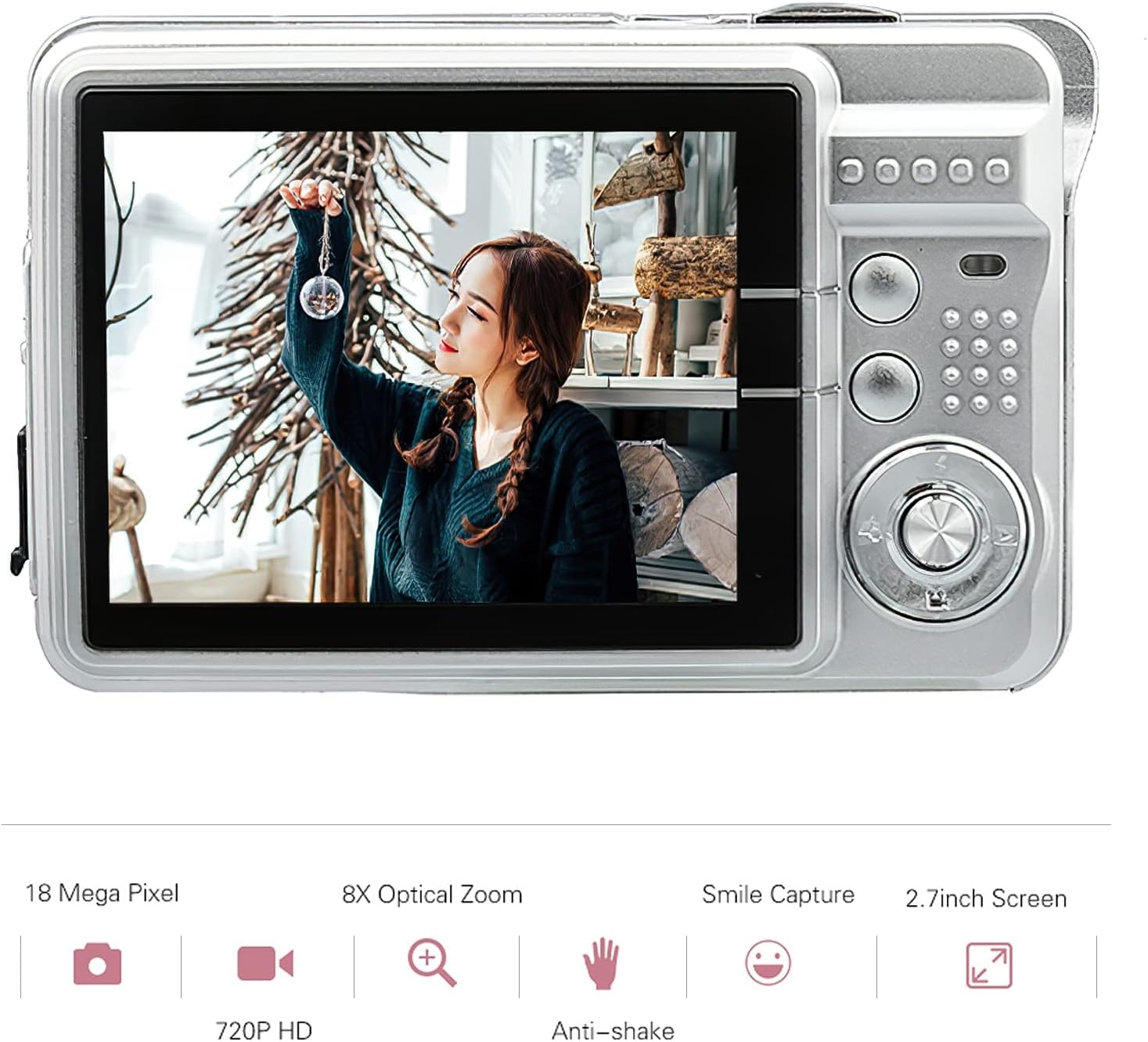
Irudia: Atzealdea view of the Andoer Digital Camera, featuring the 2.7-inch TFT display and various control buttons on the right side.
The camera features a 2.7-inch TFT display for viewing photos and videos, along with intuitive controls for navigation and settings adjustment.
4. Konfigurazioa
4.1 Bateria kargatzea
- Open the battery compartment cover on the side of the camera.
- Insert the provided Lithium battery (3.7V 550mAh) into the compartment, ensuring correct polarity.
- Itxi bateriaren konpartimenduaren estalkia ondo.
- Connect the camera to a USB power source (e.g., computer, USB wall adapter) using the supplied USB charging cable.
- The charging indicator light will illuminate. Charging is complete when the light turns off or changes color (refer to camera display for battery status).
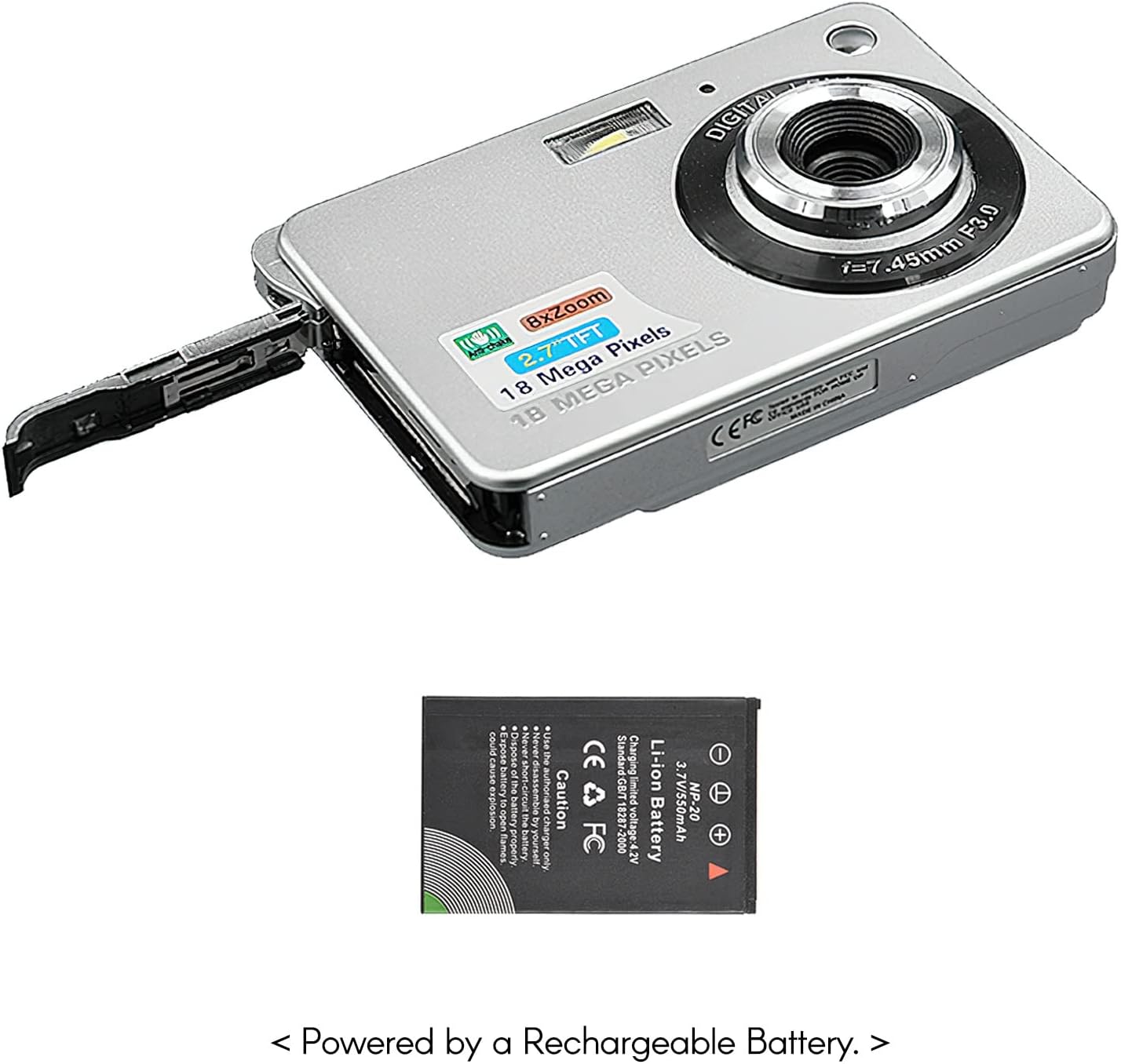
Irudia: Albokoa view of the camera with the battery compartment open, illustrating how to insert the rechargeable lithium battery.
4.2 Inserting a Memory Card (Not Included)
This camera supports SD memory cards up to 32GB. A memory card is required to save photos and videos.
- Bilatu memoria txartelaren zirrikitua, normalean bateriaren konpartimentuaren ondoan.
- Insert the SD card with the metal contacts facing down (or as indicated by the diagram near the slot) until it clicks into place.
- Txartela astiro-astiro ateratzeko, atera arte bultzatu.
5. Funtzionamendu-argibideak
5.1 Piztu/Itzaltzea
Sakatu eta eutsi pizteko botoiari (normalean goialdean edo alboan dago) kamera pizteko edo itzaltzeko.
5.2 Argazkiak ateratzea
- Piztu kamera.
- Frame your shot using the 2.7-inch TFT display.
- Press the Shutter button (typically on top) halfway down to focus, then press fully to capture the image.

Image: The camera's screen showing a captured image, demonstrating the 18 Megapixel photo capability.
5.3 Bideoak grabatzea
- Piztu kamera.
- Switch to video recording mode (usually via a mode button or menu option).
- Press the Record button (often marked with a red dot) to start recording. Press again to stop.

Image: The camera's screen displaying a video playback, illustrating its 720P high-definition video recording function.
5.4 Zoom digitala
The camera features 8X digital zoom. Use the zoom buttons (often labeled 'W' for Wide and 'T' for Telephoto) to adjust the zoom level.

Image: A visual representation of the 8x digital zoom capability, showing a scene at 1x magnification and then zoomed in at 8x.
5.5 Menu Nabigazioa
Press the 'Menu' button to access camera settings. Use the directional buttons to navigate and the 'OK' or 'Set' button to confirm selections. Available settings include:
- Tenporizadorea: Off/ 2 sec/ 5 sec/ 10 sec
- Esposizio: EV-3 to EV+3
- Zurien balantzea: Auto/ Daylight/ Cloudy/ Incandescent/ Fluorescent
- Eszena moduak: Auto/ Night Portrait/ Night Scenery/ Portrait/ Scenery/ Sport/ Party/ Beach/ High sensitivity
- Beste ezaugarri batzuk: Anti-Shake, Face Detect, Smile Capture
6. Mantentzea
6.1 Kamera garbitzea
- Erabili zapi leun eta lihorik gabeko bat kameraren gorputza garbitzeko.
- For the lens and screen, use a specialized lens cleaning cloth and solution if necessary. Avoid abrasive materials.
- Do not use organic solvents to clean the camera.
6.2 Bateria zaintzea
- Bateria guztiz kargatu lehen erabili aurretik.
- Kamera denbora luzez erabiliko ez baduzu, kendu bateria.
- Gorde bateriak leku fresko eta lehor batean.
7. Arazoak
| Arazoa | Kausa posiblea | Irtenbidea |
|---|---|---|
| Kamera ez da pizten. | Bateria agortuta dago edo gaizki sartuta dago. | Kargatu bateria. Ziurtatu bateria polaritate zuzenarekin sartuta dagoela. |
| Ezin dira argazkiak atera/bideoak grabatu. | No memory card inserted or card is full/corrupted. | Insert a compatible SD card. Delete unnecessary files or format the card (this will erase all data). |
| Irudiak lausoak dira. | Lens is dirty, insufficient light, or camera shake. | Clean the lens. Use the flash in low light. Hold the camera steady or use anti-shake feature. |
| Kamera blokeatu egiten da edo ez du erantzuten. | Softwarearen aldi baterako akatsa. | Kendu bateria eta sartu berriro kamera berrezartzeko. |
8. Zehaztapenak
| Ezaugarri | Xehetasuna |
|---|---|
| Eredua | IAT4319650447530BC |
| Irudi-sentsorea | CMOS sentsorea |
| Bistaratzea | 2.7 hazbeteko TFT LCD |
| Argazki Ebazpena | 18 megapixelera arte |
| Bideo Ebazpena | 1280x720 (720P), 720x480, 640x480 (VGA), 320x240 (QVGA) |
| Zoom digitala | 8X |
| Irudi Egonkortzea | Astinduaren aurkako digitala |
| Esposizio-konpentsazioa | EV-3 to EV+3 |
| Zurien Balantzea | Auto/ Daylight/ Cloudy/ Incandescent/ Fluorescent |
| File Formatua | JPEG (Photo), AVI (Video) |
| Biltegiratze euskarria | SD txartela (gehienez 32 GB, ez dago barne) |
| Elikatze Hornidura | 1 * Lithium battery (3.7V 550mAh) |
| Onartutako Sistema | Windows XP, VISTA, WIN7, MAC |
| Elementuaren tamaina | 9 * 6 * 2 cm / 3.5 * 2.4 * 0.8in |
| Elementuaren pisua | 90g / 3.2oz |
9. Bermea eta Laguntza
Andoer products are designed and manufactured to the highest quality standards. For warranty information and customer support, please refer to the documentation provided at the time of purchase or visit the official Andoer webgunea.
If you encounter any issues not covered in this manual, please contact Andoer customer service for assistance.
Oharra: zehaztapenak aldez aurretik jakinarazi gabe alda daitezke.