
1. Sarrera
Thank you for choosing the 4Patriots 40-Watt Portable Solar Panel. This device is designed to provide a compact and reliable power source for your electronic devices using solar energy. It is ideal for outdoor activities such as camping, hiking, and RV trips, offering an eco-friendly way to keep your essential gadgets charged.
2. Segurtasun informazioa
- Do not attempt to disassemble or modify the solar panel.
- Avoid exposing the panel to extreme temperatures, fire, or corrosive materials.
- Keep the panel dry. Do not immerse it in water.
- Handle the panel with care to prevent damage to the solar cells.
- Ensure proper ventilation when operating in enclosed spaces.
- Mantendu haurren eskura.
3. Paketearen edukia
Egiaztatu elementu guztiak zure paketean daudela:
- 4Patriots 40-Watt Portable Solar Panel
- Integrated carrying case
4. Produktua amaitu daview
The 4Patriots 40-Watt Portable Solar Panel is designed for convenience and efficiency. It features multiple foldable panels that collapse into a compact, laptop-sized carrying case. The panel includes a USB port for direct charging of compatible devices.

Image: The 4Patriots 40-Watt Portable Solar Panel shown both unfolded, revealing the solar cells, and folded into its compact carrying case with the 4Patriots logo.
5. Konfigurazioa eta funtzionamendua
5.1 Eguzki-panela zabaltzea
- Jarri eguzki-panel tolestua gainazal lau eta egonkor batean.
- Unfold the panels completely, ensuring all solar cells are exposed to direct sunlight.
- Angle the panel towards the sun for optimal charging efficiency.
5.2 Gailuak konektatzea

Irudia: Gertutik view of a hand plugging a USB charging cable into the integrated USB port located within the solar panel's carrying case flap.
- Locate the USB charging port on the solar panel (typically found within the storage flap).
- Connect your device's USB charging cable to the solar panel's USB port.
- Konektatu kablearen beste muturra zure gailu elektronikora.
- Ensure the solar panel is in direct sunlight. Charging will begin automatically.
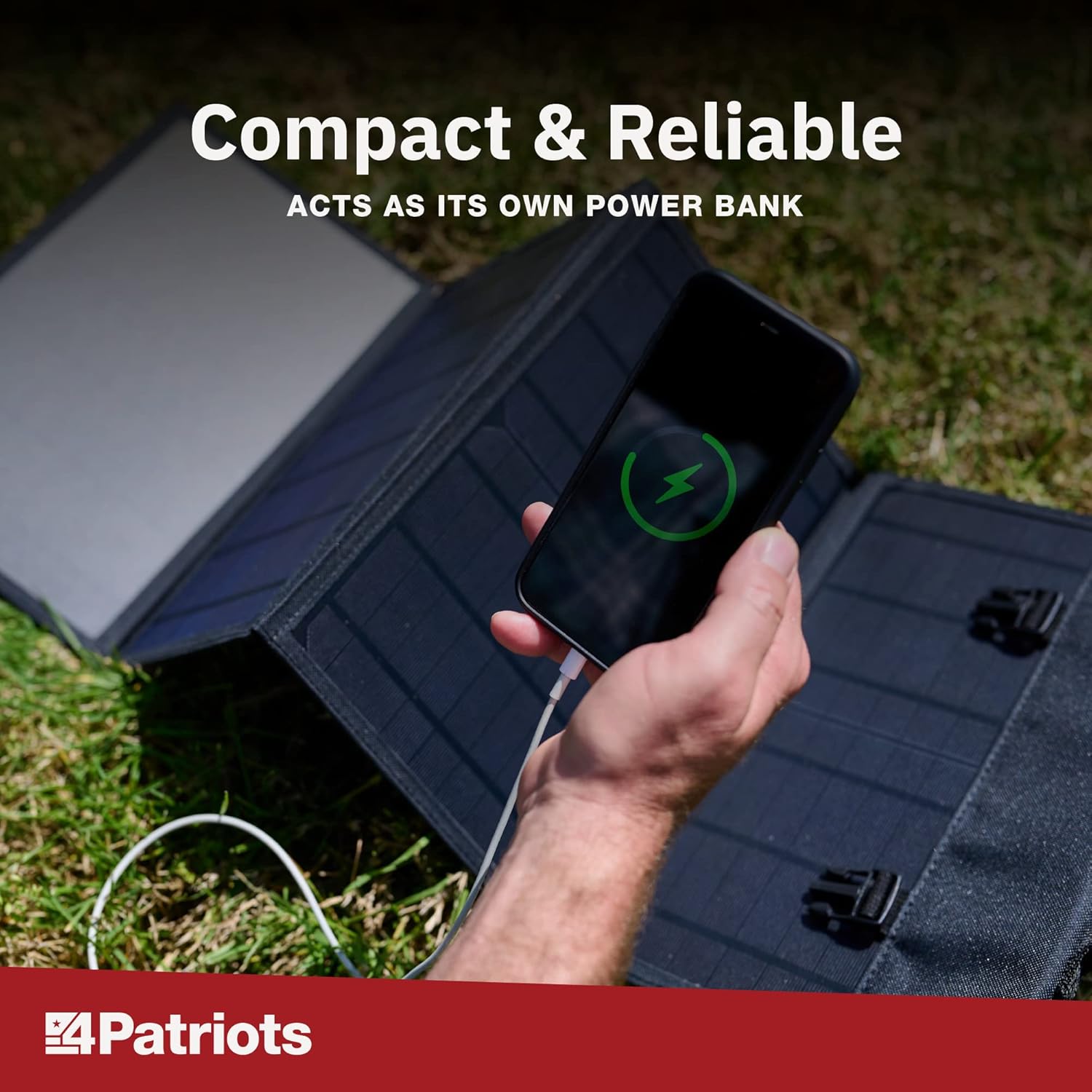
Image: A smartphone is shown charging, with a green lightning bolt icon on its screen, while connected to the unfolded 4Patriots solar panel on a grassy surface.
5.3 Gailuen bateragarritasuna
The 4Patriots 40-Watt Solar Panel is compatible with a wide range of USB-powered devices, including:
- Smartphoneak
- Tabletak
- GPS gailuak
- Irratiak
- Linternak
- Laptops (depending on power requirements and specific charging cables)

Image: A graphic titled 'Charge Devices' showing icons for a mobile phone, laptop, CPAP machine, tablet, mini-fridge, and television, indicating the versatility of the solar panel for various electronics.
It can also be used in conjunction with the Patriot Power Sidekick mini solar generator for enhanced portable power solutions.

Image: The 4Patriots 40-Watt solar panel is shown unfolded on the ground, next to a Patriot Power Sidekick portable power station, demonstrating compatibility.
6. Mantentzea
- Garbiketa: Garbitu eguzki-panelak aldizka zapi leun eta lehor batekinamp zapi batekin hautsa, zikinkeria edo eraginkortasuna murriztu dezaketen hondakinak kentzeko. Ez erabili produktu kimiko gogorrik edo material urratzailerik.
- Biltegiratzea: When not in use, fold the solar panel and store it in a cool, dry place away from direct sunlight and extreme temperatures.
- Ikuskapena: Periodically inspect the panel and cables for any signs of damage or wear.
7. Arazoak
- Gailua ez da kargatzen:
- Ensure the solar panel is in direct, unobstructed sunlight. Shading can significantly reduce power output.
- Verify that the USB cable is securely connected to both the solar panel and your device.
- Test with a different USB cable or device to rule out cable or device issues.
- Check if the device requires more power than the 40-watt panel can provide.
- Karga motela:
- Egokitu panelaren angelua eguzkiari zuzenean begira egon dadin.
- Clean the surface of the solar cells to remove any dirt or dust.
- Charging speed can be affected by cloud cover, time of day, and geographical location.
- Panel appears damaged:
- Utzi berehala erabiltzea.
- Jarri harremanetan bezeroarentzako laguntza eskatzeko.
8. Zehaztapenak
| Ezaugarri | Zehaztapena |
|---|---|
| Marka | 4Abertzaleak |
| Ereduaren izena | 40W |
| Wattage | 40 Watt |
| liburukiatage | 18 Volt |
| Energia iturria | Eguzki-energia |
| Elementuaren pisua | 4 kilo |
| Produktuaren neurriak (tolestuta) | Approximately 43.1 x 1.1 x 12.9 inches (unfolded dimensions not specified, but implied by folded size) |
| Dakarten osagaiak | Kasua |
| Irteera Wattage | 40 Watt |
| Guztizko elektrizitate-hartuneak | 1 (USB Port) |
9. Bermea eta Laguntza
4Patriots offers a 365-day money-back promise for this portable solar power source. If you are not satisfied with your purchase within 365 days, you may contact 4Patriots for a refund of your purchase price, no questions asked.
For further assistance, technical support, or warranty claims, please refer to the contact information provided with your product packaging or visit the official 4Patriots webgunea.


