
Be Cool BC121TU2201F
Be Cool 121 cm Tower Fan User Manual
Model: BC121TU2201F
Sarrera
Thank you for choosing the Be Cool 121 cm Tower Fan. This manual provides important information regarding the safe operation, assembly, maintenance, and troubleshooting of your new appliance. Please read this manual thoroughly before use and keep it for future reference.

Irudia: Aurrealdea view of the Be Cool 121 cm Tower Fan in white, showcasing its sleek design and tall profile.
Segurtasun informazio garrantzitsua
- Ziurtatu beti haizagailua gainazal egonkor eta lau batean jartzen dela, iraultzea saihesteko.
- Do not insert fingers or any objects into the fan grilles.
- Deskonektatu haizagailua entxufetik garbitu edo mantentze-lanak egin aurretik.
- Mantendu haizagailua uretatik eta hezetasun handiko inguruneetatik urrun.
- Ez erabili haizagailua kablea edo entxufea hondatuta badago. Jarri harremanetan zerbitzu-langile kualifikatuekin konponketa egiteko.
- Etxetresna hau barrualdean erabiltzeko soilik da.
Paketearen edukia
Irekitzean, egiaztatu paketearen edukia elementu guztiak daudela eta kalterik ez dutela ziurtatzeko:
- Be Cool 121 cm Tower Fan Unit
- Base (two halves)
- Urrutiko agintea (CR2430 bateria 1 barne)
- Erabiltzailearen eskuliburua
- Mounting Screws for Base
Konfigurazioa eta Muntaketa
Follow these steps to assemble your Be Cool Tower Fan:
- Carefully remove all packaging materials from the fan unit and its components.
- Take the two halves of the base and align them. They should snap together or fit snugly.
- Place the main fan unit onto the assembled base, ensuring the alignment tabs or slots match.
- Secure the fan unit to the base using the provided screws. Typically, these are tightened from the underside of the base.
- Place the assembled fan on a firm, level surface.
- Insert the CR2430 battery into the remote control if not already pre-installed.
- Entxufatu kablea entxufe elektriko estandar batera (220 V).

Irudia: Albokoa view of the Be Cool Tower Fan, illustrating its slim profile and stable circular base.
Funtzionamendu-argibideak
Your Be Cool Tower Fan can be operated using the touch control panel on top of the unit or the included remote control.
Kontrol-panela eta LED pantaila
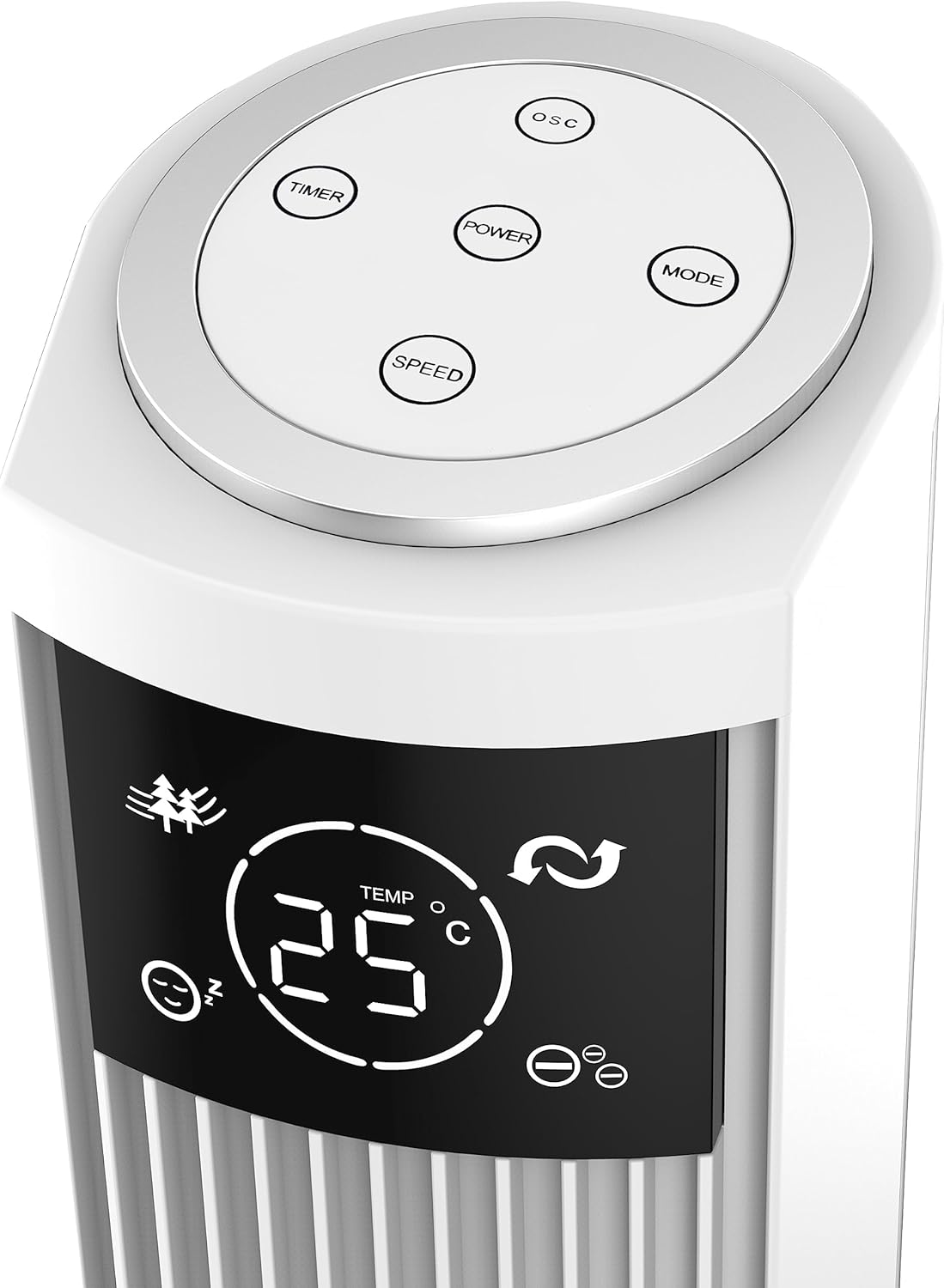
Image: Close-up of the fan's top control panel, showing the touch buttons for Power, Speed, Timer, Oscillation, and Mode.
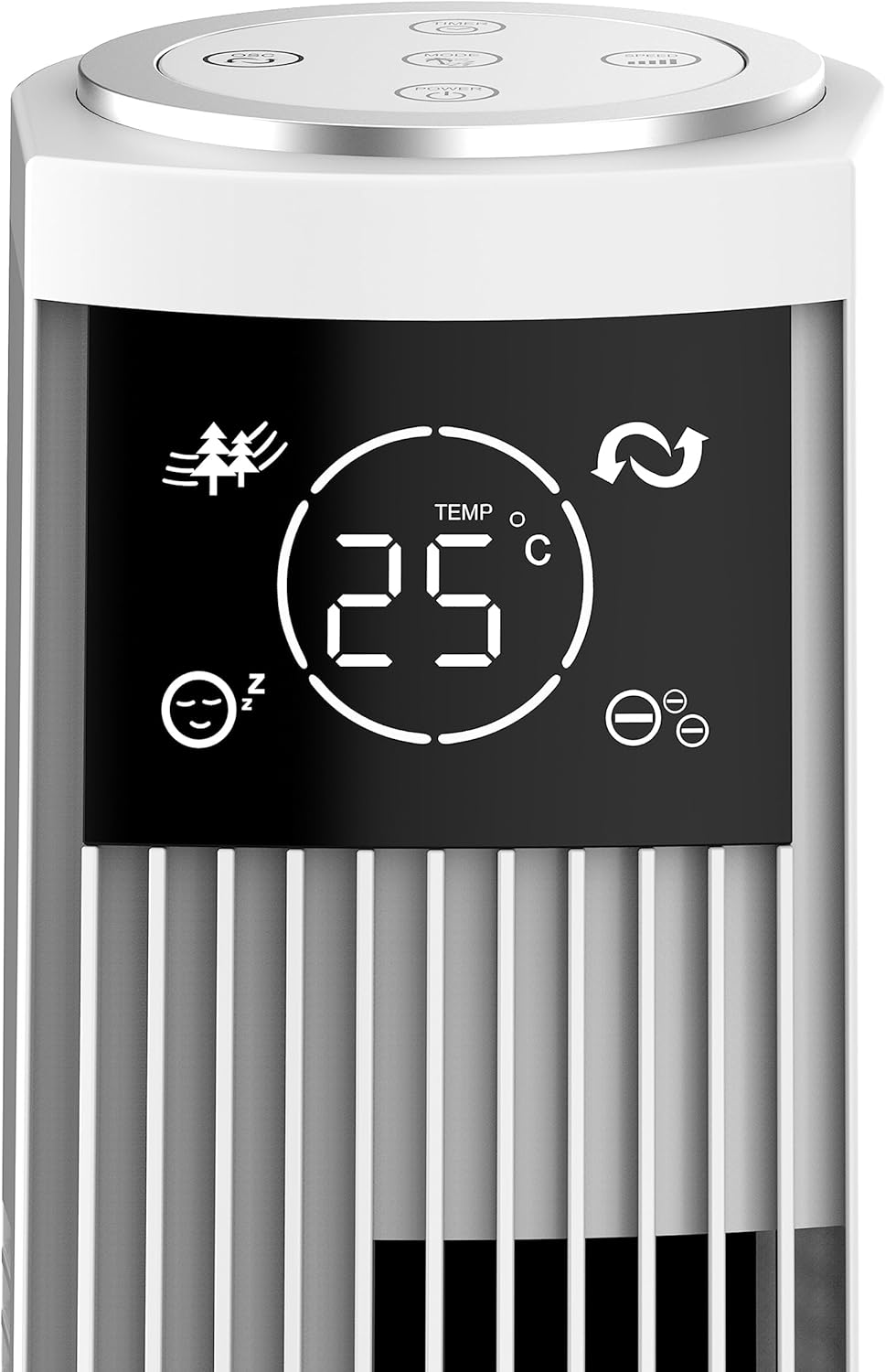
Irudia: Xehetasun handikoa view of the fan's LED display, showing temperature, mode icons (Nature, Sleep), and oscillation indicator.
The LED display shows the current room temperature and active settings. The touch-sensitive buttons allow for easy control of all functions.
Urruneko Kontrola

Image: The remote control for the Be Cool Tower Fan, featuring buttons for Power, Speed, Oscillation, Ionizer, Timer, and Mode.
Urrutiko aginteari esker, haizagailuaren funtzio guztietarako sarbide erraza dago urrutitik.
- POTENTZIA: Haizagailua piztu edo itzaltzen du.
- ABIADURA: Cycles through fan speeds: Low, Medium, High.
- OSC (Oszilazioa): Activates or deactivates the oscillating function, allowing the fan to rotate from side to side to distribute air.
- ION (Ionizer): Turns the ionizer function On or Off. The ionizer helps to purify the air by releasing ioi negatiboak.
- TEMPORIZATORIA: Sets the automatic shut-off timer. Press repeatedly to cycle through 1-hour increments, up to 12 hours.
- JARRAIBIDEAK: Cycles through different wind modes:
- Modu normala: Hautatutako abiaduran aire-fluxu konstantea.
- Natura modua: Haize naturala simulatzen du haizagailuaren abiadura aldatuz.
- Lo egiteko modua: Loaldian funtzionamendu isila izan dezan, haizagailuaren abiadura pixkanaka jaisten da denboran zehar.
Mantentzea
Mantentze-lan erregularrak zure haizagailuaren errendimendu optimoa eta iraupen luzea bermatzen ditu.
Garbiketa
- Deskonektatu beti haizagailua garbitu aurretik.
- Erabili biguna, damp zapi bat haizagailuaren kanpoko gainazalak garbitzeko. Ez erabili garbitzaile edo disolbatzaile urratzailerik.
- Use a vacuum cleaner with a brush attachment to gently clean dust from the air inlet and outlet grilles.
- Ez murgildu haizagailua uretan eta ez utzi ura isurtzen motorraren karkasan.
Biltegiratzea
Denbora luzez erabiltzen ez baduzu, gorde haizagailua leku fresko eta lehor batean, hobe jatorrizko ontzian, hautsetik eta kalteetatik babesteko.
Arazoak konpontzea
Zure haizagailuarekin arazoak badituzu, jo ezazu honako arazo eta irtenbide ohikoenei:
| Arazoa | Kausa posiblea | Irtenbidea |
|---|---|---|
| Haizagailua ez da pizten. | No power supply; power cord not plugged in; power outlet faulty. | Ziurtatu haizagailua behar bezala konektatuta dagoela funtzionatzen duen entxufe elektriko batera. Egiaztatu zirkuitu-hauslea. |
| Aire fluxu ahula. | Fan speed set too low; air inlets/outlets blocked by dust. | Increase the fan speed. Clean the air grilles as per maintenance instructions. |
| Haizagailuak zarata ezohikoa egiten du. | Fan not on a stable surface; foreign object inside; internal component issue. | Place the fan on a stable, flat surface. Unplug and check for any obstructions. If noise persists, contact customer support. |
| Urruneko kontrola ez dabil. | Bateria agortuta edo gaizki sartuta; urrutiko agintea irismenetik kanpo. | Replace the battery (CR2430). Ensure the remote is pointed towards the fan's receiver and within range. |
If the problem persists after trying these solutions, please contact Be Cool customer support for assistance.
Zehaztapenak
| Ezaugarri | Xehetasuna |
|---|---|
| Marka | Izan Cool |
| Modelo zenbakia | BC121TU2201F |
| Kolorea | Zuria |
| Neurriak (produktua) | 31.5S x 31.5Z x 121A cm |
| Pisua | 3.5 kilogramo |
| Boterea | 45 Watt |
| liburukiatage | 220V |
| Materiala | Plastikoa |
| Abiadura kopurua | 3 (Baxua, Ertaina, Altua) |
| Ezaugarri bereziak | Ionizer, LED Display, Oscillation, Timer (up to 12h), Remote Control |
| Kontrolagailu mota | Urrutiko agintea, ukipen-panela |
| Energia iturria | Sare elektrikoa |
Bermea eta Laguntza
Your Be Cool Tower Fan comes with a manufacturer's warranty. Please refer to the warranty card included with your product for specific terms and conditions. For technical support, spare parts, or any inquiries not covered in this manual, please contact Be Cool customer service through their official webgunea edo erosketa-agirian emandako harremanetarako informazioa.
Ask a question about this manual
Ask about setup, troubleshooting, compatibility, parts, safety, or missing instructions. Manuals+ will review the question and use this page’s manual context to help answer it.