
1. Sarrera
Thank you for choosing the FLEXISPOT EF1 Basic Plus Electric Height-Adjustable Desk. This manual provides essential information for the safe and efficient assembly, operation, and maintenance of your new desk. Please read these instructions thoroughly before use and retain them for future reference.
Segurtasun-abisuak
- Always follow the assembly instructions carefully to prevent accidents and ensure proper function.
- Do not exceed the maximum load capacity of 70 kg (154 lbs) on the desktop. Overloading can compromise stability and cause damage.
- To prevent tipping, especially when the desk is at its maximum height (121 cm), ensure the desk is anchored correctly to a stable wall.
- Keep children and pets away from the desk during operation to avoid injury from moving parts.
- Ensure there are no obstructions in the desk's path during height adjustment.
- Ez eseri edo zutik jarri mahaian.
- Deskonektatu korrontea garbiketa edo mantentze-lanak egin aurretik.
2. Konfigurazioa eta Muntaketa
The FLEXISPOT EF1 Basic Plus desk requires assembly. Please ensure all components are present before beginning. Refer to the included assembly guide for detailed step-by-step instructions.
Despaketatzea eta osagaien egiaztapena
Carefully unpack all parts and lay them out on a soft, clean surface to prevent scratches. Verify that all components listed in the packing list are present.
Muntaketa amaitu daview
- Attach the lifting columns to the desk feet.
- Konektatu zeharkako zutabea altxatzeko zutabeetara.
- Lotu mahaigaina muntatutako markoari.
- Install the control panel and cable management tray (if included).
- Connect all motor and control cables according to the wiring diagram.
- Sartu korronte-kablea lurreko hartune batera.

1. irudia: The FLEXISPOT EF1 Basic Plus Electric Height-Adjustable Desk with a black tabletop and white frame, set up in a home office environment.

2. irudia: This image illustrates the smooth, single-piece desktop construction of the FlexiSpot desk, contrasting it with typical multi-piece desktops that may have uneven surfaces.

3. irudia: An illustrative diagram detailing various desktop size and color options, along with key specifications for the desk frame, including adjustable height range, static and dynamic load capacities, and lifting noise levels.
3. Funtzionamendu-argibideak
Kontrol-panela amaitu daview

4. irudia: Xehetasun bat view of the desk's Smart Control Panel, highlighting the LED display, the up and down adjustment buttons, and four numbered buttons for memory presets.
The desk is equipped with an advanced all-in-one keypad for easy height adjustment and memory functions.
- LED pantaila: Shows the current desk height in centimeters.
- Gora/Behera botoiak (⌃ / ⌄): Sakatu eta eutsi mahaiaren altuera eskuz gora edo behera doitzeko. Askatu botoia nahi den altueran gelditzeko.
- Memoria aurrezarpenak (1, 2, 3, 4): Four programmable buttons to save and recall your preferred sitting and standing heights.
Memoria aurrezarpenak ezartzea
- Egokitu mahaia nahi duzun altuerara Gora/Behera botoiak erabiliz.
- Press the "M" or "SET" button (if available, otherwise proceed to step 3) to activate memory mode.
- Press one of the numbered preset buttons (1, 2, 3, or 4) within 3 seconds. The LED display will show "S-1", "S-2", etc., indicating the height has been saved to that preset.
Memoria aurrezarpenak berreskuratzea
Simply press the desired numbered preset button (1, 2, 3, or 4). The desk will automatically move to the saved height.
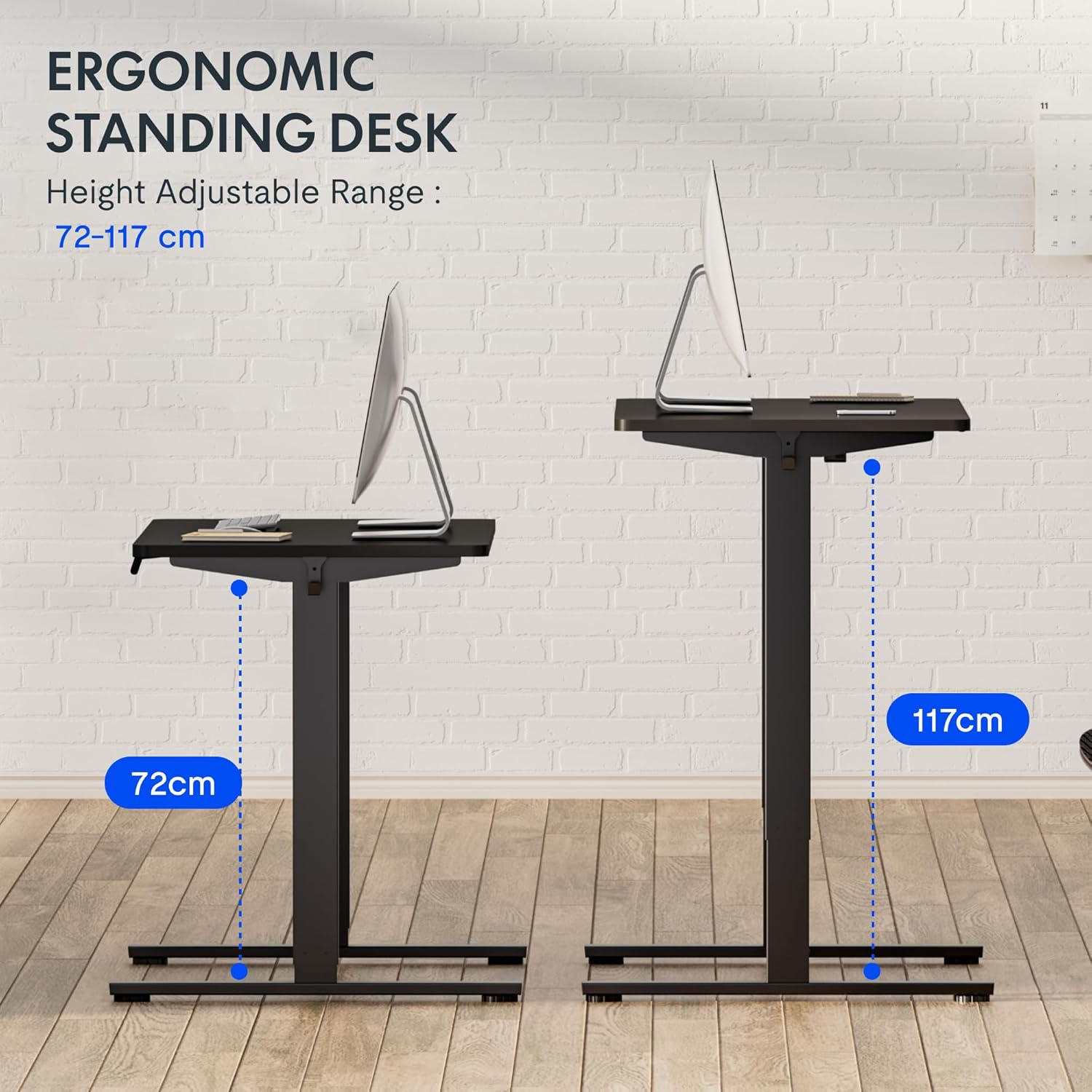
5. irudia: This image demonstrates the height adjustment capabilities of the desk, showing a range from 72 cm (sitting height) to 117 cm (standing height). Note that the full adjustable range for this model is 71 cm to 121 cm.
4. Mantentzea
Regular maintenance ensures the longevity and optimal performance of your FLEXISPOT desk.
- Garbiketa: Garbitu mahaigaina eta markoa zapi leun batekinamp oihal. Saihestu garbitzaile urratzaileak edo akabera kaltetu dezaketen produktu kimiko gogorrak.
- Kableen kudeaketa: Periodically check and organize cables to prevent tangles and ensure smooth operation.
- Ikuskapena: Regularly inspect all screws and bolts to ensure they are tight. Retighten if necessary.
- Lubrifikazioa: The lifting columns are generally maintenance-free. Do not attempt to lubricate internal components unless specifically instructed by customer support.
5. Arazoak
If you encounter any issues with your desk, refer to the following common problems and solutions.
| Arazoa | Kausa posiblea | Irtenbidea |
|---|---|---|
| Mahaia ez da mugitzen. |
|
|
| Mahaia modu irregularrean mugitzen da edo zarata ezohikoak egiten ditu. |
|
|
| Errore kodea LEDean agertzen da. |
|
|
Berrezarri prozedura
If the desk is not functioning correctly, a reset may resolve the issue.
- Press and hold the "Down" button until the desk reaches its lowest position and slightly retracts, then releases.
- If this does not initiate a reset, unplug the desk from the power outlet for at least 10 seconds, then plug it back in.
- Repeat step 1. The desk should now be reset.
6. Zehaztapenak
| Marka | FLEXISPOT |
| Modelo zenbakia | HU-XI-201 |
| Desktop Dimensions (L x W x Thickness) | 120 x 80 x 2.5 cm |
| Adjustable Height Range (without tabletop) | 71 cm - 121 cm |
| Max Lifting Speed | 2.5 cm/s |
| Gehienezko Karga Edukiera | 70 kg (154 lb) |
| Lifting Noise Level | <50 dB |
| Mahaigaineko materiala | Engineered Wood (MDF) with High-Pressure Laminate |
| Markoaren materiala | Hautsez estalitako altzairua |
| Kolorea | Black tabletop + White frame |
| Ezaugarriak | Electric height adjustment, 4 memory presets |
7. Bermea eta Laguntza
Bermearen informazioa
FLEXISPOT stands behind the quality of its products. Your EF1 Basic Plus desk comes with the following warranty:
- 3 urteko bermea: Covers controllers and motors.
- 5 urteko bermea: Covers the desk frame.
Please retain your proof of purchase for warranty claims. The warranty covers manufacturing defects under normal use. It does not cover damage caused by misuse, accidents, unauthorized modifications, or failure to follow the instructions in this manual.

6. irudia: An image outlining the warranty coverage for FlexiSpot desks, specifically mentioning a 3-year warranty for controllers and motors, and a 5-year warranty for the desk frame.
Bezeroarentzako Arreta
For technical assistance, warranty claims, or any questions regarding your FLEXISPOT EF1 Basic Plus desk, please contact FLEXISPOT customer support.
Webgunea: www.flexispot.com (edo eskualdeko baliokidea)
Posta elektronikoa: Refer to your purchase documentation or the official FlexiSpot webharremanetarako helbide elektronikorako gunea.
Telefonoa: Refer to your purchase documentation or the official FlexiSpot webharremanetarako telefono zenbakirako gunea.