
BOGASING S8 PRO
BOGASING S8 Pro Portable Wireless Bluetooth Speaker User Manual
Modeloa: S8 PRO
Brand: BOGASING
Produktua amaituview
BOGASING S8 Pro is a portable wireless Bluetooth speaker designed to deliver high-fidelity audio with versatile connectivity options. It features a robust metal construction, multiple sound modes, and True Wireless Stereo (TWS) pairing capability for an enhanced listening experience.

1. irudia: Aurrealdea view BOG-koASING S8 Pro Portable Wireless Bluetooth Speaker, showcasing its sleek black design and control buttons on top.
Ezaugarri nagusiak
- 2 bideko bozgorailu sistema: Equipped with two 20W full-range drivers and two 10W tweeters, complemented by a passive radiator for intensified bass.
- Three Sound Effects (EQ Modes): Customize your audio experience with 3D Stereo, Vocal, or Enhanced Bass modes.
- Diseinu sendoa eta iraunkorra: Constructed with an aviation-grade aluminum alloy metal body for enhanced durability.
- Wireless Wireless Stereo (TWS): Pair two S8 Pro speakers for a truly immersive surround sound experience and double the volume.
- Iraunkorra eta eramangarria: IPX7 waterproof rating protects against splashes, rain, and spills, making it suitable for outdoor use.
- Bateragarritasun bikaina: Features Bluetooth 5.0 for stable connections up to 100 ft, and supports non-Bluetooth devices via TF card slot and 3.5mm AUX input.
- Jolasaldi luzea: Integrated 6000mAh battery provides up to 15 hours of continuous music playback.
Kutxan dagoena
Upon unboxing your BOGASING S8 Pro speaker, please ensure all the following items are present:
- 1 x BOGASING S8 Pro Bluetooth speaker
- 1 x 3.5 mm-ko audio-kablea
- 1 x USB-C kargatzeko kablea
- 1 x Erabiltzailearen eskuliburua (dokumentu hau)
Product Layout and Controls
Familiarize yourself with the speaker's physical components and control buttons.

Figure 2: Top panel of the BOGASING S8 Pro, showing the power, play/pause, mode, volume down, and volume up buttons.
Botoiaren funtzioak:
- Pizteko botoia (⏻): Sakatu eta eutsi pizteko/itzaltzeko. Sakatu labur bateriaren egoera egiaztatzeko.
- Erreproduzitu/Pausatu botoia (▶‖): Short press to play or pause music. Short press to answer/end calls. Long press to reject calls.
- Modu botoia (M): Short press to switch between Bluetooth, TF Card, and AUX modes. Long press to cycle through EQ modes (3D Stereo, Vocal, Enhanced Bass).
- Volume Down Button (-): Sakatu labur bolumena jaisteko. Sakatu luze aurreko abestira joateko.
- Volume Up Button (+): Sakatu labur bolumena igotzeko. Sakatu luze hurrengo abestirako.
LED adierazleak:
- Bateriaren adierazle argiak: Located on the top panel, these lights indicate the current battery level and charging status.
- Bluetooth adierazlea: A blue LED light indicates Bluetooth pairing status.
Konfigurazio Gida
1. Hasierako kargatzea
Before first use, fully charge the speaker. Connect the provided USB-C charging cable to the speaker's charging port and the other end to a USB power adapter (not included) or a computer's USB port. The LED battery indicators will show charging progress and turn off when fully charged.
2. Piztu/Itzaltzea
Pizteko, eduki sakatuta Pizteko botoia (⏻) for approximately 2-3 seconds until you hear an audible prompt. To power off, press and hold the Pizteko botoia (⏻) again for 2-3 seconds.
3. Bluetooth parekatzea
- Ensure the speaker is powered on and in Bluetooth mode (indicated by a flashing blue LED). If not, short press the Modu botoia (M) Bluetooth modura aldatzeko.
- Zure gailuan (telefono adimenduna, tableta, ordenagailua), gaitu Bluetooth eta bilatu eskuragarri dauden gailuak.
- Hautatu "BOGASING S8 Pro" aurkitutako gailuen zerrendatik.
- Once connected, the blue LED indicator will stop flashing and remain solid, and you will hear a confirmation sound.
4. Benetako haririk gabeko estereoa (TWS) parekatzea
For an enhanced stereo experience, you can pair two BOGASING S8 Pro speakers together.
- Ensure both S8 Pro speakers are powered on and not connected to any Bluetooth device.
- Bozgorailuetako batean (hau izango da bozgorailu nagusia), sakatu luze botoia Play/Pause Button (▶‖) for 3-5 seconds until you hear a pairing tone.
- The two speakers will automatically search for and connect to each other. Once connected, you will hear a confirmation sound, and the LED indicators on both speakers will change to a solid blue.
- Orain, konektatu gailua bozgorailu nagusira Bluetooth bidez, 3. urratsean azaldu bezala. Bi bozgorailuek audioa estereoan erreproduzituko dute.
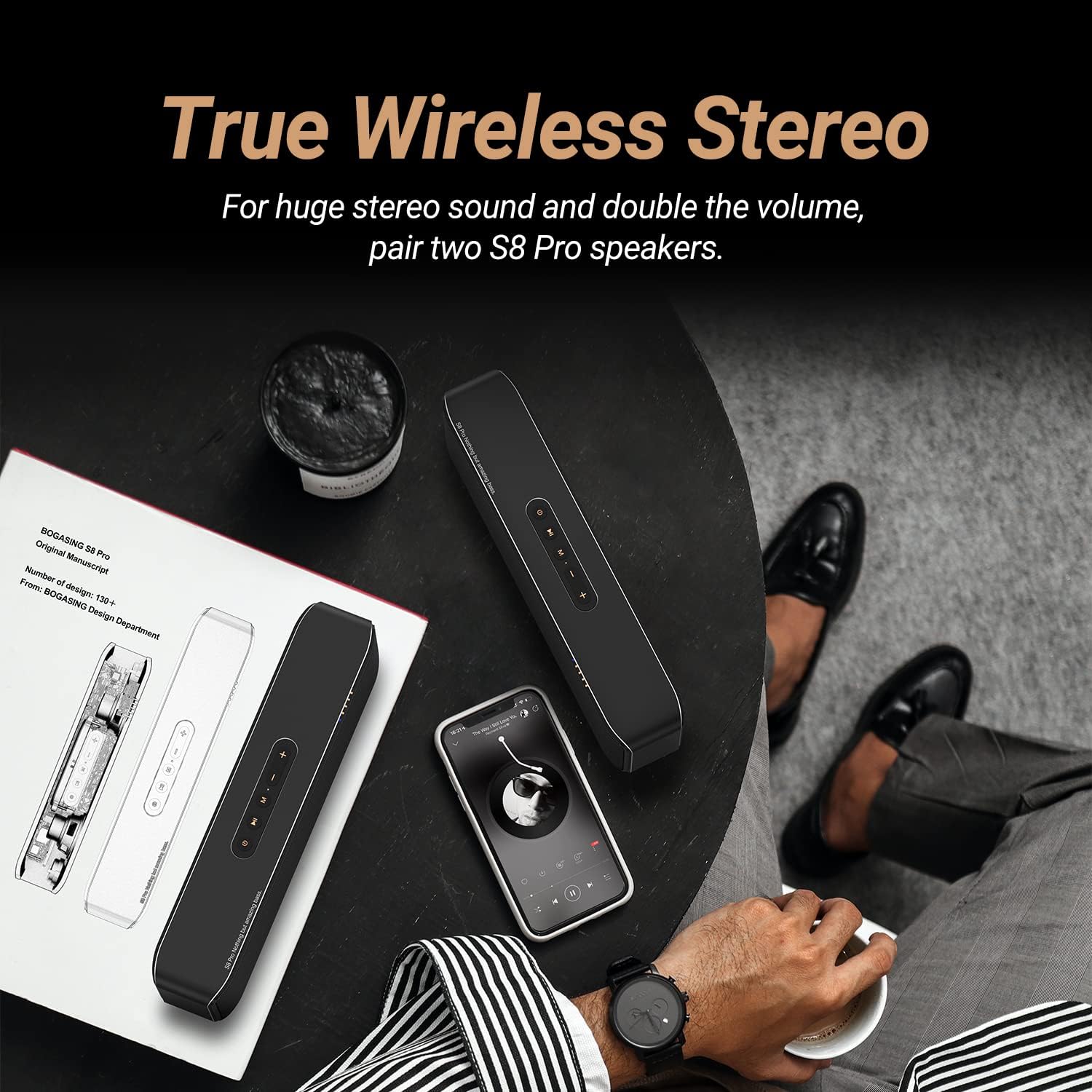
Figure 3: Illustration of two BOGASING S8 Pro speakers connected via True Wireless Stereo (TWS) for a wider soundstage.
5. AUX sarreraren bidez konektatzea
Use the included 3.5mm audio cable to connect the speaker to devices without Bluetooth capability.
- Konektatu 3.5 mm-ko audio kablearen mutur bat bozgorailuaren AUX atakara.
- Konektatu beste muturra zure gailuaren audio irteerako konektorera.
- The speaker will automatically switch to AUX mode. If not, short press the Modu botoia (M) AUX modua hautatzeko.
6. Playing from TF Card
Sartu TF (microSD) txartel bat zure musikarekin files into the TF card slot on the speaker. The speaker will automatically switch to TF card mode and begin playing. If not, short press the Modu botoia (M) TF txartelaren modua hautatzeko.
Funtzionamendu-argibideak
Adjusting Volume and Skipping Tracks
- Bolumena igo: Sakatu laburra + botoia.
- Bolumena jaitsi: Sakatu laburra - botoia.
- Hurrengo ibilbidea: Luze sakatu + botoia.
- Aurreko pista: Luze sakatu - botoia.
EQ moduak aldatzea
The S8 Pro offers three distinct sound equalization (EQ) modes to suit your listening preference. Long press the Modu botoia (M) modu hauetan zehar ziklatzeko:
- 3D estereoa: Provides an immersive, spacious sound experience.
- Ahotsa: Optimizes for clear and undistorted vocal reproduction.
- Baxu hobetua: Boosts low frequencies for a more powerful bass response.

Figure 4: Visual representation of the three distinct audio modes (3D Stereo, Vocal, Enhanced Bass) available on the S8 Pro speaker.
Esku libreko deiak
Mikrofono integratuari esker, Bluetooth bidez konektatuta zaudenean, bozgorailuaren bidez erantzun ditzakezu deiak zuzenean.
- Deia erantzun/amaitu: Sakatu laburra Play/Pause Button (▶‖).
- Deia baztertu: Luze sakatu Play/Pause Button (▶‖).
Mantentzea
Proper care and maintenance will ensure the longevity and optimal performance of your BOGASING S8 Pro speaker.
Garbiketa
Wipe the speaker with a soft, dry, lint-free cloth. Do not use abrasive cleaners, alcohol, benzene, or other chemical solvents, as these may damage the surface or internal components.
Urarekiko erresistentzia (IPX7)
The S8 Pro speaker has an IPX7 waterproof rating, meaning it can withstand immersion in water up to 1 meter for up to 30 minutes. While it is water-resistant, it is not designed for continuous underwater use. Ensure the charging port cover is securely closed before exposing the speaker to water to prevent damage.
Biltegiratzea
Store the speaker in a cool, dry place away from direct sunlight, extreme temperatures, and excessive humidity. If storing for an extended period, charge the battery to approximately 50% every few months to maintain battery health.
Arazoak konpontzea
If you encounter issues with your BOGASING S8 Pro speaker, refer to the following common problems and solutions:
| Arazoa | Kausa posiblea | Irtenbidea |
|---|---|---|
| Bozgorailuak ez du pizten. | Bateria baxua. | Kargatu bozgorailua guztiz emandako USB-C kablea erabiliz. |
| Ezin da Bluetooth bidez parekatu. | Bozgorailua ez dago parekatze moduan; gailuaren Bluetooth-a itzalita dago; bozgorailua beste gailu batera konektatuta dago dagoeneko. | Ensure speaker is in Bluetooth pairing mode (flashing blue LED). Turn Bluetooth on/off on your device. Disconnect from other devices. |
| Soinurik ez edo bolumen baxua. | Volume too low on speaker or device; incorrect input mode; cable not fully inserted (AUX). | Increase volume on both speaker and connected device. Press 'M' button to cycle through modes. Ensure AUX cable is fully inserted. |
| Soinu distortsionatua. | Volume too high; low battery; speaker too far from device. | Reduce volume. Charge the speaker. Move speaker closer to the Bluetooth device (within 100 ft). |
| TWS parekatzeak huts egin du. | Bozgorailuak beste gailu batzuetara konektatuta daude dagoeneko; parekatze prozedura okerra. | Ensure both speakers are disconnected from all devices before initiating TWS pairing. Follow TWS pairing steps carefully. |
Irtenbide hauek probatu ondoren arazoa konpontzen ez bada, jo ezazu laguntza atalera.
Zehaztapenak
Detailed technical specifications for the BOGASING S8 Pro Portable Wireless Bluetooth Speaker:
| Ereduaren izena | S8 PRO |
| Marka | BOGASING |
| Materiala | Metal (Aviation-grade aluminum alloy) |
| Produktuaren neurriak | 10.67"S x 2.87"Z x 2.09"A (27.1cm x 7.3cm x 5.3cm) |
| Elementuaren pisua | 2.18 libra (0.99 kg) |
| Hizlari mota | Kanpoko Bluetooth bozgorailu eramangarria |
| Bozgorailuaren konfigurazioa | 2 x 20W Full-range drivers, 2 x 10W Tweeters, Passive Radiator |
| Irteerako potentzia maximoa | 40 watt (guztira) |
| Konektibitate Teknologia | Bluetooth 5.0, 3.5mm AUX, TF Card Slot |
| Bluetooth barrutia | Gehienez 100 oin (30 metro) |
| Bateria mota | Litio ioia (6000 mAh) |
| Jolas-ordua | Gehienez 15 ordu (bolumenaren eta edukiaren arabera aldatzen da) |
| Iragazgaitzaren balorazioa | IPX7 |
| Ezaugarri bereziak | DSP Technology, EQ Modes (3D Stereo, Vocal, Enhanced Bass), TWS Pairing, Built-in Microphone for Hands-free Calls |
Bermea eta Laguntza
Bermearen informazioa
BOGASING S8 Pro speaker comes with a Berme mugatua. For specific details regarding warranty coverage, duration, and terms, please refer to the warranty card included with your product or visit the official BOGASING webgunea.
Bezeroarentzako Arreta
If you require further assistance, have questions not covered in this manual, or need to report an issue, please contact BOGASING customer support. Contact information can typically be found on the official BOGASING webgunean edo produktuaren ontzian.
Erabiltzailearen eskuliburu ofiziala (PDF) ere kontsulta dezakezu xehetasun gehiago lortzeko: Deskargatu erabiltzailearen eskuliburua (PDF)
Ask a question about this manual
Ask about setup, troubleshooting, compatibility, parts, safety, or missing instructions. Manuals+ will review the question and use this page’s manual context to help answer it.