
1. Sarrera
1.1 Produktua gainditzeaview
The Yealink VCM36-W is a wireless full duplex microphone designed to enhance audio capture in medium and large meeting spaces. It features a 3-microphone array and Yealink's self-developed algorithm to provide a 20ft (6m) and 360° voice pickup range. Its wireless design offers flexibility in deployment, eliminating the need for extensive cabling.
1.2 Ezaugarri nagusiak
- Optimal HD Voice for clear communication.
- Full-Duplex technology for simultaneous two-way audio.
- 20-feet (6-meter) 360° voice pickup range.
- Capacitive mute touchpad for easy control.
- WiFi Technology (WPA2/AES128 Encryption) for secure wireless connectivity.
- Expansion Mic (Works with built-in mic) for extended coverage.
2. Paketearen edukia
Please ensure all items are present in the package. The standard package includes the Yealink VCM36-W Wireless Microphone and its associated charging components. For a detailed list, refer to the product packaging.
3. Konfigurazioa
3.1 Gailua kargatzea
The VCM36-W microphone is battery-powered and requires charging before initial use and when the battery is low. Connect the charging pad to a power source using the provided USB cable. Place the microphone onto the charging pad to begin charging. The charging indicator light on the microphone will provide status updates.
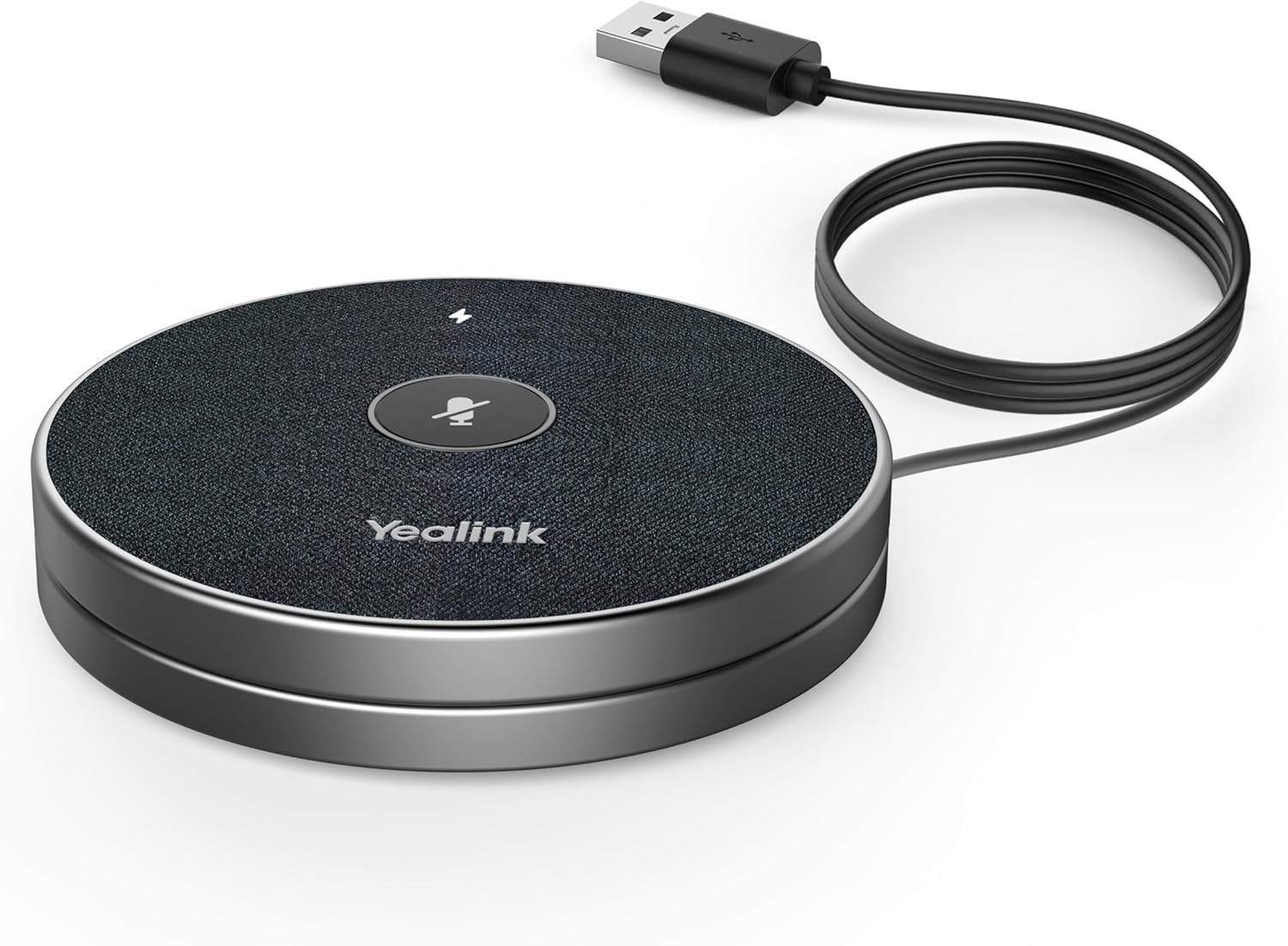
Figure 3.1: Yealink VCM36-W microphone connected to a USB cable for charging, showing the charging setup.
3.2 Haririk gabeko konexioa
The VCM36-W utilizes wireless transmission for seamless integration into your meeting room setup. To connect, simply pair the microphone with your compatible Yealink meeting room devices. This pairing process typically needs to be done only once. Refer to your main Yealink device's manual for specific pairing instructions. Once paired, the microphone can be freely placed within its operational range without the need for physical cables to the main unit.
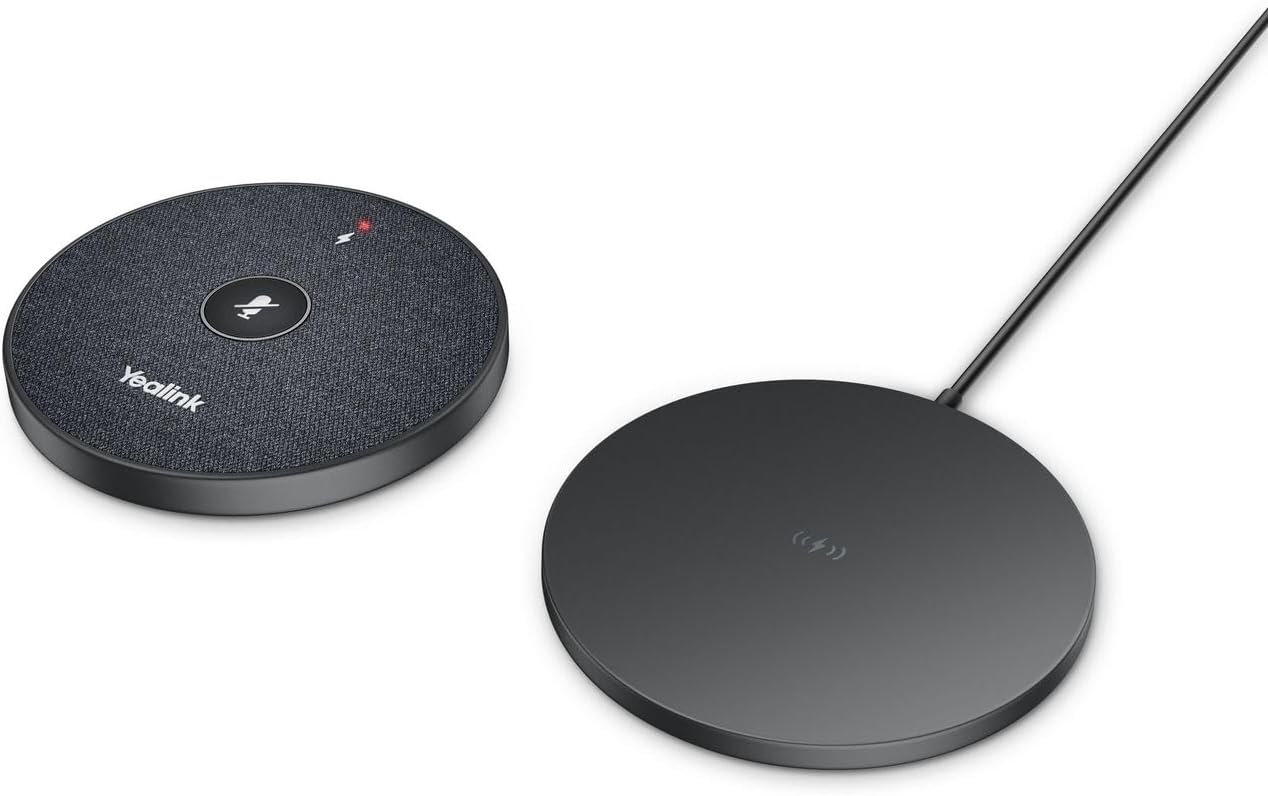
Figure 3.2: Yealink VCM36-W wireless microphone and its charging pad, illustrating the wireless nature of the device and its components.
4. Mikrofonoaren erabilera
4.1 Voice Pickup
The VCM36-W is designed for 360° voice pickup, ensuring that voices from all participants within a 20-foot (6-meter) radius are clearly captured. Position the microphone centrally in your meeting space for optimal performance.
4.2 Mutu funtzioa
To mute or unmute the microphone, simply tap the capacitive mute touchpad located on the top surface of the device. The mute indicator light will change to reflect the microphone's status (e.g., red for muted, green for active).

4.1. irudia: hurbileko planoa view of the Yealink VCM36-W microphone's top surface, highlighting the central mute button and the lightning bolt charging indicator.
5. Mantentzea
To ensure the longevity and optimal performance of your Yealink VCM36-W microphone, follow these maintenance guidelines:
- Garbiketa: Use a soft, dry cloth to wipe the exterior of the microphone. Avoid using harsh chemicals, cleaning solvents, or abrasive materials, as these can damage the surface.
- Biltegiratzea: Mikrofonoa denbora luzez erabiltzen ez baduzu, gorde leku fresko eta lehor batean, eguzki-argitik eta muturreko tenperaturetatik babestuta.
- Bateria zaintzea: To preserve battery life, avoid fully discharging the battery frequently. If storing for a long time, ensure the battery has a partial charge (around 50%).
6. Arazoak
This section addresses common issues you might encounter with your VCM36-W microphone. If you experience problems not covered here, please contact Yealink support.
| Arazoa | Kausa posiblea | Irtenbidea |
|---|---|---|
| Microphone not picking up audio. | Microphone is muted; Low battery; Not paired correctly; Out of range. | Tap the mute button; Charge the microphone; Re-pair with the main device; Move closer to the main device. |
| Audioaren kalitatea eskasa edo distortsionatua da. | Environmental noise; Obstructions; Interference. | Ensure Yealink Noise Proof Technology is active; Remove obstructions; Check for other wireless devices causing interference. |
| Gailua ez da kargatzen. | Charging cable or adapter faulty; Microphone not placed correctly on pad. | Check cable and adapter; Ensure microphone is centered on the charging pad. |
7. Zehaztapenak
| Ezaugarri | Xehetasuna |
|---|---|
| Ereduaren izena | VCM36-W Microphone |
| Mikrofonoaren forma-faktorea | Taula Array |
| Ahotsa jasotzeko tartea | 20-feet (6-meter) 360° |
| Konektibitate Teknologia | Wi-Fi (WPA2/AES128 Encryption) |
| Energia iturria | Bateriaren funtzionamendua (litio-ioizko bateria 1 barne) |
| Elementuaren neurriak (L x W x H) | 7.3 x 4.6 x 2.5 hazbete |
| Elementuaren pisua | 14.4 ontza (0.9 libra) |
| Seinaleen eta zarataren arteko erlazioa | 90 dB |
| Ezaugarri Berezia | Zarata Deuseztatzea |
| UPC | 841885107527 |
8. Bermea eta Laguntza
Bermearen informazioa: This product comes with a standard manufacturer's warranty. Please refer to the warranty card included in your product packaging or visit the official Yealink webwebgunean bermearen baldintza zehatzak ikusteko.
Laguntza teknikoa: For technical assistance, troubleshooting beyond this manual, or service inquiries, please contact Yealink customer support. You can find contact information on the official Yealink website or through your authorized reseller.
Sareko baliabideak: For the latest drivers, firmware updates, and additional documentation, please visit the official Yealink webgunea.