
1. Sarrera
This manual provides comprehensive instructions for the installation, operation, and maintenance of your Podofo Android Car Stereo GPS system. Designed specifically for Peugeot 208 and 2008 models manufactured between 2012 and 2018, this unit features a 10-inch touchscreen, Android operating system, GPS navigation, Wi-Fi, Bluetooth, and FM RDS radio capabilities. Please read this manual thoroughly before installation and use to ensure proper functionality and safety.

Image 1.1: Before and After installation of the Podofo Android Car Stereo in a Peugeot 208/2008.
2. Paketearen edukia
Egiaztatu behean zerrendatutako elementu guztiak zure paketean sartuta daudela:
- 1 x Car Stereo Unit
- 1 x CANBUS deskodetzailea
- 1 x Elikatze-kablea
- 1 x GPS antena
- 1 x Radio Antenna Cable
- 1 x Camera Input Cable
- 1 x Audio/Video Cable
- 2 x USB kableak
- 1 x Installation Tools Set
- 1 x Argibide eskuliburua

2.1 irudia: Xehetasun zehatza view paketean sartutako osagai guztien artean.
3. Compatibility & Dimensions
This car stereo is compatible with Peugeot 208 and 2008 models from 2012 to 2018. Please ensure your vehicle's central console matches the shape and dimensions shown in the product images before installation.
Unitatearen neurriak:
- Width (top): 270 mm
- Width (bottom): 280 mm
- Altuera: 160 mm
4. Konfigurazioa eta instalazioa
Installation of this car stereo system requires technical knowledge. It is highly recommended to seek professional assistance for installation to avoid damage to the unit or your vehicle. If you choose to install it yourself, proceed with caution and follow these general guidelines:
- Prestaketa: Deskonektatu ibilgailuaren bateria edozein lan elektriko hasi aurretik.
- Remove Original Unit: Carefully remove the existing car stereo and trim panels from your vehicle's dashboard. Refer to your vehicle's service manual for specific instructions.
- Konektatu kableatzea: Connect the provided power cable, CANBUS decoder, GPS antenna, radio antenna cable, camera input cable, audio/video cable, and USB cables to the corresponding ports on the new car stereo and your vehicle's wiring harness. Ensure all connections are secure.
- Proba funtzionaltasuna: Before fully reassembling the dashboard, temporarily connect the battery and test the basic functions of the stereo (power on/off, radio, display).
- Unitate Segurua: Mount the new car stereo securely into the dashboard opening using the provided installation tools and brackets.
- Berriz muntatu: Reinstall all trim panels and reconnect the vehicle's battery.
The included CANBUS decoder ensures proper communication between the car stereo and your vehicle's systems, such as steering wheel controls.
5. Funtzionamendu-argibideak
5.1 Oinarrizko funtzioak
- Piztu/Itzali: Sakatu eta eutsi unitateko pizteko botoia edo erabili ibilgailuaren piztea.
- Ukipen-pantaila: The 10-inch capacitive touchscreen allows for intuitive control of all functions. Tap, swipe, and pinch to navigate menus and applications.
- Android sistema: The unit runs on an Android operating system, providing access to various applications and customization options.
5.2 Konektibitatea
- Bluetooth 4.2: Pair your smartphone via Bluetooth for hands-free calling and audio streaming. Access the Bluetooth menu on the stereo to search for devices and connect. The built-in microphone ensures clear call quality.
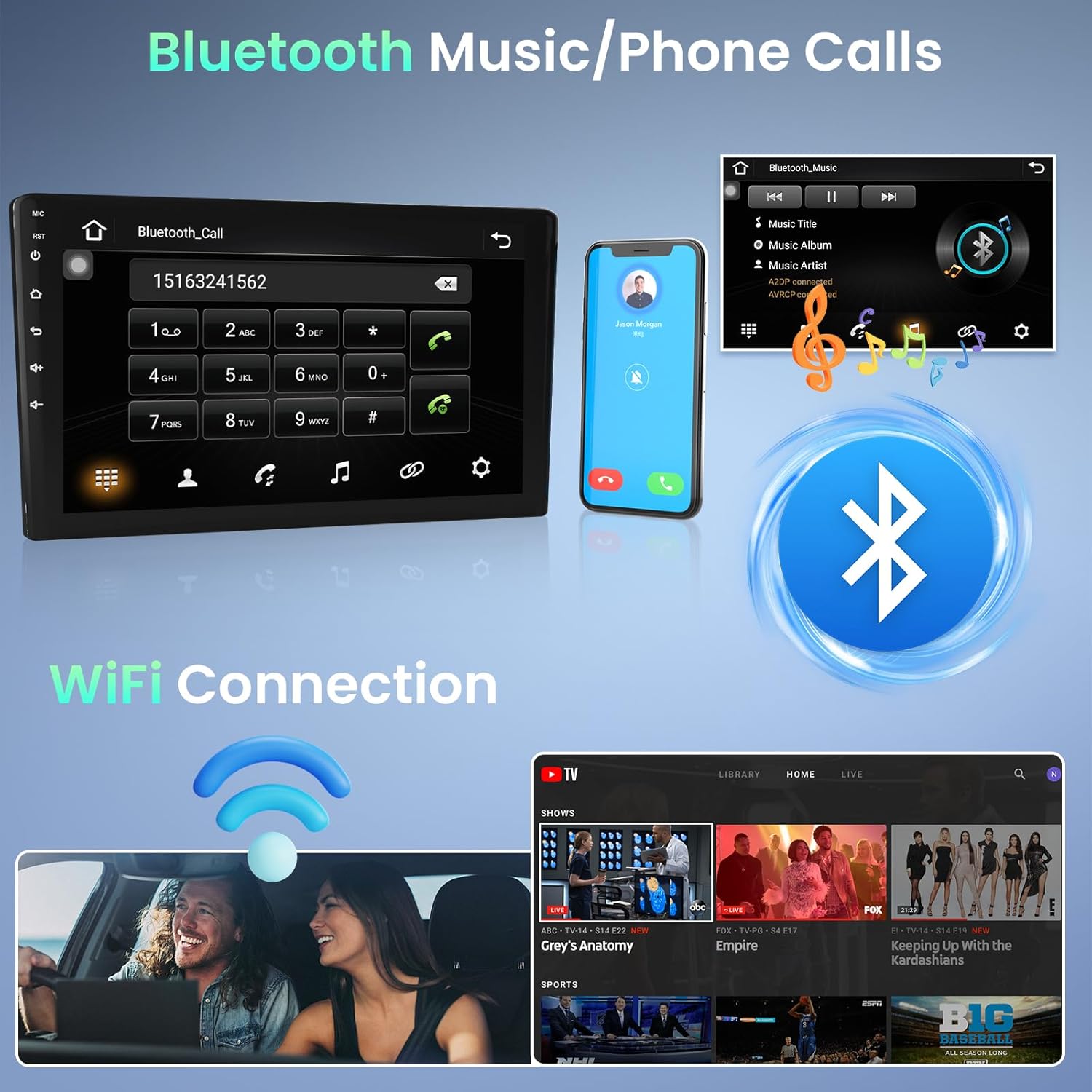
Image 5.1: Bluetooth for music and phone calls, and Wi-Fi connection.
- Wi-Fi: Connect the unit to a Wi-Fi hotspot (e.g., from your smartphone) to access online features, download apps, and use online navigation. Go to Settings > Network & Internet > Wi-Fi to connect.
- Ispilu esteka: This feature allows you to mirror your smartphone's screen onto the car stereo display. Connect your phone via a USB cable. iOS devices (under IOS 16.5) support one-way projection, while Android devices (8.0-13.0) support two-way connection.
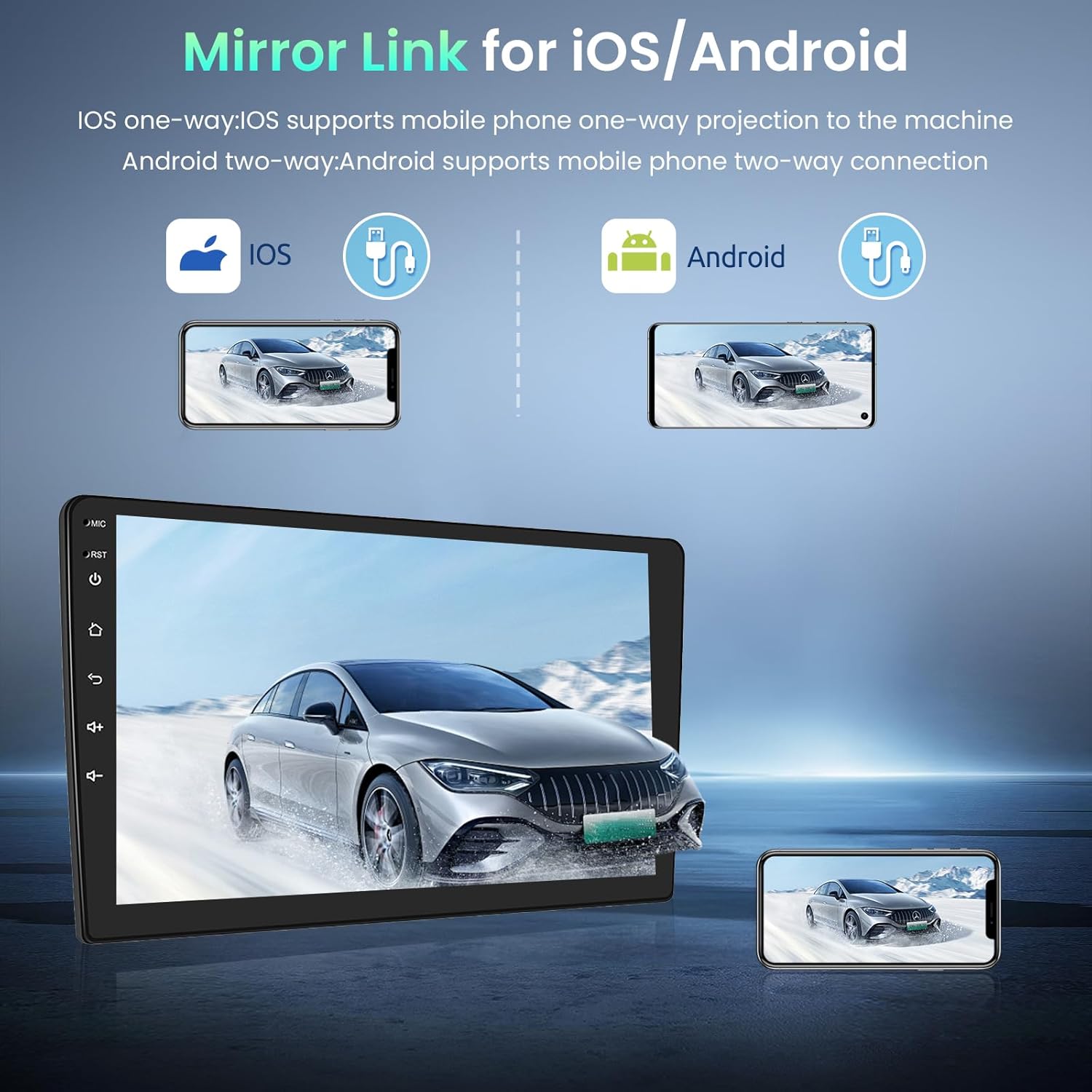
Image 5.2: Mirror Link for iOS and Android devices.
- USBa: The unit features dual rear USB ports. Connect USB drives (4-32GB) to play media files.
5.3 Nabigazioa
The integrated GPS module provides accurate navigation. The unit comes pre-installed with the Here WeGo app, allowing you to download offline maps for various countries. You can also use online navigation apps by connecting to Wi-Fi.
5.4 Multimedia
- FM RDS Radio: Tune into your favorite radio stations. The RDS function displays station information where available.

Image 5.3: FM Radio and GPS Navigation interfaces.
5.5 Pantaila zatituaren funtzioa
The split-screen function allows you to view two applications simultaneously. In the activity view, drag an application to the left or right side of the screen to activate split-screen mode. Note that not all applications support this feature.
5.6 Bolantearen kontrola
The unit supports your vehicle's original steering wheel controls via the CANBUS connection. This allows you to control volume, track changes, and other functions without taking your hands off the wheel. Configuration may be required in the system settings.

Image 5.4: HD Rear Camera input and Steering Wheel Control settings.
5.7 Rear Camera Input
The car stereo supports an external rear camera (not included). Connect a compatible camera to the dedicated input for automatic display when reversing. The system supports wide-angle, night vision, and waterproof cameras.
5.8 External Device Support
The unit can be expanded with external USB dongles (not included) for additional functionalities such as DAB+ digital radio, DVR (Digital Video Recorder), OBDII diagnostics, and Carplay/Android Auto.

Image 5.5: Support for external OBD2 and DAB input devices.
6. Zehaztapenak
| Sistema | Android |
| Memoria | 1 GB RAM + 32 GB ROM |
| Elikatze Hornidura | DC 12V |
| Irteera Potentzia | 4*45 W (max) |
| Boterea Amplifier Txipa | AC7388 |
| FM maiztasun sorta | 87.5 ~ 108 MHz |
| Pantailaren bereizmena | 1024*600 |
| Ukipen-pantaila mota | Kapazitiboa |
| Factory Settings Keyword | 8888 |
| Audio/Video Ports | 2 Video In, 1 Video Out, 2 Aux In, 2 Aux Out, 1 Subwoofer Out, 1 Mic In, 1 Camera In |
| Onartutako hizkuntzak | English, French, Italian, Spanish, German, etc. (up to 40 national languages) |
| Konektibitatea | Wi-Fi, Bluetooth, USB, FM RDS |
| Supported Navigation | GPSa |
| Pisua | 1.66 kilogramo |
7. Mantentzea
To ensure the longevity and optimal performance of your Podofo car stereo, follow these maintenance guidelines:
- Garbiketa: Use a soft, dry cloth to clean the touchscreen and unit exterior. For stubborn smudges, slightly dampGarbitu zapi bat urarekin edo pantaila-garbitzaile batekin. Saihestu material urratzaileak edo produktu kimiko gogorrak.
- Software eguneraketak: Periodically check for software updates through the system settings or the manufacturer's website. Keeping the software updated can improve performance and add new features.
- Saihestu muturreko tenperaturak: Do not expose the unit to extreme heat or cold for extended periods, as this can affect its electronic components.
- Kable konexioak: Ziurtatu kable guztiak ondo konektatuta daudela. Konexio solteek arazoak sor ditzakete tarteka.
8. Arazoak
Zure autoko estereoarekin arazoak badituzu, jarraitu arazoak konpontzeko ohiko urrats hauek:
- Potentziarik gabe: Check the power cable connection and the vehicle's fuse box. Ensure the unit is properly installed and receiving power.
- Soinurik ez: Verify speaker connections. Check volume settings on the unit and ensure mute is not activated. Test different audio sources.
- Ukipen-pantailak ez du erantzuten: Try restarting the unit. If the issue persists, a factory reset might be necessary (note: this will erase personal data).
- GPS seinalea galdu da: Ziurtatu GPS antena behar bezala instalatuta dagoela eta argia duela. view of the sky. Check GPS settings in the system.
- Bluetooth konexio-arazoak: Ensure Bluetooth is enabled on both the stereo and your phone. Delete previous pairings and try reconnecting.
- Wi-Fi konexio arazoak: Verify your Wi-Fi hotspot is active and providing internet access. Re-enter the Wi-Fi password if necessary.
- Errendimendu motela: Close unnecessary background applications. Clear cache data if available in system settings. Consider a factory reset if performance remains poor.
Urrats hauekin konpontzen ez diren arazoetarako, jarri harremanetan bezeroarentzako arreta-zerbitzuarekin.
9. Bermea eta Laguntza
Your Podofo car stereo comes with a 24 hilabeteko bermea. For any inquiries or technical assistance, online support is available with responses typically within 24 hours.
Laguntzarekin harremanetan jartzeko:
If you purchased your product through Amazon, you can contact the seller directly:
- Go to the product page on Amazon.
- Click on the seller's name, typically listed as "Sold by Podofo".
- On the seller's page, look for a "Contact Seller" or "Ask a Question" option.

Image 9.1: Steps to contact the seller for support.
Alternatively, you may find direct support contact information on the official Podofo webgunearen edo emandako dokumentazioaren bidez.