
1. Sarrera
This manual provides detailed instructions for the installation, operation, and maintenance of your NICREW Controller, designed specifically for NICREW G2 and HyperReef 30W aquarium lights. Please read this manual thoroughly before use to ensure proper function and longevity of your device.
2. Produktua amaitu daview
The NICREW Controller is an external control unit that allows you to manage the settings of compatible NICREW aquarium lights. It features a compact design with three control buttons for intuitive operation.
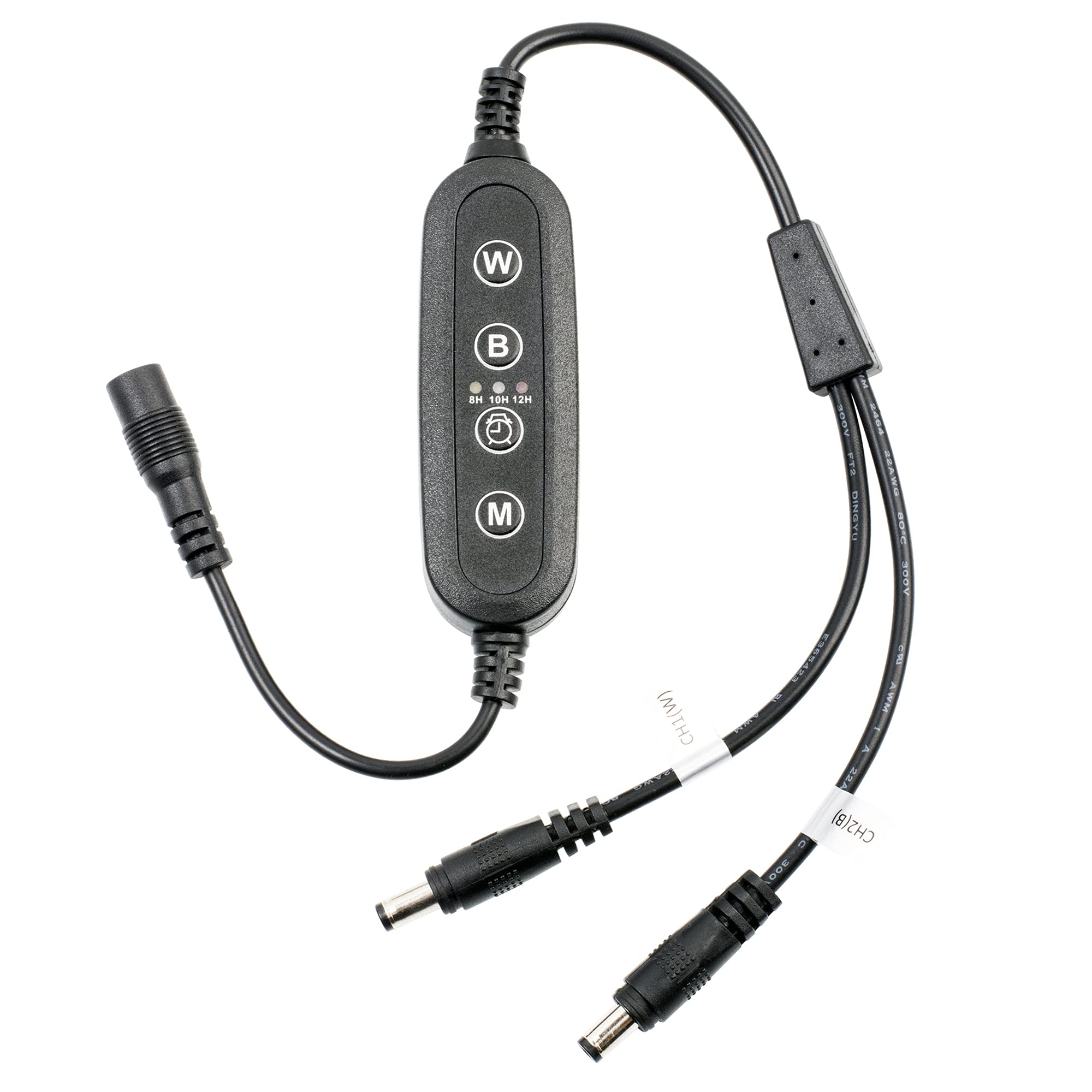
Figure 1: NICREW Controller for G2 and HyperReef 30W. This image shows the compact design of the controller with its cable connections.
2.1 Paketearen edukia
- NICREW Controller (1 unit)
- Erabiltzailearen eskuliburua (dokumentu hau)
2.2 Controller Components
The controller typically consists of:
- Sarrerako kablea: Korronte-egokigailura konektatzen da.
- Irteerako kablea: Connects to the compatible NICREW aquarium light.
- Kontrol-botoiak: Three buttons for adjusting settings.
- Display/Indicator: (If applicable, though not specified, assume basic indicators or no display for a 3-button controller).
3. Konfiguratzeko argibideak
Follow these steps to correctly set up your NICREW Controller with your aquarium light.
- Desegin: Carefully remove the controller from its packaging.
- Connect to Light: Locate the input port on your NICREW G2 or HyperReef 30W aquarium light. Connect the irteera kable of the controller to this port. Ensure the connection is secure.
- Konektatu korronte-egokigailura: Konektatu sarrerako kablea of the controller to the power adapter provided with your aquarium light (or a compatible power adapter).
- Konektatu korronte-hartunera: Entxufatu korronte-egokigailua entxufe elektriko egoki batean.
- Egiaztatu konexioa: The aquarium light should power on or show an indicator light, signifying a successful connection.
Garrantzitsua: Ensure all connections are dry before plugging into a power outlet. Do not force connectors.
4. Kontrolatzailea erabiltzea
The NICREW Controller features three buttons for managing your aquarium light's functions. While specific button functions may vary slightly by light model, the general operation is as follows:
4.1 Oinarrizko kontrolak
- Pizteko botoia: Typically used to turn the light ON or OFF. A short press usually toggles power.
- Mode/Function Button: Used to cycle through different lighting modes (e.g., full spectrum, blue only, custom settings) or to enter programming mode for timer settings. A short press usually changes modes.
- Brightness/Adjust Button: Used to increase or decrease light intensity, or to adjust values within a programming mode. This button might have a dual function (e.g., short press for brightness, long press for timer adjustment).
Refer to your specific NICREW G2 or HyperReef 30W light manual for detailed instructions on programming advanced features like timers or custom light cycles, as the controller acts as an interface for these functions.
5. Mantentzea
Proper maintenance ensures the longevity and reliable operation of your NICREW Controller.
- Garbiketa: Disconnect the controller from power before cleaning. Use a soft, dry cloth to wipe the surface. Do not use abrasive cleaners or immerse the controller in water.
- Biltegiratzea: If storing the controller for an extended period, disconnect it from the light and power supply. Store in a cool, dry place away from direct sunlight and extreme temperatures.
- Kableen ikuskapena: Periodically inspect the cables for any signs of damage, fraying, or kinks. Replace the controller if cables are damaged.
6. Arazoak
If you encounter issues with your NICREW Controller, refer to the following common problems and solutions:
| Arazoa | Kausa posiblea | Irtenbidea |
|---|---|---|
| Argia ez da pizten. |
|
|
| Controller buttons are unresponsive. |
|
|
| Light settings are not saving. |
|
|
7. Zehaztapenak
| Ezaugarri | Xehetasuna |
|---|---|
| Marka | NICREW |
| Ereduaren izena | NICREW G2 Controller |
| Modelo zenbakia | NICREW G2 |
| Gailu bateragarriak | NICREW G2 and HyperReef 30W Aquarium Lights |
| Konektibitate Teknologia | Infragorriak |
| Botoi kopurua | 3 |
| Onartutako gailuen gehienezko kopurua | 1 |
| Ezaugarri Berezia | Diseinu ergonomikoa |
8. Bermea eta Laguntza
For warranty information or technical support, please refer to the documentation included with your original NICREW aquarium light or visit the official NICREW website. Specific warranty terms for the controller may be covered under the light's warranty.
Era berean, bisitatu dezakezu NICREW Store on Amazon produktuari buruzko informazio gehigarria eta laguntza-baliabideak lortzeko.