
Sarrera
This manual provides essential information for setting up, operating, maintaining, and troubleshooting your Apple iPhone SE 3rd Generation. This model features a 4.7-inch Retina HD display, an A15 Bionic chip for fast performance, and a durable design with IP67 water resistance. It is equipped with an advanced single-camera system and supports 5G connectivity.
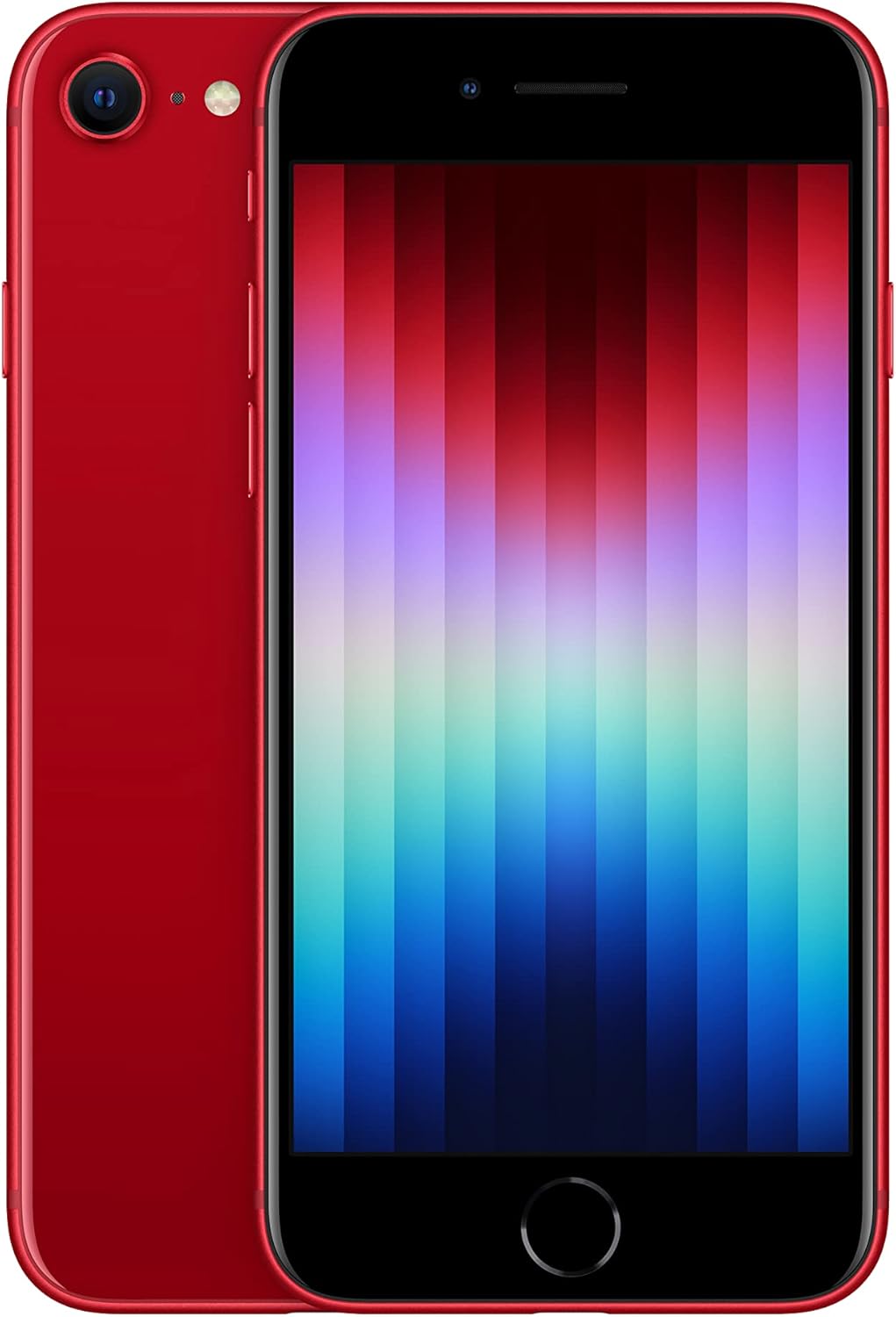
1. irudia: Aurrealdea eta atzealdea view of the Apple iPhone SE 3rd Generation in red. The front shows the display with app icons, and the back highlights the single camera and Apple logo.
Konfigurazioa
Follow these steps to set up your new iPhone SE 3rd Gen:
- Piztu: Press and hold the Power/Lock button on the right side of the device until the Apple logo appears.
- Hasierako konfigurazioa: Jarraitu pantailan agertzen diren argibideei zure hizkuntza eta eskualdea hautatzeko eta Wi-Fi sare batera konektatzeko.
- Datuen transferentzia: You can transfer data from an old device or set up as a new iPhone.
- Apple IDa: Hasi saioa zure Apple IDarekin edo sortu berri bat.
- Ukipen IDaren konfigurazioa: Configure Touch ID for secure authentication using the Home button.
- SIM txartelaren instalazioa:
Locate the SIM card slot on the right side of the device. Use the SIM ejector tool (not included, typically comes with the original phone) to open the tray. Insert your nano-SIM card into the tray and reinsert it into the phone. Ensure the tray is fully closed to maintain water resistance.

2. irudia: Aldea view of the iPhone SE 3rd Gen's right side, highlighting the SIM card slot and volume buttons.
- Osagarriak barne: Your device comes with a USB Cable for charging and data transfer.
Funtzionamendua
Erakusketa eta elkarrekintza
The iPhone SE 3rd Gen features a 4.7-inch Retina HD display with a resolution of 1334 x 750 pixels. This display provides excellent visual quality for watching videos, playing games, and general use. The Home button includes Touch ID for secure and convenient authentication.

Figure 3: Close-up of the iPhone SE 3rd Gen's Home button, which integrates Touch ID for fingerprint recognition.
Kameraren Ezaugarriak
The device is equipped with an advanced single-camera system:
- Atzeko kamera: 12MP Wide camera with Smart HDR 4, Photographic Styles, Portrait mode, and 4K video recording up to 60 fps.
- Aurrealdeko kamera: 7MP FaceTime HD camera with Smart HDR 4, Photographic Styles, Portrait mode, and 1080p video recording.
The camera system delivers high-quality photos and videos, suitable for content creation and everyday use. The difference in quality compared to higher-end models is minimal for the average user.

4. irudia: Xehetasuna view of the iPhone SE 3rd Gen's single rear camera lens and flash module.
Errendimendua
-k bultzatuta A15 Txip bionikoa and 4GB of RAM, the iPhone SE 3rd Gen offers lightning-fast performance. This hardware configuration ensures smooth multitasking, responsive app usage, and efficient handling of demanding applications like video editing (e.g., iMovie) and gaming. The 4GB RAM is a significant upgrade from previous generations, contributing to the device's future-proofing for several years of iOS updates and security patches.

Figure 5: A collage illustrating key features of the iPhone SE 3rd Gen, including 5G capability, the powerful A15 Bionic chip, and its durable construction.
Aurrez instalatutako aplikazioak
Your iPhone SE 3rd Gen comes with several pre-installed Apple applications, enhancing productivity and creativity:
- Zenbakiak: A powerful spreadsheet application.
- iMovie: For video editing and creation.
- GarageBand: For music creation and production.
- Hitzaldia: For creating presentations.
- Orrialdeak: A word processing application.
- Klipak: For creating short videos with effects.
Bateriaren iraupena
The battery life of the iPhone SE 3rd Gen is improved over its predecessor. While heavy usage like watching many videos or playing games may require a mid-day charge, for typical daily use, the device can last a full day with approximately 20-30% charge remaining. The device supports up to 15 hours of video playback.
Mantentzea
To ensure the longevity and optimal performance of your iPhone SE 3rd Gen, consider the following maintenance tips:
- Garbiketa: Erabili zapi leun eta lihorik gabeko bat pantaila eta gorputza garbitzeko. Saihestu material urratzaileak edo produktu kimiko gogorrak.
- Uraren erresistentzia: The device has an IP67 water resistance rating, meaning it can withstand submersion in up to 1 meter of water for 30 minutes. However, this is not permanent and resistance might decrease over time with normal wear. Avoid intentional submersion and exposure to liquids.
- Software eguneraketak: Regularly update your iOS to the latest version to benefit from security patches, bug fixes, and new features. The A15 Bionic chip ensures the device will receive iOS updates for several years.
- Bateria zaintzea: Bateriaren iraupena maximizatzeko, saihestu tenperatura muturrekoak eta saiatu bateriaren karga % 20 eta % 80 artean mantentzen ahal den guztietan.
Arazoak konpontzea
If you encounter issues with your iPhone SE 3rd Gen, try these common troubleshooting steps:
- Berrabiarazi gailua: A simple restart can resolve many minor software glitches. Press and hold the Power/Lock button, then slide to power off. Wait a few seconds, then press the Power/Lock button again to turn it back on.
- Egiaztatu konexioak: If experiencing network issues, ensure Wi-Fi or cellular data is enabled and you have a strong signal. Try toggling Airplane Mode on and off.
- Aplikazioak ez du erantzuten: If an app is frozen, force close it by double-pressing the Home button to open the App Switcher, then swipe the problematic app's card upwards to close it. Reopen the app.
- Softwarearen akatsak: If issues persist, ensure your iOS is up to date. If it is, consider backing up your device and performing a factory reset (Settings > General > Transfer or Reset iPhone > Erase All Content and Settings).
- Bateria hustutzea: Review battery usage in Settings > Battery to identify apps consuming excessive power. Adjust settings or limit background activity for those apps.
Zehaztapenak
| Ezaugarri | Xehetasuna |
|---|---|
| Marka | Sagarra |
| Ereduaren izena | iPhone SE (3. belaunaldia) |
| Elementuaren eredu-zenbakia | A2595 |
| Pantailaren tamaina | 4.7 hazbete |
| Bistaratzeko mota | Retina HD |
| Sistema eragilea | iOS 15 (at launch) |
| CPU eredua | A15 Bionic |
| RAM memoria instalatuaren tamaina | 4 GB |
| Memoria Biltegiratzeko Ahalmena | 128 GB |
| Atzeko kamera | 12MP Wide |
| Aurrealdeko kamera | 7MP FaceTime HD |
| Teknologia Zelularra | 5G |
| Haririk gabeko garraiolaria | Desblokeatuta garraiolari guztientzat |
| Kolorea | GORRIA |
| Elementuaren pisua | 13.7 ontza |
| Uraren Erresistentzia | IP67 |
| Bateria mota | Litio ioia (barne) |
| Kutxan dagoena | USB kablea |
Bermea eta laguntza
For warranty information and technical support, please refer to the official Apple website or contact Apple Support directly. Details regarding your specific warranty coverage can often be found by entering your device's serial number on Apple's support page.