
Sarrera
Thank you for choosing the Jectse Mini HD 1080P WiFi Camera. This compact and versatile camera is designed for indoor security and surveillance, offering features such as 1080P video recording, night vision, motion detection, and real-time monitoring via a mobile application. Please read this manual carefully to ensure proper setup and operation of your device.

Image: The Jectse Mini HD 1080P WiFi Camera, showcasing its compact design and connectivity ports.
Produktuaren Ezaugarriak
- HD 1080P bideoa: Records high-definition video at 1080 pixels.
- Gaueko ikuspegia: Equipped with 6 photosensitive lenses for clear night vision.
- Mugimendu-detekzioa: Automatically detects movement and sends alerts.
- WiFi konexioa: Supports WiFi network connection for remote viewing via mobile app.
- Loop grabaketa: Janari zaharragoak gainidazten ditutage memoria txartela beteta dagoenean.
- Diseinu magnetikoa: Strong magnetic force for easy attachment to metallic surfaces. Includes a magnetic bracket for adjustable angles.
- Bateria integratua: Provides up to 60 minutes of operation on a full charge.
- Tamaina trinkoa: Ultra-small body for easy portability and discreet placement.
- Biltegiratze zabalgarria: Supports Micro SD cards up to 128GB (card not included).

Image: Visual representation of the camera's key features, including night vision, HD quality, remote access, hotspot, video/audio recording, and storage capabilities.
Paketearen edukia
Mesedez, egiaztatu paketea elementu hauek dituen:
- 1 x Jectse Mini HD 1080P WiFi Camera
- 1 x Argibide eskuliburua
- 1 x euskarri magnetikoa
- 1 x Mikro USB kargatzeko kablea
Konfigurazioa
1. Kamera kargatzea
Before first use, fully charge the camera. Connect the Micro USB charging cable to the camera's charging port and the other end to a 5V/1A USB power adapter (not included). A full charge takes approximately 30 minutes (from 0% to 100%).
2. Mikro SD txartel bat sartzea (aukerakoa)
To enable video recording and storage, insert a Micro SD card (up to 128GB, not included) into the designated slot on the camera. Ensure the card is inserted correctly. The camera supports continuous recording for up to 21 hours with a 128GB card.

Image: The camera's Micro SD card slot, illustrating its storage capability for continuous recording.
3. Mugikorretarako aplikazioen konexioa
Download the dedicated mobile application from your smartphone's app store. Follow the in-app instructions to connect the camera to your home or office WiFi network. This allows for real-time viewtzea eta kontrolatzea.
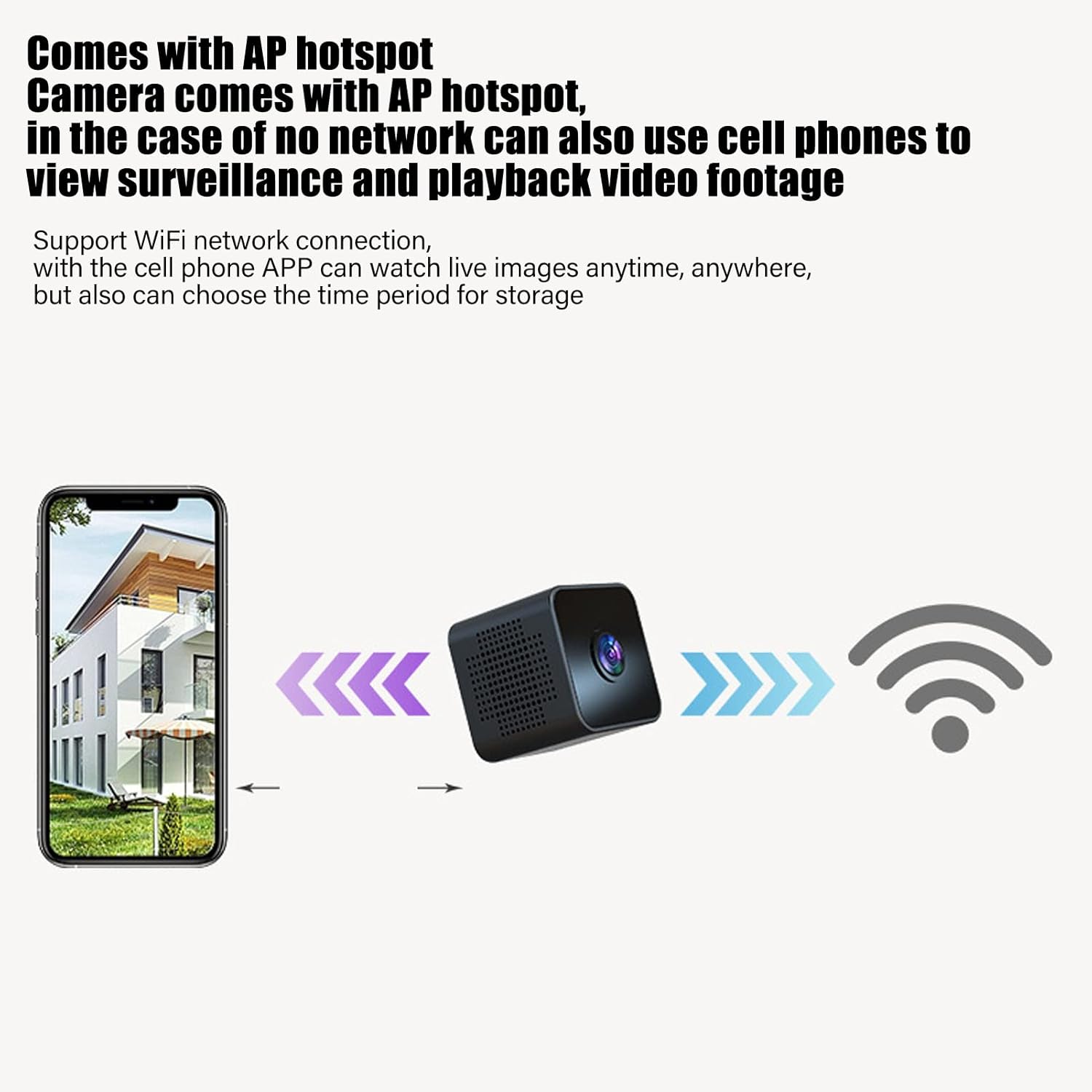
Image: Diagram showing a smartphone connecting to the camera, indicating remote viewing and control via the mobile app.
Funtzionamendu-argibideak
Piztu/Itzali
Refer to the instruction manual included in the package for specific power on/off procedures. Typically, a long press of the power button will turn the device on or off.
Denbora errealeko jarraipena
Once connected to the mobile app, you can view zuzeneko bideoa footage from the camera anytime, anywhere. The app also allows you to set specific time periods for video storage.
Mugimendu-detekzioa
The camera features intelligent motion detection. When movement is detected in the camera's field of view, an alarm notification will be sent to your mobile app. This feature helps monitor your premises effectively.

Image: Illustration of the motion detection function, where the camera identifies movement and triggers an alert on a connected smartphone.
Gaueko Ikusmena
The camera is equipped with high-definition night vision capabilities, ensuring clear video even in low-light conditions. The night vision mode can be manually activated or set to open at specific times via the app.

Image: A visual comparison demonstrating the clear picture quality of the camera, highlighting its HD capabilities.
Loop Grabaketa
When a Micro SD card is inserted, the camera will continuously record. If the memory card becomes full, the camera will automatically overwrite the oldest video files to make space for new recordings, ensuring continuous surveillance without manual intervention.
Muntaketa magnetikoa
The camera features a strong magnetic back, allowing it to be easily attached to any metallic surface. Use the included magnetic bracket to adjust the camera's angle for optimal viewing.

Image: Two perspectives of the mini camera, emphasizing its small size and magnetic design for flexible placement.
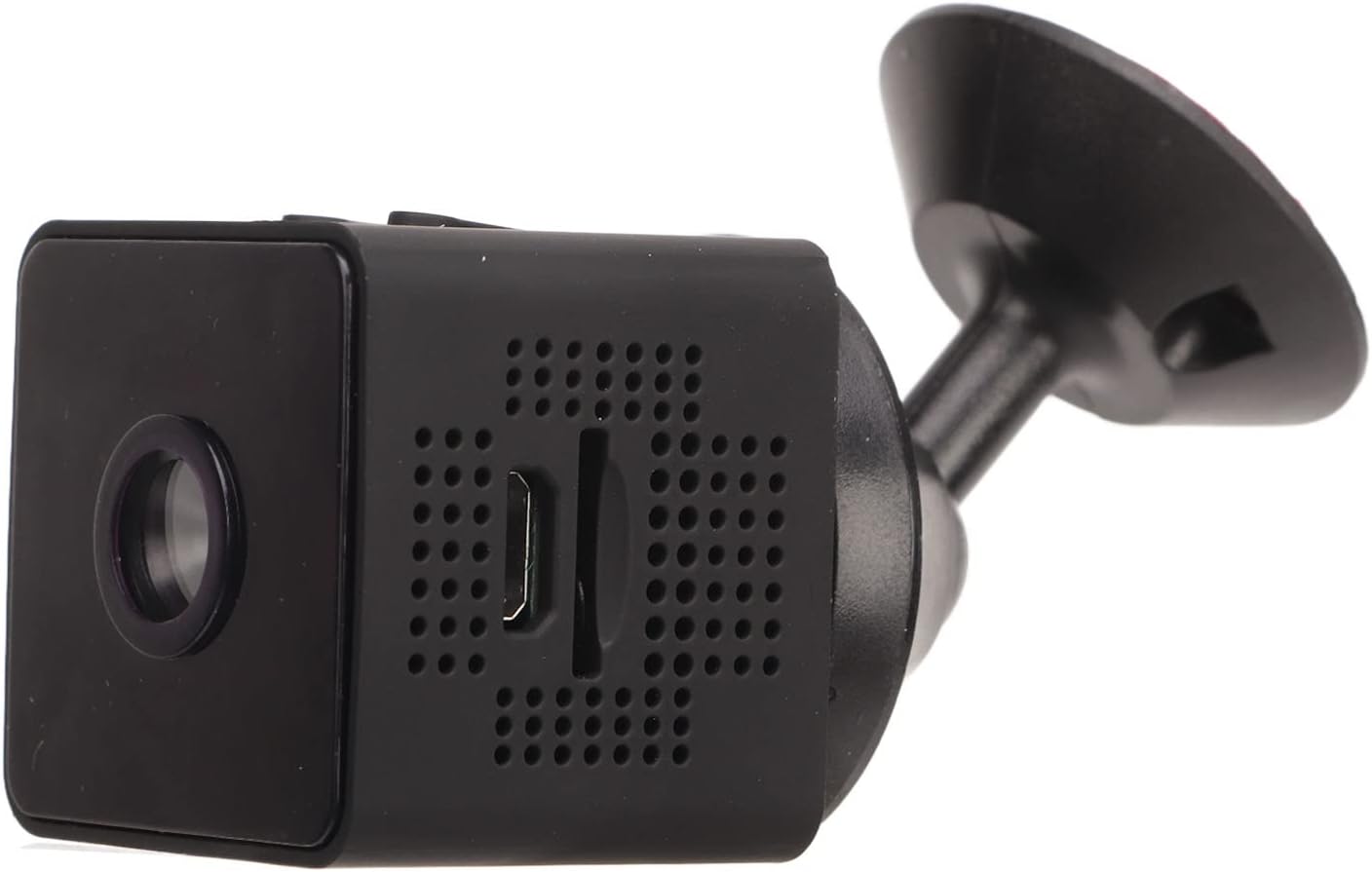
Irudia: Albokoa view of the camera, showing how it connects to the magnetic bracket for adjustable positioning.
Mantentzea
- Garbiketa: Erabili zapi leun eta lehor bat kameraren lentea eta gorputza garbitzeko. Saihestu garbitzaile likidoak edo material urratzaileak erabiltzea.
- Biltegiratzea: Gorde kamera leku fresko eta lehor batean, eguzki-argitik eta muturreko tenperaturetatik babestuta.
- Bateria zaintzea: Bateriaren iraupena luzatzeko, saihestu bateria maiz erabat deskargatzea. Kargatu kamera aldizka, erabiltzen ez baduzu ere.
- Firmware eguneraketak: Aldian-aldian, egiaztatu mugikorretarako aplikazioa firmware eguneratzerik dagoen, errendimendu eta segurtasun optimoak bermatzeko.
- Ingurumen-baldintzak: This camera is designed for indoor use. It is not waterproof and should not be exposed to rain, moisture, or submerged in water.
Arazoak konpontzea
| Arazoa | Irtenbide posiblea |
|---|---|
| Kamera ez da pizten. | Ensure the camera is fully charged. Connect it to a power source and wait for the charging indicator. |
| Ezin da WiFira konektatu. | Check your WiFi network credentials. Ensure the camera is within range of your router. Restart the camera and your router. Follow the app's connection guide carefully. |
| No video recording. | Verify that a Micro SD card is properly inserted and formatted. Check if the card has sufficient free space. |
| Bideoaren kalitate eskasa. | Ensure the camera lens is clean. Check your network connection speed if streaming remotely. |
| Mugimendu-hautemateak ez du funtzionatzen. | Check the motion detection settings in the mobile app. Ensure the camera's view garbi eta oztoporik gabe dago. |
Zehaztapenak
| Produktu Mota | Mini WiFi kamera |
| Modelo zenbakia | Jectseot42hdk8wq |
| Bideo Ebazpena | 1080P HD |
| Irudi-sentsoreen teknologia | CMOS |
| Konektibitate Teknologia | Haririk gabeko (WiFi) |
| Energia iturria | Built-in Rechargeable Battery (350 mAh) / Corded Electric (via Micro USB) |
| Bateriaren iraupena | Approx. 60 minutes (continuous recording) |
| Kargatzeko Interfazea | Mikro USB (5V/1A) |
| Kargatzearen Iraupena | Approx. 30 minutes (0%-100%) |
| Biltegiratzea | Mikro SD txartela (128 GB arte, ez dago barne) |
| Bideo-konpresioaren estandarra | H.264 Main, H.264 Baseline, MJPEG, JPEG Baseline |
| Bideo Harrapaketa formatua | MP4 |
| Gaueko Ikusmena | Infrared (IR) with 6 photosensitive lenses, Color Night Vision |
| Mugimendu-detekzioa | Yes (App-controlled alerts) |
| Kontrol-metodoa | Mugikorreko aplikazioa |
| Materiala | ABS plastikoa |
| Approx. Product Dimensions | 3 x 3 x 3 cm |
| Erabilera gomendatua | Barruko Segurtasuna |
| Uraren Erresistentzia Maila | Not waterproof; designed for indoor use. |
Note: All data is measured manually and may contain minor discrepancies.
Bermea eta Laguntza
For warranty information and technical support, please refer to the contact details provided on the product packaging or the official Jectse webgunea. Gorde erosketa-agiria erosketaren frogagiri gisa, berme-erreklamazioetarako.
Eskuliburu honetan azaltzen ez den arazorik baduzu, jarri harremanetan bezeroarentzako arreta-zerbitzuarekin laguntza jasotzeko.