1. Sarrera
This manual provides essential information for the safe operation and maintenance of your Generic SG900-S GPS RC Drone. Please read this manual thoroughly before operating the drone to ensure proper function and to prevent damage or injury. The SG900-S is a foldable RC quadcopter equipped with a 1080P HD camera, GPS positioning, and various intelligent flight modes.
2. Segurtasun Jarraibideak
Operating an RC drone requires caution. Adhere to the following safety guidelines:
- Hegaldi aurreko egiaztapena: Always inspect the drone, propellers, and battery for any damage before each flight. Ensure all components are securely attached.
- Ingurumena: Fly in open areas, away from people, animals, buildings, and power lines. Avoid flying in strong winds, rain, or other adverse weather conditions.
- Ikusmen lerroa: Mantendu uneoro dronearekin ikusmen-lerroa.
- Bateriaren segurtasuna: Use only the provided battery and charger. Do not overcharge or puncture the battery. Discontinue use if the battery shows signs of swelling or damage.
- Helizearen Segurtasuna: Mantendu eskuak, aurpegia eta arropa solteak biratzen ari diren helizeetatik urrun.
- Pribatutasuna errespetatu: Be mindful of privacy laws when using the camera function.
- Adinaren gomendioa: Produktu hau ez da egokia 14 urtetik beherako haurrentzat.
3. Paketearen edukia
Egiaztatu elementu guztiak paketean daudela:
- 1 x SG900-S RC Quadcopter
- 1 x Battery (7.4V 1600mAh modularized battery)
- 1 x Urruneko kontrolagailua
- 2 x ordezko helize
- 2 x USB Cables (for drone and controller charging)
- 1 x bihurkin
- 4 x Protective Rings (Propeller Guards)
- 1 x Erabiltzailearen eskuliburua (dokumentu hau)

Figure 3.1: Contents of the SG900-S drone package.
4. Konfigurazioa
4.1 Dronea zabaltzea
The SG900-S drone features a foldable design for portability. Gently unfold the arms of the drone until they lock into position. Ensure all arms are fully extended before flight.
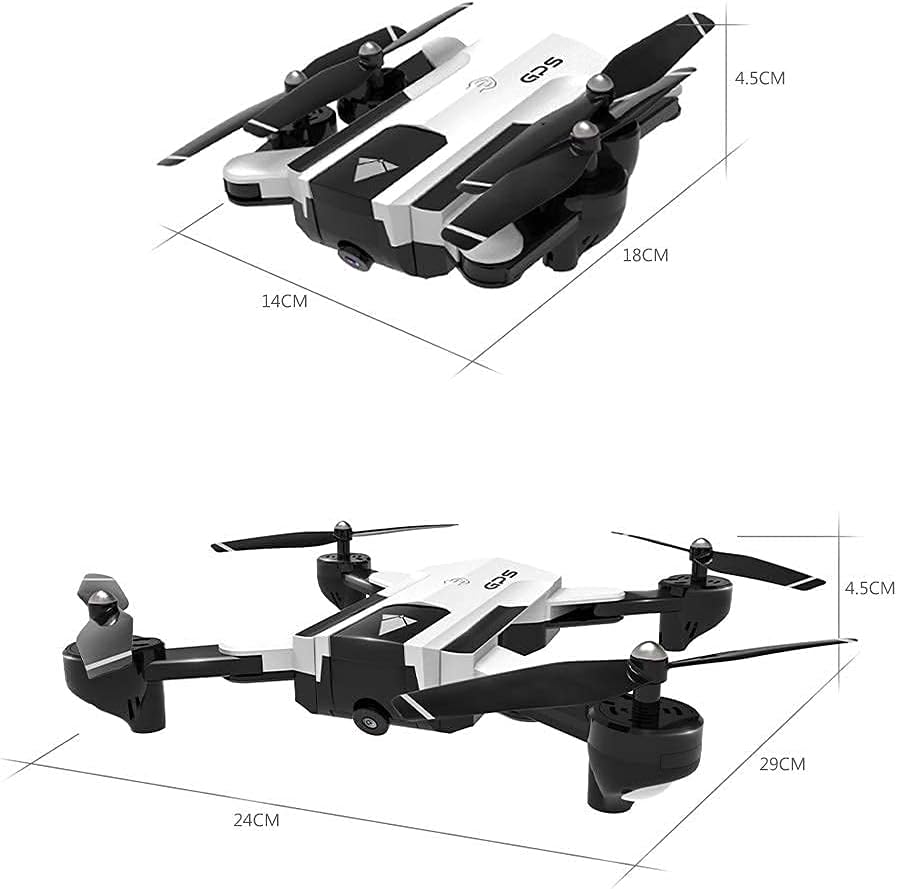
Figure 4.1: SG900-S drone folded and unfolded dimensions.
4.2 Bateriaren instalazioa eta kargatzea
- Drone bateria: Insert the 7.4V 1600mAh modularized battery into the drone's battery compartment until it clicks into place. To charge, remove the battery from the drone and connect it to the provided USB charging cable. Connect the USB cable to a 5V/2A USB power adapter (not included). Charging time is approximately 180 minutes.
- Urruneko kontrolagailuaren bateria: The remote controller has a built-in 3.7V 390mAh battery. Connect the controller to a USB power source using its dedicated USB charging cable.
4.3 Helizearen babes-instalazioa
For beginner pilots or indoor flights, attach the protective rings (propeller guards) to the drone's arms to prevent damage from collisions.
4.4 Aplikazioaren instalazioa eta konexioa
Download the dedicated control app for the SG900-S drone on your smartphone or tablet. Bilatu the app name (usually found in the manual or on the product packaging) in your device's app store. Once installed:
- Piztu dronea.
- Go to your device's Wi-Fi settings and connect to the drone's Wi-Fi network (e.g., "SG900-S_XXXX").
- Open the control app. The app should automatically connect to the drone, displaying the live camera feed.
5. Funtzionamendu-argibideak
5.1 Oinarrizko hegaldi-kontrolak
Ensure the drone is placed on a flat, level surface before takeoff.
- One Key Takeoff: Press the one-key takeoff button on the remote controller or in the app. The drone will automatically ascend to a safe altitude and hover.
- Lurreratze gako bakarra: Sakatu lurreratzeko botoia. Dronea poliki jaitsi eta automatikoki lurreratuko da.
- Azeleragailua (Ezkerreko palanka gora/behera): Altitudea kontrolatzen du (igoera/jaitsiera).
- Biratu (Ezkerreko makila ezker/eskuin): Dronea ezkerrera edo eskuinera biratzen du.
- Forward/Backward (Right Stick Up/Down): Dronea aurrera edo atzera mugitzen du.
- Sideward Flight (Right Stick Left/Right): Dronea ezkerrera edo eskuinera mugitzen du alboetara.
5.2 GPS Positioning and Altitude Hold
The SG900-S utilizes GPS for stable flight and precise positioning. Altitude Hold maintains a consistent altitude, making the drone easier to control.

Figure 5.1: GPS Positioning and Automatic Return features.

Figure 5.2: Outdoor GPS Fixed Point flight.
5.3 Hegaldi modu adimendunak
- Jarrai nazazu modua: In this mode, the drone will automatically follow the remote controller (or connected mobile device) at a set distance. Activate this feature via the control app.
- Multi-Point Fly (Waypoint Flight): Use the control app to draw a path on the map. The drone will then fly along the specified route, visiting each waypoint in sequence.

Figure 5.3: Multi-Point Fly (Fixed Flight) setup in the app.
- Surround modua: Select a point of interest in the app, and the drone will circle around it at a specified radius and altitude, capturing footage.
- Bururik gabeko modua: Bururik gabeko moduan, dronearen orientazioa pilotuarekiko erlatiboa da, dronearen benetako aurrealdeko norabidea edozein dela ere. Horrek hasiberrientzako kontrola errazten du.
5.4 1080P HD Camera and FPV
The integrated 1080P HD camera allows for high-quality photo and video capture. The WiFi FPV (First Person View) system transmits a live video feed to your connected mobile device, providing a real-time view dronearen ikuspuntutik.
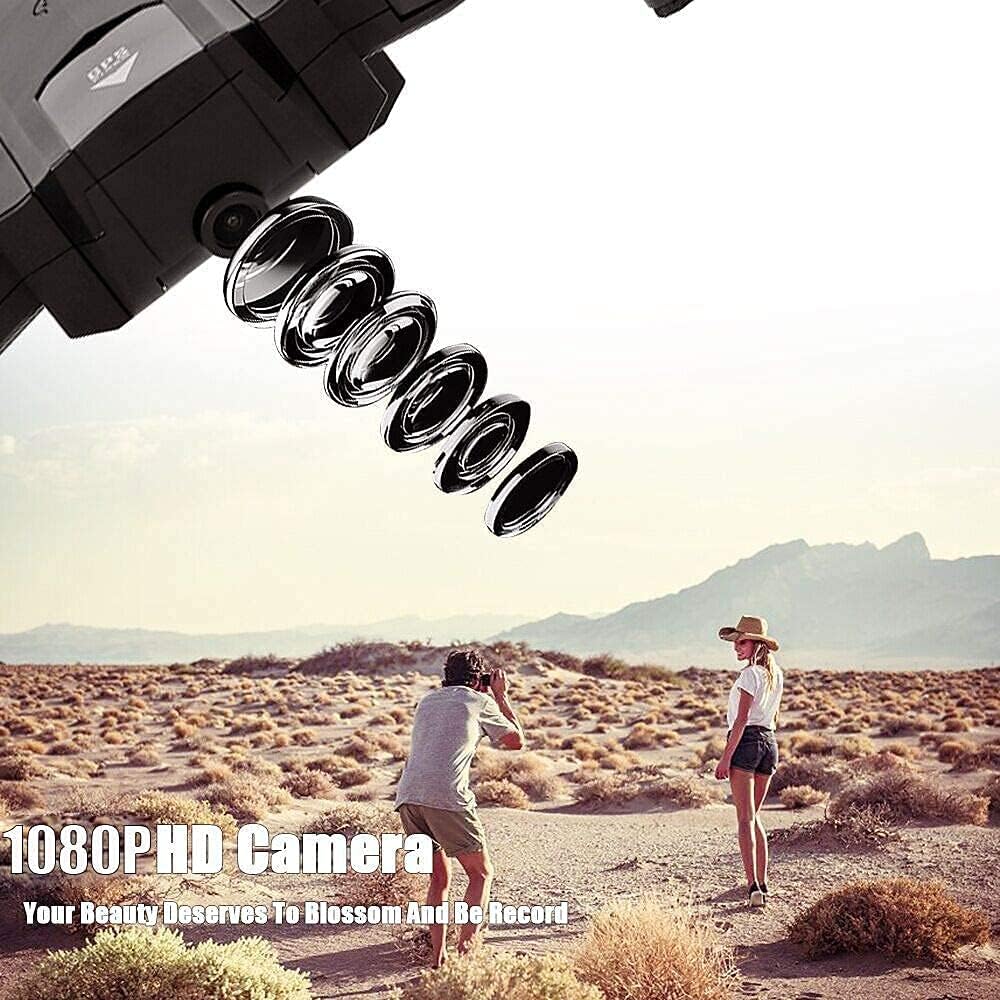
Figure 5.4: 1080P HD Camera in action.
To record video or take photos, use the corresponding buttons on the remote controller or within the control app. Captured media is typically saved to your connected mobile device.
6. Mantentzea
- Garbiketa: Erabili zapi leun eta lehor bat dronearen gorputza eta kameraren lentea garbitzeko. Saihestu produktu kimiko gogorrak erabiltzea.
- Helizearen ordezkapena: If propellers are damaged, replace them with the provided spare propellers. Ensure the correct propeller (A or B) is installed on the corresponding motor.
- Bateria zaintzea: Store batteries in a cool, dry place. Do not store fully charged or fully discharged for extended periods.
- Biltegiratzea: When not in use, fold the drone and store it in a safe place to prevent damage.
7. Arazoak
- Drone does not respond: Ensure the drone and remote controller are fully charged and properly paired. Check for any obstructions to the propellers.
- Hegaldi ezegonkorra: Calibrate the drone's gyroscope and compass as per app instructions. Ensure flight is in an open area with good GPS signal.
- No FPV feed: Verify that your mobile device is connected to the drone's Wi-Fi network and the control app is open. Restart both the drone and your device if necessary.
- Dronea hegan doa: Immediately press the One Key Return button. Ensure GPS signal is strong before flight.
- Hegaldi-denbora laburra: Ensure the battery is fully charged. Flight time can be affected by aggressive flying, strong winds, or cold temperatures.
8. Zehaztapenak
| Elementua | Zehaztapena |
|---|---|
| Eredua | SG900-S |
| Kamera | 1080P HD |
| Material nagusia | ABS |
| Kontrol-metodoa | APP / Remote Controller |
| Urruneko kontrolaren maiztasuna | 2.4 GHz |
| Kanalak | 4 kanal |
| WIFI Transmission Distance | Gutxi gorabehera. 80m |
| Remote Controller Distance | Gutxi gorabehera. 300m |
| Igorlearen potentzia | 3.7V 390mAh battery (built-in) |
| Quadcopter bateria | 7.4V 1600mAh modularized battery |
| Maximum Flying Time | Gutxi gorabehera. 20 minutu |
| Kargatzeko Denbora | Gutxi gorabehera. 180 minutu |
| Tolestutako Tamaina | 180 * 140 * 45 mm |
| Tolesturiko Tamaina | 290 * 240 * 45 mm |


