1. Sarrera
Eskerrik asko erosketagatik.asing the COBY CPA905BK Bluetooth Party Speaker. This manual provides essential information for the safe and efficient operation of your device. Please read it thoroughly before use and retain it for future reference.

Image 1.1: The COBY CPA905BK Bluetooth Party Speaker, showcasing its vibrant multi-color LED lighting.
2. Segurtasun informazio garrantzitsua
- Ez jarri bozgorailua uraren, hezetasunaren edo muturreko tenperaturen eraginpean.
- Saihestu bozgorailua kolpe gogorrak erortzea edo jasaten.
- Ez saiatu unitatea zeuk desmuntatzen edo konpontzen. Mantendu mantentze-lan guztiak langile kualifikatuen esku.
- Mantendu bozgorailua bero-iturrietatik urrun, hala nola erradiadoreetatik, bero-erregistroetatik, sukaldeetatik edo beroa sortzen duten beste aparatu batzuetatik.
- Erabili emandako kargatzeko kablea soilik.
- Garbitu zapi lehor batekin bakarrik.
- Bolumen altuan denbora luzez entzuteak entzumen-kalteak eragin ditzake. Egokitu bolumena maila moderatuan.
3. Paketearen edukia
Mesedez, egiaztatu paketea elementu hauek dituen:
- COBY CPA905BK Bluetooth Party Speaker
- Mikro USB kargatzeko kablea
- Erabiltzailearen eskuliburua (dokumentu hau)
4. Produktua amaitu daview
Familiarize yourself with the various parts and controls of your COBY CPA905BK speaker.

Image 4.1: Top panel of the COBY CPA905BK speaker, illustrating the control buttons and ports.
Kontrol panelaren funtzioak:
- ON / OFF etengailua: Bozgorailua piztu edo itzaltzen du.
- Kargatzeko ataka: Bozgorailua kargatzeko mikro USB sarrera.
- Kargatzen LED adierazlea: Kargatze egoera erakusten du.
- TF txartelaren zirrikitua: Sartu TF (microSD) txartel bat musika zuzenean erreproduzitzeko.
- USB ataka: Insert a USB flash drive for direct music playback.
- LED botoia: Cycles through different light modes.
- EQ botoia: Activates or changes equalizer presets.
- Bolumenaren kontrola (BOL+ / BOL-): Bozgorailuen bolumena doitzen du.
- Previous / Next Song Buttons: Aurreko edo hurrengo pistara salto egiten du.
- Speaker Mode Button: Changes input mode (Bluetooth, USB, TF Card).
- Play / Pause / Scan Button: Plays or pauses music; initiates FM radio scan (if applicable).
- Heldulekua: Integrated carrying handle for portability.
5. Konfigurazioa eta lehen erabilera
5.1 Bozgorailua kargatzea
Before first use, fully charge the speaker. Connect the Micro USB charging cable to the speaker's charging port (2) and the other end to a USB power adapter (not included) or a computer's USB port. The Charging LED Indicator (3) will illuminate during charging and turn off when fully charged. A full charge provides up to 7 hours of playtime.
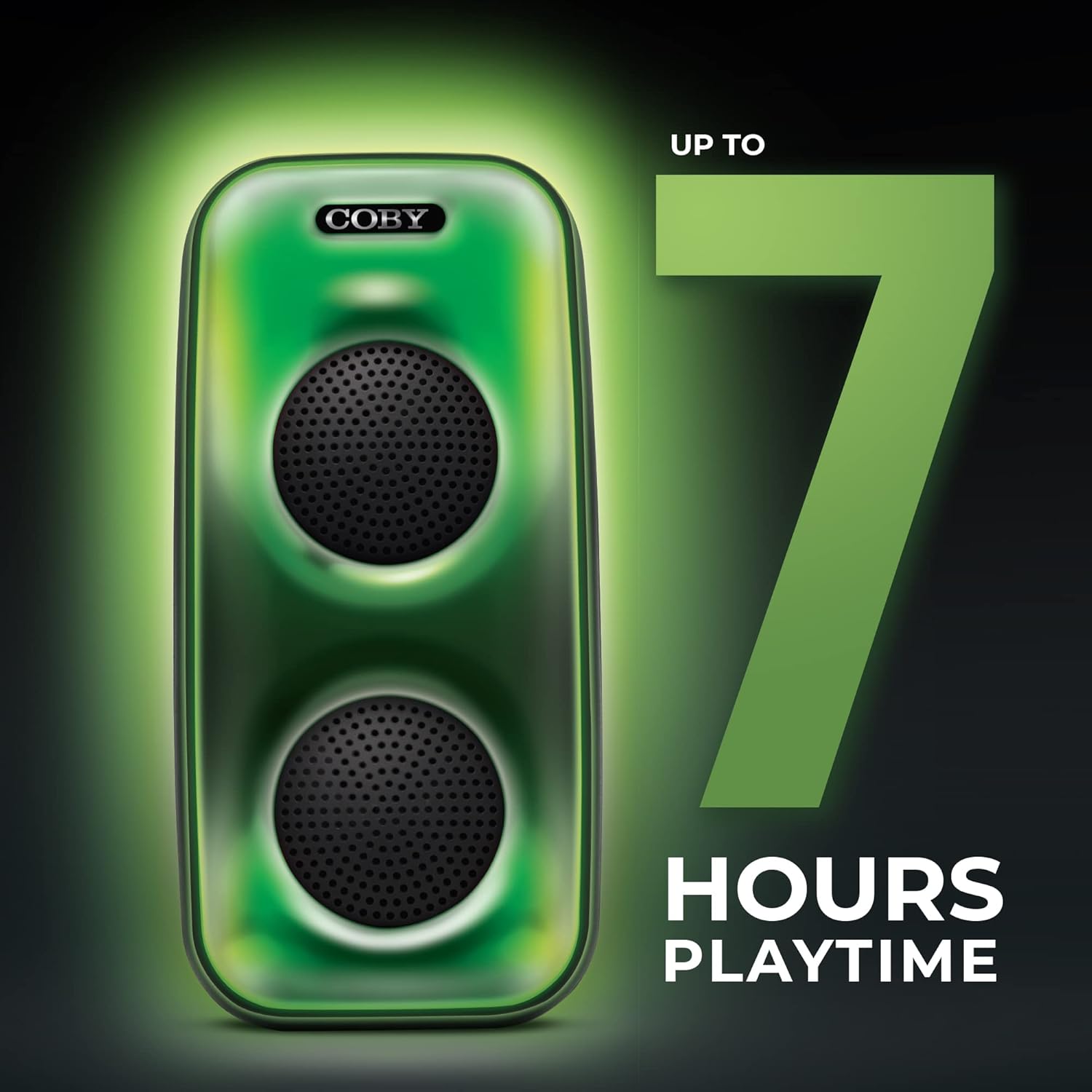
Image 5.1: The COBY CPA905BK speaker highlighting its battery life of up to 7 hours.
5.2 Piztu/Itzaltzea
Irristatu ON / OFF etengailua (1) to the "ON" position to power on the speaker. Slide it to "OFF" to power off.
6. Funtzionamendu-argibideak
6.1 Bluetooth konexioa
- Ziurtatu bozgorailua piztuta dagoela eta Bluetooth moduan dagoela. Bestela, sakatu botoia Speaker Mode Button (10) until you hear a prompt indicating Bluetooth mode.
- Gaitu Bluetootha zure telefonoan edo beste gailu bateragarri batean.
- Bilatu "COBY CPA905BK" in your device's Bluetooth settings.
- Select "COBY CPA905BK" to pair. A confirmation sound will indicate successful pairing.
- Orain zure gailuko audioa bozgorailuaren bidez erreproduzitu dezakezu.

Image 6.1: Illustration of the COBY CPA905BK speaker establishing a quick and easy Bluetooth connection with a smartphone.
6.2 Benetako Haririk gabeko Estereoa (TWS) Parekatzea
To achieve a stereo sound experience, you can pair two COBY CPA905BK speakers together:
- Ziurtatu bi bozgorailuak piztuta eta Bluetooth moduan daudela, baina ez inongo gailutara konektatuta.
- Bozgorailuetako batean (hau izango da bozgorailu nagusia), sakatu eta eutsi botoiari Speaker Mode Button (10) for a few seconds until you hear a pairing tone.
- The two speakers will automatically search and pair with each other. A confirmation tone will sound once paired.
- Now, connect your smartphone or device to the primary speaker via Bluetooth as described in section 6.1. Audio will play through both speakers in stereo.

Image 6.2: Two COBY CPA905BK speakers demonstrating True Wireless Stereo (TWS) functionality for enhanced sound.
6.3 USB and TF Card Playback
The speaker supports direct playback from USB flash drives and TF (microSD) cards.
- Sartu USB flash drive bat USB ataka (5) or a TF card into the TF txartelaren zirrikitua (4).
- The speaker will automatically switch to the corresponding mode and begin playing audio files. Bestela, sakatu Speaker Mode Button (10) to select the correct input.
- Erabili Previous / Next Song Buttons (9) to navigate tracks and the Erreproduzitu / Eten botoia (11) to control playback.
6.4 argi moduak
The speaker features three distinct light modes:
- Polychromatic: Displays a dynamic range of colors.
- Progresiboa: Colors transition smoothly.
- Pultsua: Lights react to the rhythm of the music.
Sakatu LED botoia (6) repeatedly to cycle through these light modes or to turn the lights off.

Image 6.3: The COBY CPA905BK speaker demonstrating its three distinct light modes.
6.5 Ekualizatzailea (EQ)
Sakatu EQ botoia (7) to cycle through available equalizer presets, optimizing the sound for different music genres or personal preferences.
7. Mantentzea
- Garbiketa: Use a soft, dry cloth to clean the exterior of the speaker. Do not use liquid cleaners or aerosols.
- Biltegiratzea: Denbora luzez erabiltzen ez duzunean, gorde bozgorailua leku fresko eta lehor batean, eguzki-argitik babestuta.
- Bateria zaintzea: Bateriaren iraupena luzatzeko, saihestu bozgorailua maiz erabat deskargatzea. Kargatu aldizka, erabiltzen ez bada ere.
8. Arazoak
| Arazoa | Kausa posiblea | Irtenbidea |
|---|---|---|
| Bozgorailuak ez du pizten. | Bateria agortuta dago. | Charge the speaker using the provided Micro USB cable. |
| Bozgorailuaren soinurik ez. | Volume is too low; incorrect input mode; device not paired. | Increase volume; press Speaker Mode Button (10) to select correct input; re-pair Bluetooth device. |
| Bluetooth device cannot find the speaker. | Speaker is not in Bluetooth pairing mode; speaker is already connected to another device. | Ensure speaker is in Bluetooth mode; disconnect from other devices; restart speaker and device. |
| TWS parekatzeak huts egin du. | Bozgorailuak oso urrun daude elkarrengandik; bozgorailu bat dagoeneko gailu batekin parekatuta dago. | Ensure speakers are close to each other; disconnect both speakers from any Bluetooth devices before initiating TWS pairing. |
| USB/TF txartelaren erreprodukzioa ez dabil. | Okerra file format; card/drive not inserted correctly; speaker not in correct mode. | Ziurtatu audioa files are in a compatible format (e.g., MP3); reinsert card/drive; press Speaker Mode Button (10) to select USB or TF mode. |
9. Zehaztapenak
| Ezaugarri | Xehetasuna |
|---|---|
| Modelo zenbakia | CPA905BK |
| Marka | Coby |
| Konektibitate Teknologia | Bluetooth 5.3, USB, TF Card |
| Energia iturria | Bateriaz elikatzen da (litio-ioizko bateria 1, barne) |
| Jolas-ordua | Gehienez 7 ordu |
| Audio Sarrera | Bluetooth, USB, TF Card |
| Produktuaren neurriak (L x W x H) | 5.52 x 5.52 x 11.43 hazbete |
| Elementuaren pisua | 2.3 kilo |
| Materiala | Metala, Plastikoa |
| UPC | 810071491368 |
10. Bermea eta Laguntza
For warranty information and technical support, please refer to the documentation provided with your purchase or visit the official Coby webgunea. Gorde erosketaren egiaztagiria bermearen erreklamazioetarako.
Fabrikatzailea: Summit Electronics, LLC
Webgunea: Bisitatu Coby denda Amazonen