
Sarrera
The Insta360 GO 3 is a compact and versatile action camera designed for capturing hands-free point-of-view footage and creative angles. Weighing only 35g, the GO 3 camera offers advanced stabilization, 360-degree horizon lock, and a multifunctional Action Pod for extended battery life and remote control. This manual provides essential information for setting up, operating, and maintaining your Insta360 GO 3.
Kutxan dagoena
- 1x Insta360 GO 3 Camera
- 1x Ekintza Pod
- 1x Imanezko zintzilikarioa
- 1x Klip Erraza
- 1x Pibote-euskarria
- 1x Lentearen babeslea
These accessories provide various mounting and usage options for diverse shooting scenarios.
Konfigurazioa
Osagaiak amaitu diraview
The Insta360 GO 3 system consists of the small GO 3 camera and its accompanying Action Pod. The camera is magnetic and can be used independently or docked into the Action Pod.

The compact Insta360 GO 3 camera, shown in white, featuring its lens and indicator light.

The Insta360 GO 3 camera docked into its Action Pod, with the flip-up screen displaying a live preview. Various accessories like the Magnet Pendant, Easy Clip, and Pivot Stand are also visible.
Hasierako karga
Before first use, ensure both the GO 3 camera and the Action Pod are fully charged. Connect the provided USB-C cable to the Action Pod's charging port. The GO 3 camera charges automatically when docked in the Action Pod.
Aplikazioaren konexioa
Download the official Insta360 app on your smartphone (compatible with iPhone SE 2 and newer, various iPad models, and select Android devices). Power on the GO 3 camera and Action Pod, then follow the in-app instructions to connect your device via Bluetooth and Wi-Fi for full functionality and live preview.
Firmware eguneratzea
It is crucial to keep your Insta360 GO 3's firmware updated for optimal performance and access to new features. If an update is available, the app will prompt you. Ensure your device is fully charged before initiating a firmware update. If app updates fail, connect the camera to a computer via USB-C, download the latest firmware from the official Insta360 website, and follow the provided instructions to copy the firmware file to the camera's root directory. Power on the GO 3 in the Action Pod to initiate the update.
Kameraren funtzionamendua
GO 3 Camera Controls
- Pizteko botoia: Eduki sakatuta pizteko/itzaltzeko.
- Obturadorearen botoia: Press once to start/stop recording video or take a photo.
- Quick Menu Button: Access quick settings or switch modes.
Action Pod Controls & Display
The Action Pod features a flip touchscreen display, allowing for remote control, live preview, and easy selfie/vlogging. The screen can be flipped up for convenient self-monitoring during recording.
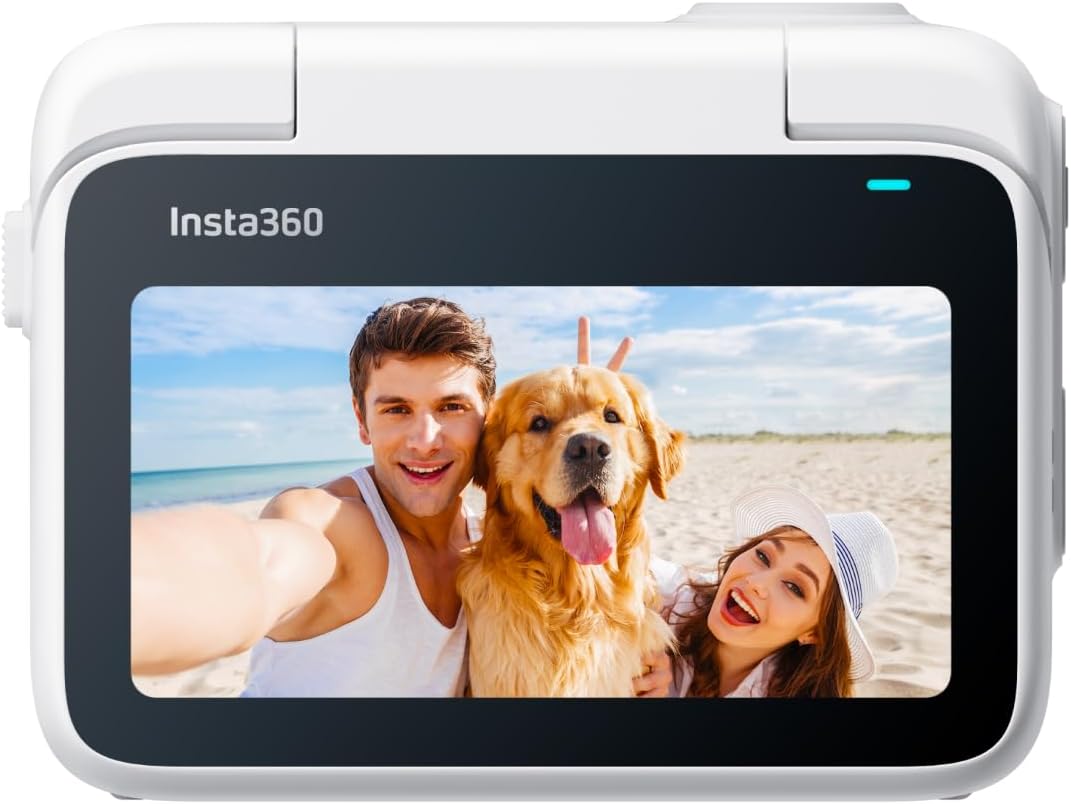
The Insta360 GO 3 Action Pod with its flip-up touchscreen displaying a live preview of a couple and their dog on a beach.
Shooting Modes & Features
- FlowState Egonkortzea eta 360 Horizon Lock: Ensures smooth, stable footage by removing shakes and keeping the horizon level, regardless of camera orientation.
- Bideoaren bereizmena: Records video at 2.7K resolution.
- Sormen moduak: Explore TimeShift (hyperlapse), PureShot HDR Photo (enhanced dynamic range), and Timelapse for unique visual effects.
- AI-Powered Editing: The Insta360 app can automatically find highlights, generate reels, and even match music to your footage.
- Export in Any Ratio: Flexibility to export videos in various aspect ratios (1:1, 16:9, 9:16) for different platforms.
Audioa
The GO 3 features 2 built-in microphones for crisp, clear, and immersive audio, suitable for vlogging and sports.
Webkamera modua
Utilize the Insta360 GO 3 as a webcam for 1080p resolution video calls with auto-tracking capabilities.
Muntatzeko aukerak
Versatile Magnetic Design
The GO 3 camera's magnetic design allows it to be mounted almost anywhere, offering creative possibilities for unique angles.
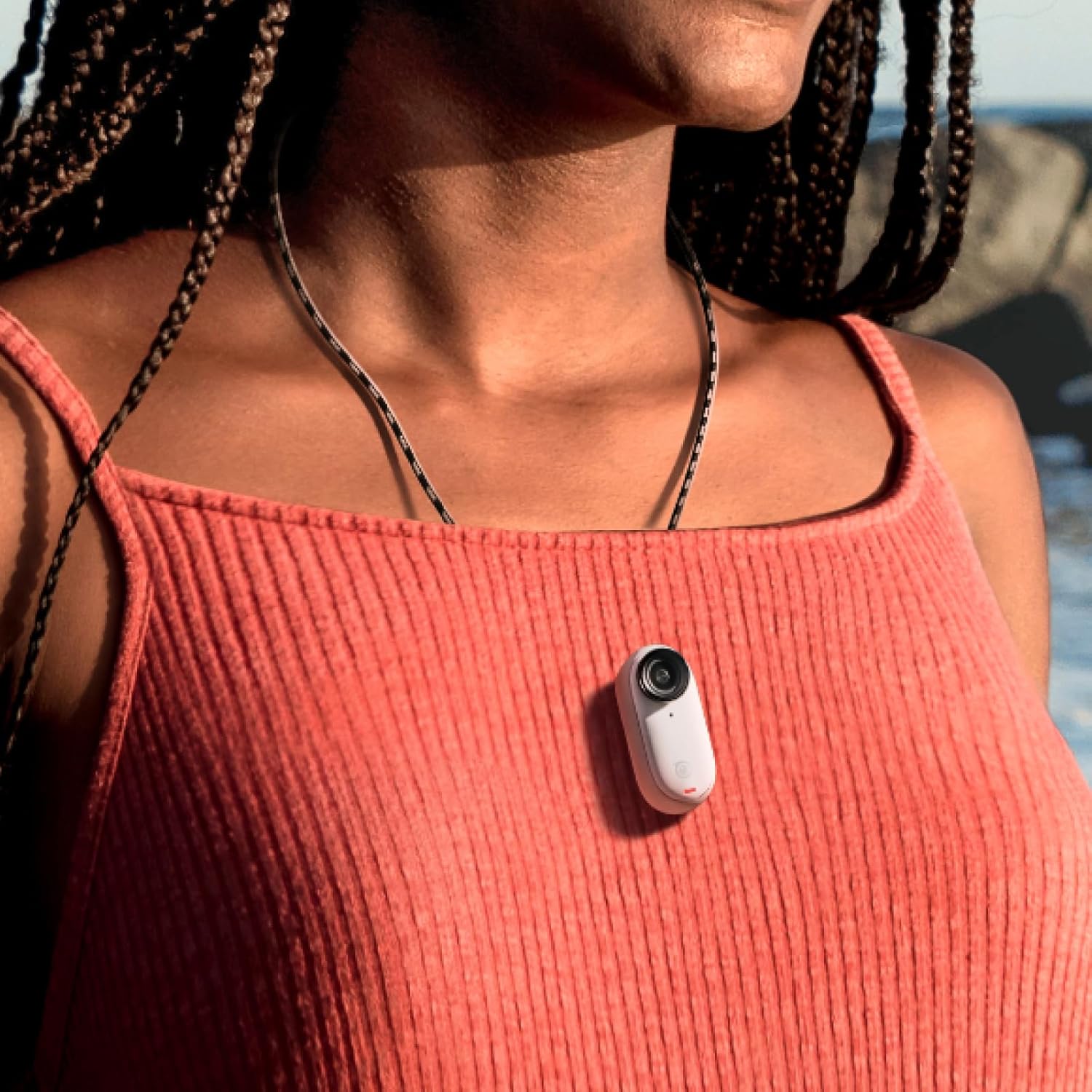
The tiny Insta360 GO 3 camera magnetically attached to a person's shirt, demonstrating its hands-free POV capability.
Osagarriak barne
- Imanezko zintzilikarioa: Wear the GO 3 for easy first-person POV shots.
- Klip erraza: Clip the camera onto a cap or other surfaces for various angles.
- Pibote-euskarria: Stick it to flat, dry, and clean surfaces to capture unique angles.
- Lentearen babeslea: Protects the camera lens from scratches and is required for underwater use.
Aukerako osagarriak
- Monkey Tail Mount: A flexible mount to wrap around objects for new angles.
- Mini 2-in-1 Tripod: Functions as both a selfie stick and a tripod.
- Pantaila babeslea: Essential for keeping the Action Pod screen safe from scratches.
Waterproofing & Durability
- GO 3 Camera: The GO 3 camera itself is waterproof down to 5m (16ft). Ensure the Lens Guard is installed for underwater use.
- Action Pod: The Action Pod is IPX4 splashproof, meaning it is resistant to splashes and light rain, but should not be submerged in water.
Mantentzea
- Always use the Lens Guard when taking the GO 3 camera underwater.
- Clean the camera and Action Pod with a soft, dry cloth after use, especially after exposure to water or dirt.
- Ensure the Action Pod is dry and clean before placing the GO 3 camera inside.
Arazoak konpontzea
- Konexio-arazoak: If the camera disconnects or fails to connect to the Action Pod or app, ensure the GO 3 is within Bluetooth range of the Action Pod. Restarting both devices and the app can often resolve connection problems.
- Firmwarearen eguneratze-erroreak: If app-based firmware updates fail, try connecting the camera to a computer and updating via the official Insta360 webgunea.
- Gehiegizko berotzea: In some conditions, the camera may overheat, especially during prolonged recording or in hot environments. This can cause recording to stop. Allow the camera to cool down.
- Biltegiratze arazoak: Topatzen baduzu file corruption or storage errors, navigate to the camera settings in the Action Pod or app and select the option to format the camera storage.
Zehaztapenak
| Marka | Insta360 |
| Modelo zenbakia | CINSABKA_GO306 |
| Bideo Harrapaketa Ebazpena | 2.7K |
| Irudi Egonkortzea | FlowState Stabilization |
| Uraren Erresistentzia Maila | Waterproof (GO 3 cam to 5m) |
| Elementuaren pisua | 130 gramo |
| Bateriaren batez besteko bizitza | 170 minutes (with Action Pod) |
| Konektibitate Teknologia | Wi-Fi, Bluetootha |
| Pantailaren tamaina | 2 Inches (Action Pod) |
| Flash memoria mota | SD (internal, not expandable) |
Bermea eta laguntza
The Insta360 GO 3 comes with a 1-year Limited Warranty. For further support, please refer to the official Insta360 webwebgunean edo jarri harremanetan bezeroarentzako zerbitzuarekin.
Bideoei buruzko ohar garrantzitsua
No official seller-provided instruction videos were available in the provided product data. For visual guides, please refer to the official Insta360 webgunea edo YouTube kanala.