
Sarrera
The Hama C-Rotate Pro is a versatile and robust flash drive designed for convenient data storage and transfer. Featuring both USB-C 3.0 and USB 3.0/3.1 (Gen. 1) Type-A connectors, it offers broad compatibility with various devices. Its rotating mechanism protects the connectors, making it ideal for on-the-go use. This manual provides essential information for setting up, operating, maintaining, and troubleshooting your device.
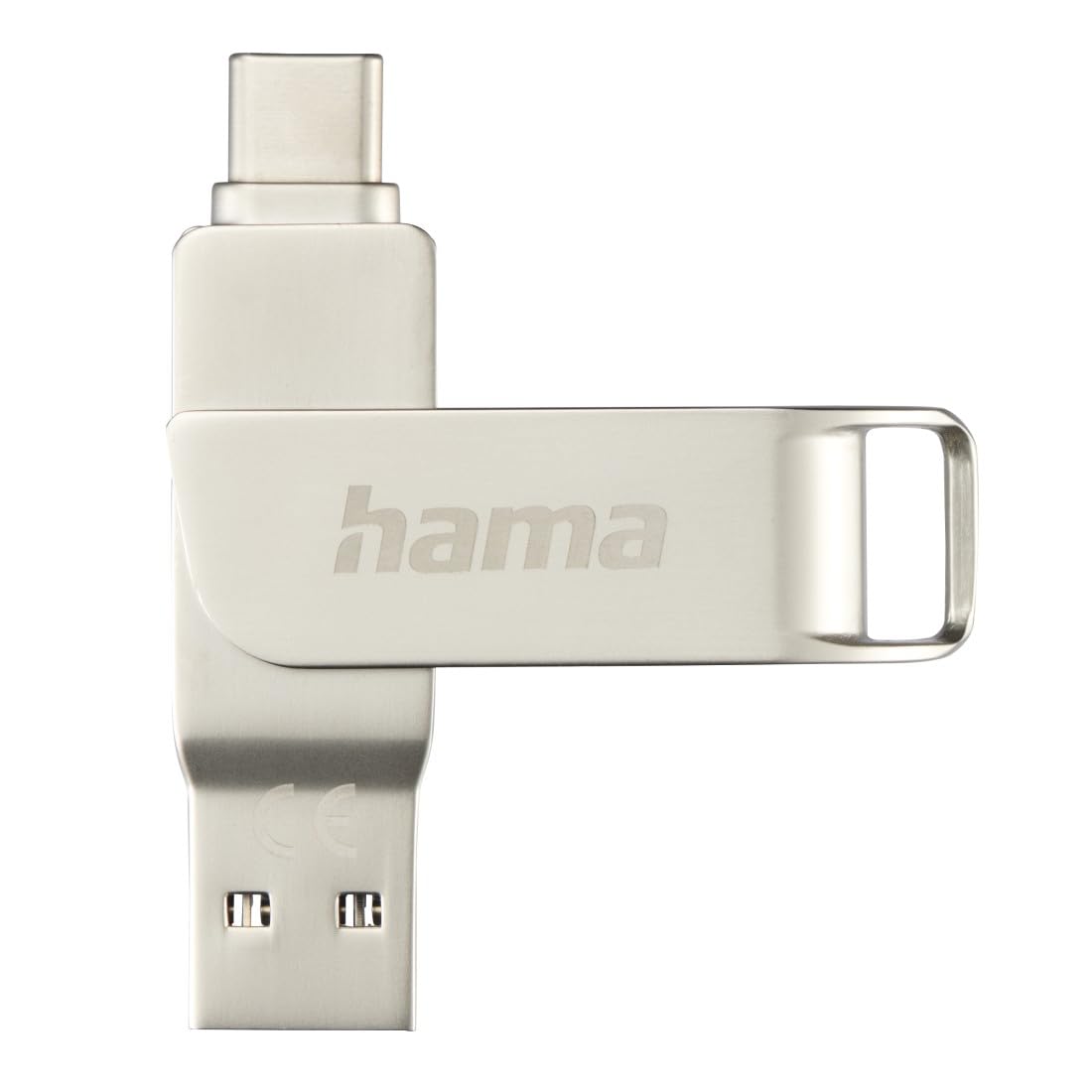
Image: The Hama C-Rotate Pro flash drive, showcasing its dual USB-A and USB-C connectors and the protective rotating metal casing.
Konfigurazioa
The Hama C-Rotate Pro flash drive is designed for plug-and-play functionality, requiring no special driver installation for most operating systems.
- Identifikatu portu zuzena: Determine whether your device has a USB-C port or a standard USB-A port.
- Rotate the connector: Gently rotate the metal casing to expose either the USB-C or the USB-A connector.
- Insert the flash drive: Plug the appropriate connector into the corresponding port on your computer, smartphone, or other compatible device.
- Device recognition: Your operating system (Windows 10/8/7, MacOS 9.x or higher) should automatically recognize the flash drive as a removable storage device.
Important Note: Never attempt to use both the USB-C and USB-A connectors simultaneously. Only one connector should be exposed and connected at a time.
Funtzionamendu-argibideak
Once connected, the Hama C-Rotate Pro functions like any standard removable storage device.
- Sartzea Files: Ireki zure ordenagailua file explorer (Windows) or Finder (macOS) and locate the drive, typically labeled as a removable disk.
- Transferitzea Files: Arrastatu eta jaregin files to and from the flash drive. For optimal speed, ensure you are using a USB 3.0/3.1 (Gen. 1) or USB-C 3.0 port.
- Full HD Video Playback/Recording: The drive supports direct recording and playback of Full HD videos, provided your device and software support this functionality.
- Seguru kentzea: Always safely eject the flash drive from your operating system before physically removing it to prevent data corruption.

Image: The Hama C-Rotate Pro with its USB-C connector ready for use.

Image: The Hama C-Rotate Pro with its USB-A connector ready for use.
Mantentzea
The Hama C-Rotate Pro is designed with a robust metal casing for durability. Minimal maintenance is required.
- Garbiketa: Use a soft, dry cloth to wipe the exterior of the flash drive. Avoid liquid cleaners or abrasive materials.
- Biltegiratzea: When not in use, rotate the casing to protect both connectors from dust and physical damage. Store in a cool, dry place.
- Manipulazioa: Avoid dropping the device or subjecting it to excessive force.
Arazoak konpontzea
- Issue: Flash drive not recognized by the device.
- Irtenbidea:
- Ziurtatu flash unitateak USB atakan guztiz sartuta dagoela.
- Saiatu zure gailuko beste USB ataka bat erabiltzen.
- Ensure only one connector (USB-C or USB-A) is exposed and connected at a time.
- Berrabiarazi ordenagailua edo gailua.
- Check if your operating system is compatible (Windows 10/8/7, MacOS 9.x or higher).
- Arazoa: Datuen transferentzia abiadura motela.
- Irtenbidea:
- Ensure you are connecting the flash drive to a USB 3.0/3.1 (Gen. 1) or USB-C 3.0 port on your device. Connecting to a USB 2.0 port will result in significantly slower speeds.
- Egiaztatu hori files being transferred are not excessively fragmented or corrupted.
- Close other applications that might be using system resources or performing disk operations.
- Issue: Data corruption or loss.
- Irtenbidea:
- Always use the "Safely Remove Hardware" or "Eject" option in your operating system before physically disconnecting the flash drive.
- Avoid disconnecting the drive during active data transfer.
Zehaztapenak
| Ereduaren izena | C-Rotate Pro |
| Modelo zenbakia | ham_n17_00182490 |
| Biltegiratze Ahalmena | 64 GB |
| Interfazea | USB-C 3.0, USB 3.0/3.1 (Gen. 1) Type-A |
| Irakurri Abiadura | Up to 70 MB/s (with USB 3.0/3.1 Gen. 1 or USB-C 3.0 interface) |
| Materiala | Metala |
| Neurriak (L x W x H) | 62.2 mm x 14 mm x 8.9 mm |
| Pisua | 16.34 gramo |
| Sistema eragileen bateragarritasuna | Windows 10/8/7, MacOS 9.x or higher |
| Ezaugarri bereziak | Rotating mechanism, OTG (On-The-Go) functionality |
Laguntza Informazioa
For further assistance or to access the official product page and additional resources, please visit the Hama webgunea.
- Lineako eskuliburua: The user manual for the Hama C-Rotate Pro USB stick can be found on www.hama.com under item number 00182490.
- Fabrikatzailea Webgunea: For general product information and support, visit www.hama.com.
Warranty information is typically provided with the product packaging or available on the manufacturer's official website. Please refer to those resources for details regarding your product's warranty.