
Roberts PLAY11BK
Roberts Radio Digital Play11 DAB/DAB+/FM irrati eramangarriaren erabiltzailearen eskuliburua
Model: PLAY11BK
Sarrera
Thank you for choosing the Roberts Radio Digital Play11. This portable radio offers high-quality audio with DAB, DAB+, and FM reception. Designed for ease of use, it features a headphone jack for personal listening and flexible power options. This manual provides essential information for setting up, operating, and maintaining your device.
Segurtasun Informazioa
Produktu hau erabili aurretik, irakurri eta ulertu segurtasun-jarraibide guztiak. Gorde argibide hauek etorkizunean erreferentzia gisa.
- Ez jarri irratia euripean, hezetasunean edo muturreko tenperaturetan.
- Saihestu unitatea bero-iturrien ondoan edo eguzki-argiaren eraginpean jartzea.
- Use only the specified power supply (USB-C cable) or 4 x AA batteries.
- Ez saiatu unitatea desmuntatzen edo aldatzen. Mantendu konponketa guztiak langile kualifikatuen esku.
- Ensure proper ventilation; do not cover ventilation openings.
- Tokiko araudien arabera bota bateriak arduraz.
Kutxan dagoena
Deskonprimitzean, ziurtatu honako elementu guztiak daudela:
- Roberts Radio Digital Play11
- Hasierako gida azkarra
- USB-C korronte kablea
- Segurtasun eta berme liburuxka
Produktua amaituview
Familiarize yourself with the main components and controls of your Play11 radio.

Irudia: Aurrealdea view of the Roberts Play11 radio with labels indicating the On/Off button, Volume knob, Antenna, LCD Display, Select knob, Favourites button, Info/Menu button, Mode button, and Next/Previous buttons.
- Piztu/Itzali botoia: Unitatea pizten edo itzaltzen du.
- Bolumen-eskulekua: Audio irteera-maila doitzen du.
- Antena: Irrati-harrera optimoa lortzeko, luzatu.
- LCD pantaila: Geltokiaren informazioa, ordua eta menu aukerak erakusten ditu.
- Aukeratu botoia: Menuetan nabigatzen du eta aukeraketak berresten ditu.
- Favourites (2 sec) Button: Press and hold to save a favourite station; short press to recall.
- Info | Menu Button: Displays station information; press and hold to access the main menu.
- Modu botoia: Switches between DAB, DAB+, and FM modes.
- Next | Previous Buttons: Navigates through stations or menu options.
- Aurikularrak Jack: For private listening (3.5mm AUX Out Port).
- USB-C ataka: Elikatze-hornidurarako.

Irudia: Gertuko planoa view of the Roberts Play11 radio, highlighting the 3.5mm headphone jack on the side for personal listening.
Konfigurazioa
1. Elikatze-iturria
The Play11 can be powered by either batteries or the included USB-C power cable.

Irudia: Atzealdea view of the Roberts Play11 radio, illustrating the battery compartment for 4x AA batteries (not included) and the USB-C power input port.
- Bateriaren funtzionamendua: Open the battery compartment on the rear of the radio. Insert 4 x AA (LR6) batteries, ensuring correct polarity. Close the compartment securely. Batteries are not included.
- Sarearen funtzionamendua: Connect the supplied USB-C power cable to the USB-C port on the radio and plug the other end into a suitable USB power adapter (not supplied).
2. Antena
Extend the telescopic antenna fully for optimal reception in both DAB/DAB+ and FM modes.
3. Hasierako piztea
Sakatu Piztu/Desaktibatu button to power on the radio. If this is the first time using the radio, it will automatically perform a full scan for DAB/DAB+ stations.
Funtzionamendu-argibideak
Switching Modes (DAB/DAB+/FM)
Sakatu Modua button repeatedly to cycle between DAB, DAB+, and FM radio modes.
DAB/DAB+ irratia
- Geltokiak eskaneatzen: After initial power-on, the radio will automatically scan. To perform a manual scan, press and hold the Informazioa | Menua button, navigate to "Full Scan" using the Hautatu knob, and press Hautatu baieztatzeko.
- Geltokiak hautatzea: Biratu Hautatu knob to browse available stations. Press the Hautatu knob to tune into the desired station.
- Saving Presets (Favourites): Sintonizatu nahi duzun irratia. Sakatu eta eutsi botoiari Favourites (2 sec) button until "Preset Store" appears. Rotate the Hautatu knob to choose a preset number (1-10) and press Hautatu gordetzeko.
- Aurrezarpenak gogoratzen: Sakatu laburra Favourites (2 sec) botoia. Biratu Hautatu knob to choose the desired preset and press Hautatu sintonizatzeko.
FM Irratia
- Geltokiak eskaneatzen: FM moduan, luze sakatu Next | Previous botoiak automatikoki hurrengo irrati eskuragarria bilatzeko.
- Eskuzko sintonizazioa: Biratu Hautatu knob to manually tune to a specific frequency.
- Saving Presets (Favourites): Sintonizatu nahi duzun irratia. Sakatu eta eutsi botoiari Favourites (2 sec) button until "Preset Store" appears. Rotate the Hautatu knob to choose a preset number (1-10) and press Hautatu gordetzeko.
- Aurrezarpenak gogoratzen: Sakatu laburra Favourites (2 sec) botoia. Biratu Hautatu knob to choose the desired preset and press Hautatu sintonizatzeko.
Entzungailuak erabiltzea
Connect standard 3.5mm headphones to the headphone jack on the side of the radio for private listening. The internal speaker will automatically mute when headphones are connected.
Mantentzea
- Garbiketa: Garbitu irratia zapi leun eta lehor batekin. Ez erabili garbitzaile edo disolbatzaile urratzailerik.
- Bateria ordezkatzea: When using batteries, replace all four AA batteries simultaneously when the low battery indicator appears on the display. Ensure correct polarity.
- Biltegiratzea: Irratia denbora luzez gordetzen baduzu, kendu bateriak isuriak saihesteko.
Arazoak konpontzea
| Arazoa | Kausa posiblea | Irtenbidea |
|---|---|---|
| Botererik ez | Batteries are flat or incorrectly inserted; USB-C cable not connected properly. | Replace batteries, ensuring correct polarity. Check USB-C cable connection and power adapter. |
| Poor DAB/FM reception | Antenna not fully extended; weak signal area; interference. | Luzatu guztiz antena teleskopikoa. Saiatu irratia berriro kokatzen. Egin DAB irrati-kateen bilaketa osoa. |
| Soinurik ez | Volume too low; headphones connected; unit muted. | Increase volume. Disconnect headphones. Check if the unit is muted (though this model doesn't have a dedicated mute button, ensure volume is not at zero). |
| Botoiek ez dute erantzuten | Softwarearen aldi baterako akatsa. | Turn the radio off and on again. If problem persists, remove power source (batteries/USB-C) for a few minutes, then reconnect. |
Zehaztapenak
| Eredua | PLAY11BK |
| Sintonizatzaile mota | DAB, DAB+, FM |
| Aurrez ezarriak | 10 DAB, 10 FM |
| Energia iturria | 4 x AA batteries (not included) or USB-C (4.5 Volts) |
| Hardware interfazea | USB C mota |
| Aurikularretarako Jack | 3.5 mm |
| Bistaratzeko mota | LCDa |
| Neurriak (LxWxH) | 17.4 x 6 x 11 cm |
| Pisua | 357 g |
| Materiala | Plastikoa, Polikarbonatoa (PC) |
Bermea eta Laguntza
Your Roberts Radio Digital Play11 comes with a 2-year warranty. Please refer to the included Safety and Warranty leaflet for detailed terms and conditions. For technical support or service inquiries, please visit the official Roberts Radio webwebgunean edo jarri harremanetan bere bezeroarentzako arreta zerbitzuarekin.
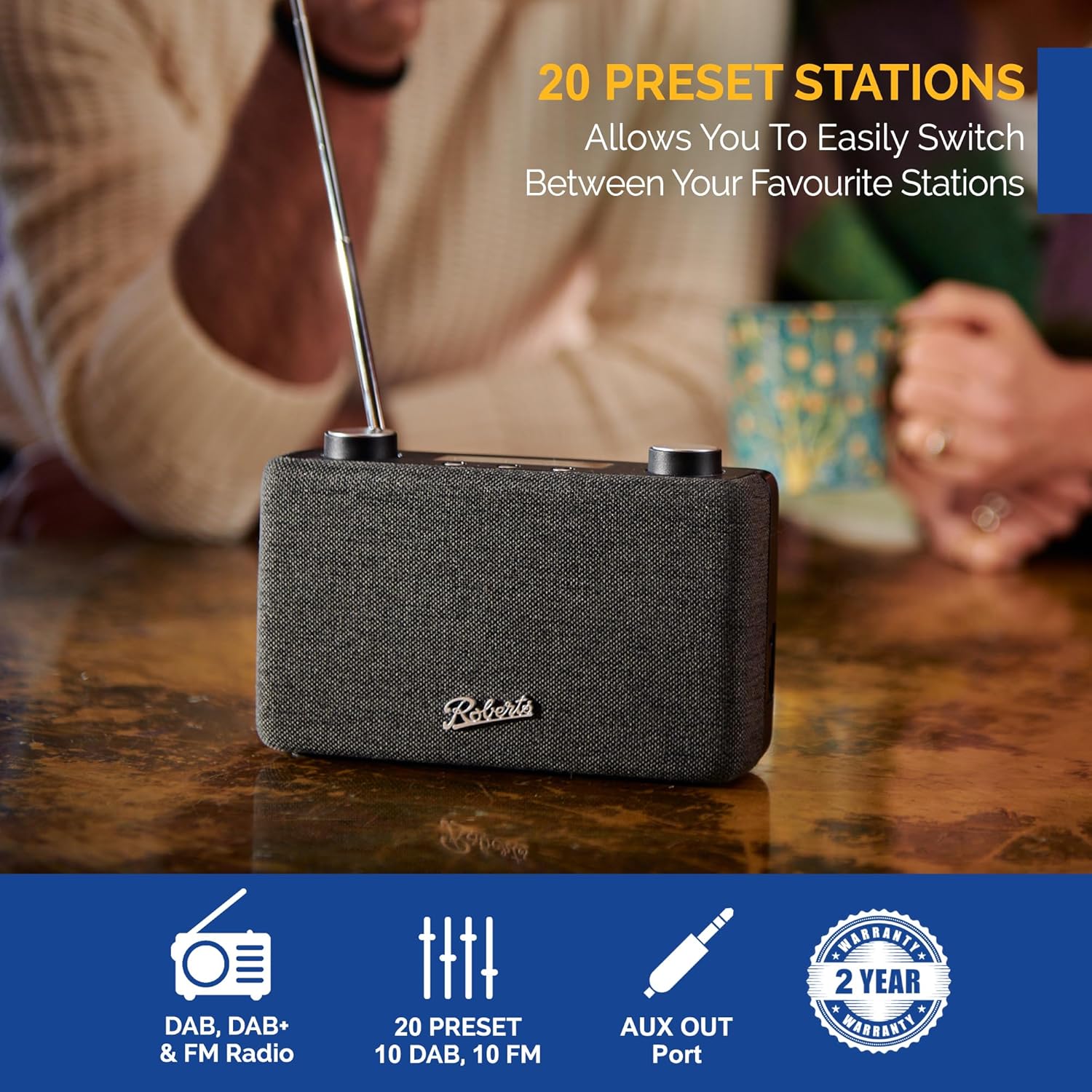
Image: The Roberts Play11 radio displayed alongside icons indicating DAB/DAB+ & FM Radio, 20 Presets, AUX Out Port, and a 2-Year Warranty badge.
Lotutako dokumentuakPLAY11BK


Ask a question about this manual
Ask about setup, troubleshooting, compatibility, parts, safety, or missing instructions. Manuals+ will review the question and use this page’s manual context to help answer it.