
1. Sarrera
This manual provides detailed instructions for the proper use and maintenance of your Micool DY20PLUS Bluetooth Earpiece. Please read this manual thoroughly before using the product to ensure safe and efficient operation. The Micool DY20PLUS is a single-ear Bluetooth headset designed for clear communication, featuring noise cancellation and extended talk time.
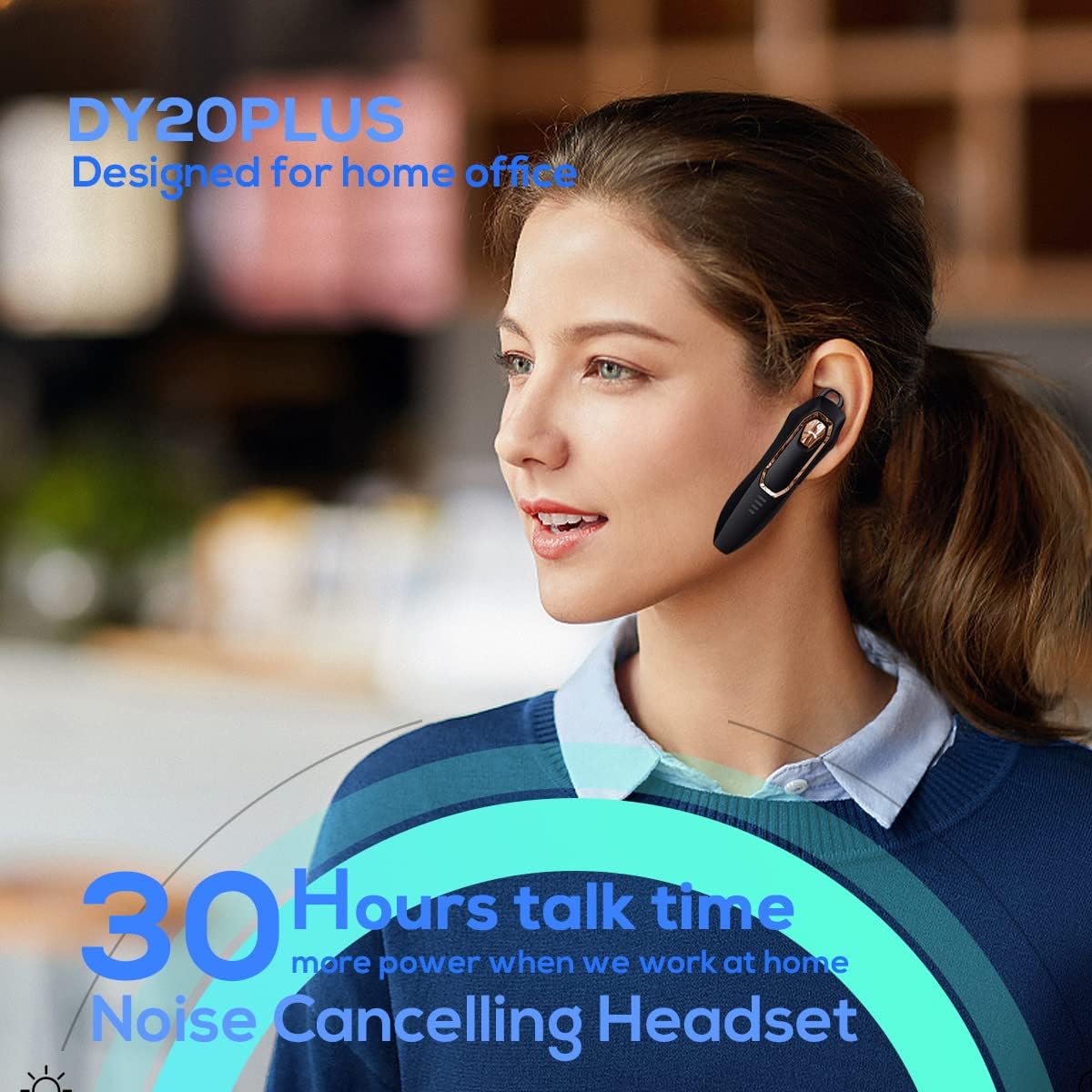
Figure 1: Micool DY20PLUS Bluetooth Earpiece
1. bideoa: Amaitu daview of Micool Bluetooth Headset features, including noise cancellation and long battery life.
2. Paketearen edukia
Mesedez, egiaztatu paketea elementu hauek dituen:
- Micool DY20PLUS Bluetooth Earpiece
- USB kargatzeko kablea
- Ear Hooks (various sizes)
- Erabiltzailearen eskuliburua
3. Produktua amaitu daview
Familiarize yourself with the buttons and indicators on your Micool DY20PLUS earpiece:

Figure 2: Earpiece controls and functions.
- MFB (funtzio anitzeko botoia): Piztu/itzali, erreproduzitu/pausatu, deiak erantzun/amaitu.
- Bolumena igo (+): Bolumena igo, hurrengo abestia (luze sakatuta).
- Bolumena jaitsi (-): Bolumena jaitsi, aurreko abestia (luze sakatuta).
- Mututu botoia: Mute/unmute microphone during a call.
- LED adierazlea: Energia, parekatzea eta kargatze egoera erakusten ditu.
- Kargatzeko ataka: USB ataka kargatzeko.
4. Konfigurazioa
4.1 Entzungailuak kargatzea
Before first use, fully charge the earpiece. Connect the provided USB charging cable to the earpiece's charging port and a USB power source. The LED indicator will show charging status and turn off when fully charged. A full charge provides up to 30 hours of talk time.
4.2 Bluetooth parekatzea
To connect your Micool DY20PLUS earpiece to your mobile phone or other Bluetooth-enabled device:
- Ensure the earpiece is turned off.
- Sakatu eta eutsi MFB botoia LED adierazlea gorri eta urdin txandaka keinuka hasi arte, parekatze modua adieraziz.
- Gailuan, gaitu Bluetootha eta bilatu eskuragarri dauden gailuak.
- Select "DY20PLUS" from the list of devices.
- Konektatu ondoren, LED adierazlea urdin argituko da poliki-poliki.
The earpiece supports connecting to two devices simultaneously. After pairing with the first device, disable Bluetooth on it, then pair with the second device. Re-enable Bluetooth on the first device, and both should connect.
Video 2: Demonstrates Bluetooth pairing and setting up the "Speak Caller's Name" function using the RealTTS app.
5. Funtzionamendu-argibideak
5.1 Piztu/Itzali
- Piztu: Sakatu eta eutsi MFB botoia 3 segundo inguruz, LED adierazlea urdin keinuka hasi arte.
- Itzali: Sakatu eta eutsi MFB botoia 3 segundo inguru, LED adierazlea gorriz keinuka hasi eta itzali arte.
5.2 Deien kudeaketa
- Erantzun deia: Short press the MFB once.
- Amaitu deia: Short press the MFB once during a call.
- Deia baztertu: Luze sakatu MFB 2 segundoz.
- Ezkutatu/Aktibatu: Short press the dedicated Mute button during a call.
- Switch Call Audio: During a call, you can switch the audio output between the earpiece and your phone. Refer to your phone's call interface for this option.
5.3 Musika erreproduzitzea
- Erreproduzitu/Pausatu: Short press the MFB once.
- Hurrengo ibilbidea: Sakatu luze bolumena igotzeko (+) botoia.
- Aurreko pista: Sakatu luze Bolumena Jaisteko (-) botoia.
5.4 Bolumen kontrola
- Handitu bolumena: Sakatu labur bolumena igotzeko (+) botoia.
- Murriztu bolumena: Sakatu labur Bolumena Jaisteko (-) botoia.
5.5 Ahots laguntzailea
Double-tap the MFB to activate your device's voice assistant (Siri, Cortana, Bixby, Google Assistant, etc.). This allows for hands-free control of your connected device.
6. Mantentzea
- Keep the earpiece dry. Do not expose it to extreme temperatures.
- Clean the earpiece with a soft, dry cloth. Avoid using harsh chemicals.
- Store the earpiece in a cool, dry place when not in use.
- Avoid dropping or subjecting the earpiece to strong impacts.
7. Arazoak
| Arazoa | Kausa posiblea | Irtenbidea |
|---|---|---|
| Ezin da piztu | Bateria baxua | Charge the earpiece fully. |
| Ezin da gailuarekin parekatu | Earpiece not in pairing mode; Bluetooth off on device; too far apart. | Ensure earpiece is in pairing mode (flashing red/blue). Turn on Bluetooth on your device. Keep devices within 1 meter during pairing. |
| Soinurik ez edo soinu kalitate eskasa | Volume too low; earpiece not selected as audio output; interference. | Adjust volume on both earpiece and device. Check device's audio output settings. Move away from sources of interference. |
| Caller's name not announced | RealTTS app not installed or permissions not granted. | Download and install the "RealTTS" app. Ensure Bluetooth and contact access permissions are granted to the app. |
8. Zehaztapenak
| Ezaugarri | Xehetasuna |
|---|---|
| Ereduaren izena | DY20PLUS |
| Marka | Micool |
| Bluetooth bertsioa | 5.0 |
| Wireless Range | Gehienez 50 metro (150 oin) |
| Hitzaldi Denbora | Gehienez 30 ordu |
| Zarata Kontrola | Active Noise Cancellation (2 Microphones) |
| Pisua | 12g (Ultra-light) |
| Bateragarritasuna | Bluetooth-enabled devices (phones, laptops, tablets) |
| Materiala | Plastikoa |
| UPC | 768399519588 |
9. Bermea eta Laguntza
Micool products come with a standard manufacturer's warranty. For specific warranty details, please refer to the warranty card included in your product packaging or visit the official Micool website. If you encounter any issues or require technical assistance, please contact Micool customer support through their official channels.