
Sarrera
This manual provides essential information for the safe and effective operation and maintenance of your CRAFTSMAN CMMT25166 Rechargeable Aluminum Pen Light. Please read this manual thoroughly before using the product and retain it for future reference. This pen light features a durable aluminum body, USB-C charging, and dual LED brightness modes for versatile illumination.
Segurtasun Informazioa
- Begietako segurtasuna: Do not stare directly into the LED light. The high intensity light can cause temporary vision impairment or eye damage.
- Bateriaren segurtasuna: This product contains a Lithium-Ion battery. Do not expose the battery to extreme temperatures, fire, or water. Do not attempt to disassemble or replace the internal battery.
- Kargatzen: Use only the provided USB-C cable or a certified USB-C cable with a compatible power adapter for charging.
- Uraren erresistentzia: Gailu hau da Ez Urarekiko ErresistenteaKalteak saihesteko, saihestu uraren edo hezetasun handiaren eraginpean egotea.
- Xedapena: Dispose of the product and its battery responsibly according to local regulations. Do not dispose of in household waste.
Paketearen edukia
Egiaztatu elementu guztiak bertan daudela:
- CRAFTSMAN CMMT25166 Rechargeable Aluminum Pen Light
- USB-C Charging Cable (included with the product)
Produktua amaituview
Familiarize yourself with the components of your pen light:

Figure 1: CRAFTSMAN CMMT25166 Pen Light
- LED lentea: Emits light in either flood or pen mode.
- Pizteko botoia: Controls power and switches between light modes.
- USB-C kargatzeko ataka: Located under a protective cover, used for recharging the internal battery.
- Poltsikoko klip: For secure attachment to clothing or gear.
- Aluminiozko gorputza: Durable, tri-sided design to prevent rolling.
Konfigurazioa
Hasierako karga
Before first use, fully charge the pen light.
- Locate the USB-C charging port, usually covered by a rubber flap for protection.
- Connect the provided USB-C cable to the pen light's charging port.
- Konektatu USB-C kablearen beste muturra USB elikatze-iturri bateragarri batera (adibidez, hormako egokitzailea, ordenagailuko USB ataka).
- The charging indicator light (if present) will show the charging status. Refer to the product packaging for specific indicator light behavior.
- Charging typically takes a few hours. A full charge provides approximately 2-3 hours of runtime.
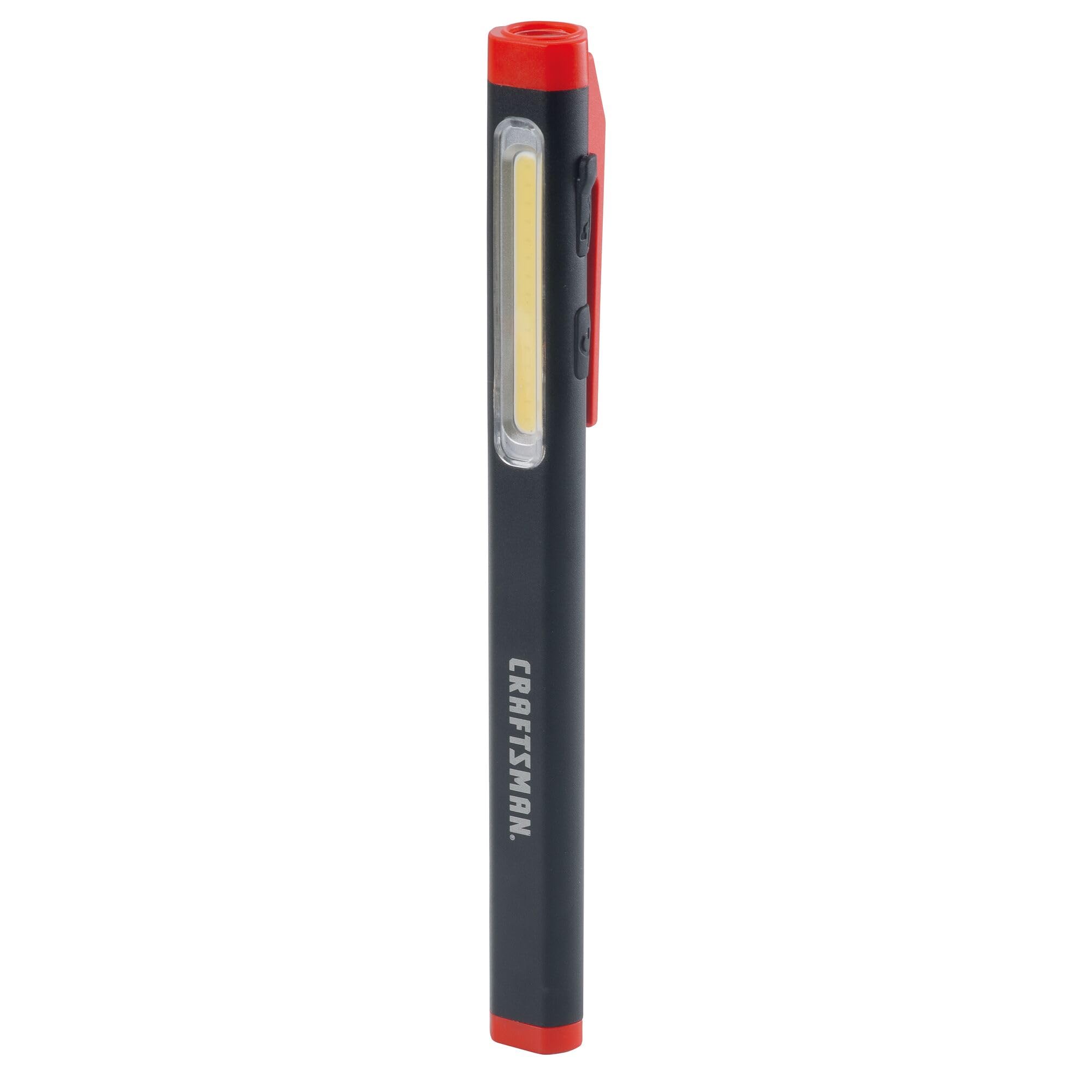
Figure 2: Charging the Pen Light via USB-C
Funtzionamendu-argibideak
Piztu/Itzali eta Modu aukeraketa
The pen light features a single power button for all operations.
- Pizteko: Press the power button once. The light will typically turn on in its last used mode or a default mode.
- Moduz aldatzeko: While the light is on, press the power button repeatedly to cycle through the available modes: Flood Mode (300 Lumens) and Pen Mode (180 Lumens).
- Desaktibatzeko: Press and hold the power button for approximately 1-2 seconds, or cycle through all modes until the light turns off.
Mantentzea
Garbiketa eta Biltegiratzea
- Garbiketa: Wipe the pen light with a soft, damp cloth. Do not use abrasive cleaners or solvents. Ensure the USB-C port cover is closed before cleaning.
- Biltegiratzea: Store the pen light in a cool, dry place away from direct sunlight and extreme temperatures. For long-term storage, ensure the battery is partially charged (around 50%) to maintain battery health.
- Bateria zaintzea: Recharge the battery regularly, even if not frequently used, to prevent deep discharge and prolong its lifespan.
Arazoak konpontzea
| Arazoa | Kausa posiblea | Irtenbidea |
|---|---|---|
| Argia ez da pizten. | Bateria agortuta dago. | Charge the pen light using the USB-C cable. |
| Argia iluna da. | Bateria gutxi. | Recharge the pen light. |
| Pen light not charging. | Faulty USB-C cable or power source. | Saiatu beste USB-C kable edo korronte egokitzaile batekin. Ziurtatu kablea guztiz sartuta dagoela. |
| Ezin da moduen artean aldatu. | Botoi-sakatze okerra. | Ensure you are pressing the power button briefly to cycle modes. |
Zehaztapenak
| Ezaugarri | Xehetasuna |
|---|---|
| Modelo zenbakia | CMMT25166 |
| Energia iturria | Bateriak (Litio ioiak) |
| Argi iturri mota | LED |
| Materiala | Aluminioa |
| White Brightness (Flood Mode) | 300 lumen |
| White Brightness (Pen Mode) | 180 lumen |
| Exekuzioa | Gehienez 3 ordu |
| Kargatzeko ataka | USB-C |
| Uraren Erresistentzia Maila | Ez Urarekiko Erresistentea |
| Elementuaren pisua | 3.68 ontza |
| Elementuaren neurriak (L x W x H) | 2.7"L x 8.9"Z x 1.5"A |
Bermea
This CRAFTSMAN product is backed by a Bizitza Osoko Bermea. If the product fails to perform for any reason, it will be replaced. No proof of purchase is required for warranty claims.
To initiate a warranty claim, return the damaged product to a stocking Retail Partner or call CRAFTSMAN customer service at 1-888-331-4569 for details and assistance.
Laguntza
For further assistance, technical support, or to inquire about other CRAFTSMAN products, please visit the official CRAFTSMAN webwebgunean edo jarri harremanetan bezeroarentzako zerbitzuarekin.
CRAFTSMAN Customer Service: 1-888-331-4569
Informazio eta produktu gehiago ere aurki ditzakezu hemen: CRAFTSMAN denda Amazonen.