
1. Sarrera
This manual provides detailed instructions for the operation and maintenance of your Retekess TR636 Portable CD Player. Please read this manual thoroughly before using the device to ensure proper function and safety.
The Retekess TR636 is a versatile portable audio system designed for ease of use, offering multiple playback options and a clear sound experience. It features a lightweight and portable stereo design with two large speakers for enhanced sound quality and volume. The device includes Bluetooth 5.0 for wireless connectivity, an FM/AM radio tuner, a CD player compatible with various formats, USB playback, and an AUX input. It also offers a convenient sleep timer function and can be powered by either an AC cable or batteries.
2. Paketearen edukia
Konfiguratu aurretik, egiaztatu elementu guztiak paketean daudela:
- 1x Retekess TR636 CD Radio Unit
- 1x AC korronte kablea
- 1x Urruneko Kontrola
- 1x Erabiltzailearen eskuliburua (dokumentu hau)

Figure 2.1: Contents of the Retekess TR636 package.
3. Konfigurazioa
3.1 Energia-konexioa
Retekess TR636-k bi potentzia aukera eskaintzen ditu:
- AC potentzia: Connect the included AC power cable to the unit's power input and then to a standard wall outlet. This is recommended for indoor use.
- Bateria Potentzia: For portable use, insert 4 C-size batteries (not included) into the battery compartment located on the bottom of the unit. Ensure correct polarity.
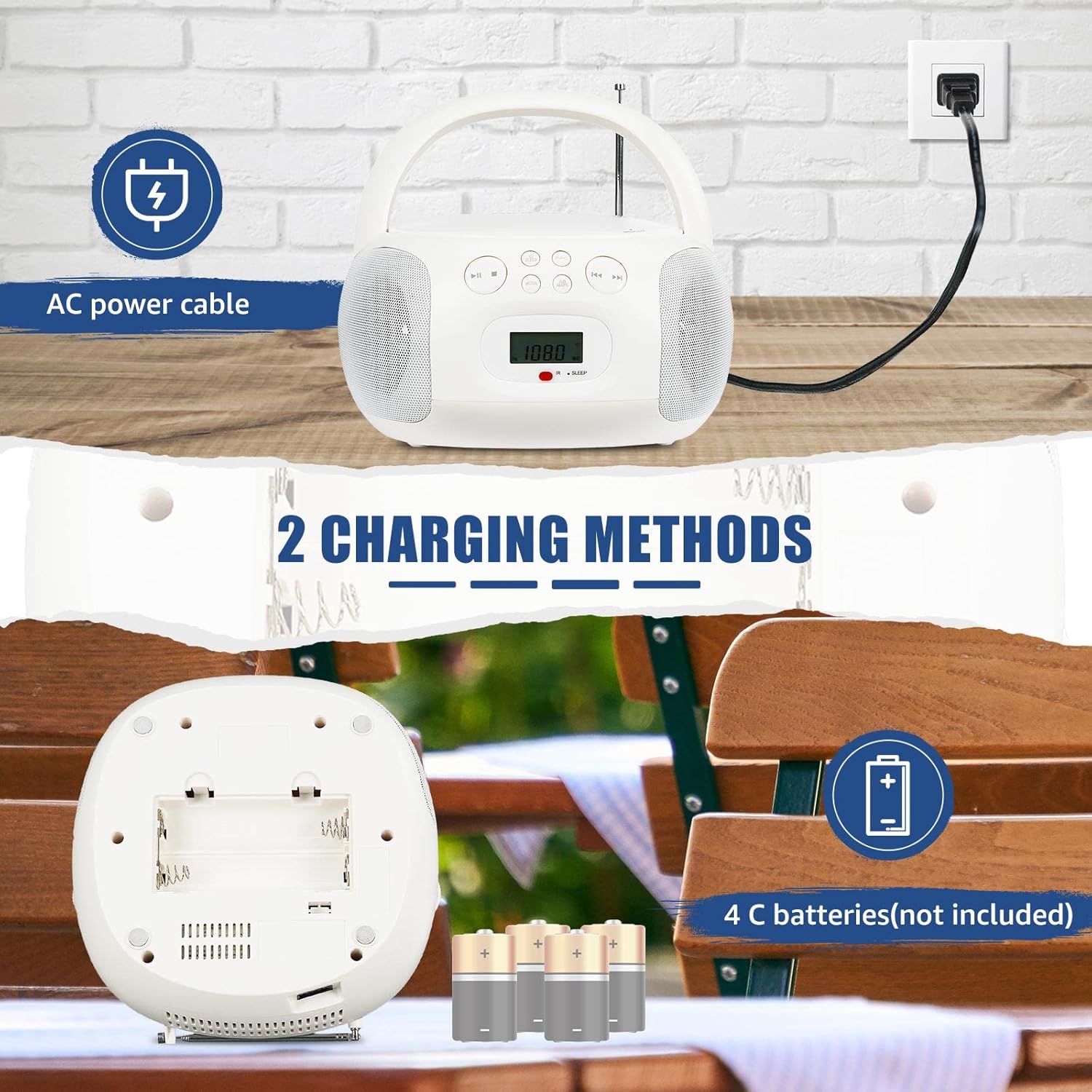
Figure 3.1: Powering the device using AC cable or C-batteries.
3.2 Hasierako piztea
Sakatu BOTEREA button on the unit or remote control to turn on the device. The LCD screen will illuminate, displaying the current mode or time.
4. Funtzionamendu-argibideak
The Retekess TR636 features simple operation with clearly marked buttons for easy navigation.

Figure 4.1: Clearly marked buttons for easy operation.
4.1 CD erreproduzitzailearen funtzionamendua
- Ireki CDaren konpartimentuaren estalkia.
- Place a CD (CD, CD-R, CD-RW, MP3, or WMA format) onto the spindle with the label side facing up.
- Itxi ondo CDaren konpartimentuaren estalkia.
- Sakatu MODUA botoia CD modua hautatzeko.
- Sakatu JOLASTU/PAUSTU botoia erreproduzitzen hasteko.
- Erabili SALTATU buttons (◀◀ / ▶▶) to navigate between tracks.
- Sakatu ERREPIKATU button to repeat the current track or all tracks.
4.2 FM/AM Radio Operation
- Luzatu antena teleskopikoa FM harrera optimoa lortzeko. AMrako, biratu unitatea harrera onena lortzeko.
- Sakatu MODUA button to select FM or AM radio mode.
- Erabili TUNE +/- botoiak eskuz irrati bat sintonizatzeko edo sakatu eta eutsi eskuragarri dagoen hurrengo irratia automatikoki bilatzeko.
- Irrati bat gordetzeko, sakatu PROG / MEM botoia eta, ondoren, erabili SALTATU botoiak aurrezarritako zenbaki bat hautatzeko, eta sakatu PROG / MEM berriro baieztatzeko.
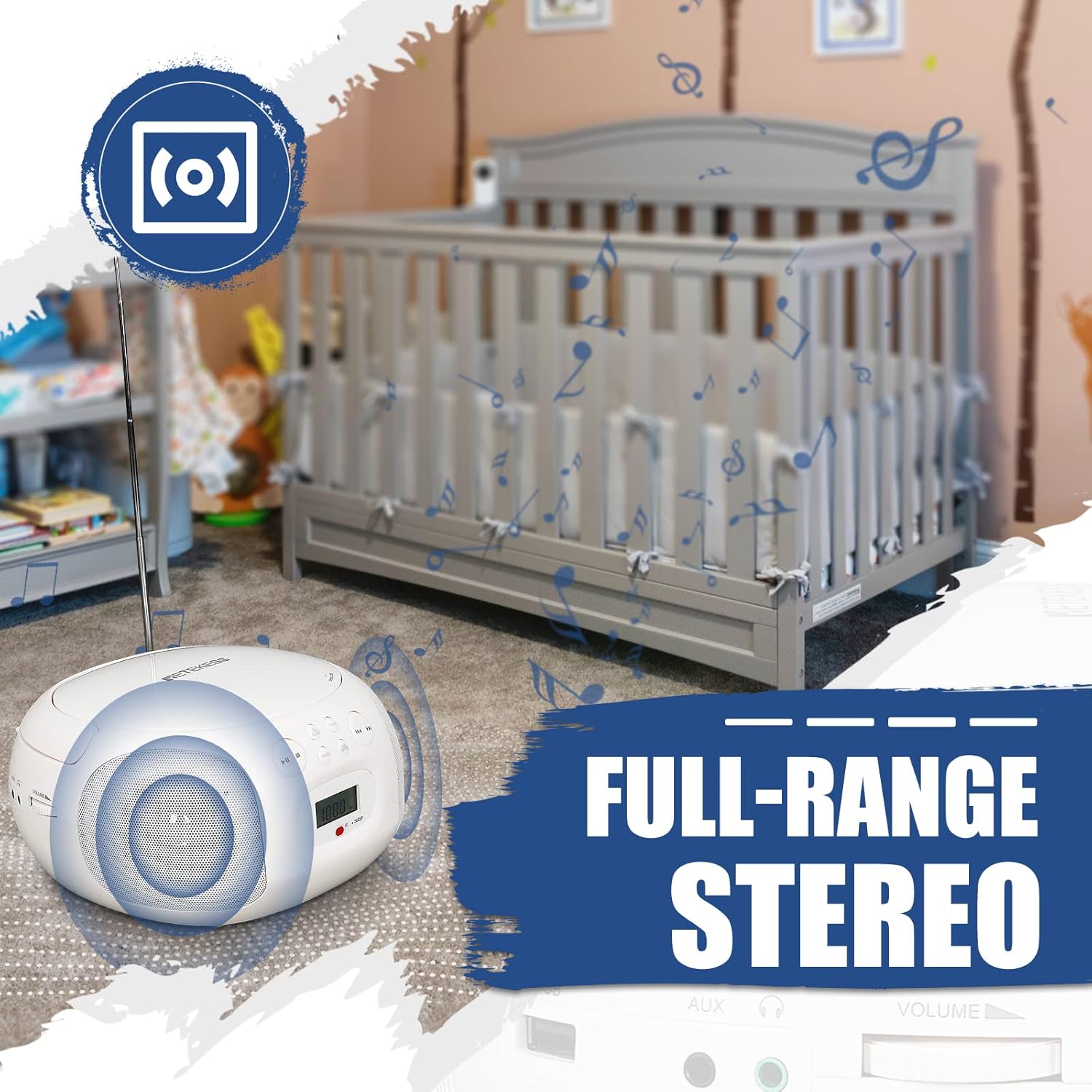
Figure 4.2: Retekess TR636 with extended antenna for radio reception.
4.3 Bluetooth funtzioa
- Sakatu MODUA button to select Bluetooth mode. The LCD screen will show 'BT' and the Bluetooth indicator will flash, indicating it's ready for pairing.
- On your mobile phone or other Bluetooth device, enable Bluetooth and search for 'TR636'.
- Select 'TR636' to pair. Once connected, the Bluetooth indicator will stop flashing.
- You can now play music from your device through the TR636. The Bluetooth 5.0 function also supports hands-free calls.

Figure 4.3: Connecting to the device via Bluetooth.
4.4 USB erreprodukzioa
- Insert a USB flash drive (up to 64GB, not included) into the USB port.
- Sakatu MODUA botoia USB modua hautatzeko.
- The device will automatically detect and play MP3/WMA files USB unitatetik.
- Use the playback controls (Play/Pause, Skip) to manage your music.

Figure 4.4: USB port for playing MP3/WMA files.
4.5 AUX sarrera
Connect an external audio device (e.g., smartphone, MP3 player) to the 3.5mm AUX input jack using an audio cable (not included). Press the MODUA button to select AUX mode, and audio from your external device will play through the TR636 speakers.
4.6 Aurikularretarako Jack
For private listening, plug 3.5mm headphones (not included) into the headphone jack. The speakers will automatically mute.
4.7 Lo egiteko tenporizadorea
The sleep timer allows you to set a duration after which the unit will automatically turn off. Refer to the specific instructions in the full manual for setting the sleep timer, typically involving a LO button on the remote or unit.
4.8 Urruneko kontrola
The included remote control allows convenient adjustment of functions from a distance. Ensure the remote has working batteries and is pointed towards the unit's IR receiver.

Figure 4.5: Multifunctional remote control for easy operation.
4.9 Product Summary Video
4.1 bideoa: Laburbilduzview of the Retekess TR636 Portable CD Player's features and functions.
5. Mantentzea
5.1 Garbiketa
To clean the unit, use a soft, dry cloth. Do not use abrasive cleaners or solvents, as they may damage the surface. For the CD lens, use a specialized CD lens cleaner.
5.2 Bateria ordezkatzea
When using battery power, replace all 4 C-size batteries when the unit's performance diminishes. Ensure the unit is powered off and disconnected from AC power before opening the battery compartment.
6. Arazoak
| Arazoa | Kausa posiblea | Irtenbidea |
|---|---|---|
| Botererik ez | Korronte alternoko kablea ez dago konektatuta; Bateriak agortuta edo gaizki sartuta. | Egiaztatu korronte alternoko kablearen konexioa; Ordeztu bateriak edo ziurtatu polaritate zuzena dagoela. |
| Soinurik ez | Bolumena baxuegia; Entzungailuak konektatuta; Modu okerra hautatuta. | Increase volume; Disconnect headphones; Select correct input mode (CD, BT, FM/AM, AUX, USB). |
| CDa ez da erreproduzitzen | CDa gaizki sartuta; CDa zikin edo urratuta; CDaren konpartimentua ez dago itxita. | Reinsert CD correctly; Clean or replace CD; Ensure compartment is fully closed. |
| Bluetootha ez da konektatzen | Bluetooth not enabled on external device; Device too far; Already connected to another device. | Enable Bluetooth on your device; Move device closer; Disconnect from other Bluetooth devices. |
| Irrati estatikoa/harrera txarra | Antena ez dago luzatuta; Seinale ahula; Interferentzia. | Fully extend FM antenna; Adjust unit position for AM; Move away from electronic devices causing interference. |
7. Zehaztapenak
| Ezaugarri | Zehaztapena |
|---|---|
| Marka | Berriro |
| Eredua | TR636 |
| Konektibitate Teknologia | AUX, Bluetooth, USB |
| Kolorea | Zuria |
| Hizlari mota | Stereo (2 speakers included) |
| Elementuaren neurriak LxWxH | 27.2 x 24.4 x 13.3 cm |
| Energia iturria | Battery Powered (4 C-batteries, not included) / AC Power |
| Gailu bateragarriak | Smartphone |
| Estiloa | Klasikoa |
| Elementuaren pisua | 1.21 kilogramo |
| Wattage | 3 watt |
| Inguruko soinu-kanalaren konfigurazioa | 2.0 |
| Onartutako estandarrak | MP3, WMA, Bluetooth, 3.5mm AUX |
| Bluetooth euskarria | Bai |
| Onartutako audio formatuak | CD, CD-R, CD-RW, MP3, WMA |
| Audio irteera modua | Estereoa |
| Fabrikatzailea | Berriro |
| Dakarten osagaiak | Jabearen eskuliburua |
| Jatorrizko Herrialdea | Txina |
| ASIN | B0C7864V1F |
8. Bermea eta Laguntza
Your Retekess TR636 Portable CD Player comes with a standard manufacturer's warranty. For specific warranty details, please refer to the warranty card included in your package or contact Retekess customer support.
For technical assistance, troubleshooting beyond this manual, or to inquire about replacement parts, please visit the official Retekess webwebgunean edo jarri harremanetan bezeroarentzako arreta-zerbitzuarekin. Harremanetarako informazioa normalean produktuaren ontzian edo markaren online presentzia ofizialean aurki daiteke.