
1. Sarrera
This manual provides essential information for the safe and efficient use of your LG SC9S 400W 3.1.3 Channel Dolby Atmos Soundbar. Please read these instructions thoroughly before operating the device and retain them for future reference. The LG SC9S Soundbar features a triple up-firing speaker system, AI Room Calibration Pro, WOW Orchestra, and is designed for seamless integration with LG OLED C Series TVs.
2. Konfigurazioa
2.1 Desontziratzea eta osagaien egiaztapena
Kontu handiz deskonprimitu osagai guztiak eta ziurtatu elementu hauek daudela:
- Main Soundbar Unit
- Haririk gabeko subwoofer
- Elikatze-kableak
- Urruneko Kontrola
- Argibide eskuliburua (dokumentu hau)
- LG OLED Synergy Bracket (for compatible LG OLED C Series TVs)
2.2 Jartzea
Position the soundbar centrally below your television. The wireless subwoofer can be placed anywhere in the room, ideally near the soundbar, ensuring no obstructions for optimal bass performance.

Image: Optimal placement of the LG SC9S Soundbar and its wireless subwoofer in a home environment.
2.3 Telebistara konektatzea
For the best audio experience, connect the soundbar to your TV using an HDMI cable via the HDMI eARC/ARC port. Alternatively, an optical cable can be used.
- HDMI eARC/ARC Connection: Connect one end of an HDMI cable to the HDMI OUT (TV eARC/ARC) port on the soundbar and the other end to the HDMI IN (eARC/ARC) port on your TV.
- Konexio optikoa: Connect one end of an optical cable to the OPTICAL IN port on the soundbar and the other end to the Optical Digital Audio Out port on your TV.

Irudia: Atzealdea view of the LG SC9S Soundbar, highlighting the HDMI and Optical connection ports.
2.4 Energia-konexioa
Konektatu elikatze-kableak soinu-barrara eta subwooferrera, eta gero entxufe batera.
2.5 LG OLED Synergy Bracket Installation
The LG OLED Synergy Bracket allows for integrated mounting of the soundbar with compatible LG OLED C Series TVs, either as a stand or wall-mounted. This bracket is designed for a precise fit without additional drilling.
- Attach the bracket to the back of your LG OLED C Series TV following the TV's mounting instructions.
- Secure the soundbar to the bracket. Ensure all connections are made before final positioning.

Image: Illustration of the LG OLED Synergy Bracket installation, emphasizing that no additional drilling is required for compatible TVs.

Image: The LG SC9S Soundbar seamlessly integrated with an LG OLED C Series TV using the dedicated Synergy Bracket.
3. Funtzionamendu-argibideak
3.1 Oinarrizko kontrolak
Use the provided remote control to manage power, volume, and input sources. The soundbar can also be controlled via the WOW Interface on compatible LG TVs.
3.2 Konektibitatea
- Bluetootha: Pair your mobile device or other Bluetooth-enabled devices with the soundbar for wireless audio streaming.
- Wi-Fi: Connect the soundbar to your home Wi-Fi network for access to online features and updates.
- HDMI: Supports 4K Pass-through to maintain high video quality from connected devices to your TV.

Image: The LG SC9S Soundbar demonstrating compatibility with various smart home platforms including Google Home, Alexa, and Apple AirPlay for integrated control.
3.3 Soinu Ezaugarriak
- AI Gelaren Kalibrazio Pro: This feature automatically adjusts the soundbar's audio settings to optimize sound delivery based on your room's acoustics. Activate it for the best listening experience.
- WOW Orkestra: When paired with a compatible LG TV, WOW Orchestra combines the soundbar's and TV's speakers to create a richer, more expansive soundstage.
- WOW Interface: Control your soundbar settings directly from your compatible LG TV screen using your TV remote.
- Clear Voice Plus: Enhances dialogue clarity, making conversations in movies and shows easier to understand.
- Nahastaile adimenduna: Converts 2-channel audio into a multi-channel experience, utilizing all speakers for a wider soundstage.
- Triple Level Spatial Sound: Creates a virtual sound dome for a more immersive cinematic experience.
- AI Sound Pro: Optimizes sound settings automatically for various content types (music, movies, news).

Image: The LG WOW Interface displayed on an LG TV, allowing users to control soundbar settings directly from the television screen.
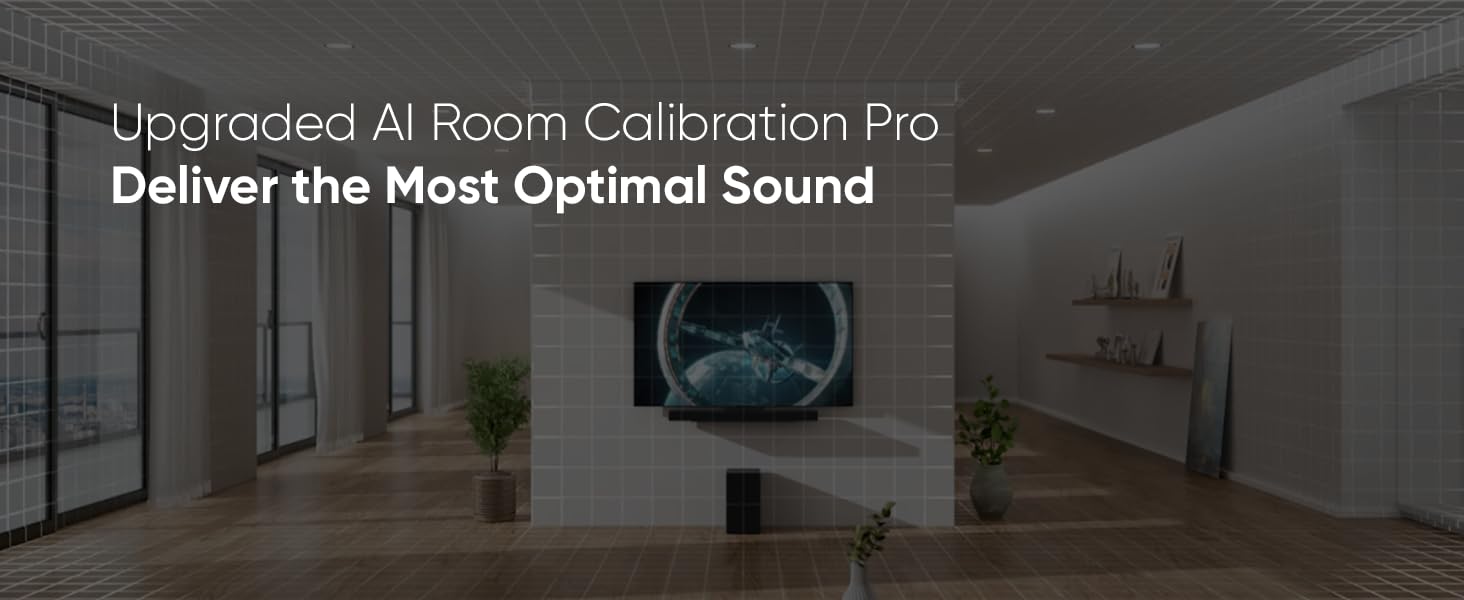
Image: A visual representation of the AI Room Calibration Pro feature, showing how the soundbar adapts to the room's acoustics for optimal sound.
3.4 Jokoen Ezaugarriak
The soundbar supports VRR (Variable Refresh Rate) and ALLM (Auto Low Latency Mode) to enhance your gaming experience by reducing input lag and screen tearing.

Image: A person playing a video game, demonstrating how VRR and ALLM features of the soundbar enhance gameplay.
3.5 Musika Streaming
Enjoy high-definition music streaming services through your soundbar, leveraging its advanced audio capabilities.

Image: A person enjoying high-definition music streaming through the LG SC9S Soundbar in a modern living space.
4. Mantentzea
4.1 Garbiketa
To clean the soundbar and subwoofer, use a soft, dry cloth. Do not use liquid cleaners or abrasive materials, as these can damage the finish.
4.2 Software eguneraketak
Periodically check for software updates through the LG Sound Bar app or your connected LG TV's WOW Interface to ensure optimal performance and access to new features.
4.3 Ingurumen-gogoetak
The LG SC9S Soundbar is constructed with a minimum of 12% post-consumer recycled content, and its packaging uses recycled pulp. Please dispose of the product and packaging responsibly according to local regulations.

Image: Representation of the soundbar's construction using recycled plastic materials.

Image: The soundbar's packaging made from recycled pulp, highlighting environmental responsibility.
5. Arazoak
If you encounter issues with your LG SC9S Soundbar, refer to the following common problems and solutions. For more detailed assistance, consult the official Troubleshooting Guide PDF available online or contact LG customer support.
5.1 Soinurik ez edo audio distortsionatua
- Ensure all cables (HDMI, Optical, Power) are securely connected.
- Verify the correct input source is selected on the soundbar and TV.
- Check the TV's audio output settings to ensure sound is directed to the external speaker (soundbar).
- Run the AI Room Calibration Pro to optimize sound for your environment.
- If experiencing poor bass, ensure the subwoofer is powered on and paired. Adjust bass levels if available in sound settings. Note that bass quality can be influenced by the audio source.
5.2 Connectivity Issues (Bluetooth/Wi-Fi)
- For Bluetooth, ensure the soundbar is in pairing mode and your device's Bluetooth is enabled.
- For Wi-Fi, verify your network connection and re-enter Wi-Fi credentials if necessary.
- Restart both the soundbar and your router.
5.3 Urrutiko agintea ez dabil
- Egiaztatu eta ordeztu bateriak.
- Ziurtatu ez dagoela oztoporik urrutiko agintearen eta soinu-barraren sentsorearen artean.
For a comprehensive troubleshooting guide, please refer to the official Arazoak konpontzeko gida (PDF).
6. Zehaztapenak
| Ezaugarri | Xehetasuna |
|---|---|
| Marka | LG |
| Modelo zenbakia | SC9S |
| Bozgorailuaren irteera-potentzia maximoa | 400 Watt |
| Audio-kanal kopurua | 3.1.3 |
| Audio irteera modua | Inguratu |
| Konektibitate Teknologia | Bluetooth, HDMI, Optical, Wi-Fi |
| Audio-kodeketa | Dolby Atmos |
| Muntatze Mota | Wall Mount (with bracket) |
| Item Dimensions (Main Unit) | 97.5Z x 6.3A x 12.5S cm |
| Item Dimensions (Subwoofer) | 22.1Z x 39A x 31.3S cm |
| Net Weight (Main Unit) | 4.1 Kg |
| Net Weight (Subwoofer) | 7.8 Kg |
| Kutxaren edukia | Main Unit, Subwoofer, Wires, Remote, Manual |
| Materiala | Metal plastikoa |
7. Bermea eta Laguntza
7.1 Bermearen informazioa
Produktu hau a Urtebeteko fabrikatzailearen berme estandarra covering parts and labor. Terms and conditions apply. Please retain your proof of purchase for warranty claims.
7.2 Bezeroarentzako laguntza
For technical assistance, service, or further inquiries, please contact LG customer support. You can find contact details on the official LG website or through the information provided with your product packaging.
Fabrikatzailearen harremanetarako informazioa: LG ELECTRONICS (HUIZHOU) INC HUITAI FACTORY NO.13, HUI FENG DONG YI ROAD, HUITAIINDUSTRIAL PARK OF ZHONGKAI DEVELOPMENT ZONE,HUIZHOU CITY, GUANGDONG 516006 CHINA
Importer Contact Information: LG ELECTRONICS INDIAMOHAN COOPERATIVE INDUSTRIAL ESTATE NEW DELHI 110044