
1. Sarrera
Ongi etorri Beltzera.view Tab 16 user manual. This guide provides essential information for setting up, operating, maintaining, and troubleshooting your new Blackview Tab 16 Android tablet. Please read this manual carefully to ensure optimal performance and longevity of your device.

Image: The Blackview Tab 16 tablet, showcasinbere diseinu dotorea.
2. Zer dago kutxan
Verify that all items are present in your Blackview Tab 16 package:
- Beltzaview Tab 16 Tablet (x1)
- Erabiltzailearen eskuliburua (x1)
- Energia egokitzailea (x1)
- USB kablea (x1)
- Arkatza (x1)
- TPU Protective Case (x1)
3. Produktua amaitu daview
3.1 Diseinu fisikoa
Beltzaview Tab 16 features a slim and lightweight design, making it highly portable for daily use.

Image: The Blackview Tab 16, demonstrating its ultra-thin 7.95mm profile and light 533g weight.
3.2 Bistaratzea
Experience immersive visuals on the 11-inch 2K Full View IPS display, offering vibrant colors and wide viewangeluak.

Image: Visual representation of the 11-inch 2K Full View display, emphasizing its large screen for an enhanced viewesperientzia.
3.3 Audioa
The tablet is equipped with Quad-box Smart-K stereo speakers, providing rich and clear audio for all your multimedia needs.

Image: The Blackview Tab 16 showcasing its Quad-box Smart-K speakers, designed for an immersive audio experience.
3.4 Errendimendua
Powered by an Octa-core Unisoc T616 processor, the Tab 16 ensures smooth operation and efficient multitasking.

Image: A visual representation of the Unisoc T616 Octa-core processor, highlighting its speed and efficiency.
3.5 Kamera
Capture moments with the 13MP AI rear camera and 8MP AI front camera. The integrated Google Smart Lens offers advanced scanning, detection, and translation features.

Image: The Blackview Tab 16's camera system, featuring a 13MP AI camera and Google Smart Lens capabilities.
3.6 Bateria
The 7680mAh battery provides extended usage, supported by 18W fast charging for quick power-ups.

Image: Illustration of the Blackview Tab 16's 7680mAh battery and 18W fast charging capability.
4. Konfigurazioa
4.1 Gailua kargatzea
Before first use, fully charge your Blackview Tab 16 using the provided power adapter and USB cable. Connect the USB cable to the tablet's Type-C port and the adapter to a power outlet. The charging indicator will show the charging status.
4.2 Piztu/Itzaltzea
- Pizteko: Press and hold the Power button until the Blackview logo appears on the screen.
- Itzaltzeko: Sakatu eta eutsi pizteko botoiari menu bat agertu arte. Hautatu "Itzali" eta baieztatu.
- Berrabiarazteko: Sakatu eta eutsi pizteko botoia menu bat agertu arte. Hautatu "Berrabiarazi" eta baieztatu.
4.3 Hasierako konfigurazioa
Upon first power-on, follow the on-screen instructions to configure your tablet:
- Aukeratu nahi duzun hizkuntza.
- Konektatu Wi-Fi sare batera.
- Hasi saioa zure Google kontuarekin edo sortu berri bat.
- Set up screen lock (PIN, pattern, password, or facial recognition).
- Review eta baldintzak eta zehaztapenak onartu.
4.4 SIM eta SD txartelaren instalazioa
Beltzaview Tab 16 supports Dual SIM and an SD card for expanded storage up to 1TB.
- Locate the SIM/SD card tray on the side of the tablet.
- Erabili SIM txartelaren kanporatzeko tresna erretilua irekitzeko.
- Carefully place your Nano-SIM cards and/or microSD card into the designated slots. Ensure correct orientation.
- Sartu erretilua tabletaren barrura astiro-astiro, klik egin arte.
5. Funtzionamendu-argibideak
5.1 Oinarrizko nabigazioa
Beltzaview Tab 16 uses a touchscreen interface. Common gestures include:
- Sakatu: Hautatu elementu bat edo ireki aplikazio bat.
- Pasatu hatza: Joan orrialdeetan edo edukian zehar.
- Pixka bat: Irudiak handitu edo txikitu eta web orrialdeak.
- Prentsa luzea: Sartu testuinguru-menuetara edo mugitu ikonoak.
5.2 Konektibitatea
- Wi-Fi: Joan Ezarpenak > Sarea eta internet > Wi-Fi atalera eskuragarri dauden sareetara konektatzeko.
- Datu mugikorrak (4G/LTE): Ensure your SIM card is installed and mobile data is enabled in Settings > Network & internet > Mobile network.
- Bluetootha: Parekatu Bluetooth gailuekin (aurikularrak, bozgorailuak) Ezarpenak > Konektatutako gailuak > Bluetooth atalaren bidez.
5.3 Kameraren erabilera
Open the Camera app to take photos or record videos. Utilize the Google Smart Lens feature for advanced functions:
- Eskaneatu: Digitize documents or QR codes.
- Detektatu: Identify objects, plants, or animals.
- Itzuli: Itzuli testua denbora errealean.
5.4 Multimedia and Entertainment
Enjoy movies, music, and games on your Tab 16. The 11-inch 2K display and Quad-box speakers provide an engaging experience. The tablet supports Widevine L1 for high-definition streaming.
5.5 Produktibitatea
Beltzaview Tab 16 is suitable for office work and online learning. It supports external accessories like keyboards and mice for a PC-like experience.
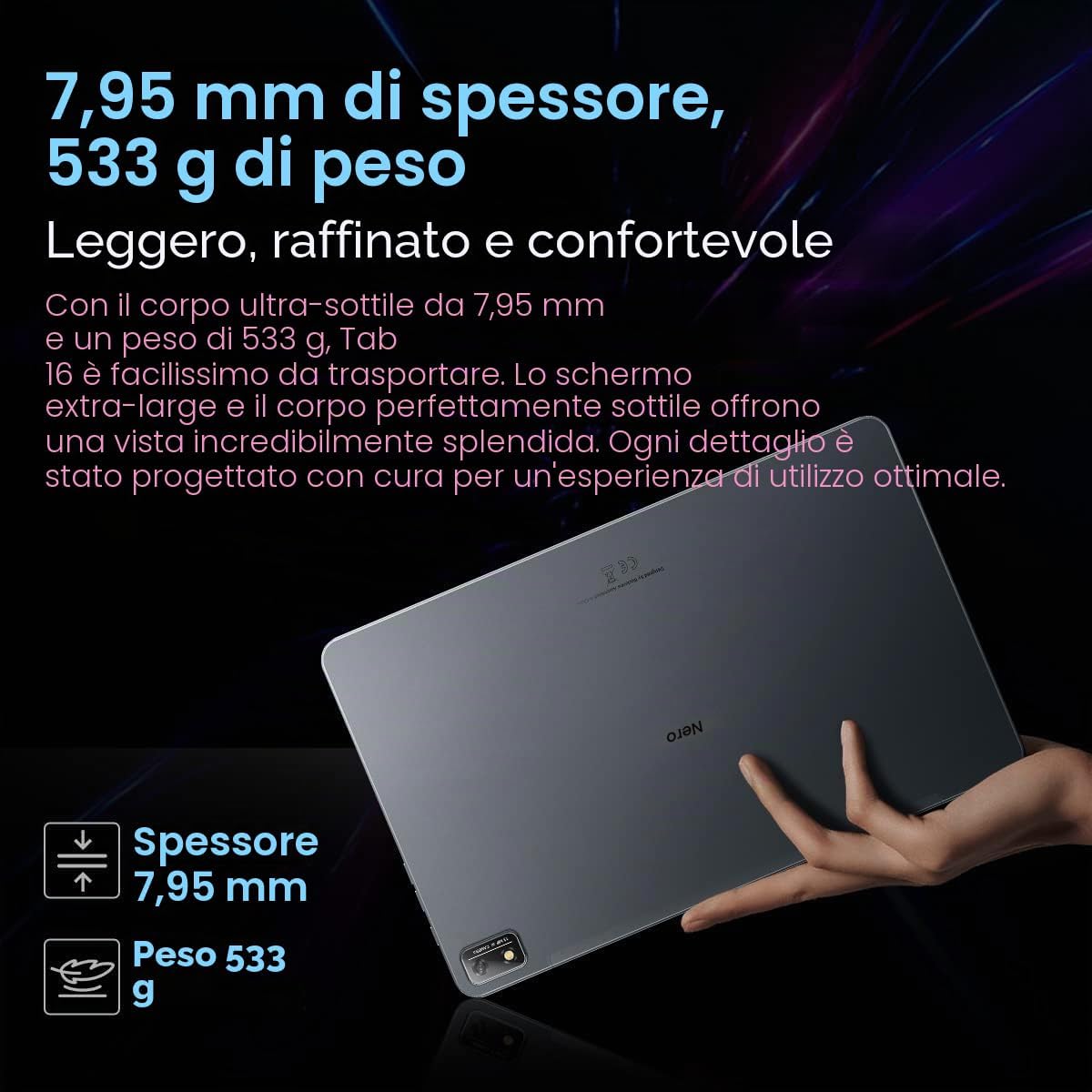
Image: The Blackview Tab 16 paired with a keyboard and mouse, demonstrating its capability for a PC-like productivity experience.
5.6 Reading Modes
To reduce eye strain, the Tab 16 offers three eye protection modes, including a TÜV Rheinland Low Blue Light certified mode and a Dark Mode with 3 levels of darkness. Access these settings in the display options.
6. Mantentzea
6.1 Gailua garbitzea
Erabili zapi leun eta lihorik gabeko bat tabletaren pantaila eta gorputza garbitzeko. Saihestu gainazala kaltetu dezaketen produktu kimiko gogorrak edo material urratzaileak erabiltzea.
6.2 Bateria zaintzea
Bateriaren iraupena luzatzeko:
- Saihestu muturreko tenperaturak.
- Ez utzi bateria guztiz agortzen aldizka.
- Erabili jatorrizko kargagailua eta kablea.
6.3 Software eguneraketak
Regularly check for system updates to ensure your tablet has the latest features and security patches. Go to Settings > System > System update.
6.4 Biltegiratze kudeaketa
Manage your 256GB internal storage and any installed microSD card by regularly deleting unnecessary files and uninstalling unused applications. Go to Settings > Storage.
7. Arazoak
Zure Black-ekin arazoak badituzuview Tab 16, refer to the following common solutions:
| Arazoa | Irtenbide posiblea |
|---|---|
| Gailua ez da pizten | Ziurtatu bateria kargatuta dagoela. Sakatu eta eutsi pizteko botoia gutxienez 10-15 segundoz. |
| Tableta ez da kargatzen | Check the charging cable and adapter for damage. Try a different power outlet. Ensure the charging port is clean. |
| Wi-Fi konexio arazoak | Restart the tablet and your Wi-Fi router. Forget the network and reconnect. Ensure you are within range. |
| Aplikazioak huts egiten edo blokeatzen | Close and reopen the app. Clear the app's cache (Settings > Apps > [App Name] > Storage & cache). Restart the tablet. |
| Errendimendu motela | Close background apps. Clear cache. Free up storage space. Restart the tablet. |
If problems persist, consider performing a factory reset (Settings > System > Reset options > Erase all data), but back up your data first as this will delete all personal information.
8. Zehaztapenak
Key technical specifications for the Blackview 16. fitxa:
- Ereduaren izena: 16. fitxa
- Sistema eragilea: Android 12
- Prozesadorea: Unisoc T616 zortzi nukleokoa (2 GHz)
- RAM: 8 GB
- Barne biltegiratzea: 256 GB
- Biltegiratze zabalgarria: microSD up to 1 TB
- Pantaila: 11-inch IPS 2K (2000 x 1200), 60 Hz, 16:10 aspect ratio
- Atzeko kamera: 13 MP
- Aurrealdeko kamera: 8 MP
- Bateria: 7680 mAh (26 hours average duration)
- Kargatzen: 18W karga azkarra
- Konektibitatea: Wi-Fi, Bluetooth, 4G/LTE (Dual SIM), GPS
- Portuak: USB C motakoa
- Neurriak: 26L x 16.5W x 0.8H cm
- Pisua: 533 g
- Ezaugarri bereziak: Google Smart Lens, Widevine L1 1080P Support, 3 Reading Modes
9. Bermea eta Laguntza
Zure beltzaview Tab 16 is covered by a manufacturer's warranty. Please refer to the warranty card included in your package for specific terms and conditions. For technical support or service inquiries, please visit the official Blackview webwebgunera edo jarri harremanetan bezeroarentzako arreta-zerbitzuarekin. Gorde erosketa-agiria erosketaren frogagiri gisa berme-erreklamazioetarako.
Informazio gehiagorako, bisitatu dezakezu Beltzaview Denda Amazonen.