
Samsung Extreme Sport Band (S/M)
Samsung Extreme Sport Band (S/M) Ocean Green User Manual
1. Sarrera
This manual provides instructions for the Samsung Extreme Sport Band (S/M) in Ocean Green. This durable and sweat-resistant band is designed for comfortable wear during various activities, from light exercise to intense workouts. It features multiple adjustment holes for a secure and personalized fit on your wrist.
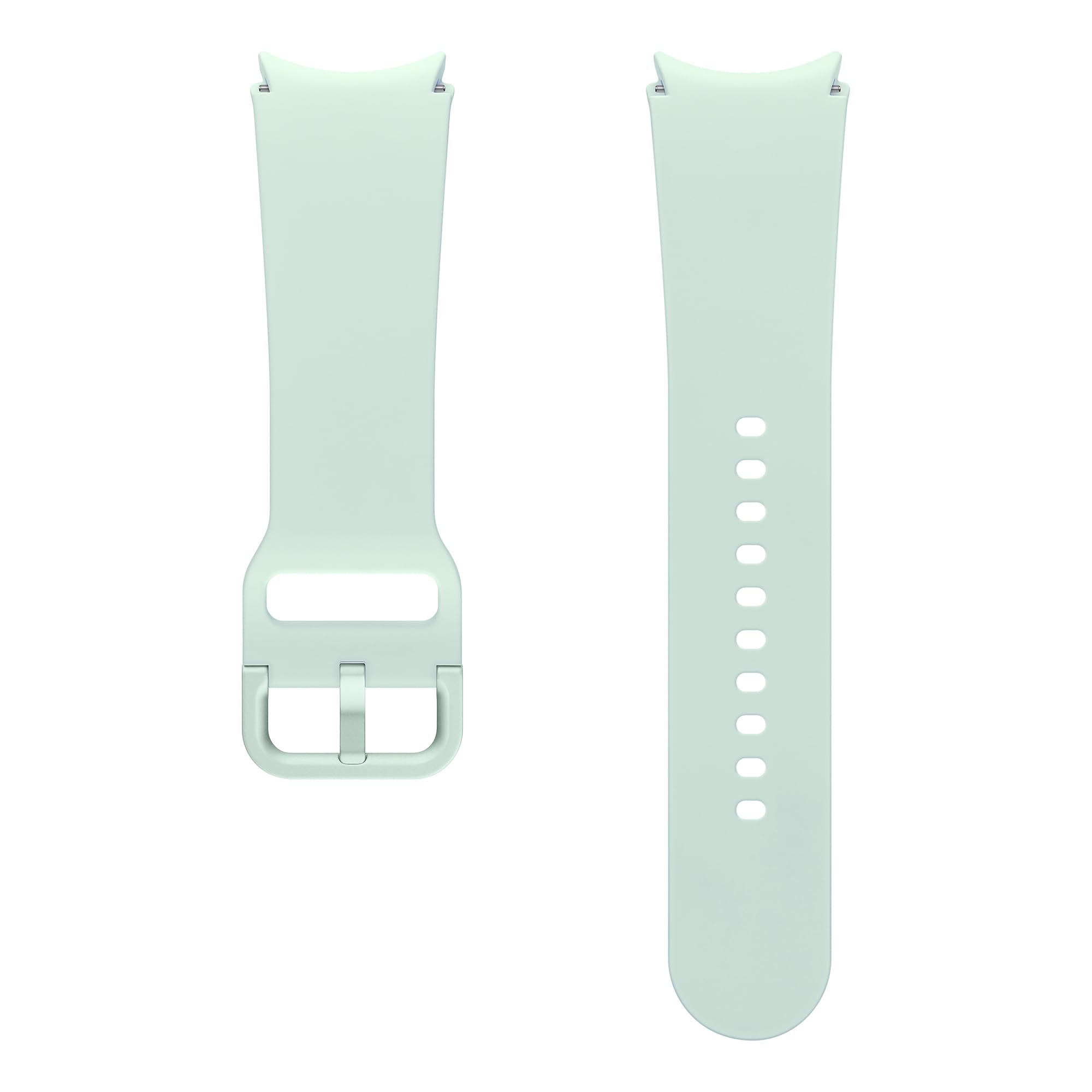
Image: Samsung Extreme Sport Band (S/M) in Ocean Green.
2. Setup: Attaching the Band
The Samsung Extreme Sport Band is designed for easy attachment to compatible Samsung Galaxy Watch models (Watch4, Watch5, Watch6 Series). Follow these steps to securely attach the band:
- Identify Band Sections: The band consists of two sections: one with the buckle and one with the adjustment holes.
- Locate Quick-Release Pins: Each band section has a small quick-release pin on its underside.
- Attach First Section: Hold one band section with the pin facing the watch. Align one end of the pin with the lug hole on the watch casing.
- Aktibatu pina: Push the quick-release pin inwards, then slide the other end into the opposite lug hole. Release the pin, ensuring it clicks into place. Gently tug the band to confirm it is securely attached.
- Attach Second Section: Repeat the process for the second band section.

Image: Detail of the quick-release pin for band attachment.

Irudia: Gainetikview of the two band sections with size and width indicators.
3. Operating: Wearing and Adjusting
Once attached, the Extreme Sport Band is ready to be worn. Proper fit is essential for comfort and accurate health tracking.
- Position on Wrist: Place the watch on your wrist, ensuring the watch face is positioned comfortably.
- Egokitu egokitzapenerako: Thread the end of the band through the buckle and select an adjustment hole that provides a snug yet comfortable fit. The band should not be too tight to restrict circulation, nor too loose to slide freely on your wrist.
- Segurtasun-heldulekua: Fasten the pin buckle securely into the chosen adjustment hole.

Image: The sport band secured with its pin buckle.

Irudia: Adibample of the sport band being worn during physical activity.
4. Mantentzea
To ensure the longevity and hygiene of your Samsung Extreme Sport Band, follow these maintenance guidelines:
- Garbiketa: Regularly wipe the band with a soft, damp zapi. Garbiketa sakonago bat egiteko, erabili xaboi leun baten disoluzioa eta garbitu ondo ur garbiarekin.
- Lehortzea: Always ensure the band is completely dry before reattaching it to your watch or wearing it. Air dry away from direct sunlight or heat.
- Saihestu produktu kimiko gogorrak: Do not use abrasive cleaners, solvents, or harsh chemicals, as these can damage the rubber material.
- Biltegiratzea: When not in use, store the band in a clean, dry place away from extreme temperatures.
5. Arazoak
If you encounter any issues with your Extreme Sport Band, consider the following:
- Band Not Attaching Securely:
- Ensure the quick-release pins are fully engaged in the watch lug holes.
- Check for any obstructions in the lug holes or on the band's pins.
- Larruazaleko narritadura:
- Ensure the band is not worn too tightly.
- Clean the band regularly to remove sweat, dirt, and residue.
- Narritadurak jarraitzen badu, eten erabilera eta kontsultatu dermatologo batekin.
- Band Damage:
- Inspect the band for any visible tears or damage. Damaged bands should be replaced.
6. Zehaztapenak
| Ereduaren izena | Extreme Sport Band (S/M) |
| Modelo zenbakia | ET-SFR93SMEGEU |
| Materiala | Kautxua |
| Kolorea | Ocean Green |
| Bandaren Zabalera | 18 milimetro |
| Elementuaren pisua | 23 gramo |
| Uraren Erresistentzia Maila | Waterproof (1.5 Meters) |
| Lotura mota | Belarria |
| Gailu bateragarriak | Samsung Galaxy Watch4, Watch5, Watch6 Series |

Image: Samsung Sport Band ET-SFR93S for Galaxy Watch6 | Watch6 Classic, showing various color options.
7. Bermearen informazioa
This Samsung Extreme Sport Band is covered by Samsung's standard accessory warranty. For detailed information regarding warranty terms, conditions, and duration, please refer to the warranty card included with your original product purchase or visit the official Samsung webzure eskualderako gunea.
Mesedez, gorde zure erosketa-froga berme-erreklamazioetarako.
8. Laguntza
For further assistance, technical support, or to inquire about replacement parts, please contact Samsung Customer Service. You can find contact information and frequently asked questions on the official Samsung support webgunea:
- Lineako laguntza: Bisitatu www.samsung.com/support
- Telefono-laguntza: Kontsultatu zure eskualdeko Samsung-en informazioa. webtokiko harremanetarako zenbakien gunea.
Ask a question about this manual
Ask about setup, troubleshooting, compatibility, parts, safety, or missing instructions. Manuals+ will review the question and use this page’s manual context to help answer it.