
Sarrera
Thank you for choosing the DEWENWILS Remote Controlled Programmable Outlet Set. This product provides a convenient and efficient way to control your home appliances wirelessly. The set includes four 16A/3680W wireless plugs and one pre-paired remote control, designed for ease of use and enhanced safety.
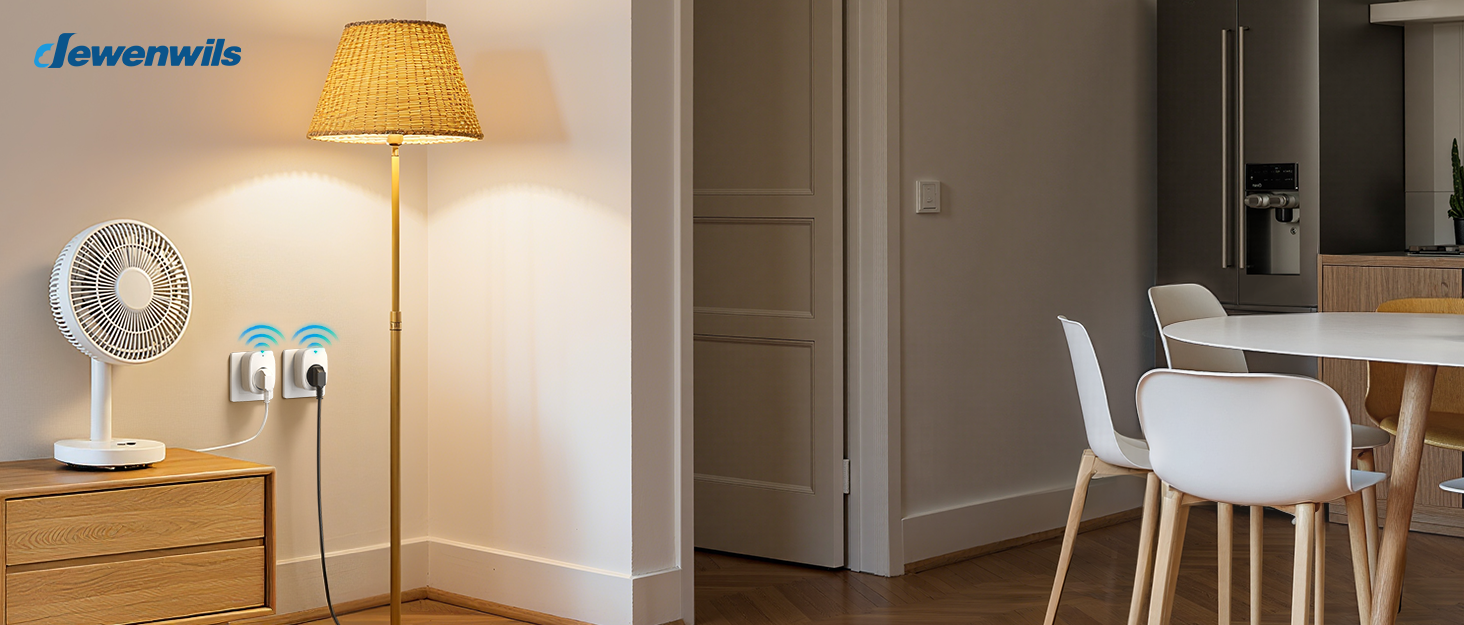
Image: DEWENWILS Remote Controlled Outlets in a home environment.
Segurtasun-argibideak
Produktu hau erabili aurretik, irakurri eta ulertu segurtasun-jarraibide guztiak. Jarraibide hauek ez jarraitzen badituzu, deskarga elektrikoak, sua edo lesio larriak gerta daitezke.
- Barruko erabilera soilik: This product is designed for indoor use in dry locations. Do not expose to water or moisture.
- Balorazio elektrikoa: Do not exceed the maximum load of 16A or 3680W. Overloading can cause overheating and fire.
- Lurreratzea: Ziurtatu hormako entxufea behar bezala lurrera konektatuta dagoela.
- Haurren Segurtasuna: The outlets feature an integrated safety cover to prevent accidental contact with live parts. Always supervise children around electrical devices.
- Tenperatura tartea: -25 °C eta 40 °C arteko tenperatura tartean funtzionatu.
- Garbiketa: Disconnect from power before cleaning. Use a dry cloth; do not use liquid cleaners.

Image: Built-in safety cover on the outlet, designed to prevent accidental contact.
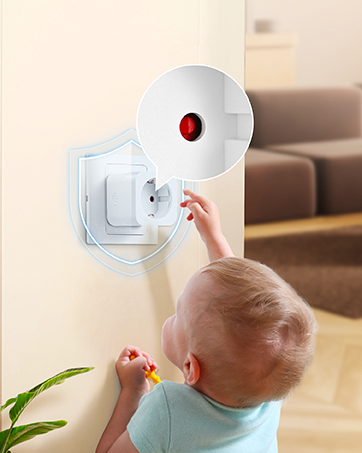
Image: Temperature resistance of the DEWENWILS outlet.
Konfigurazioa
The DEWENWILS remote controlled outlets are pre-paired for immediate use. No complex configuration is required.
- Desegin: Kontu handiz kendu osagai guztiak ontzitik.
- Konektatu: Insert a DEWENWILS wireless plug into a standard wall outlet. Ensure it is securely seated.
- Konektatu tresna: Plug your desired appliance into the DEWENWILS wireless plug.
- Urruneko kontrola: The included remote control is pre-paired with the plugs. You can start controlling your devices immediately.
Optional: Wall Mounting the Remote
The remote control can be conveniently mounted on a wall using the provided bracket.
- Choose a suitable location for the remote control bracket.
- Erabili barne dauden torlojuak euskarria horman finkatzeko.
- Slide the remote control into the mounted bracket.

Image: Wall mounting the remote control.
Funtzionamendua
The remote control allows for both individual and group control of your connected devices.
Banakako Kontrola
Each button labeled 1, 2, 3, or 4 on the remote corresponds to a specific outlet. Press the 'ON' button for the desired number to turn on the corresponding appliance, and 'OFF' to turn it off.
Talde Kontrola
The 'ALL ON' button will activate all paired outlets simultaneously, while the 'ALL OFF' button will turn off all connected devices.

Image: One-button control for multiple devices.
Wireless Range
The remote control operates with a range of up to 30 meters (100 feet) in open areas. The RF signal can pass through walls and floors, allowing control across different rooms or levels of your home.

Image: 30-meter wireless range illustration.
Diseinu trinkoa
The compact design of the plugs ensures that they do not block adjacent outlets, maximizing the use of your wall sockets.

Image: Compact plug design, not blocking other outlets.
Mantentzea
To ensure the longevity and proper functioning of your DEWENWILS Remote Controlled Programmable Outlet Set, follow these maintenance guidelines:
- Garbiketa: Disconnect the plugs from power before cleaning. Use a soft, dry cloth to wipe the surfaces. Do not use abrasive cleaners, solvents, or immerse in water.
- Biltegiratzea: When not in use for extended periods, store the plugs and remote in a cool, dry place away from direct sunlight and extreme temperatures.
- Bateria ordezkatzea: If the remote control's range or responsiveness decreases, replace its battery (type usually CR2032, check remote for specifics).
- Ikuskapena: Periodically inspect the plugs and cords for any signs of damage, such as frayed wires or cracked casings. Discontinue use if any damage is found.
Arazoak konpontzea
If you encounter issues with your DEWENWILS Remote Controlled Programmable Outlet Set, refer to the following common problems and solutions:
| Arazoa | Kausa posiblea | Irtenbidea |
|---|---|---|
| Outlet not responding to remote | Remote battery is low or dead. Outlets are out of range. Pairing issue. | Replace remote battery. Move closer to the outlet. Re-pair the remote and outlet (refer to advanced pairing instructions if needed, usually involves holding a button on the plug). |
| Appliance does not turn on/off | Appliance is not plugged in correctly. Appliance switch is off. Outlet is overloaded. | Ensure appliance is fully plugged into the wireless outlet. Turn on the appliance's power switch. Check if the appliance's power consumption exceeds 16A/3680W. |
| Urruneko irismen murriztua | Low remote battery. Signal interference. Obstructions. | Replace remote battery. Avoid placing the remote near large metal objects or other strong RF sources. Try to minimize physical obstructions between the remote and the outlet. |
If the problem persists after trying these solutions, please contact DEWENWILS customer support.
Zehaztapenak
- Eredua: DHRS104L
- Marka: DEWENWILS
- Eragiketa modua: PIZTU ITZALI
- Uneko balorazioa: 16 A
- Potentzia-balorazioa: 3680 W
- Konektore mota: Schuko
- Etengailu mota: Sakatu botoia
- Materiala: Kobrea, Plastikoa
- Produktuaren neurriak (L x W x H): 50 x 50 x 44 milimetro (5 x 5 x 4.4 cm)
- Pisua: 420 grams (for the set)
- Haririk gabeko irismena: Gehienez 30 metro (eremu irekia)
- Funtzionamendu-tenperatura: -25°C eta 40°C artean
Bermea eta Laguntza
DEWENWILS products are designed and manufactured to the highest quality standards. This product comes with a standard manufacturer's warranty. For specific warranty details, please refer to the product packaging or contact DEWENWILS customer support.
If you have any questions, require technical assistance, or need to report a problem, please contact DEWENWILS customer support through their official website or the retailer where you purchased the product. Please have your model number (DHRS104L) and purchase information ready when contacting support.