
Sarrera
Welcome to the user manual for your boAt Airdopes Bliss ANC True Wireless Stereo (TWS) Earbuds. This guide provides detailed instructions on how to set up, operate, maintain, and troubleshoot your earbuds to ensure optimal performance.
Kutxan dagoena
- 1 X TWS entzungailuak
- 1 X Kargatzeko kasua
- 2 X Additional Earbuds (pairs of ear tips)
- 1 X USB kargatzeko kablea
- 1 X Erabiltzailearen eskuliburua
Produktua amaituview
The boAt Airdopes Bliss ANC earbuds are designed for an immersive audio experience with Active Noise Cancellation (ANC) up to 32dB. They feature a long playback time, quick charging, and a low-latency BEAST Mode for gaming.

Image: boAt Airdopes Bliss ANC earbuds in their charging case.
Konfigurazioa
1. Entzungailuak eta zorroa kargatzea
Lehenengo aldiz erabili aurretik, kargatu guztiz entzungailuak eta kargatzeko zorroa.
- Konektatu USB kargatzeko kaxako C motako atakara eta energia-iturri batera.
- Kaxako adierazle-argiek kargatze-egoera erakutsiko dute.
- Guztiz kargatuta dagoenean, deskonektatu kablea.

Image: ASAP Charge feature, indicating 10 minutes of charge provides 180 minutes of playback.
The earbuds support ASAP Charging, providing 180 minutes of playback with just 10 minutes of charge. A full charge offers up to 42 hours of total playback time (earbuds + case).

Image: Visual representation of up to 42 hours of total playback time.
2. Initial Pairing (IWP™ Technology)
- Ireki kargatzeko kutxaren tapa. Entzungailuak automatikoki piztuko dira eta parekatzeko moduan sartuko dira.
- On your device (phone, tablet, etc.), enable Bluetooth.
- Bilatu "Airdopes Bliss ANC" in the list of available Bluetooth devices.
- Select "Airdopes Bliss ANC" to connect. Once connected, you will hear an audio prompt.

Image: IWP Technology showing the earbuds connecting to a smartphone upon opening the case.
IWP™ (Insta Wake N' Pair) Technology allows the earbuds to connect to your previously paired device as soon as you open the case lid.
3. Entzungailuak janztea
- Choose the ear tips that provide the most comfortable and secure fit.
- Insert the earbuds into your ears and gently twist them to ensure a snug seal for optimal sound and ANC performance.
Funtzionamendu-argibideak
Piztu/Itzali
- Piztu: Open the charging case lid, or long-press the touch control on both earbuds for 3 seconds.
- Itzali: Place the earbuds back into the charging case and close the lid, or long-press the touch control on both earbuds for 5 seconds.
Ukitu Kontrolak
The Airdopes Bliss ANC features intuitive touch controls on each earbud.
| Funtzioa | Ekintza |
|---|---|
| Erreproduzitu/Pausatu musika | Sakatu bakar batean entzungailu batean |
| Hurrengo Pista | Sakatu birritan eskuineko entzungailuan |
| Aurreko Pista | Sakatu bi aldiz ezkerreko entzungailuan |
| Erantzun/Amaitu deia | Sakatu bakar batean entzungailu batean |
| Deia baztertu | Sakatu luze entzungailuetako edozeinetan 2 segundoz |
| Aktibatu Ahots Laguntzailea | Hiru aldiz sakatu entzungailuetako edozeinetan |
| ANC/Gardentasun modua txandakatu | Long press on the left earbud for 2 seconds |
| Toggle BEAST Mode | Long press on the right earbud for 2 seconds |
Zarata aktiboaren baliogabetzea (ANC)
The earbuds feature Active Noise Cancellation up to 32dB, reducing ambient noise for a focused listening experience. Long press the left earbud for 2 seconds to cycle between ANC On, Transparency Mode, and ANC Off.

Image: Representation of Active Noise Cancellation functionality.
BEAST Mode (Low Latency Gaming)
Activate BEAST Mode for a low-latency audio experience (60ms), ideal for gaming. Long press the right earbud for 2 seconds to toggle BEAST Mode On/Off.
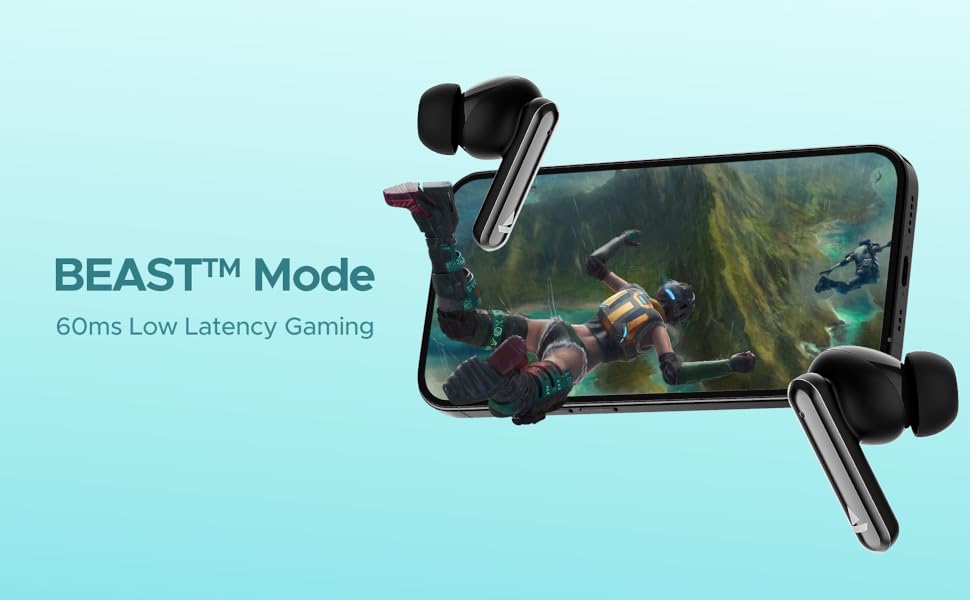
Image: Visual depicting the BEAST Mode for low-latency gaming.
ENx™ Technology (Quad Mics)
The earbuds are equipped with ENx™ Technology and Quad Mics for clear voice calls, ensuring your voice is heard clearly even in noisy environments.

Image: Diagram showing the internal components related to ENx Technology and Quad Mics.
Mantentzea
Garbiketa
- Garbitu aldizka entzungailuak eta kargatzeko zorroa oihal leun, lehor eta lihorik gabeko batekin.
- Kendu belarri-puntak eta garbitu xaboi leun eta urarekin, eta gero ondo lehortu berriro jarri aurretik.
- Ziurtatu entzungailuen eta zorroaren kargatzeko kontaktuak hautsik eta hondakinik gabe daudela.
- Ez erabili garbitzaile edo disolbatzaile urratzailerik.
Biltegiratzea
- Erabiltzen ez dituzunean, gorde beti entzungailuak kargatzeko zorroan, babesteko eta kargatuta mantentzeko.
- Gorde leku fresko eta lehor batean, tenperatura altuetatik eta eguzki-argitik babestuta.
Bateria zaintzea
- Saihestu bateria maiz erabat deskargatzea.
- Kargatu entzungailuak eta zorroa aldizka, maiz erabiltzen ez badituzu ere, bateriaren egoera mantentzeko.

Image: Earbuds and case with water droplets, illustrating IPX5 splash and sweat resistance. While resistant, avoid submerging the device.
Arazoak konpontzea
Entzungailuak ez dira parekatzen
- Ziurtatu bi entzungailuak kargatuta daudela.
- Jarri bi entzungailuak kargatzeko zorroan berriro, itxi tapa, itxaron segundo batzuk eta ireki berriro tapa.
- Itzali Bluetooth-a zure gailuan, piztu berriro eta saiatu berriro parekatzen.
- If issues persist, try resetting the earbuds (refer to manufacturer's website for specific reset instructions if not provided here).
Ez dago soinurik edo bolumen baxurik
- Egiaztatu konektatutako gailuaren eta entzungailuen bolumen-maila.
- Ziurtatu entzungailuak behar bezala sartuta daudela belarrietan eta belarri-puntek zigilu ona ematen dutela.
- Garbitu entzungailuen bozgorailuetako hondakin guztiak.
- Konektatu berriro entzungailuak zure gailura.
Kargatzeko arazoak
- Ziurtatu kargatzeko kablea ondo konektatuta dagoela bai kaxara bai elikatze-iturrira.
- Saiatu beste kargatzeko kable edo korronte egokitzaile batekin.
- Garbitu entzungailuetako eta zorro barruko kargatzeko kontaktuak.
Zehaztapenak
| Ezaugarri | Xehetasuna |
|---|---|
| Ereduaren izena | Airdopes Bliss ANC |
| Konektibitate Teknologia | Bluetootha |
| Haririk gabeko Komunikazio Teknologia | Bluetootha |
| Zarata Deuseztatze Aktiboa | Gehienez 32 dB |
| Erreprodukzio-denbora | Up to 42 Hours (total with case) |
| ASAP Charging | 10 mins charge = 180 mins playtime |
| BEAST moduko latentzia | 60 ms |
| Mikrofonoen Teknologia | ENx Technology with Quad Mics |
| Kontrol-metodoa | Ukitu |
| Uraren Erresistentzia Balorazioa | IPX5 (Zipriztinen eta izerdiaren aurkakoa) |
| Bateria mota | Litio Polimeroa |
| Elementuaren pisua | 50 gramo |
| Produktuaren neurriak | 5.9 x 4.9 x 2.6 cm |
| Dakarten osagaiak | 1 X TWS Earbuds, 2 X Additional Earbuds, Cable, User Manual |
Bermea eta Laguntza
Bermeari buruzko informazioa eta bezeroarentzako laguntza lortzeko, jo ezazu liburuxka ofizialera. webwebgunera edo jarri harremanetan bezeroarentzako arreta-zerbitzura. Gorde erosketa-agiria berme-erreklamazioetarako.