
MCGOR GLS-C010
MCGOR Under Cabinet Lighting Instruction Manual
Model: GLS-C010
Sarrera
Thank you for choosing the MCGOR Under Cabinet Lighting. This 14.7-inch rechargeable motion sensor light is designed to provide convenient and efficient illumination for various indoor spaces such as kitchens, closets, stairs, and hallways. Featuring magnetic installation, dimmable brightness, and a long-lasting rechargeable battery, this light offers a versatile lighting solution.

Image: The MCGOR Under Cabinet Lighting, showing two units and their packaging.
Produktuaren Ezaugarriak
- Mugimendu-sentsore modua: Automatically turns on when motion is detected within 120° and 10ft in dark or low-light environments, and turns off after approximately 20 seconds of no motion.
- Beti piztuta modua: Allows the light to remain continuously on for extended tasks or as a constant light source.
- Distira erregulagarria: Features 5 levels of brightness adjustment to suit different lighting needs, from bright task lighting to a soft night light.
- USB-C bateria kargagarria: Built-in 2500mAh rechargeable battery, easily charged via a Type-C cable. Eliminates the need for wiring or frequent battery replacement.
- Instalazio magnetiko erraza: Strong built-in magnets allow direct attachment to ironwork surfaces. Adhesive metal plates are included for installation on non-metallic surfaces.

Image: Illustration of the motion and light sensor design, detecting motion up to 10ft within a 120-degree angle and auto-off after 20 seconds.

Irudia: Xehetasun handikoa view of the light's control panel, highlighting the ON, OFF, and AUTO modes, brightness adjustment button, PIR sensor, and USB-C charging port.

Image: Visual representation of the 2500mAh rechargeable battery and USB-C charging, indicating battery life in motion sensor and always-on modes.

Image: Depiction of the two installation methods: direct magnetic attachment to metal surfaces and using adhesive metal plates for other surfaces.
Kutxan dagoena
- 2 x Cabinet Lights (14.7 inch)
- 2 x USB-C Charging Cords
- 6 x Burdinazko plaka itsasgarriak
- 6 x Torlojuak
- 1 x Argibide eskuliburua
Konfigurazioa eta Instalazioa
The MCGOR Under Cabinet Lights offer two convenient installation methods:
- Lotura magnetiko zuzena: If the desired installation surface is metallic (e.g., a refrigerator, metal shelf), the light can be directly adsorbed onto it using its built-in strong magnets.
- Itsasgarrizko metalezko plakak: For non-metallic surfaces (e.g., wood cabinets, walls), use the included adhesive metal plates.
- Clean the surface where you intend to install the light to ensure it is dry and free of dust.
- Peel off the protective film from one side of an adhesive metal plate.
- Attach the adhesive side of the metal plate firmly to the desired surface.
- Align the light with the metal plate and allow its built-in magnets to secure it in place.
The magnetic attachment allows for easy removal of the light for charging or repositioning.
Funtzionamendu-argibideak
The light features a multi-function switch and brightness adjustment button.
Aldatu moduak:
- ON (Always-on Mode): Slide the switch to the "ON" position for continuous illumination. This mode is suitable for tasks requiring constant light.
- OFF (Turn Off): Slide the switch to the "OFF" position to turn the light off completely.
- AUTO (Mugimendu-sentsorearen modua): Slide the switch to the "AUTO" position. In this mode, the light will automatically turn on when motion is detected in a dark or low-light environment and turn off after approximately 20 seconds of no motion.
Distira doitzea:
The light offers 5 levels of brightness. To adjust the brightness, press the dedicated brightness adjustment button (refer to the control panel image in the Product Features section). Each press will cycle through the available brightness levels.
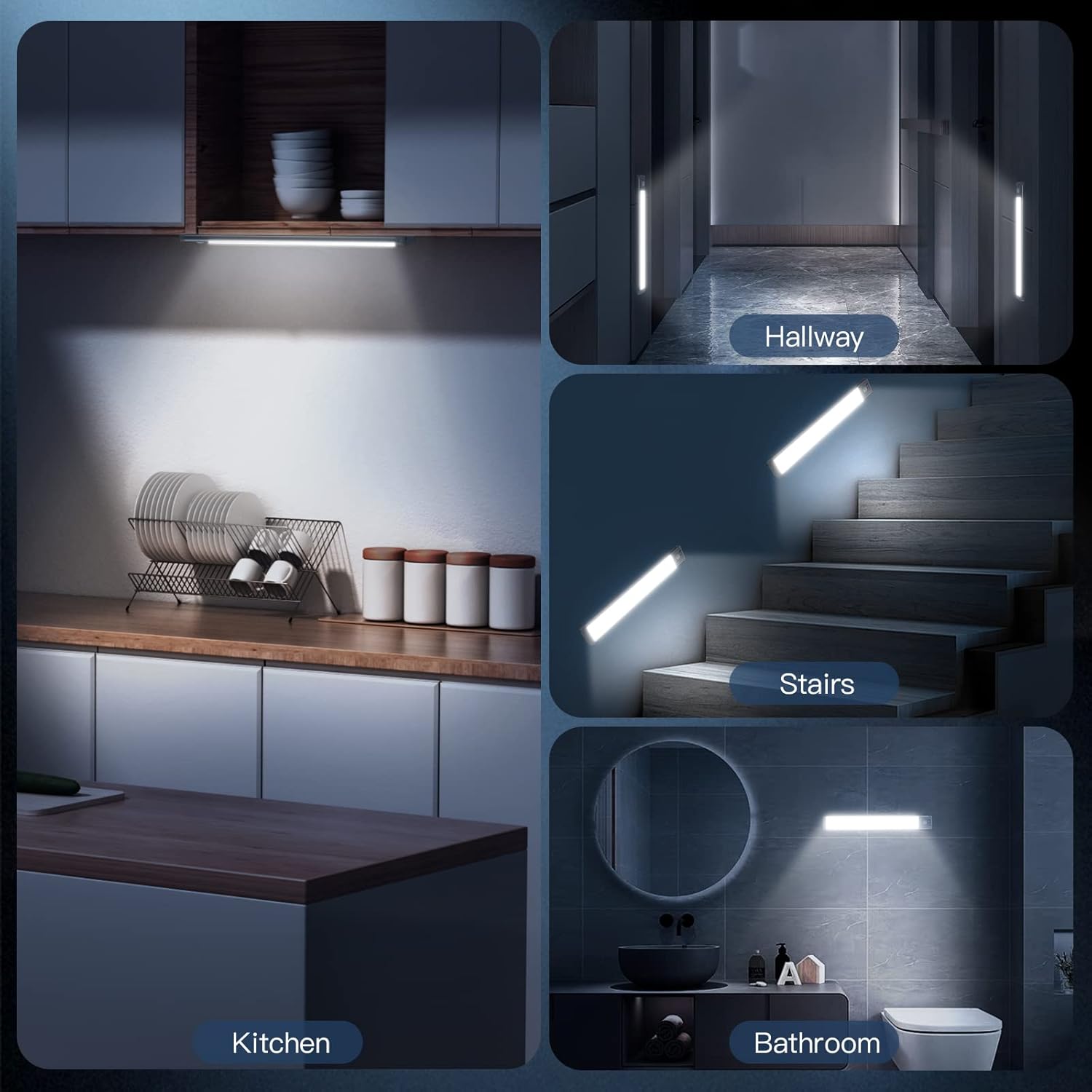
Irudia: Adibamples of the MCGOR light in various applications, including kitchen, hallway, stairs, and bathroom.
Mantentzea
Bateria kargatzea:
The light is equipped with a built-in 2500mAh rechargeable battery. When the battery is low, the light's performance may diminish. To charge:
- Carefully detach the light from its installed position (if using magnetic attachment).
- Connect the included USB-C charging cord to the light's USB-C port.
- Connect the other end of the USB-C charging cord to a standard USB wall adapter (not included), power bank, or computer USB port.
- A charging indicator light will illuminate during charging. Once fully charged, the indicator light will change (e.g., from red to green).
A full charge can last up to 7-30 days in Motion Sensor Mode (depending on usage frequency) and approximately 8 hours in Always-on Mode at 100% brightness.
Garbiketa:
Wipe the light with a soft, dry cloth. Do not use abrasive cleaners or immerse the light in water.
Arazoak konpontzea
- Argia ez pizten:
- Ziurtatu bateria kargatuta dagoela. Konektatu energia-iturri batera eta egiaztatu karga-adierazlea.
- Verify the switch is in the correct position (ON for continuous, AUTO for motion sensing).
- In AUTO mode, ensure the environment is dark enough for the sensor to activate.
- Motion sensor not working effectively:
- Check if the light is in AUTO mode.
- Ziurtatu PIR sentsorea blokeatzen duen oztoporik ez dagoela.
- Confirm the ambient light is low enough for the sensor to trigger.
- Light flickering or dim:
- The battery may be low. Recharge the light fully.
- Check the brightness setting and adjust if necessary.
- Itsasgarria ez da eusten:
- Ziurtatu gainazala garbi eta lehor zegoela aplikatu aurretik.
- Apply firm pressure for several seconds when attaching the adhesive metal plate.
- Allow sufficient time for the adhesive to bond before mounting the light.
Zehaztapenak
| Marka | MCGOR |
| Ereduaren izena | GLS-C010 |
| Kolorea | Argi Zuria |
| Materiala | Aluminioa, Plastikoa |
| Produktuaren neurriak | 14.7"L x 1.37"Z x 0.57"A |
| Elementuaren pisua | 15.04 ontza |
| Energia iturria | Bateriaz elikatua (2500 mAh litio polimeroa) |
| Argi iturri mota | LED (63 LED) |
| Distira | 180 lumen |
| Kolore Tenperatura | 7000 Kelvin (Zuri Hotza) |
| Ezaugarri bereziak | Erregulagarria, Mugimendu-sentsorea |
| Kontrol-metodoa | Sakatu botoia |
| Instalazio mota | Muntaketa magnetikoa |
| Barruko/Kanpoko erabilera | Barruan |
Bermea eta Laguntza
For any questions, concerns, or support regarding your MCGOR Under Cabinet Lighting, please refer to the contact information provided with your purchase or visit the official MCGOR store on Amazon:
Please retain your proof of purchase for any warranty claims. Specific warranty details may vary and are typically outlined in the product packaging or on the manufacturer's webgunea.
Ask a question about this manual
Ask about setup, troubleshooting, compatibility, parts, safety, or missing instructions. Manuals+ will review the question and use this page’s manual context to help answer it.