
1. Sarrera
This manual provides essential information for the installation, operation, and maintenance of your Phillips MX7053 Digital Deadbolt PCD-360. Please read these instructions carefully before installation and use to ensure proper function and longevity of the product.
The Phillips MX7053 Digital Deadbolt is designed for interior wood or metal doors, offering secure keyless entry via a numeric keypad or traditional key access. It features a light indicator for status updates and supports up to 50 unique user codes.
2. Produktuaren ezaugarriak
- Instalazio erraza: Designed for straightforward installation using basic tools.
- Muntaketa polifazetikoa: Features an interior mounting plate that can be screwed or welded.
- Zenbakizko teklatua: Exterior keypad supports 4 to 10-digit codes for up to 50 users.
- Egoera adierazlea: Integrated light indicator shows lock/unlock status and alerts for incorrect code entries.
- Sarbide bikoitza: Keyless entry via keypad or traditional high-security key access.
- Bateriaren funtzionamendua: Requires 4 AA batteries (not included), eliminating the need for electrical wiring.
3. Paketearen edukia
Instalazioa hasi aurretik, egiaztatu osagai guztiak daudela:
- Phillips MX7053 Digital Deadbolt (Exterior Keypad Unit)
- Interior Thumb Turn Unit
- Muntatzeko Plaka
- High-Security Keys (Quantity may vary)
- Instalazio torlojuak eta hardwarea
- Argibide eskuliburua (dokumentu hau)

3.1. irudia: Packaging of the Phillips MX7053 Digital Deadbolt, illustrating the included components and highlighting the 1-year warranty.
4. Zehaztapenak
| Fabrikatzailea | Phillips |
| Modelo zenbakia | MX7053 |
| Kolorea | Beltza |
| Amaitu | Eskuilatua |
| Materiala | Metala, Plastikoa |
| Blokeo mota | deadbolt |
| Ezaugarri bereziak | Touch keypad, Keyless entry |
| Energia iturria | 4 AA bateria (ez daude barne) |
| Pisua | 1.12 kilogramo |
| Neurriak (L x W x H) | 21.01 x 11 x 23.01 cm |
5. Segurtasun informazioa
- Do not expose the lock to extreme temperatures or direct moisture.
- Use only specified AA alkaline batteries. Do not mix old and new batteries or different types of batteries.
- Gorde giltzak leku seguru batean, giltzarrapotik urrun.
- Regularly check battery levels and replace batteries when indicated to prevent lock-out.
- Saihestu garbitzaile edo disolbatzaile urratzaileak erabiltzea giltzarrapoaren gainazalean.
6. Instalazioa
The Phillips MX7053 Digital Deadbolt is designed for surface-mount installation on interior wood or metal doors. It is compatible with both left and right-opening doors.
6.1 Beharrezko tresnak
- Bihurkin (Phillips burukoa gomendatzen da)
- Zulo berriak egin (behar izanez gero)
- Neurtzeko zinta edo erregela
- Arkatza
6.2 Instalazio-urratsak
- Atea prestatu: Ensure the door is clean and free of obstructions. If replacing an existing lock, remove it.
- Install the Deadbolt Latch: Insert the deadbolt latch into the door edge. Ensure the latch is oriented correctly for your door's handing (left or right).
- Mount the Exterior Keypad: Position the exterior keypad unit on the outside of the door, aligning it with the deadbolt latch.
- Barneko muntaketa-plaka instalatu: On the inside of the door, attach the interior mounting plate. Secure it with the provided screws. This plate can be screwed directly or welded for added security.
- Connect the Interior Unit: Connect the cable from the exterior keypad to the interior thumb turn unit. Carefully tuck any excess cable into the door cavity.
- Secure the Interior Unit: Attach the interior thumb turn unit to the mounting plate using the remaining screws. Ensure it is flush against the door.
- Proba funtzionamendua: Before closing the door, test the deadbolt's operation using both the thumb turn and the key. Ensure the deadbolt extends and retracts smoothly.
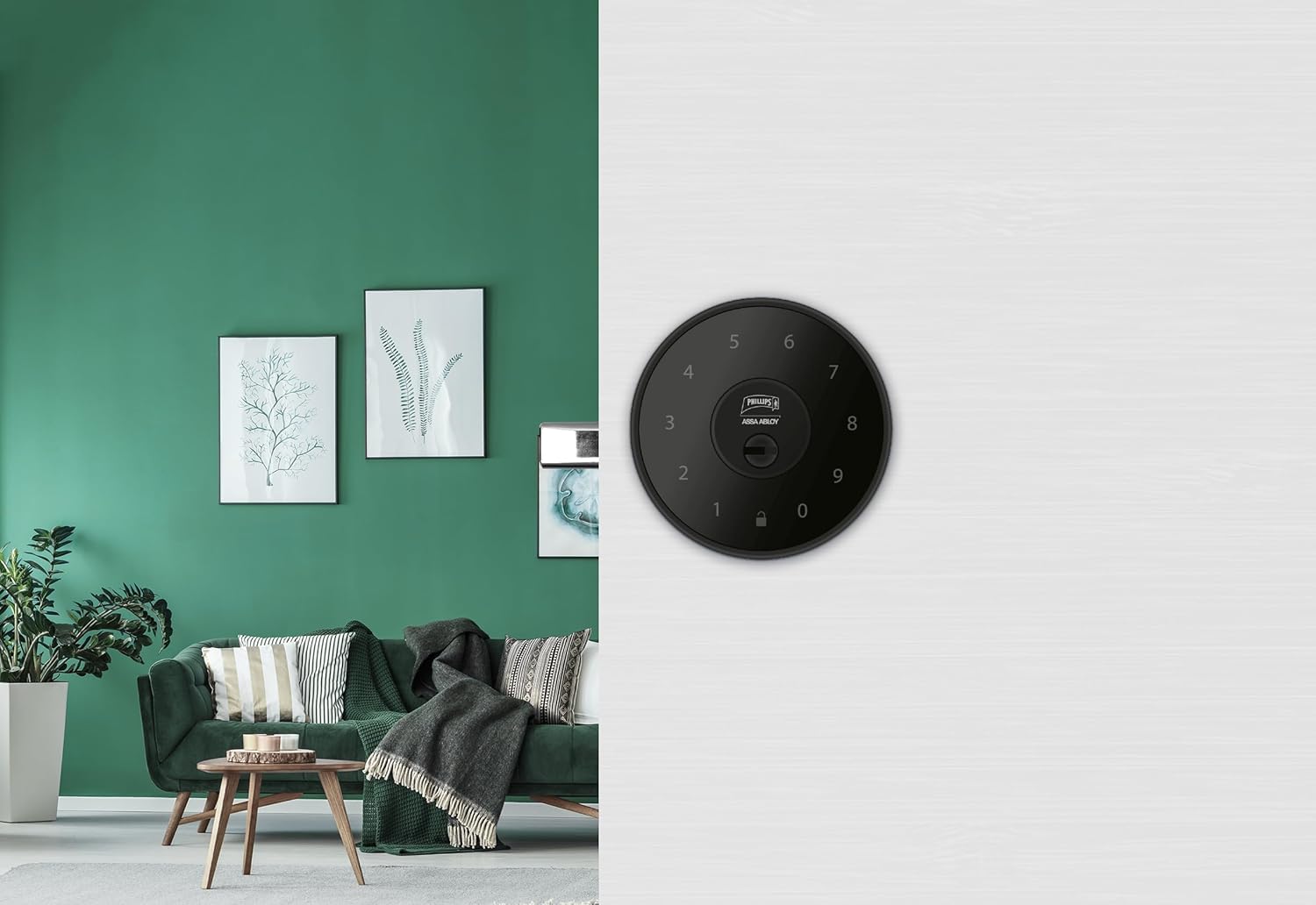
6.1. irudia: An installed Phillips MX7053 Digital Deadbolt, showcasing its exterior keypad on a door.

6.2. irudia: Aurrealde hurbila view of the exterior keypad, highlighting the numeric interface and keyhole.
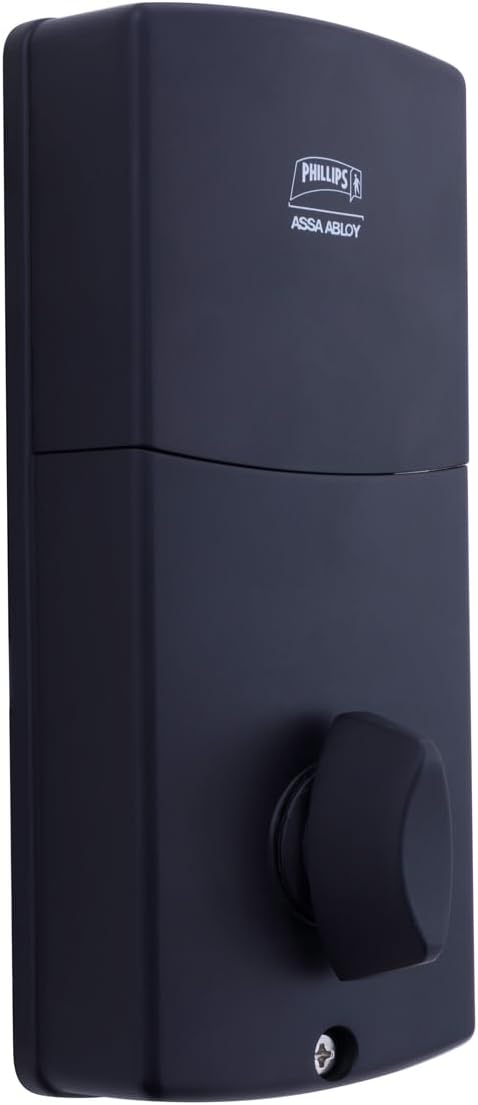
6.3. irudia: Atzekoa view of the interior unit, which houses the battery compartment and the thumb turn for manual locking/unlocking.
7. Bateria instalatzea eta ordezkatzea
The Phillips MX7053 Digital Deadbolt requires 4 AA alkaline batteries for operation. Batteries are not included.
- Bateriaren konpartimenturako sarbidea: Locate the battery cover on the interior thumb turn unit. Slide or unclip the cover to open the compartment.
- Sartu bateriak: Insert 4 new AA alkaline batteries, ensuring correct polarity (+/-) as indicated inside the compartment.
- Itxi konpartimentua: Replace the battery cover, ensuring it is securely closed.
- Proba: After installing batteries, the lock should emit a beep and the keypad lights may illuminate briefly, indicating power.
Oharra: Replace all four batteries simultaneously. Do not mix old and new batteries or different battery types. Low battery indication will typically be a series of beeps or a specific light pattern when operating the lock.
8. Funtzionamendua
8.1 Atea desblokeatzea
- Kode bat erabiliz: Enter your 4 to 10-digit user code on the exterior keypad. The light indicator will confirm successful entry, and the deadbolt will retract.
- Gakoa erabiliz: Insert the high-security key into the keyhole on the exterior keypad and turn it to unlock the deadbolt.
- Barrutik: Turn the thumb turn on the interior unit to retract the deadbolt.
8.2 Atea blokeatzea
- Kanpotik: Press any key on the keypad or simply wait for the auto-lock feature (if enabled) to engage the deadbolt.
- Gakoa erabiliz: Insert the high-security key into the keyhole on the exterior keypad and turn it to extend the deadbolt.
- Barrutik: Turn the thumb turn on the interior unit to extend the deadbolt.
9. Programming User Codes
The lock supports up to 50 unique user codes, each 4 to 10 digits long. Refer to the specific programming instructions included with your lock for detailed steps on adding, deleting, or modifying user codes. Generally, this involves entering a master code followed by a sequence of commands and the desired user code.
Garrantzitsua: Keep your master code confidential and do not share it. It is essential for managing all other user codes.
10. Mantentzea
- Garbiketa: Garbitu giltzarrapoaren gainazala oihal leun batekin,amp oihal. Ez erabili produktu kimiko gogorrak edo garbitzaile urratzaileak.
- Bateria egiaztatzea: Bateria baxuaren adierazlea agertzen denean, aldatu bateriak berehala.
- Kontrol mekanikoa: Periodically check that all screws are tight and the lock operates smoothly. Lubricate the deadbolt mechanism with a silicone-based lubricant if necessary.
11. Arazoak
- Blokeoak ez du erantzuten: Check battery installation and replace batteries if necessary. Ensure the keypad is clean and free of debris.
- Segurtasun-sarraila ez da luzatzen/atzeratzen: Verify that the door frame strike plate is properly aligned with the deadbolt. Check for any obstructions in the door jamb.
- Kode-sarrera okerra: If the light indicator flashes or beeps after entering a code, re-enter the code carefully. Ensure you are using a valid, programmed user code.
- Teklatua ez da pizten: This may indicate very low batteries or a power issue. Replace batteries.
12. Bermea eta Laguntza
The Phillips MX7053 Digital Deadbolt PCD-360 comes with a 1 urteko bermea erosketa-datatik aurrera, fabrikazio-akatsak estaliz. Gorde erosketaren egiaztagiria berme-erreklamazioetarako.
For technical assistance, troubleshooting beyond this manual, or warranty inquiries, please contact Phillips customer support. Refer to the contact information provided on the product packaging or Phillips' official webgunea.
Additional protection plans may be available from third-party providers for extended coverage.


