
TEYES CC3 2K
TEYES CC3 2K Car Radio Multimedia Navigation System User Manual
Model: CC3 2K | Brand: TEYES
Sarrera
This manual provides comprehensive instructions for the installation, operation, and maintenance of your TEYES CC3 2K Car Radio Multimedia Navigation System. Designed for Toyota Sienna 3 XL30 models from 2014-2020, this Android 10 head unit offers advanced multimedia, navigation, and connectivity features. Please read this manual thoroughly before using the device to ensure proper function and safety.
Paketearen edukia
Egiaztatu behean zerrendatutako elementu guztiak zure paketean sartuta daudela. Elementuren bat falta bada edo hondatuta badago, jarri harremanetan bezeroarentzako arreta-zerbitzuarekin.

Head Unit CC3 2K: The main display and processing unit.
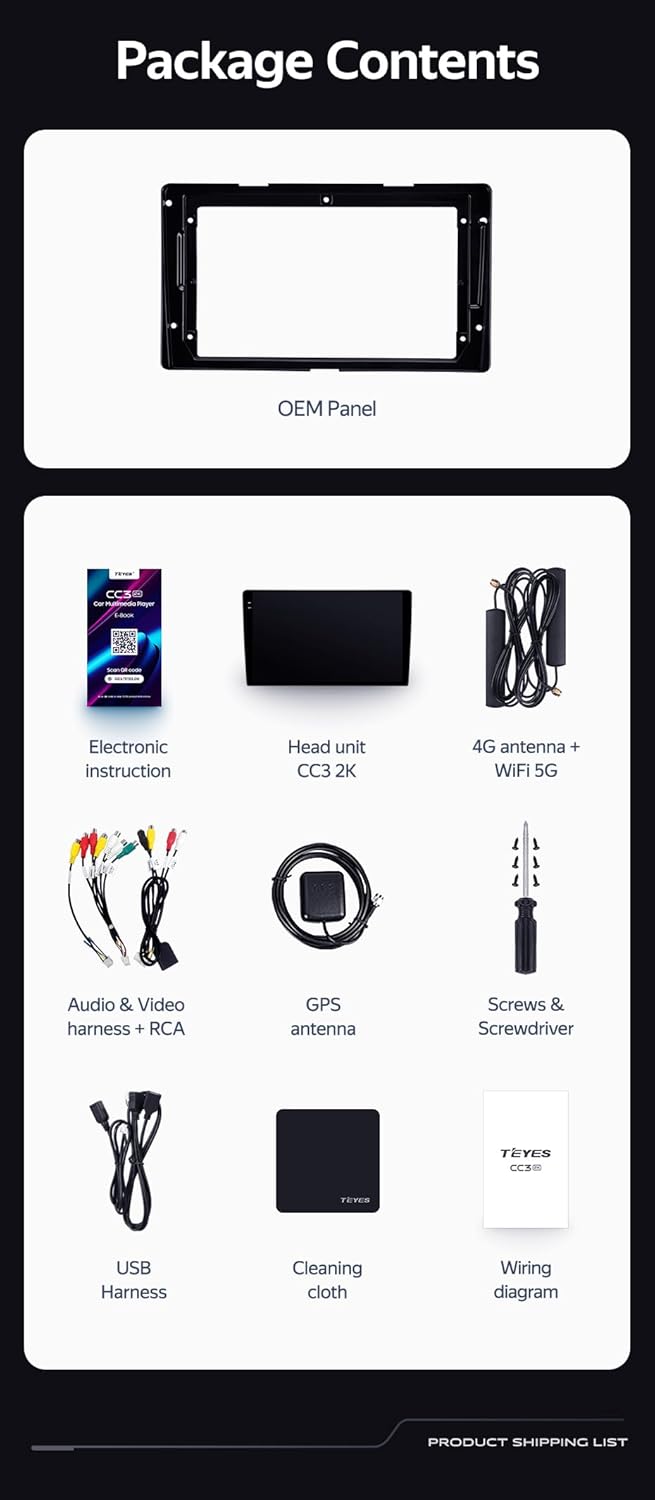
OEM Panel (Frame): Custom-fit panel for seamless integration into your vehicle's dashboard.

USB kablea: For data transfer and connecting external devices.

GPS Antena: For accurate navigation and location services.

AUX Kablea: For auxiliary audio input.

4G WiFi Antenna: Sarearen konexiorako.

AHD 1080p Rear Camera: For enhanced reverse visibility.

Sare elektrikoa For connecting the head unit to the vehicle's power supply.
Kableatu-diagrama: Essential for correct electrical connections.
Electronic Instruction: Digital manual for detailed guidance.

Garbiketa zapia: For maintaining the display's clarity.
Konfigurazioa eta Instalazioa
Installation of the TEYES CC3 2K head unit requires technical knowledge and familiarity with car audio systems. It is recommended to seek professional installation to avoid damage to your vehicle or the device. Always disconnect the vehicle's battery before beginning installation.
Instalazioa amaituview
- Prestaketa: Ensure the vehicle's power is off. Remove the original car radio and dashboard trim.
- Mounting the OEM Panel: Secure the provided OEM panel to the head unit.
- Kableatu konexioak: Connect the power cable, USB cables, GPS antenna, 4G WiFi antenna, AUX cable, and rear camera according to the wiring diagram. Ensure all connections are secure.
- Bolantearen Kontrol Integrazioa: The unit supports original car steering wheel buttons. Connect the appropriate wires as per the wiring diagram. Configuration may be required in the unit's settings.
- Probak: Before fully reassembling the dashboard, connect the battery and power on the unit to test basic functions.
- Azken Batzarra: Carefully reassemble the dashboard trim and secure the head unit in place.

Irudiaren deskribapena: This image displays a side-by-side comparison of a Toyota Sienna dashboard before and after the installation of the TEYES CC3 2K head unit. The 'before' image shows the original car radio, while the 'after' image shows the integrated TEYES CC3 2K unit, demonstrating a seamless fit and updated aesthetic.

Irudiaren deskribapena: Gertu bat view of a car's steering wheel with integrated control buttons. The text indicates that the TEYES CC3 2K supports these original car steering wheel buttons, allowing for convenient control of the multimedia system.
Funtzionamendu-argibideak
The TEYES CC3 2K operates on an Android 10 system, providing a user-friendly interface. The 2K in-cell touch screen offers responsive interaction.
Oinarrizko Funtzionamendua
- Piztu/Itzali: Press and hold the power button (if physical) or use the vehicle's ignition.
- Ukipen-pantailaren nabigazioa: Swipe, tap, and pinch to navigate through menus and applications.
- Hasierako pantaila: Access frequently used apps and widgets. Customize the layout as desired.
- Bolumen kontrola: Adjust volume using the on-screen controls or steering wheel buttons.
Multimedia Funtzioak
- Irratia: Access the built-in radio tuner. Supports RDS for enhanced information display.
- Bluetootha: Pair your smartphone for hands-free calling and audio streaming via the upgraded QCC3031QFN Qualcomm Bluetooth module.
- USB erreprodukzioa: Connect USB drives to play audio and video files.
- Bideo erreproduzitzailea: Play various video formats on the 2K display.
- Audio irteera: Utilize the 2*DSP ADAU1701 + ROHM32107 for high-quality audio, including optical and coaxial digital audio output.
Navigation and Connectivity
- GPS nabigazioa: Use pre-installed navigation apps or download others from the app store. Supports North America maps.
- 4G Internet & WiFi: Connect to the internet via 4G or WiFi hotspot for online services, app downloads, and real-time traffic updates.
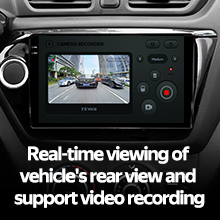
- Atzeko kamera: The included AHD 1080p rear camera provides real-time viewing when reversing and supports video recording.
Bideoaren deskribapena: This video demonstrates the TEYES CC3 2K head unit's user interface and features, including its responsive touch screen, multimedia playback, and integration into a car dashboard. It highlights the visual quality and various functionalities of the system.
Irudiaren deskribapena: Xehetasun bat view of the TEYES CC3 2K head unit's display, showcasing its modern user interface with various application icons for video, radio, folders, and Teyes Yahu. It also displays a music player widget and a car speed indicator, illustrating the system's multimedia and informational capabilities.
Mantentzea
Proper maintenance ensures the longevity and optimal performance of your TEYES CC3 2K head unit.
- Pantaila garbitzea: Use the provided cleaning cloth or a soft, lint-free cloth with a screen-safe cleaner. Avoid abrasive materials or harsh chemicals.
- Software eguneraketak: Regularly check for and install software updates to ensure the system has the latest features and security patches.
- Ingurumen-baldintzak: Saihestu unitatea tenperatura altuen, eguzki-argiaren eraginpean denbora luzez edo hezetasun gehiegizkoaren eraginpean jartzea.
- Kable konexioak: Aldian-aldian egiaztatu kable-konexio guztiak ondo lotuta daudela eta kalterik ez dutela ziurtatzeko.
Arazoak konpontzea
If you encounter issues with your TEYES CC3 2K, refer to the following common troubleshooting steps. For persistent problems, contact customer support.
- Unitatea ez da pizten:
- Check vehicle's battery connection.
- Verify power cable connections to the head unit.
- Ensure vehicle ignition is on.
- Soinurik ez:
- Check volume levels on the unit and vehicle.
- Verify speaker wire connections.
- Ensure correct audio source is selected.
- GPSak ez du funtzionatzen:
- Ziurtatu GPS antena behar bezala konektatuta dagoela eta argia duela. view zeruko.
- Check GPS settings in the unit's menu.
- Ukipen-pantailak ez du erantzuten:
- Restart the head unit.
- Ziurtatu pantaila garbi eta hondakinik gabe dagoela.
- Bluetooth konexio-arazoak:
- Ensure Bluetooth is enabled on both the head unit and your device.
- Delete previous pairings and re-pair the device.
- Move devices closer to the head unit.
Zehaztapenak
| Ezaugarri | Xehetasuna |
|---|---|
| Modelo zenbakia | CC3 2K |
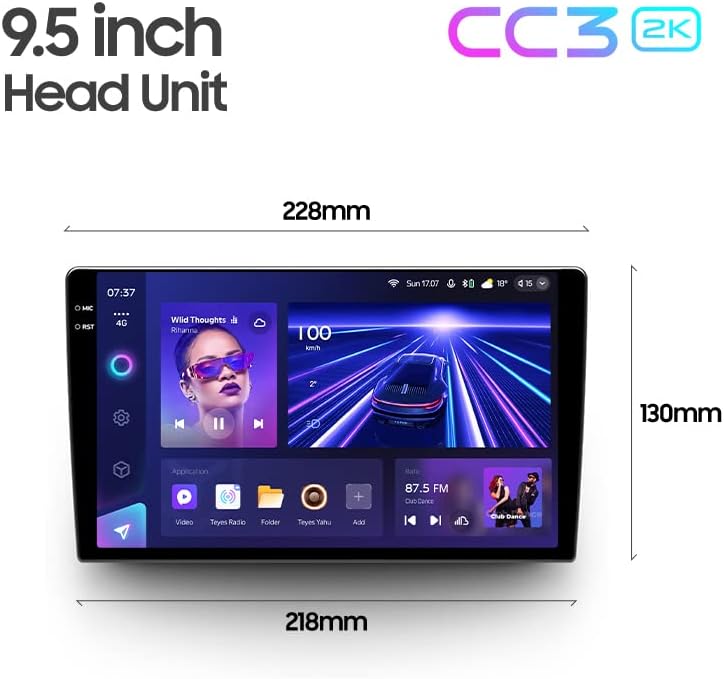
| Bistaratzeko tamaina | 9.5 hazbete |
| Sistema eragilea | Android 10 |
| RAM | 6 GB |
| ROM | 128 GB |
| Prozesadorea | 8 nukleoak 2.0 GHz |
| Bistaratzeko Teknologia | 2K In-cell Display, Gamut Coverage 157% |
| Bluetooth modulua | QCC3031QFN Qualcomm |
| Audio prozesadoreak | 2*DSP ADAU1701 + ROHM32107 |
| Audio Irteera | Optical and Coaxial Digital Audio Output, Stereo |
| Konektibitatea | Bluetooth, USB, WiFi, Hotspot, 4G Internet |
| Mapa mota | Ipar Amerika |
| Ezaugarri bereziak | Touchscreen, RDS Support, Real-time Rear View, Video Recording Support, 3D Software (TEYES Vision & TEYES Yahu) |
| Ibilgailuen Zerbitzu Mota | Car (Toyota Sienna 3 XL30 2014-2020) |

Irudiaren deskribapena: This image provides a dimensional diagram of the TEYES CC3 2K 9.5-inch head unit, showing its width (228mm at the top, 218mm at the bottom) and height (130mm). The display also shows the user interface with music playback and car speed information.
Bermearen informazioa
The TEYES CC3 2K Car Radio Multimedia Navigation System comes with a 1 urteko bermea from the date of purchase. This warranty covers manufacturing defects and malfunctions under normal use. It does not cover damage caused by improper installation, accidents, misuse, unauthorized repairs, or normal wear and tear. Please retain your proof of purchase for warranty claims.
Bezeroarentzako Arreta
For technical assistance, troubleshooting, or warranty inquiries, please contact TEYES customer support. Refer to the contact information provided with your product packaging or visit the official TEYES weblaguntza baliabideen gunea.
Fabrikatzailea: Shenzhen TEYES High tech Co., Ltd.
Ask a question about this manual
Ask about setup, troubleshooting, compatibility, parts, safety, or missing instructions. Manuals+ will review the question and use this page’s manual context to help answer it.