
1. Produktua amaitu daview
This manual provides detailed instructions for the installation, operation, and maintenance of your Real HD 4-Channel PoE IP Security Camera System. This system includes a 4K 8-Channel Network Video Recorder (NVR) with a pre-installed 2TB hard drive and four 6MP PoE IP dome cameras, designed for both indoor and outdoor surveillance.
1.1 Paketearen edukia
Egiaztatu behean zerrendatutako elementu guztiak zure paketean daudela. Elementuren bat falta bada edo hondatuta badago, jarri harremanetan bezeroarentzako arreta-zerbitzuarekin.

Image 1.1: Package Contents. This image displays the components included in the box: one 8-channel PoE NVR, four IP cameras, one mouse, one quick start guide, four waterproof lids, four mounting templates, and four sets of screws. Note that network cables are not included.
- 1 x 4K 8-Channel PoE NVR with 2TB HDD
- 4 x 6MP PoE IP Dome Cameras
- 1 x USB sagua
- 1 x Hasierako gida azkarra
- 4 x Tapa iragazgaitzak
- 4 x Muntatzeko txantiloiak
- 4 x Sets of Mounting Screws
1.2 Ezaugarri nagusiak
- Bereizmen handia: 6MP (3072x2048) IP cameras for clear video.
- 4K NVR: 8-channel Network Video Recorder supports up to 4K resolution input.
- 2 TB-ko biltegiratzea: Pre-installed 2TB surveillance-grade hard drive for 24/7 recording.
- PoE konexioa: Power over Ethernet for simplified installation with a single cable for power and video.
- Konpresio aurreratua: H.265 video compression saves storage space without sacrificing video quality.
- Detekzio adimenduna: Person and Vehicle Detection for accurate alerts.
- Audio grabaketa: Built-in microphone in each camera for audio capture.
- Eguraldiaren diseinua: IP66-rated cameras suitable for indoor and outdoor use.
- Zabala ViewAngelua: 102 ° zabal viewing angle (108° for 2.8mm lens variant).
- Gaueko ikuspegia: Infrared LEDs provide clear night vision up to 100ft (30m).
2. Sistemaren konfigurazioa
2.1 NVR konexioa
- Konektatu monitorearekin: Konektatu NVRa monitore batera HDMI edo VGA kable bat erabiliz.
- Sagua konektatu: Konektatu barneko USB sagua NVR-ko USB ataka batera.
- Konektatu sarea: Connect the NVR to your router or network switch using an Ethernet cable (not included).
- Konektatu energia: Connect the NVR to a power outlet using the provided power adapter. The NVR will power on automatically.
2.2 Kameraren instalazioa
The cameras utilize Power over Ethernet (PoE) technology, simplifying installation by delivering both power and data through a single Ethernet cable.

Image 2.1: Power Over Ethernet (PoE) Connection. This image demonstrates how a single Ethernet cable provides both power and data connectivity to the camera, simplifying wiring.
- Muntaketa kamerak: Aukeratu kokapen egokiak zure kameretarako, optimoa bermatuz viewing angles and coverage. Use the provided mounting templates and screws to securely attach the cameras.
- Konektatu Ethernet kableak: Connect each PoE IP camera to an available PoE port on the NVR using Ethernet cables (not included). The cameras will power on automatically.
- Konexio iragazgaitzak: For outdoor installations, use the provided waterproof lids to protect the Ethernet cable connections from moisture.
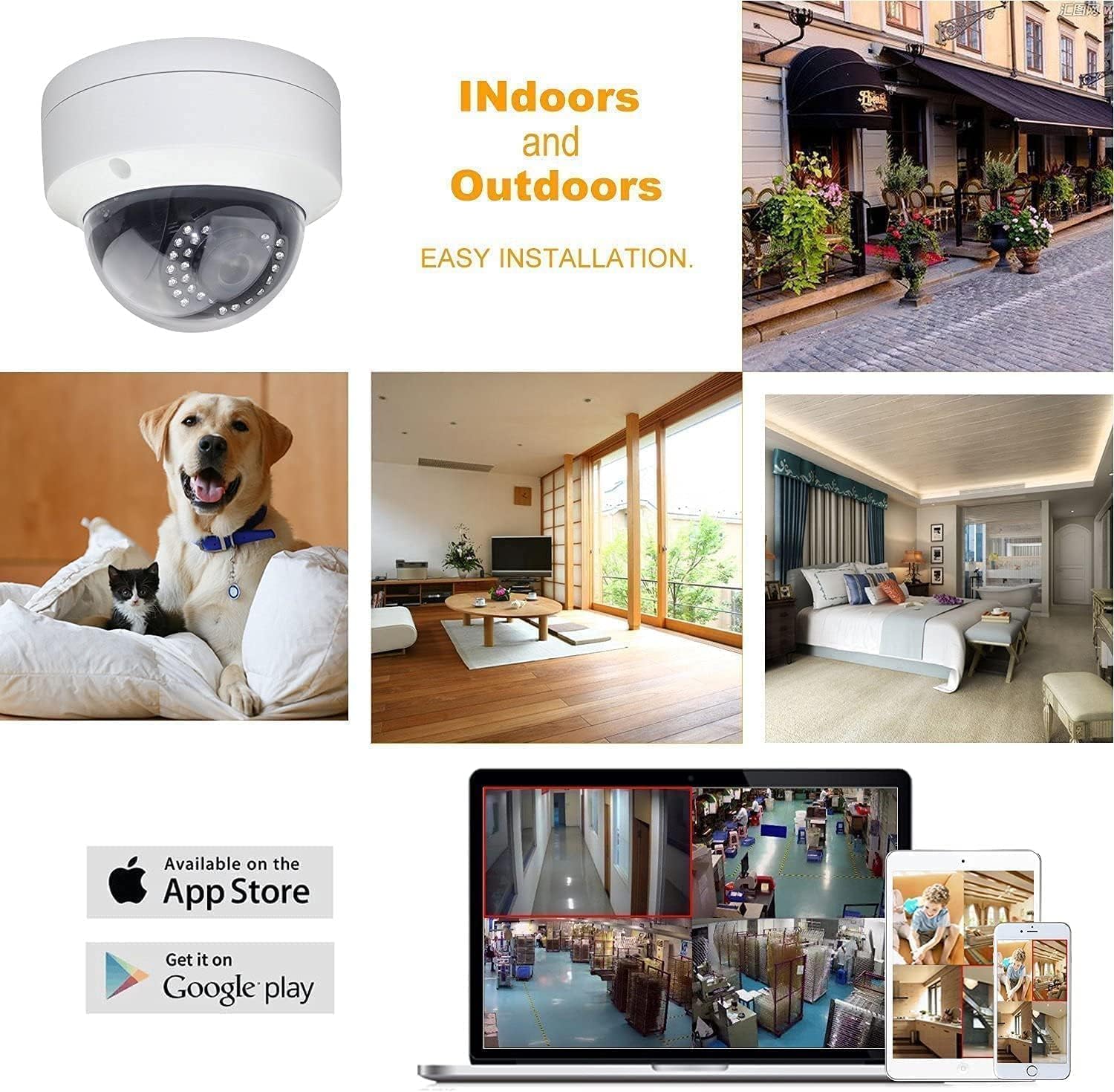
Image 2.2: Indoor and Outdoor Installation. This image illustrates the versatility of the cameras for both indoor and outdoor environments, highlighting their easy installation and compatibility with mobile viewaplikazioak.
2.3 Hasierako konfigurazioa
Lehen aldiz piztean, NVR-ak hasierako konfigurazio-morroi baten bidez gidatuko zaitu. Jarraitu pantailan agertzen diren argibideei:
- Create a strong password for the NVR administrator account.
- Configure date, time, and network settings.
- Verify camera connections and video feeds.
3. Sistemaren funtzionamendua
3.1 Bizi View
After initial setup, the NVR will display the live video feeds from all connected cameras on your monitor. You can switch between single-camera view, kamera anitzeko sareta view, and customize display settings using the NVR's interface and mouse.
3.2 Grabaketa
The NVR is configured for 24/7 continuous recording by default, utilizing the pre-installed 2TB hard drive. The advanced H.265 video compression technology optimizes storage space, allowing for longer recording durations without compromising video quality.
3.3 Erreprodukzioa
Berrizview foo grabatuatage:
- Access the 'Playback' menu on the NVR interface.
- Hautatu nahi duzun data eta ordu-tartea.
- Choose the camera feed you wish to review.
- Erabili erreprodukzio-kontrolak (erreproduzitu, pausatu, aurreratu, atzeratu) foo-n zehar nabigatzeko.tage.
3.4 Urruneko sarbidea
Access your security system remotely from anywhere using the 'Guard Viewer' mobile application.

Image 3.1: Easy Remote Access. This image illustrates the convenience of accessing live and recorded video feeds from your security system anytime, anywhere, using the 'Guard Viewer' mobile application on various devices.
- Deskargatu aplikazioa: Download the 'Guard Viewer' app from the Apple App Store or Google Play Store.
- Eskaneatu QR kodea: Open the app and scan the QR code displayed on your NVR's monitor (or found in the NVR's network settings) to add your device.
- Zuzenean View & Erreprodukzioa: Konektatu ondoren, egin dezakezu view live feeds, play back recordings, and receive alerts directly on your mobile device.
3.5 Person and Vehicle Detection
The system features intelligent Person and Vehicle Detection, which helps reduce false alarms by distinguishing human and vehicle movement from other motion sources. Configure detection zones and sensitivity settings within the NVR's menu to optimize performance.
3.6 Gaueko ikusmena
The cameras are equipped with infrared (IR) LEDs and a smart IR-cut filter for effective day and night monitoring. The IR-cut filter automatically switches between day (color) and night (black and white infrared) modes to provide clear images in varying light conditions, with night vision range up to 100ft.

Image 3.2: Day and Night Vision Comparison. This image demonstrates the camera's wide 108-degree viewing angle during the day and its effective infrared night vision capability in low-light conditions.

Image 3.3: True Day and Night Monitoring. This image illustrates how the smart IR-cut filter provides realistic pictures with minimal color cast during the day and clear, detailed night vision up to 100ft, ensuring continuous 24-hour safeguarding.
4. Mantentzea
4.1 Disko gogorraren kudeaketa
The 2TB hard drive provides ample storage. The H.265 compression technology helps maximize recording time. For long-term archiving or to free up space, utilize the USB backup feature to transfer recorded footage kanpoko biltegiratze gailu batera.
4.2 Firmware eguneraketak
Aldian-aldian egiaztatu fabrikatzailearen website or contact technical support for available firmware updates. Keeping your NVR and cameras updated ensures optimal performance, security, and access to new features.
4.3 Garbiketa
Garbitu kameraren lenteak aldizka zapi leun eta lehor batekinamp cloth to ensure clear image quality. Keep the NVR free from dust by gently wiping its exterior and ensuring proper ventilation.
5. Arazoak
This section addresses common issues you might encounter. For more complex problems, please contact technical support.
- Bideo-pantailarik ez:
- Ensure the NVR is powered on and connected to a monitor.
- Egiaztatu HDMI/VGA kablearen konexioak.
- Verify cameras are powered via PoE and connected to the NVR.
- Grabaketarik ez:
- Check NVR hard drive status in settings; ensure it's initialized and healthy.
- Egiaztatu grabazio ordutegiak behar bezala konfiguratuta daudela.
- Ziurtatu disko gogorrean nahikoa leku libre dagoela.
- Urruneko sarbidearen arazoak:
- Ziurtatu NVRa internetera konektatuta dagoela.
- Verify network settings (DHCP or static IP).
- Check firewall settings on your router.
- Ensure the 'Guard Viewer' app is updated and correctly configured with the NVR's device ID.
- Irudiaren kalitate eskasa:
- Kamera-lenteak garbitu.
- Egiaztatu kameraren eremuan oztopoak dauden view.
- Ensure sufficient lighting for night vision (if applicable).
6. Zehaztapen Teknikoak
6.1 NVRren zehaztapenak
| Ezaugarri | Zehaztapena |
|---|---|
| Kanalak | 8-Kanal |
| Bideo Harrapaketa Ebazpena | 2160p (4K) |
| Memoria Biltegiratzeko Ahalmena | 2 TB (aurrez instalatutako HDD) |
| Hardware interfazea | Ethernet, USB |
| Grabaketa modua | Etengabea |
| Energia iturria | Kable elektrikoa |
| Elementuaren pisua | Approximately 25 pounds (System total) |
6.2 Kameraren zehaztapenak
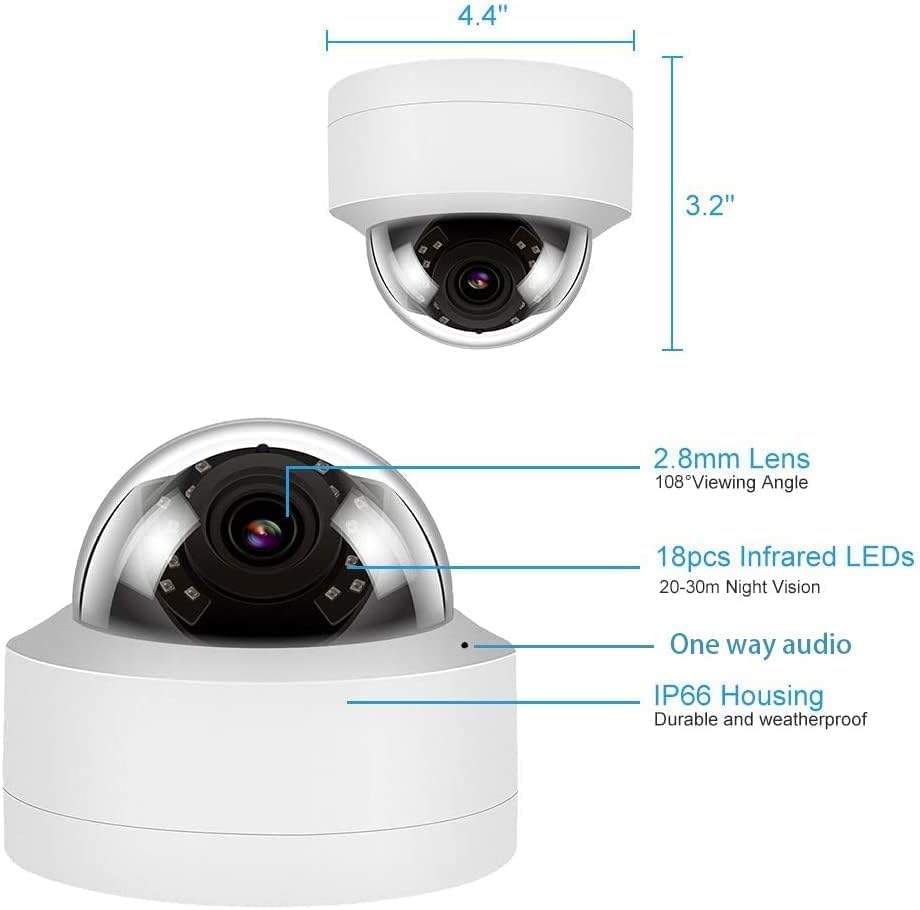
Image 6.1: Camera Dimensions and Features. Irudi honek xehetasunak eskaintzen ditu view of the dome camera, highlighting its physical dimensions (4.4" width, 3.2" height) and key features such as the 2.8mm lens, 108° viewing angle, 18 infrared LEDs for night vision, one-way audio capability, and IP66 weatherproof housing.
| Ezaugarri | Zehaztapena |
|---|---|
| Ebazpena | 6MP (3072x2048) |
| Lente mota | 2.8mm-ko angelu zabala |
| Viewangelua | 102° (up to 108° with 2.8mm lens) |
| Fotograma-tasa | 20 fps |
| Ezaugarri bereziak | Image Sensor, Person Detection, Vehicle Detection, Built-in Microphone |
| Eguraldi Erresistentzia | IP66 baloratua |
| Konektibitate Teknologia | Kable bidezkoa (PoE) |
| Neurriak | 4.4" (Width) x 3.2" (Height) |
7. Bermea eta Laguntza Teknikoa
This product is manufactured by Real HD. For any technical assistance or support inquiries, please contact the seller directly. Technical support hours are 9 am-5 pm CST.
Both the NVR and IP Cameras are NDAA compliant, meaning they are not manufactured by nor utilize components from prohibited companies or contain specific HiSilicon SoCs.
For information regarding product warranty, please refer to the documentation provided with your purchase or contact the seller.